Approval history
If the Invoice Approval checkbox is marked in Accounts Payable Options, the AP Invoices Approval History folder is visible and is located at Accounts Payable > Invoices > Approval History. The folder contains AP approval history detail lines. Use column filtering and sorting to view approval history for particular vendors, departments, operators, etc.
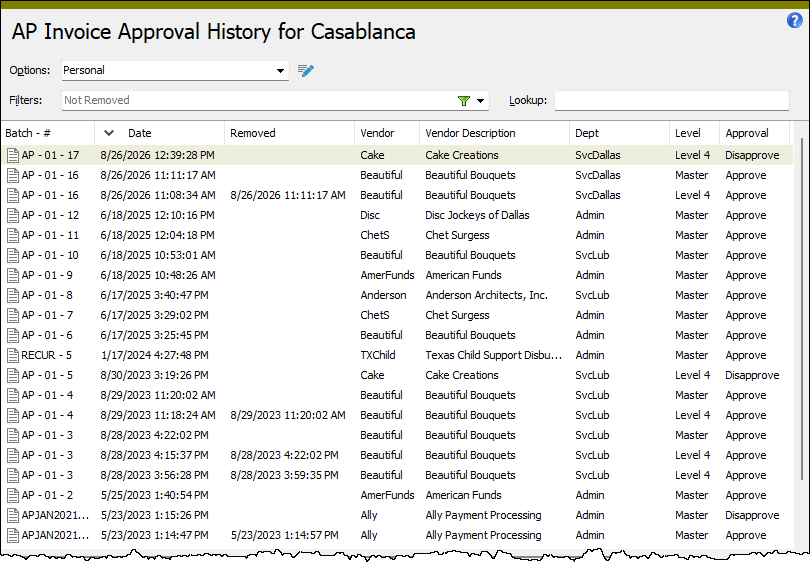
When you double-click a detail line in the HD view, the AP Invoice window opens with the Approval History tab selected and with focus in the detail line you clicked.
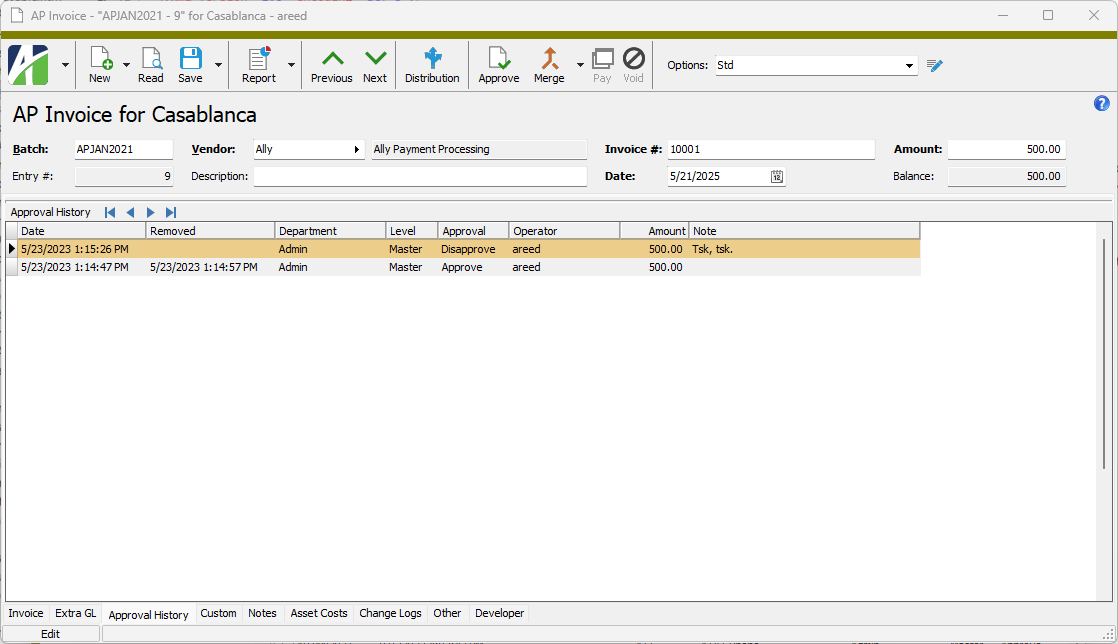
Approval history cannot be modified or deleted.
Approval History filters
The following built-in filters are available for approval history:
| Filter Name | Effect |
|---|---|
| ? Department | Prompts for a department and lists approval history detail lines for the specified department. |
| ? Department (like) | Prompts for a purchasing department and lists approval history detail lines for departments with a name that contains the specified search string. |
| ? Operator | Prompts for an operator and lists approval history detail lines for the specified operator. |
| ? Operator (like) | Prompts for an operator and lists approval history detail lines for operators with a name that contains the specified search string. |
| Not Removed | Lists all approval history detail lines for which approval has not been removed; i.e., does not include approval history detail lines with a timestamp in the Removed column. |