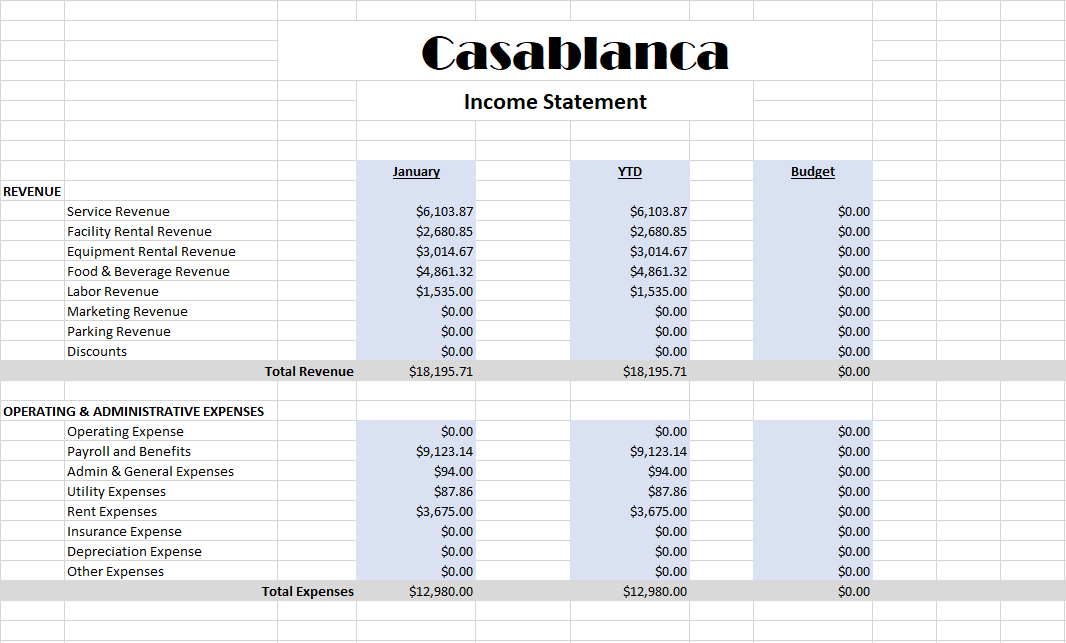
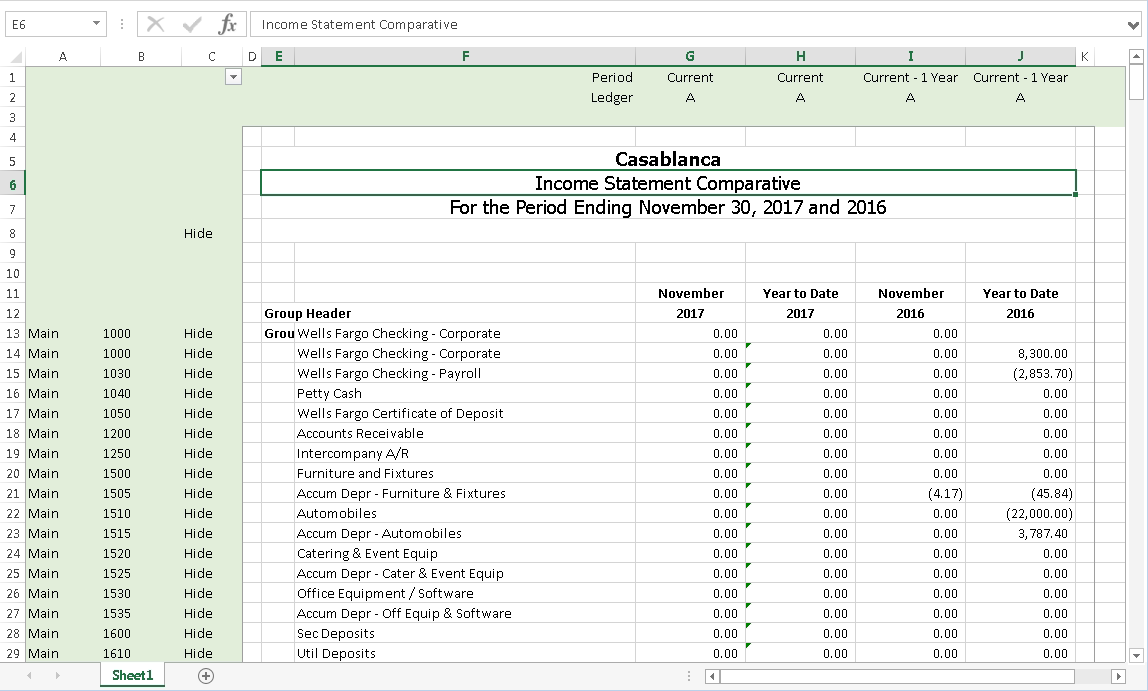
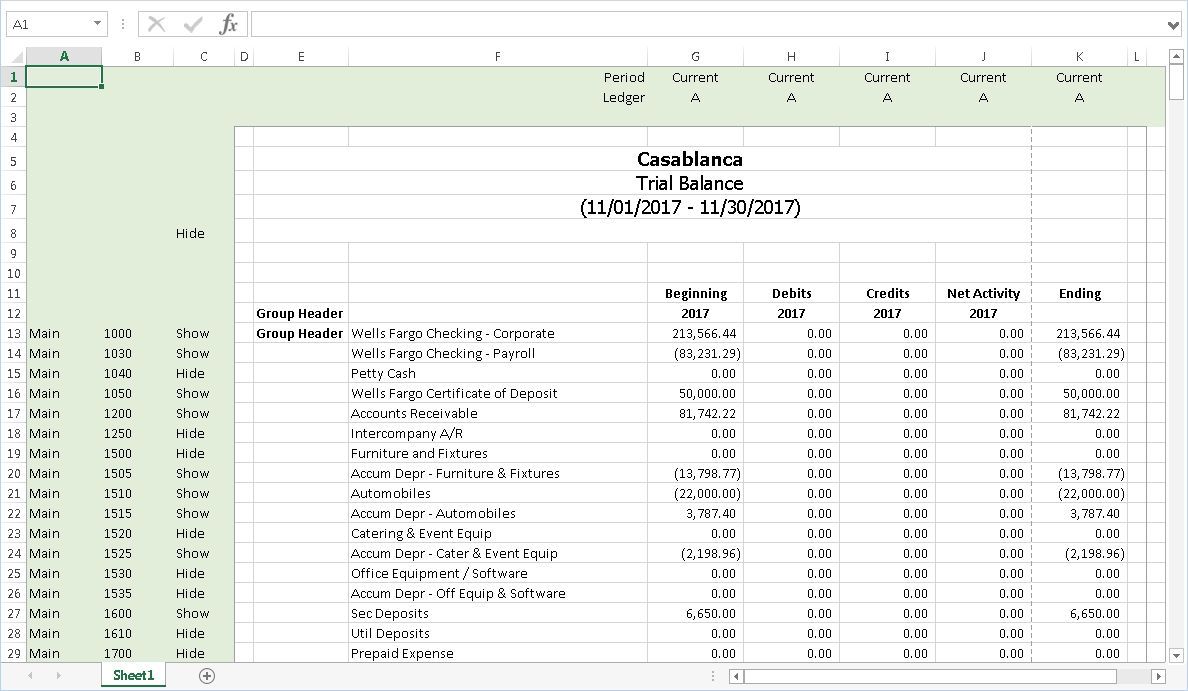
Essentially, a financial design is an Excel worksheet that incorporates labels, ActivityHD functions, and Excel formulas to produce a customized financial statement. Because the functions are generalized, you can reuse a financial design from period to period and year to year.
Note
Financial designs always create a file in a certain baseline Excel file format regardless of which version of Excel is installed on your workstation. This means users can generally open and work with financial design worksheets no matter which version of Excel is installed.
Preparing to design a financial statement
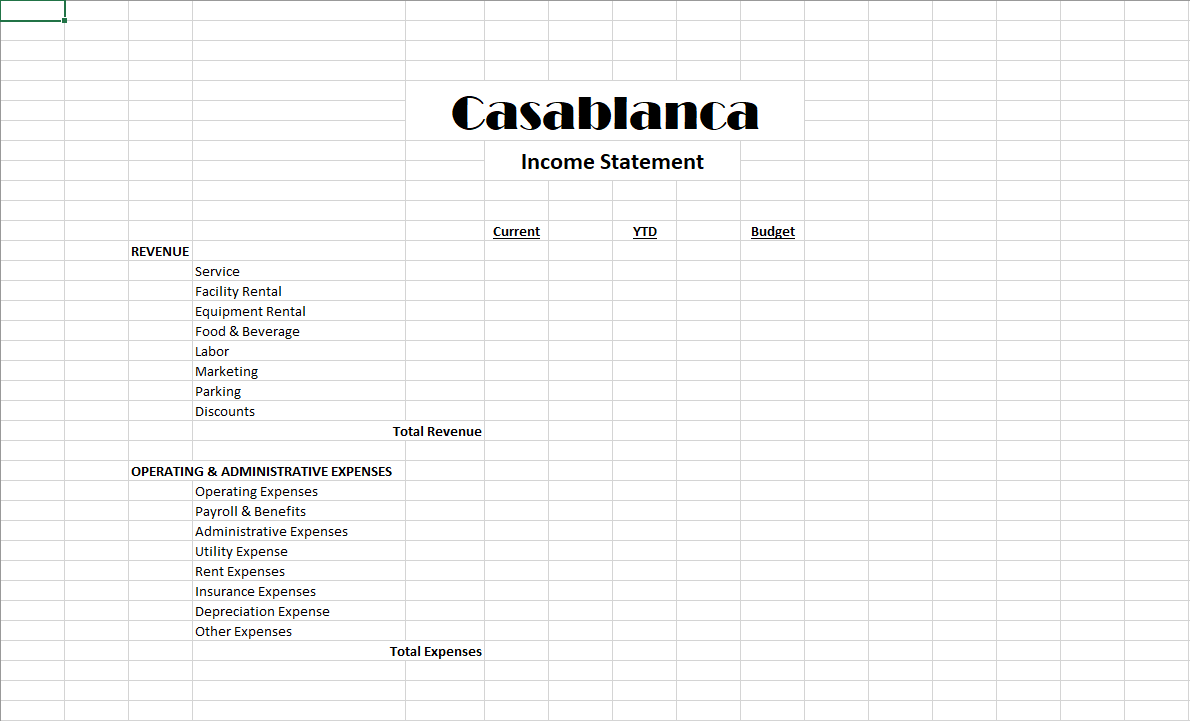
Before you start designing a financial, examine your current financial statement. Note that it consists of rows and columns. Each row and each column on the statement has an identifying characteristic or rule that can be associated with the row or column.
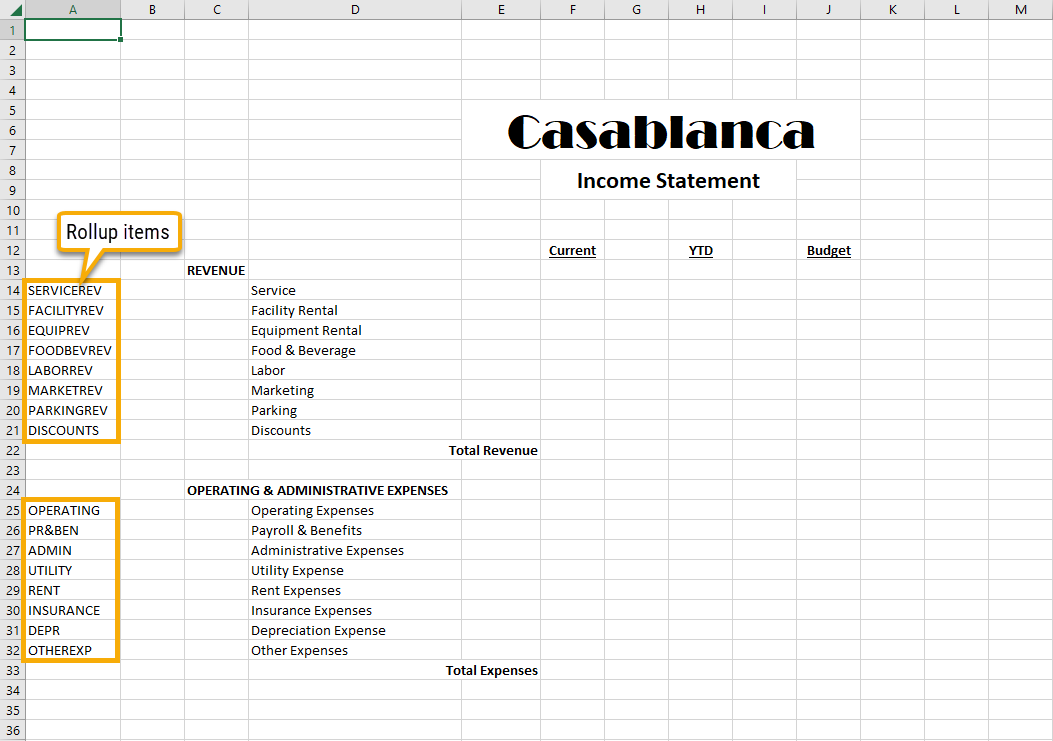
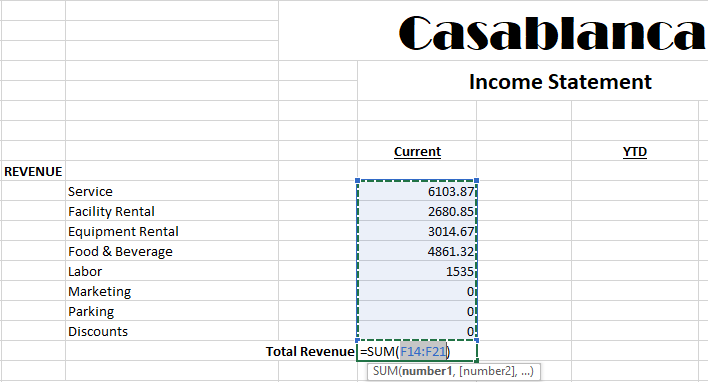
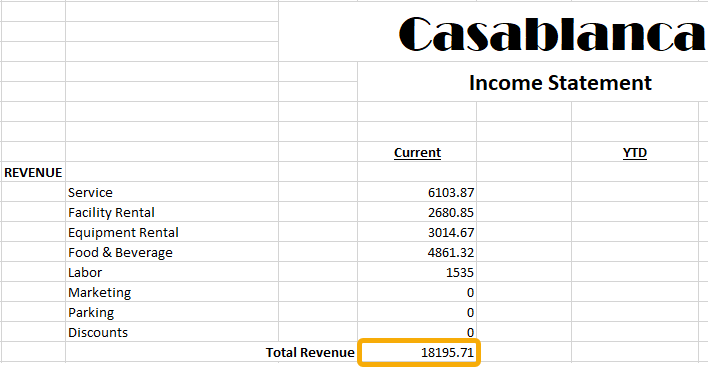
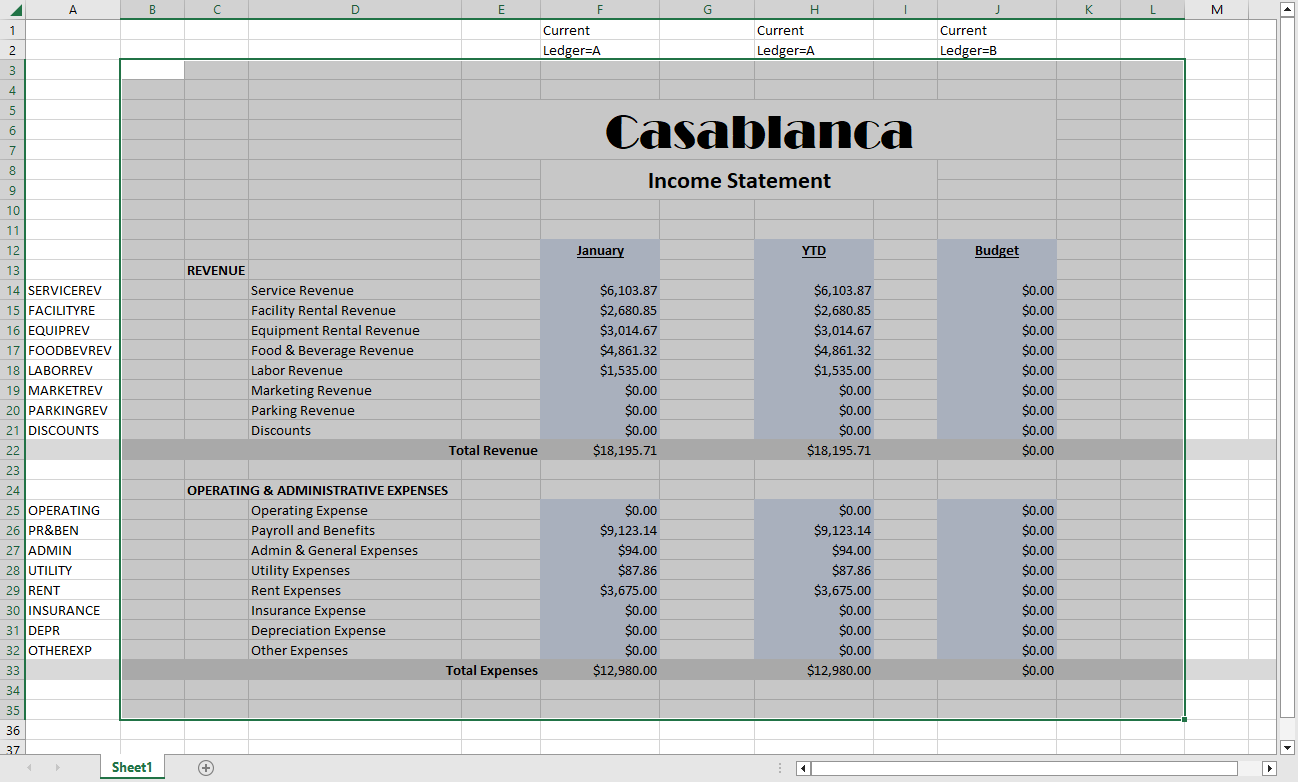
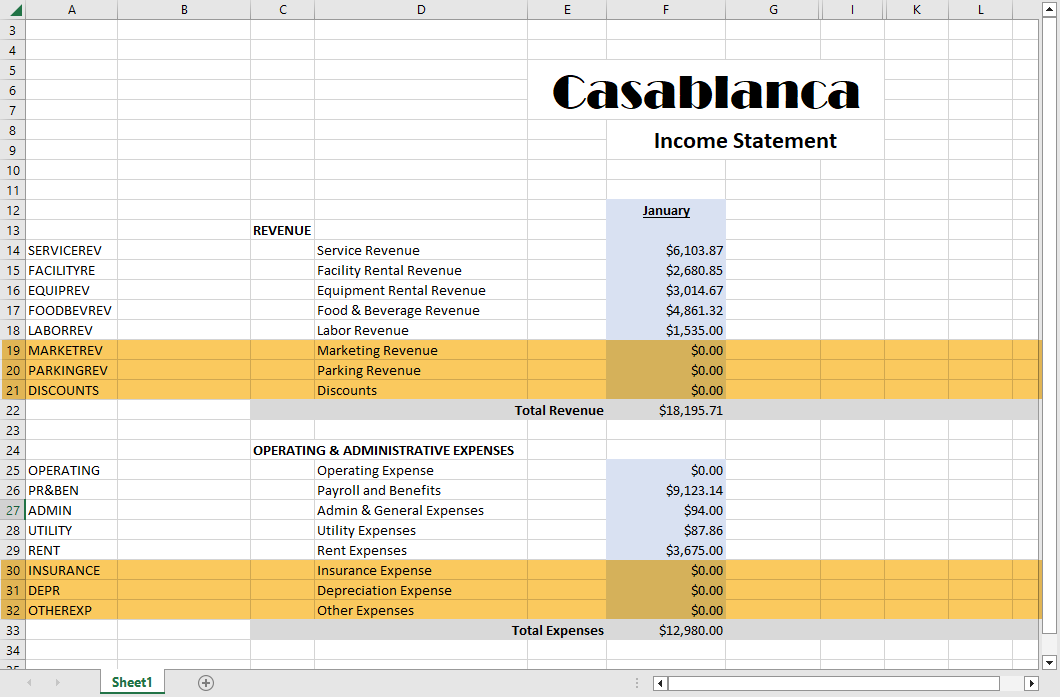
Rows typically identify which account or group of accounts appear on that row. In most cases, the group of accounts relates to a rollup code. Rows may also contain formulas which total sections of the report.
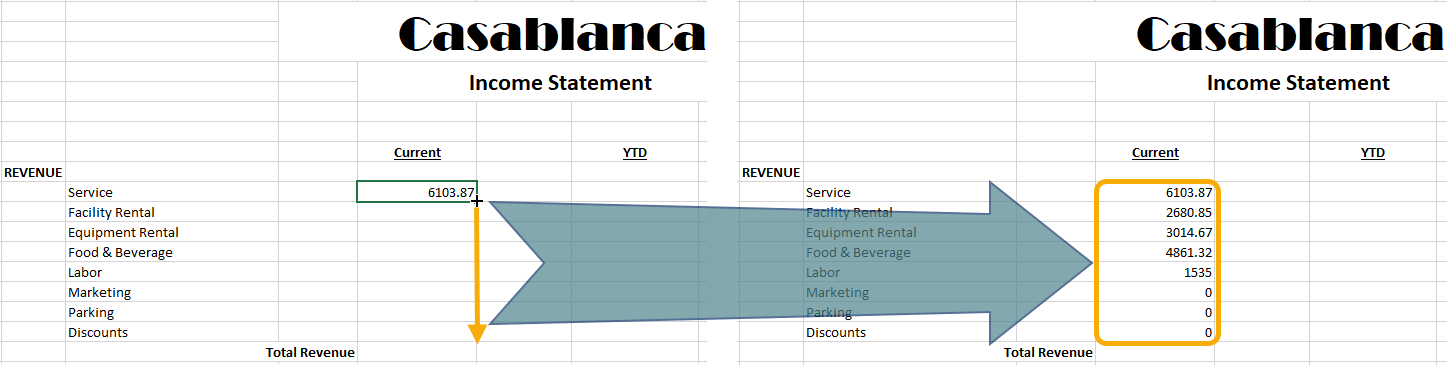
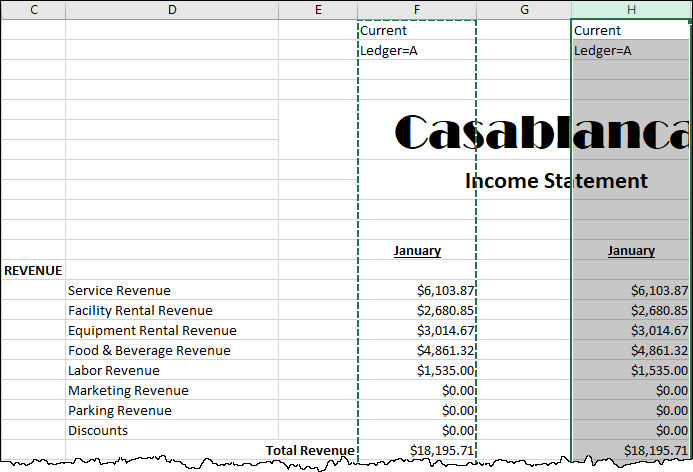
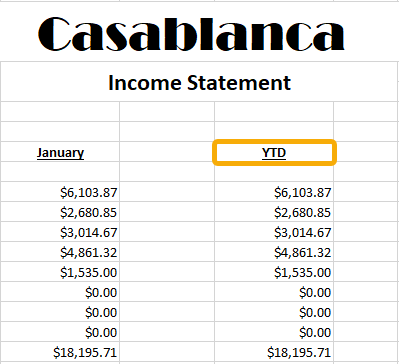
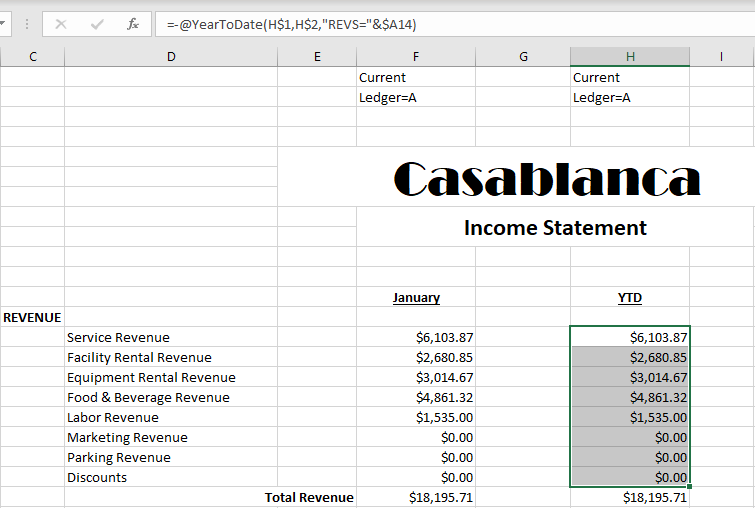
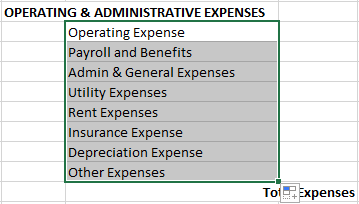
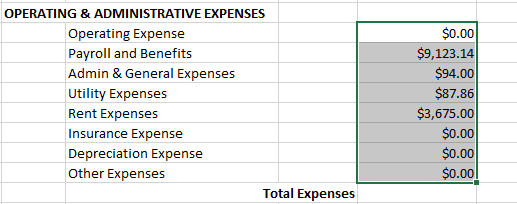
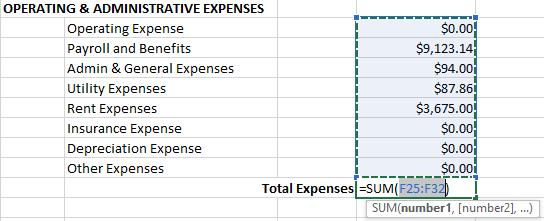
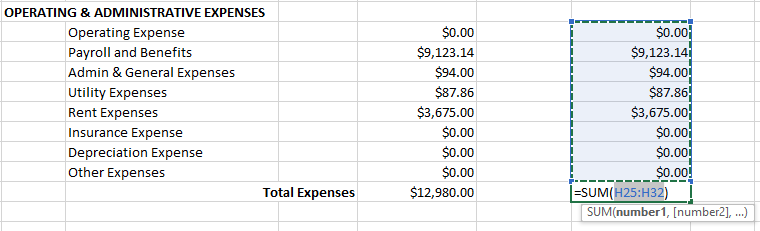
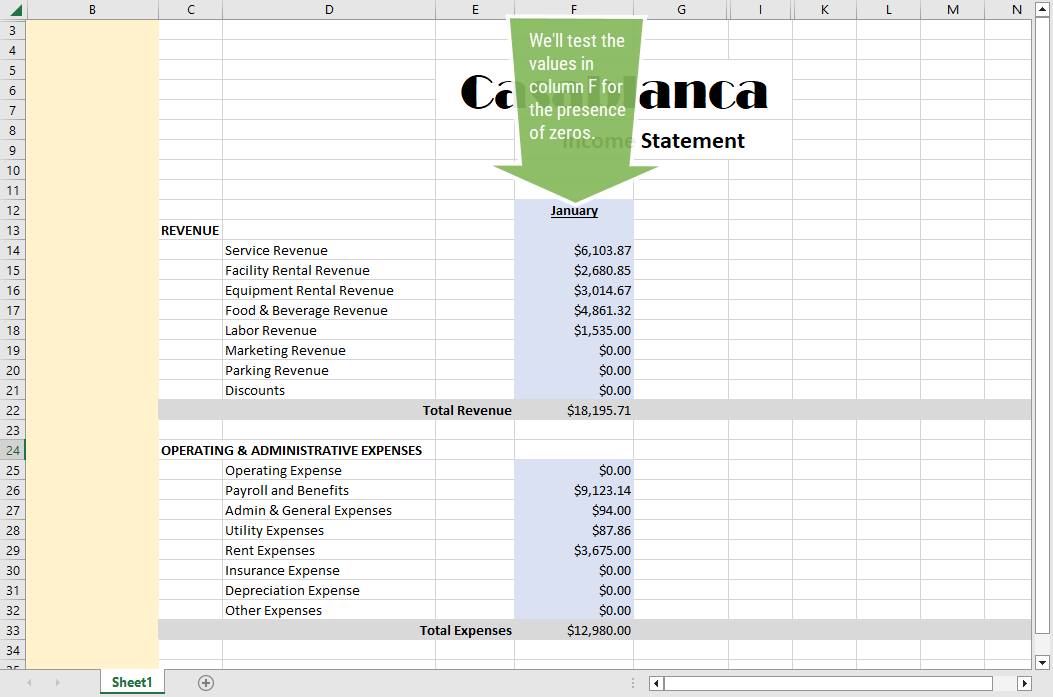
Columns usually either contain descriptions of lines, financial data, budget data, or calculations (such as variances and/or percentages). This type of information is retrieved from ActivityHD via financial functions. Often the formula for all cells in a column section is the same so that you can enter a formula in the cell at the top of the column section and drag down to copy the formula to all rows of that section of the financial.
Click here to view a table comparing financial designs and financial views.
 Create a financial design record
 . The New Financial Design window opens.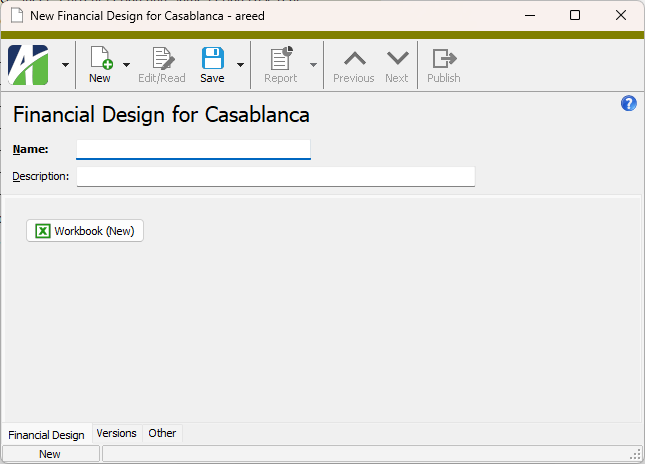
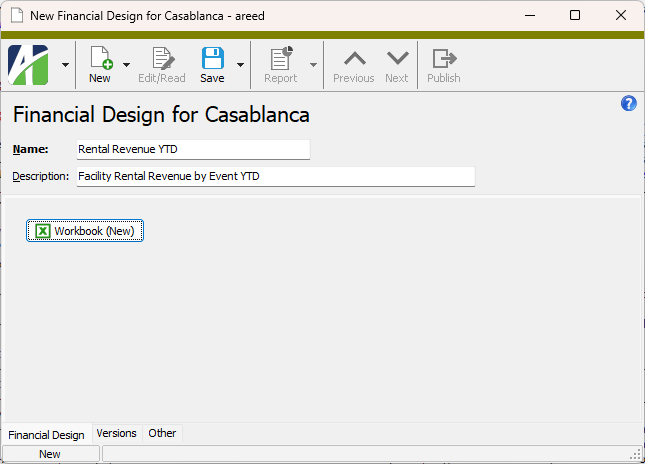
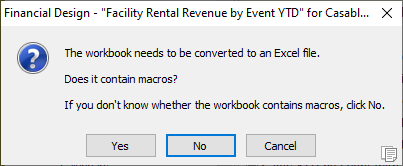
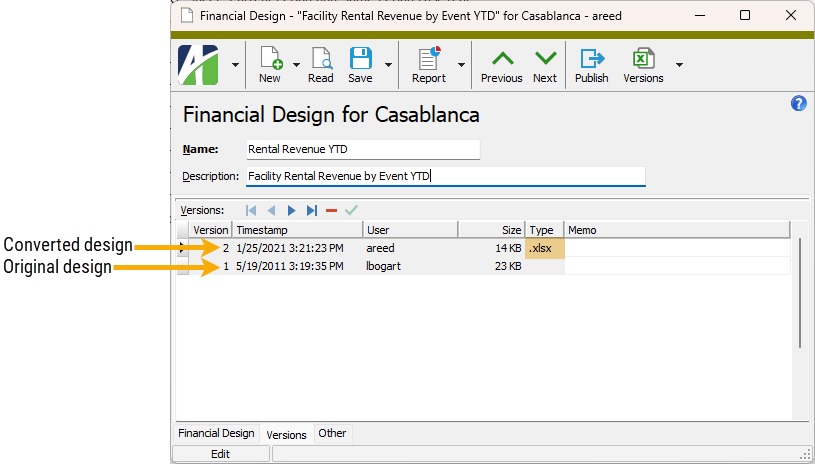
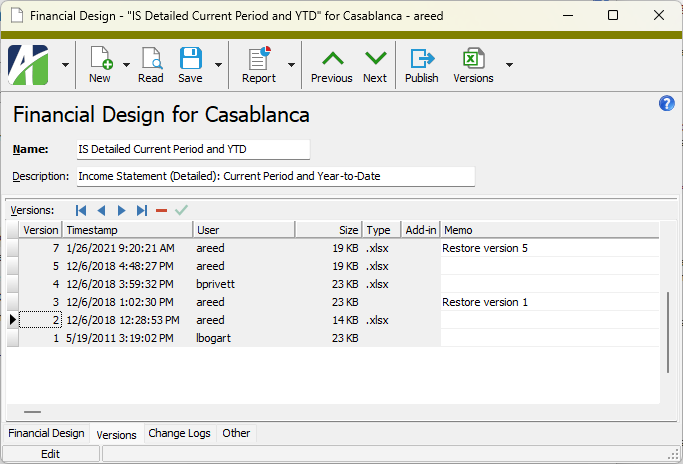
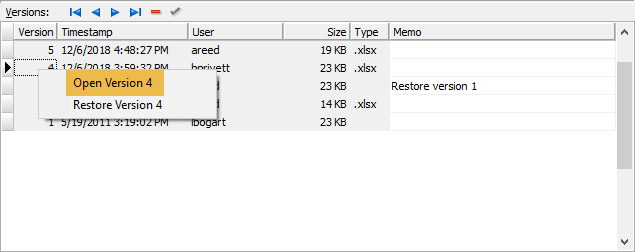
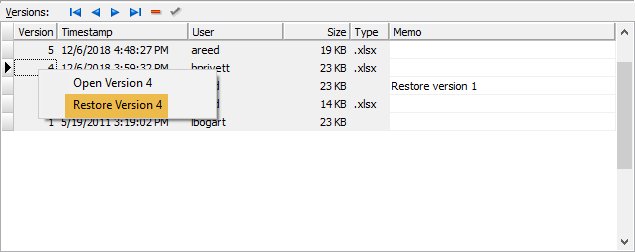
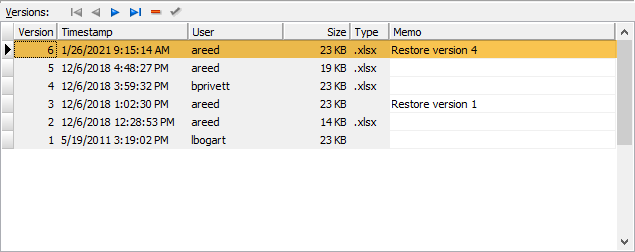
 . You are prompted to confirm that you want to delete the selected version.
 > Tools > Load Workbook from File. The Windows Open dialog opens.
 or right-click the folder and select Drilldown Explorer from the shortcut menu.
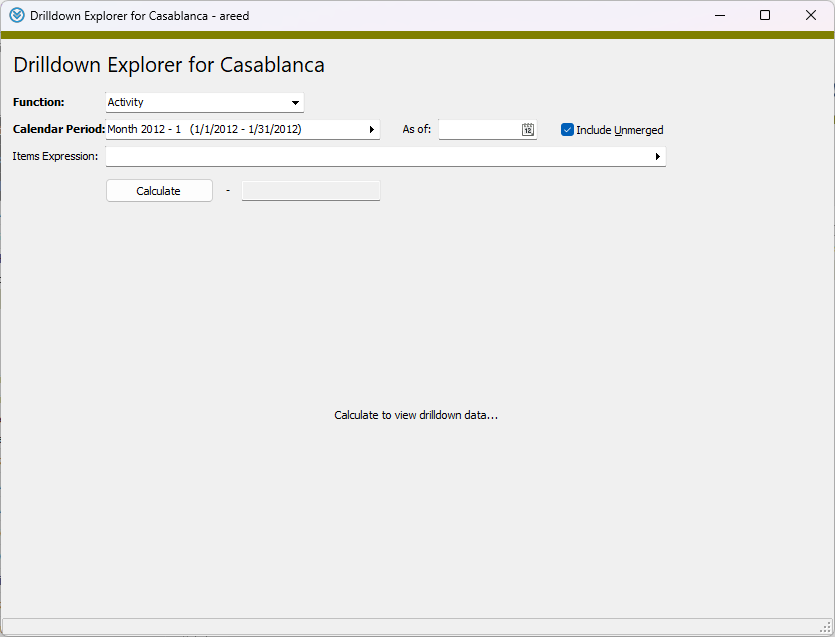
 to open the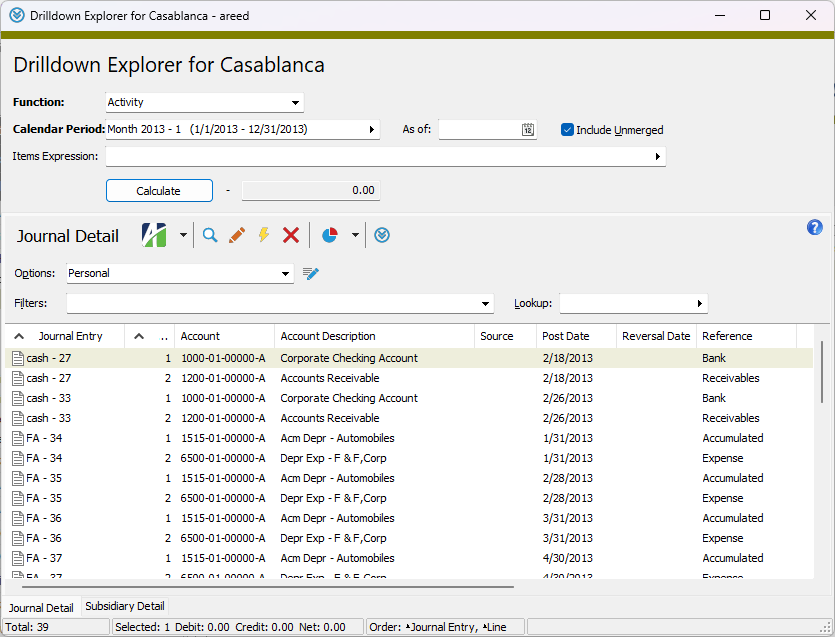
 , or open the financial design and select
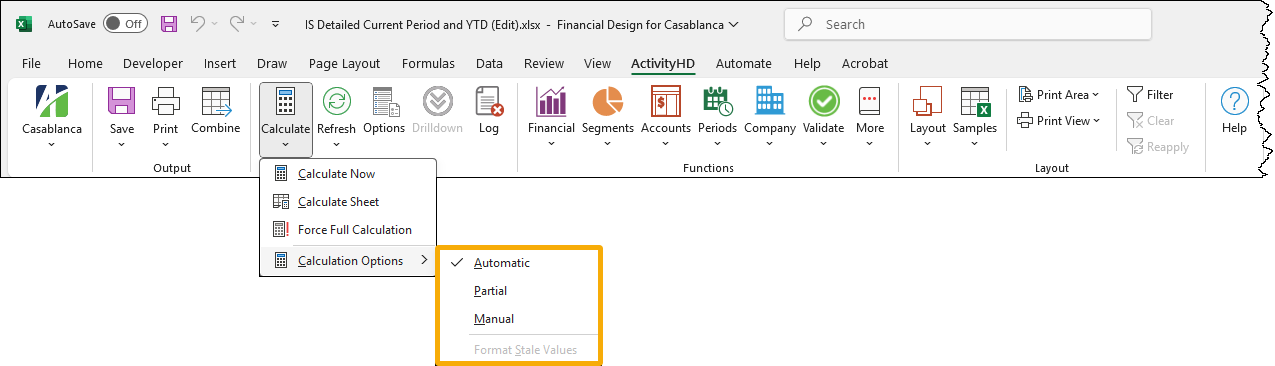
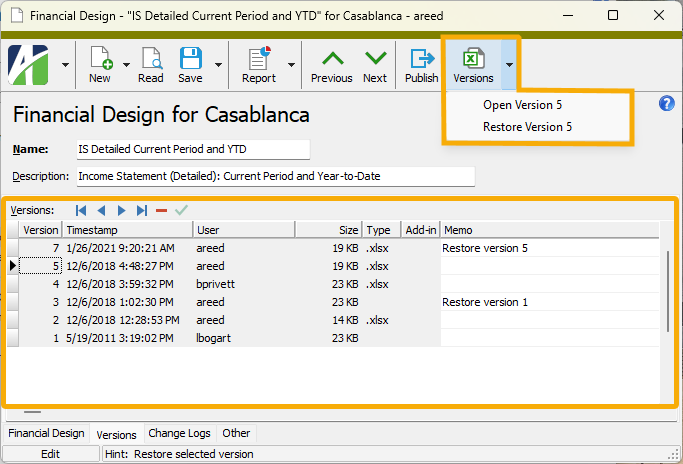
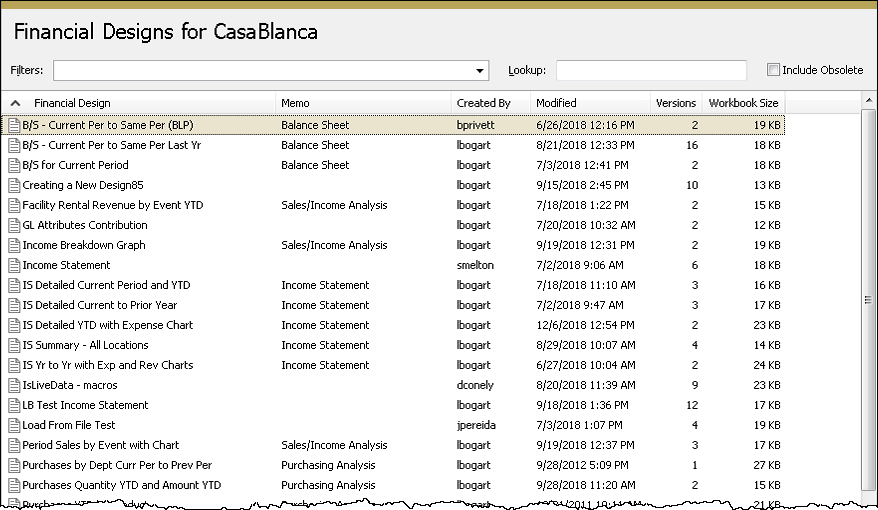

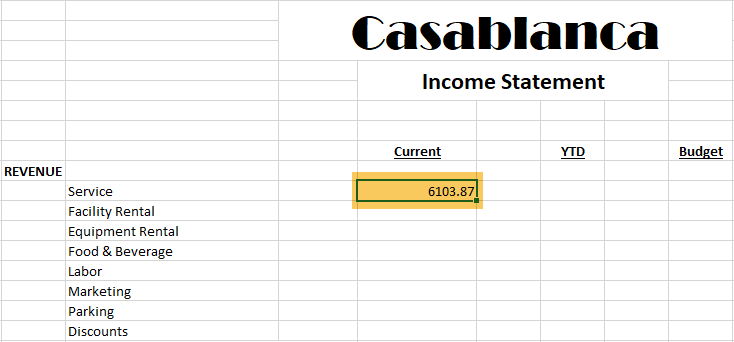

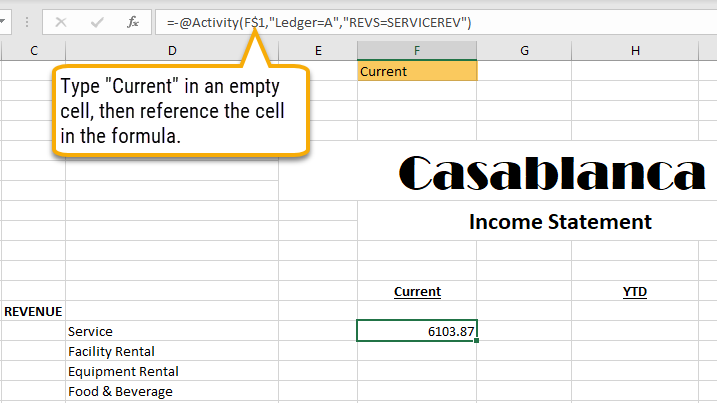
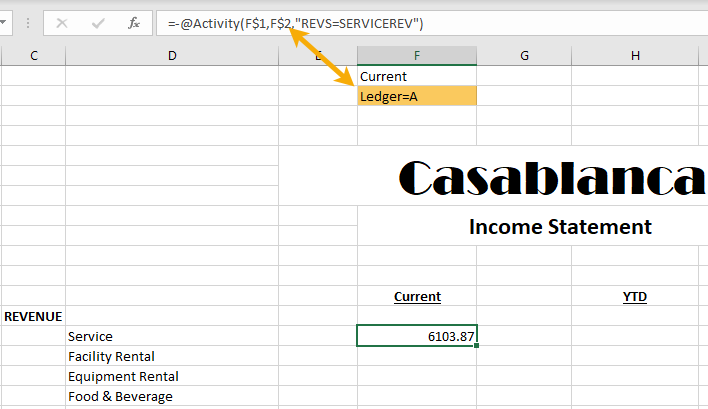
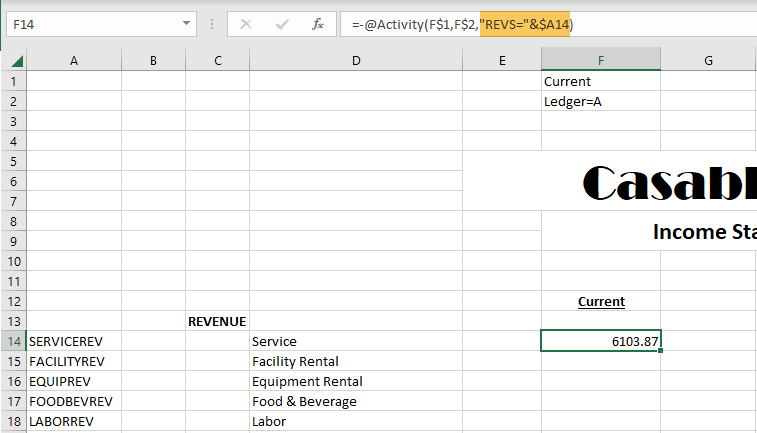
 .
.
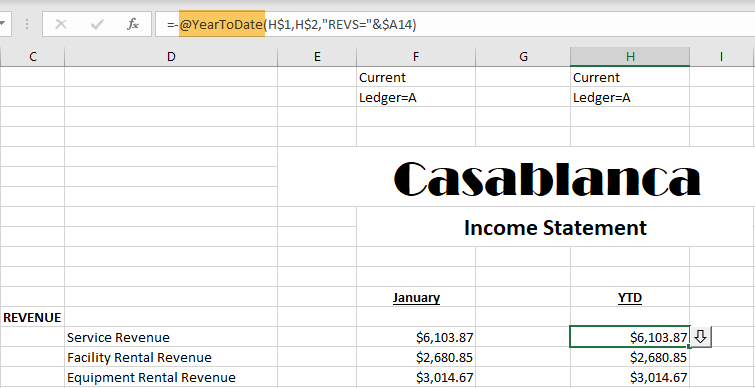

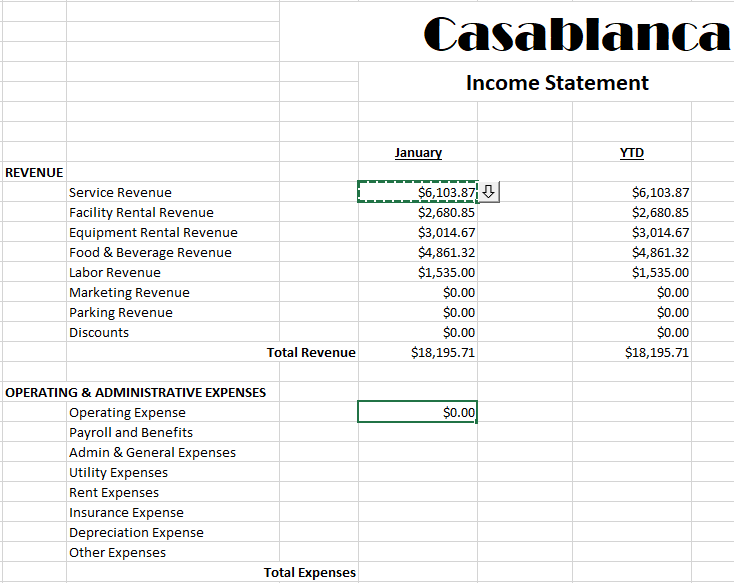

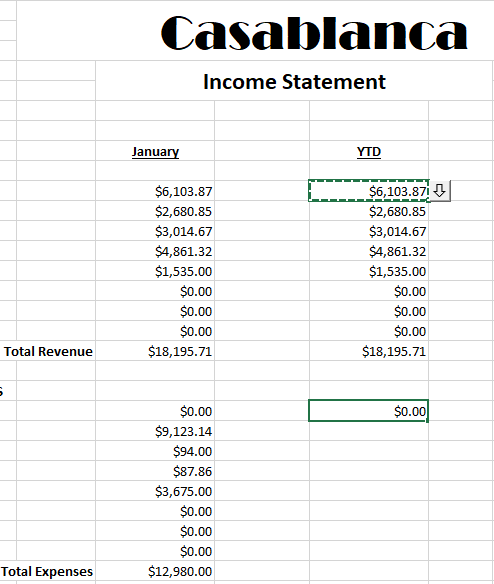


 displays next to the cell signifying the drilldown capability. Clicking the arrow opens Drilldown Explorer with journal detail loaded. Initially, the journal detail reflects the settings from the Options dialog.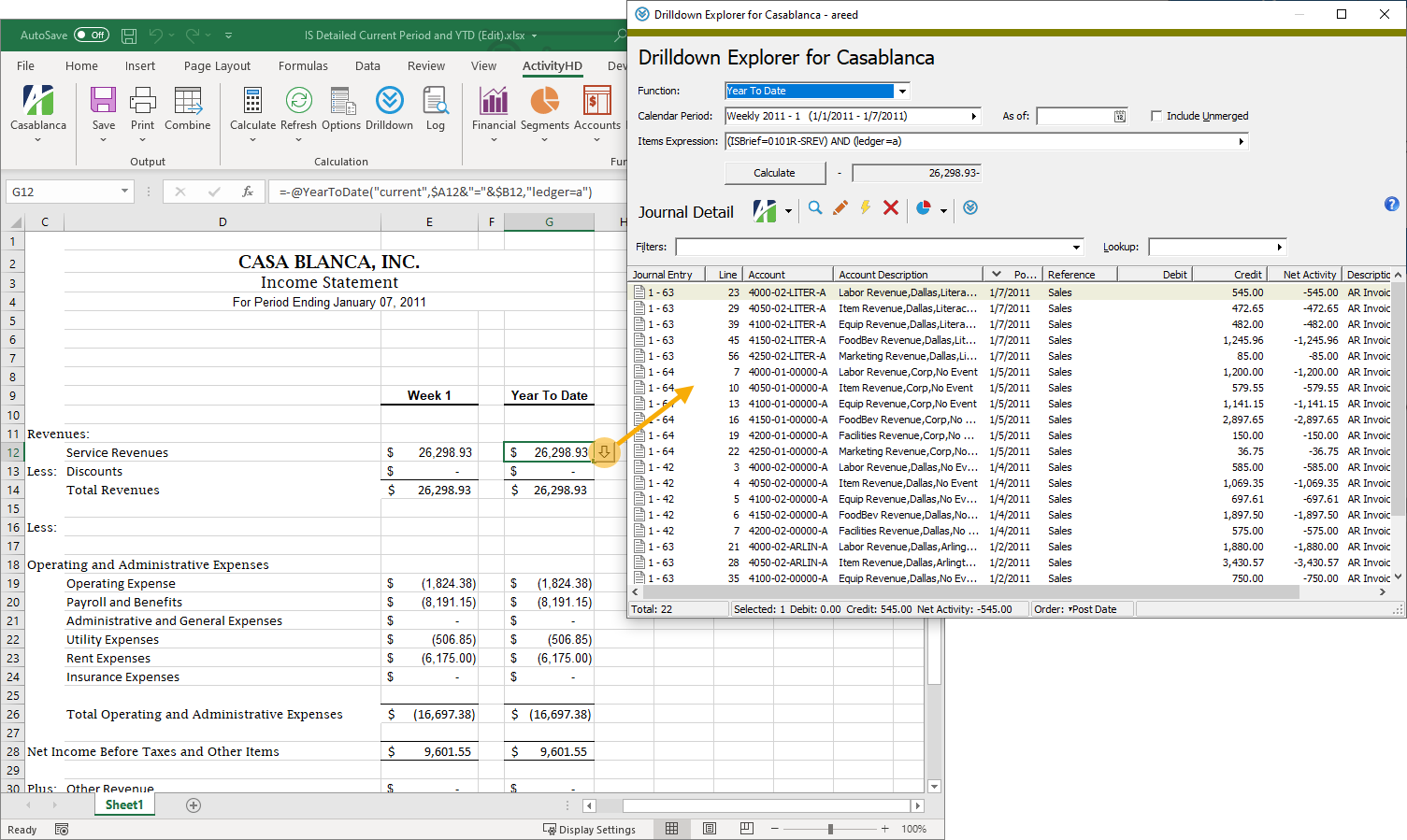
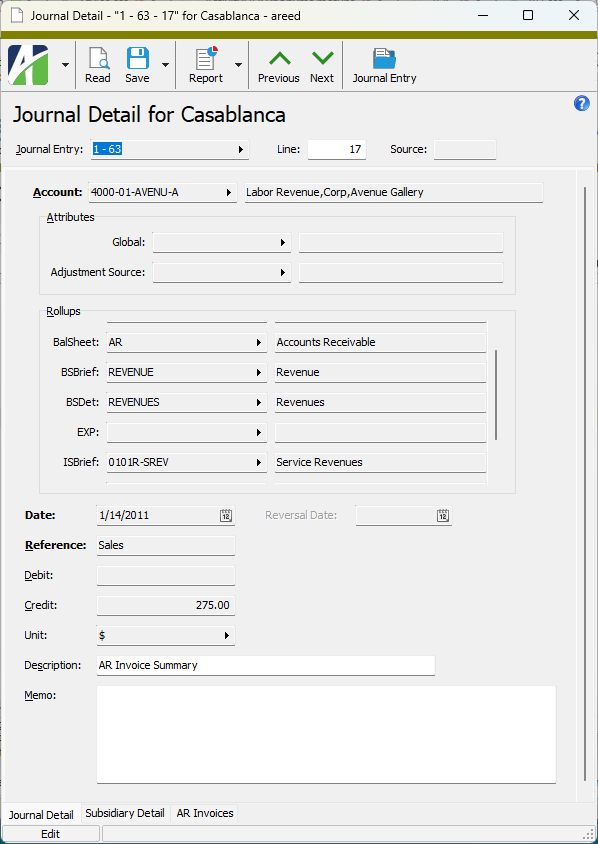
 to view the selected detail record in the Journal Detail window.
 to open the Journal Detail Listing report set-up dialog where you can set options and print or preview the report.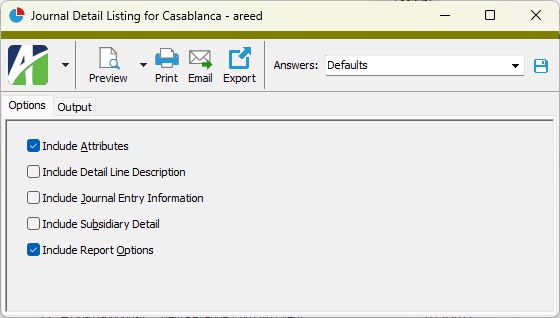
 . Another instance of the Drilldown Explorer opens.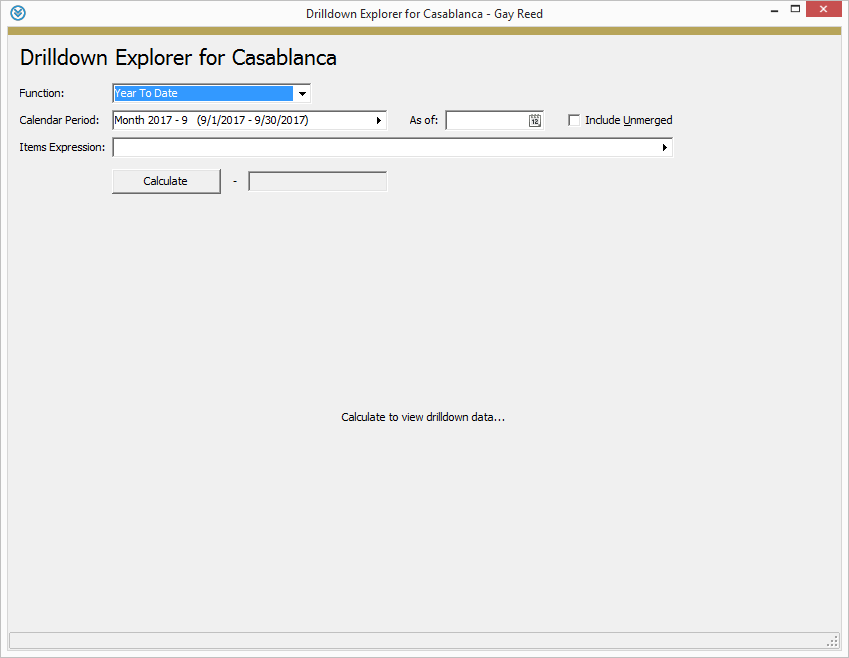
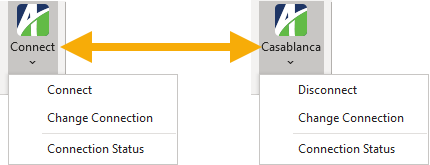
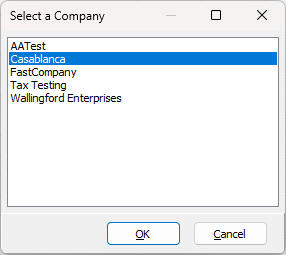
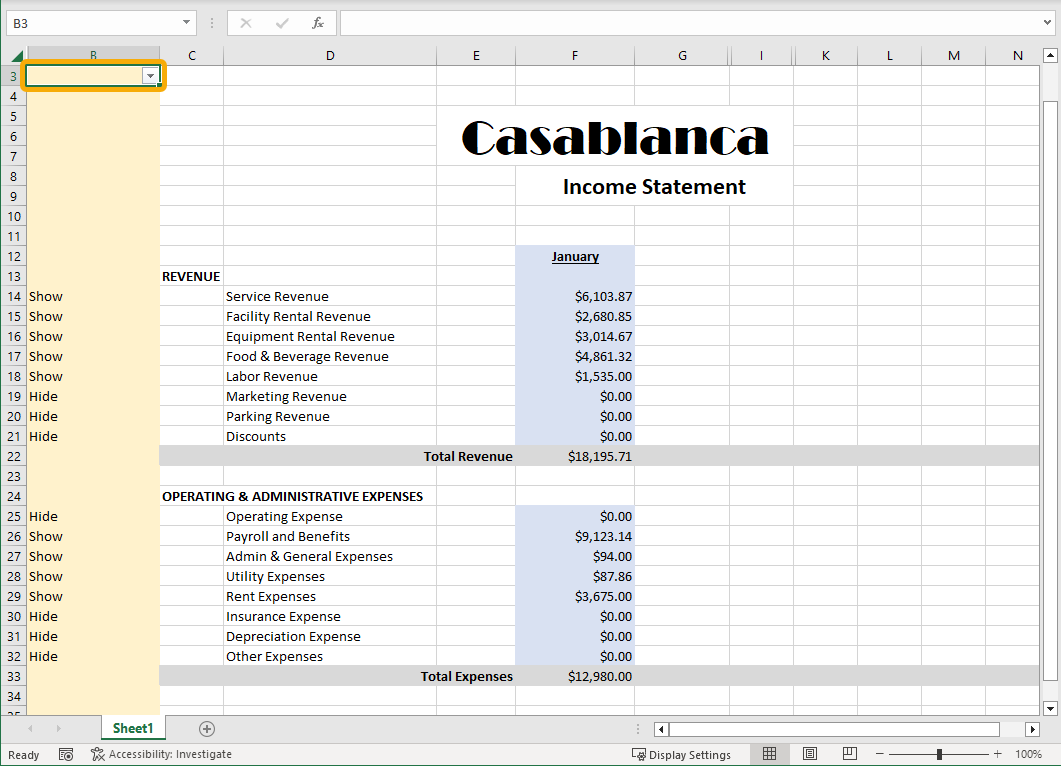
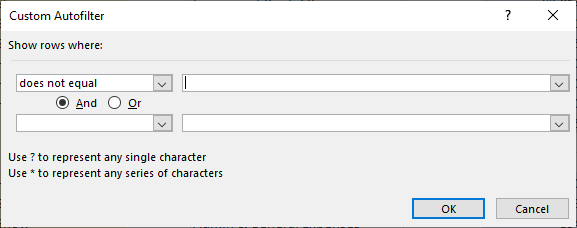
 . A drop-down arrow
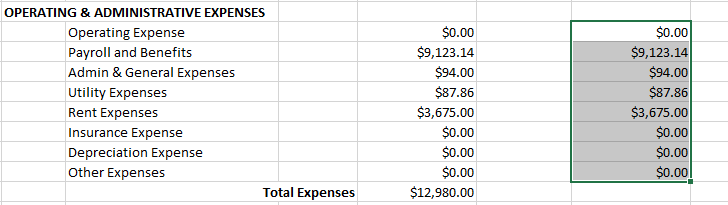
  appears on the right side of the topmost cell(s) in your selection.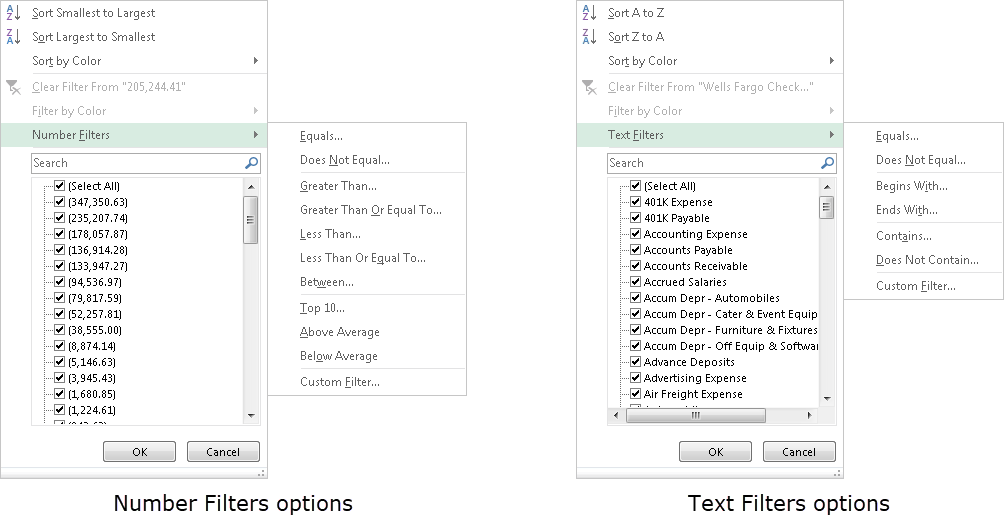
 . The drop-down arrows are removed.
 is enabled.
 and the reapply filter icon
  is enabled.
 .
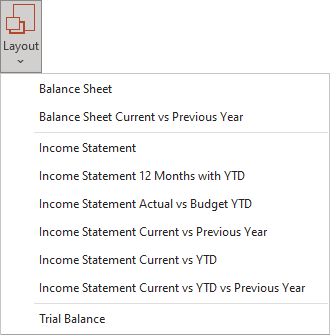
.
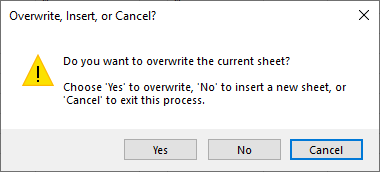
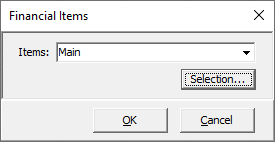
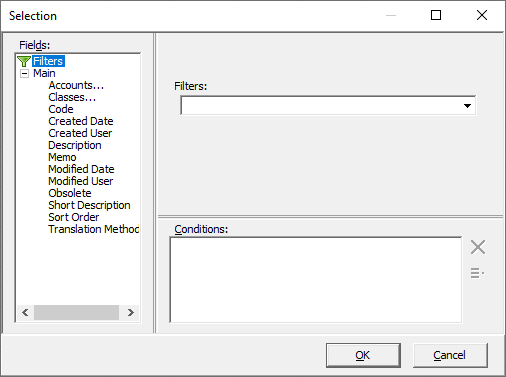
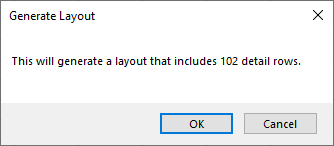
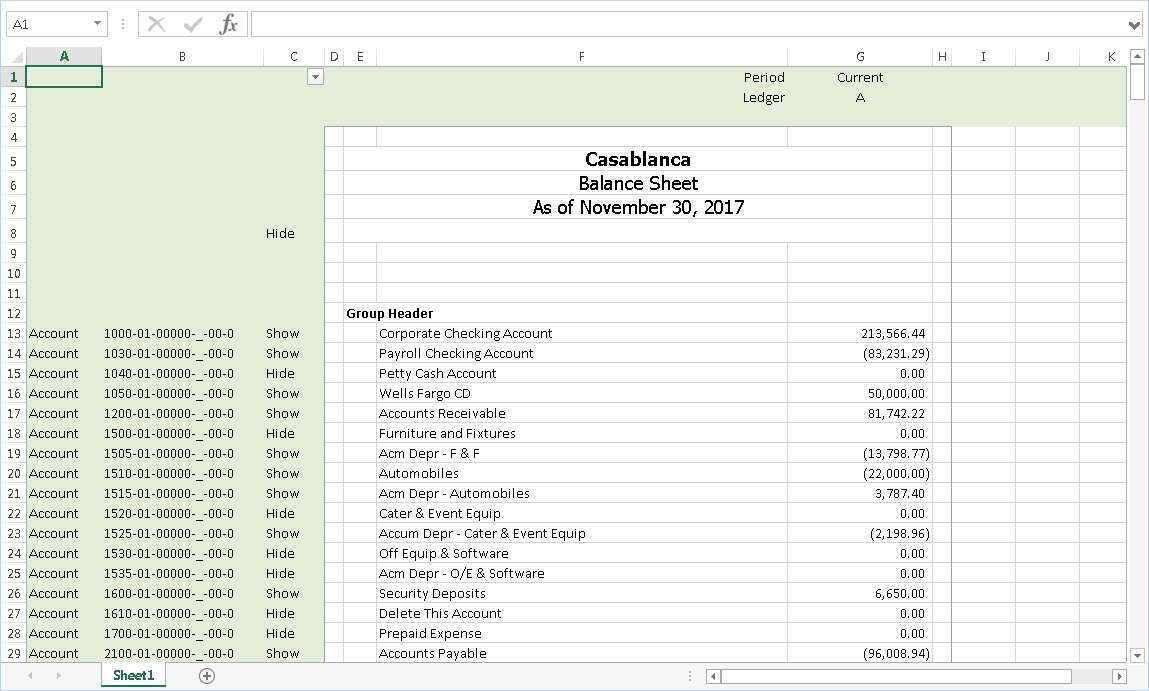
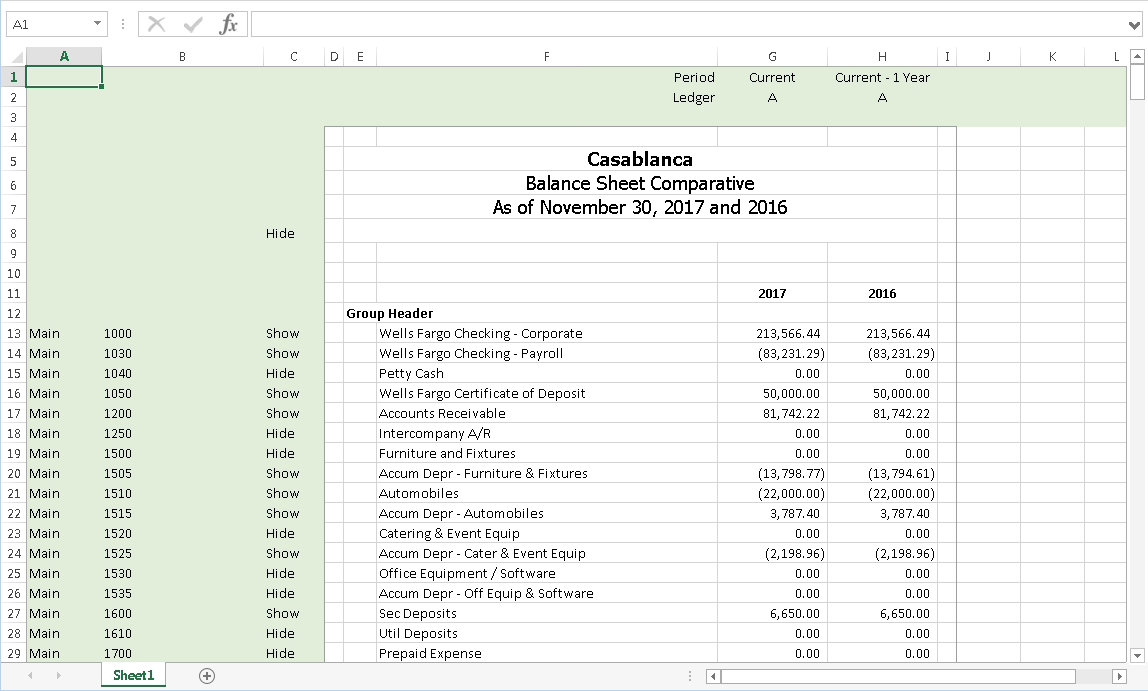
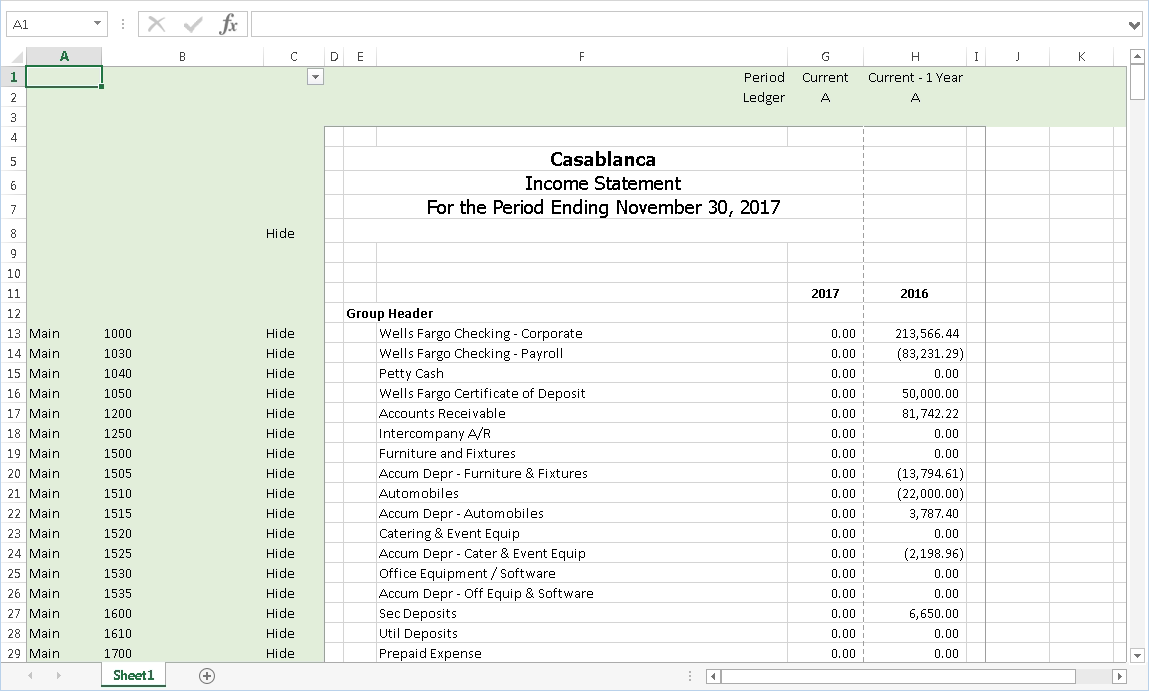
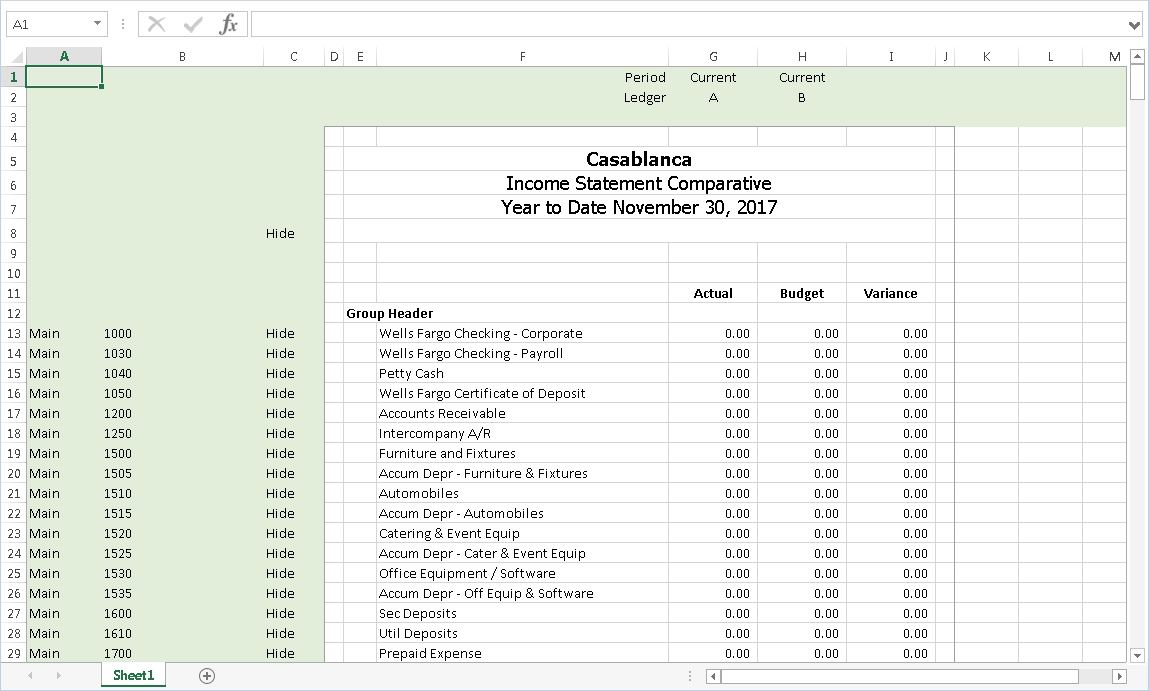
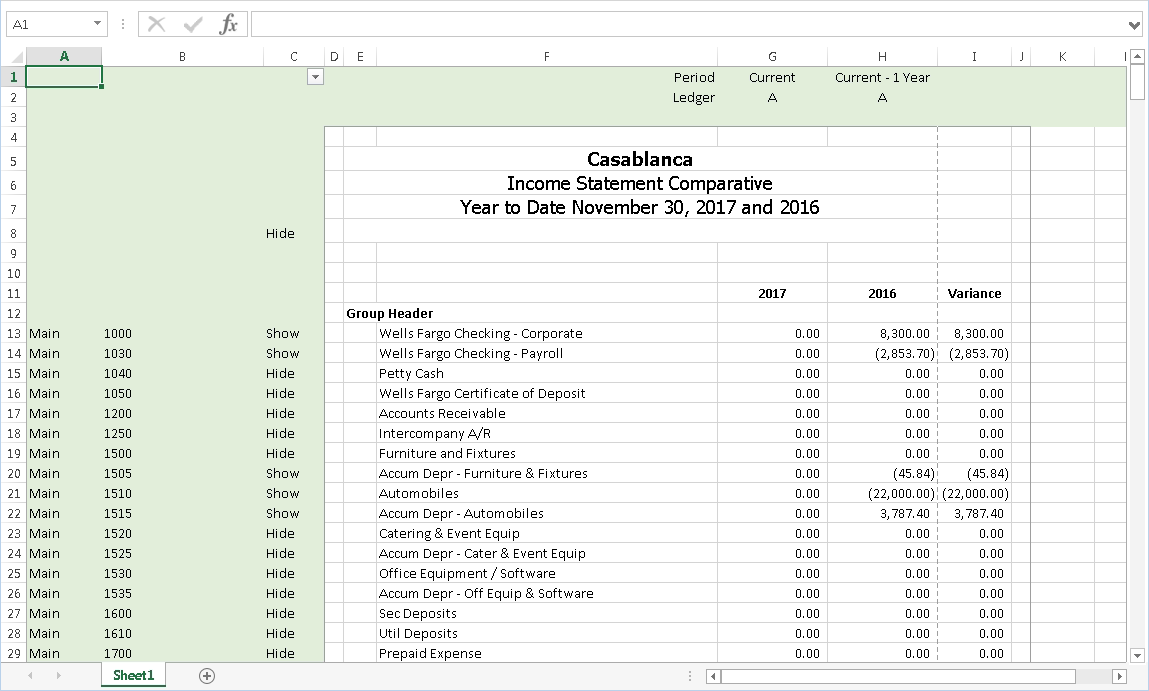
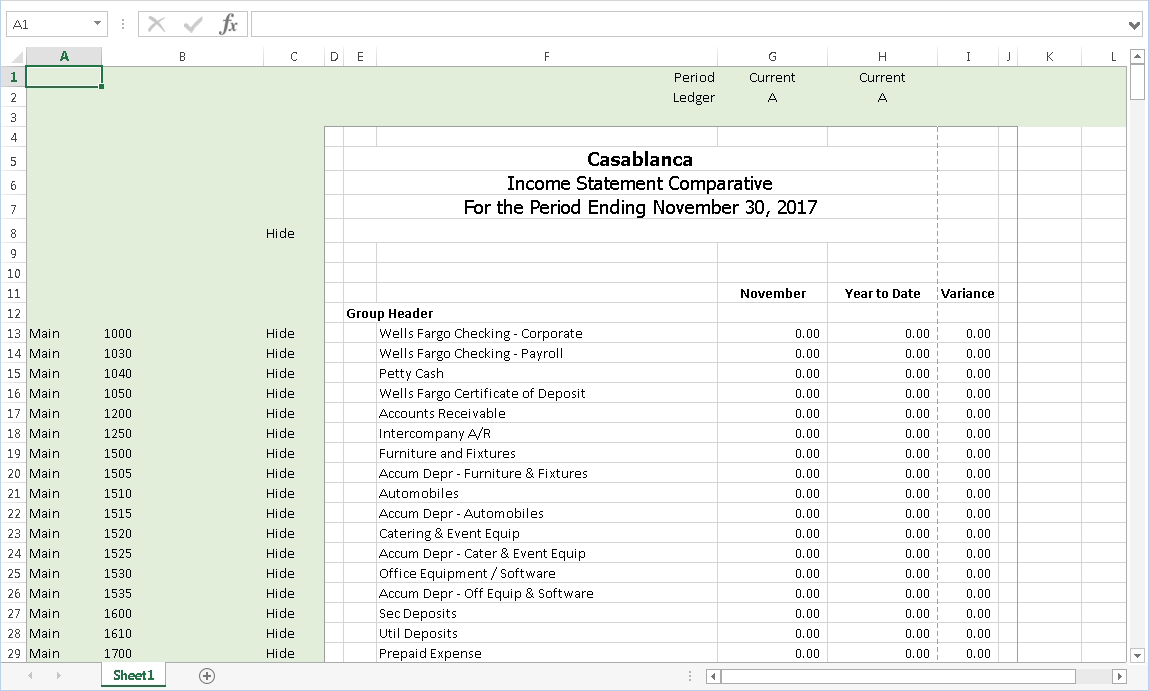
 .
.
 - Provides access to two preview options.
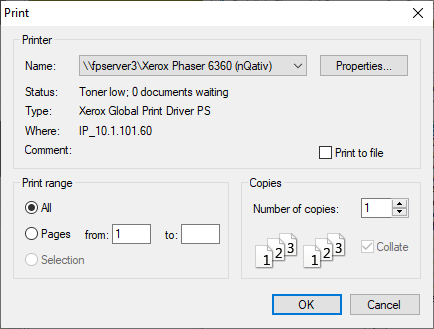
 - Opens the Print dialog so that you can select and configure a printer and then print a paper copy of the report.
 - Opens the
  - Opens a drop-down menu with two export options: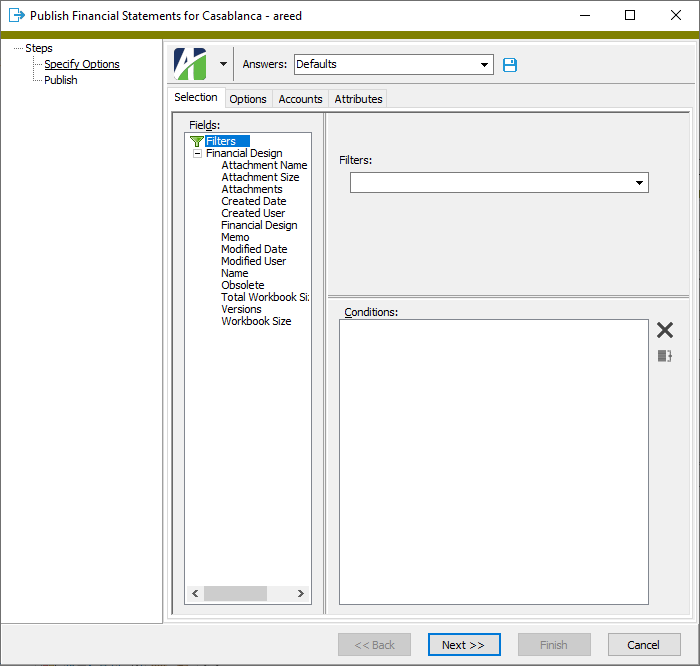
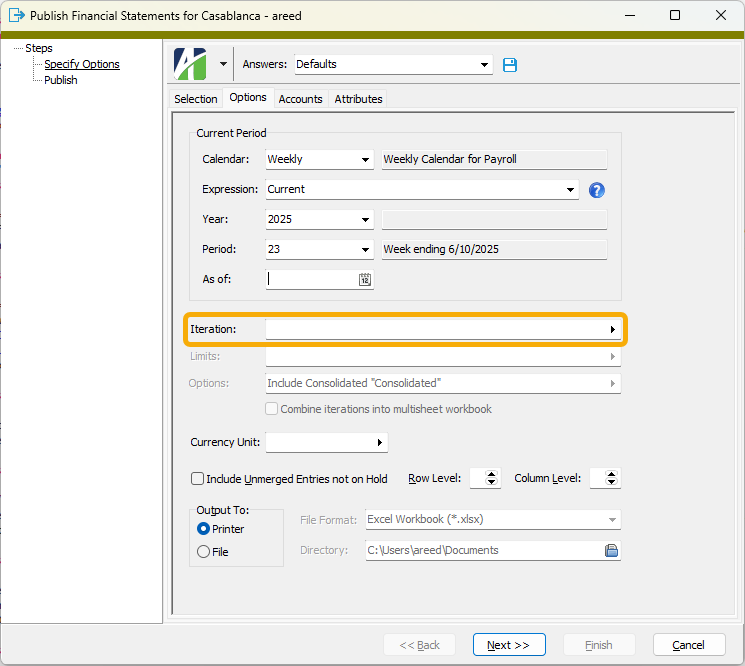
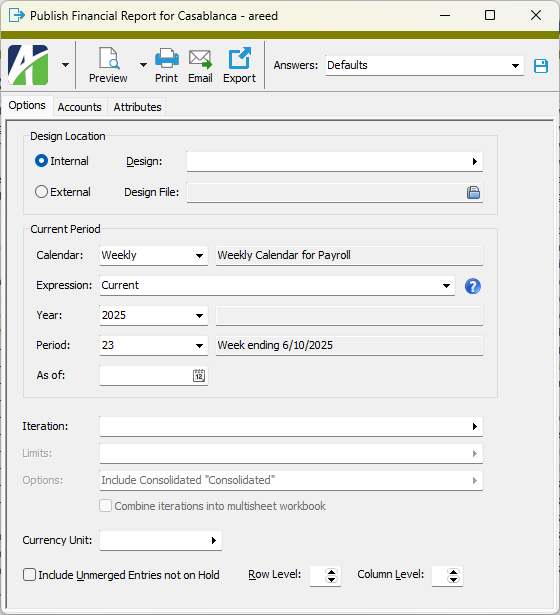
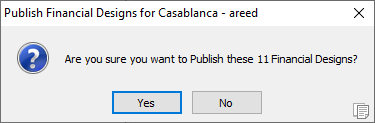
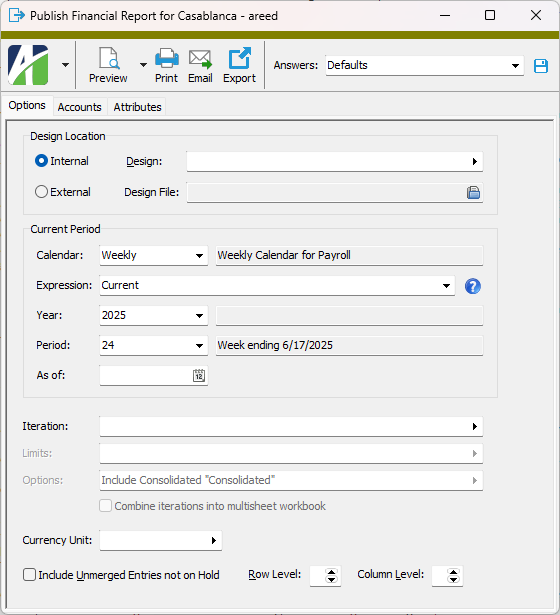
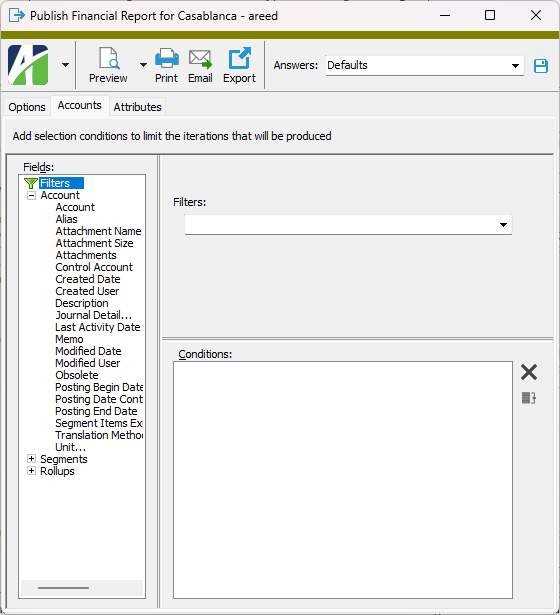
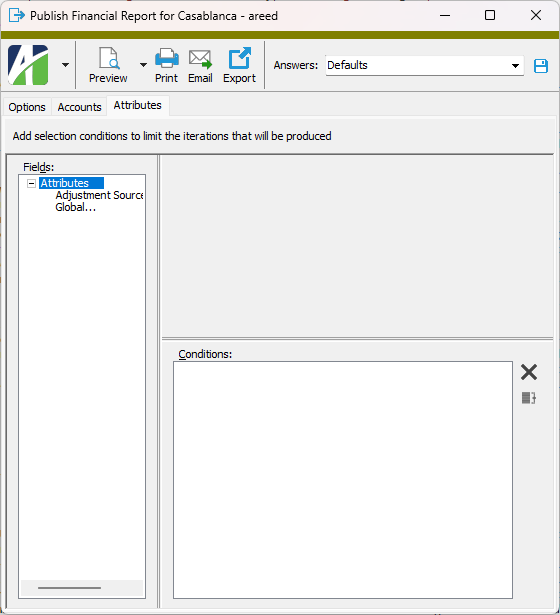
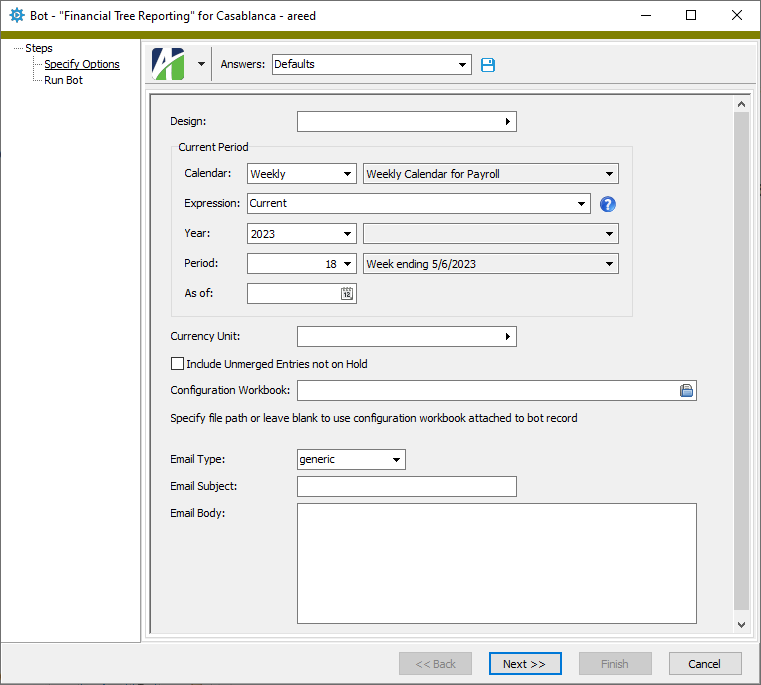
 . The Publish Financial Statements wizard starts.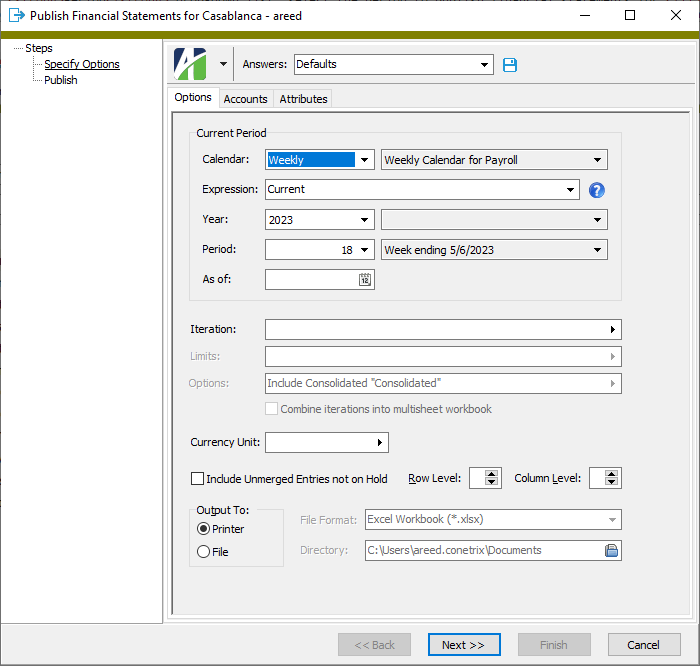
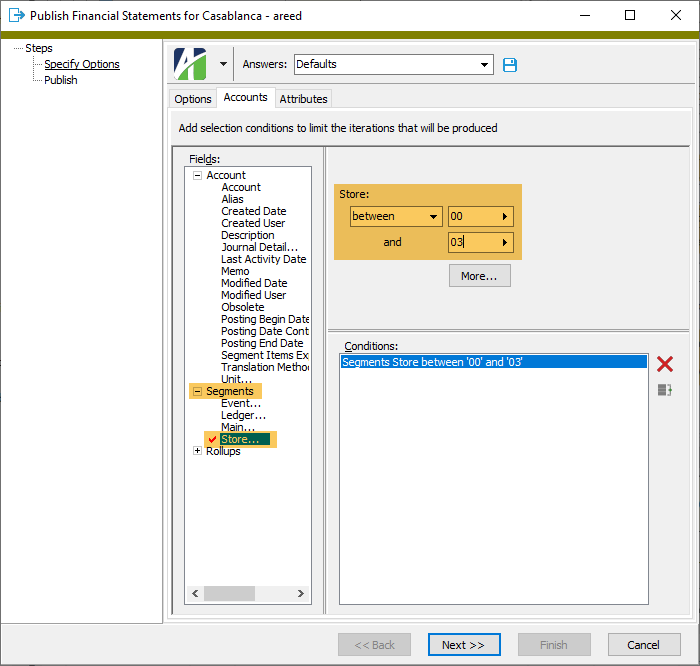
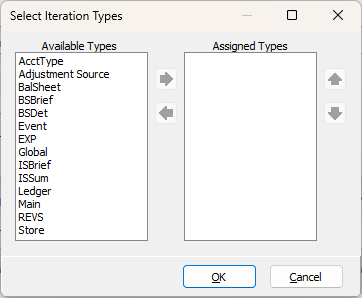
 on the Iteration field to open the Select Iteration Types dialog.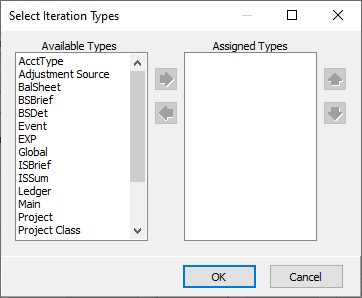
 and
and  to arrange the types in the order you want them applied.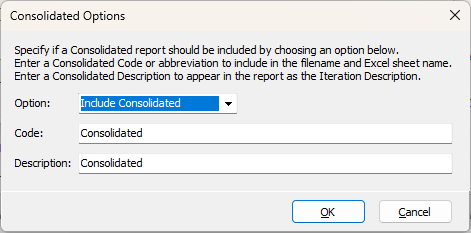
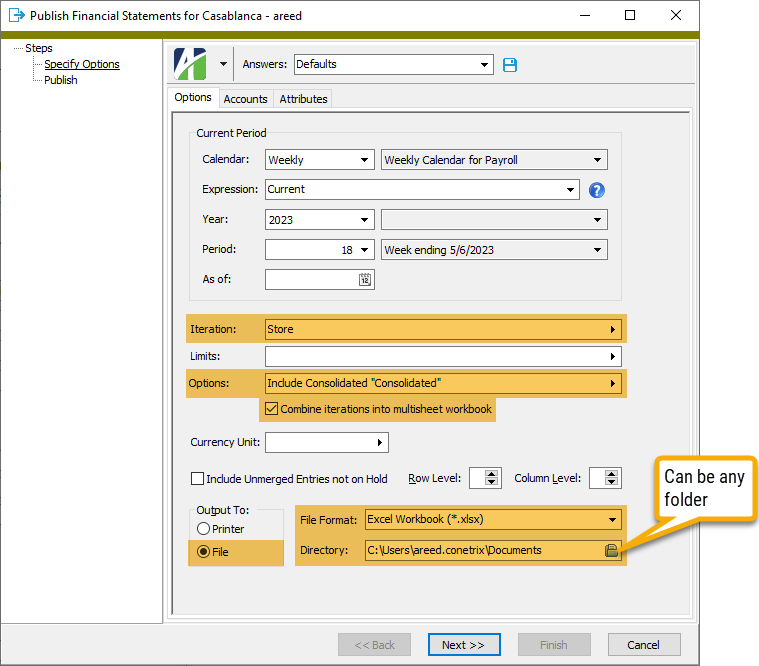

 and browse to the location where you want to save the file.

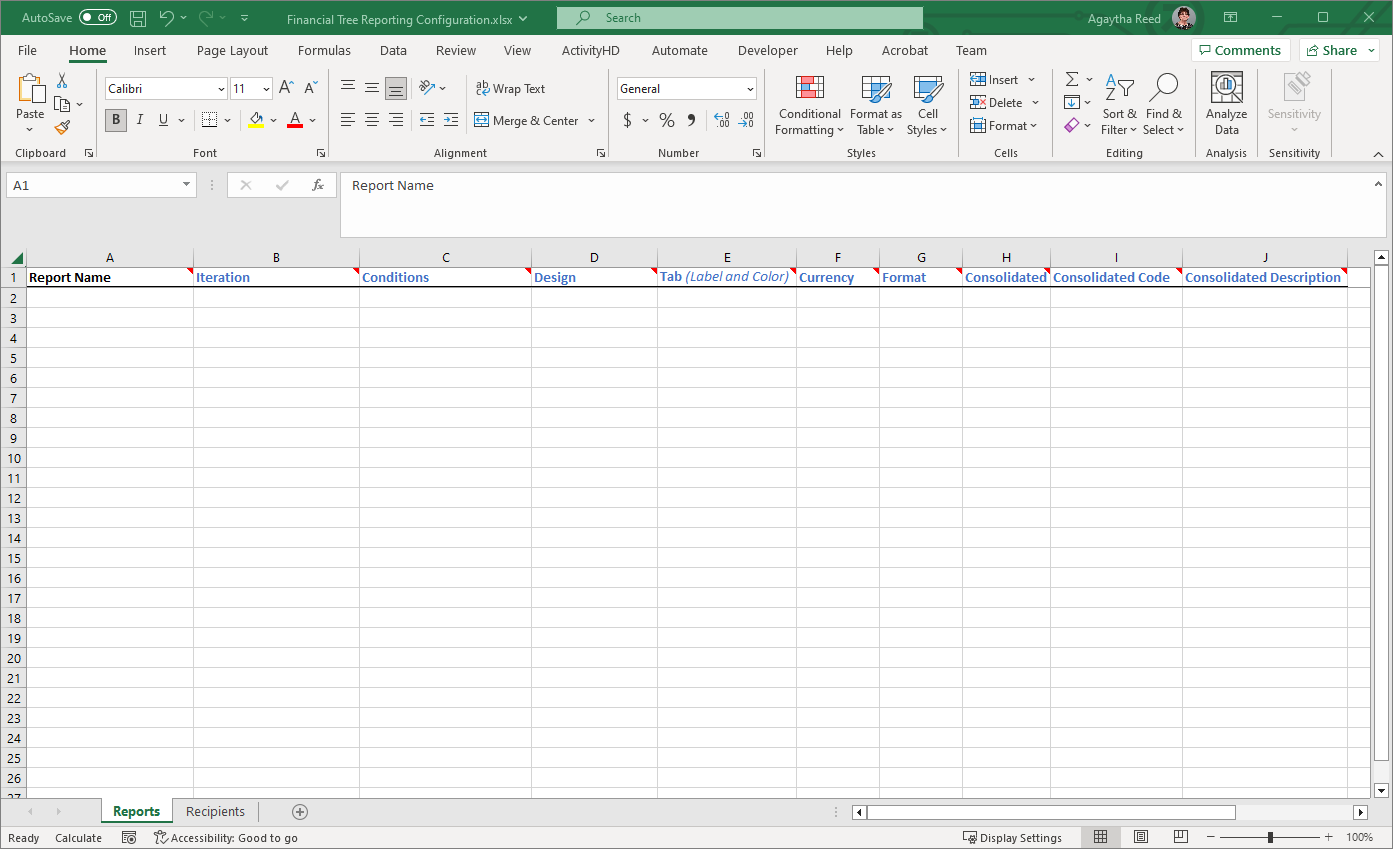
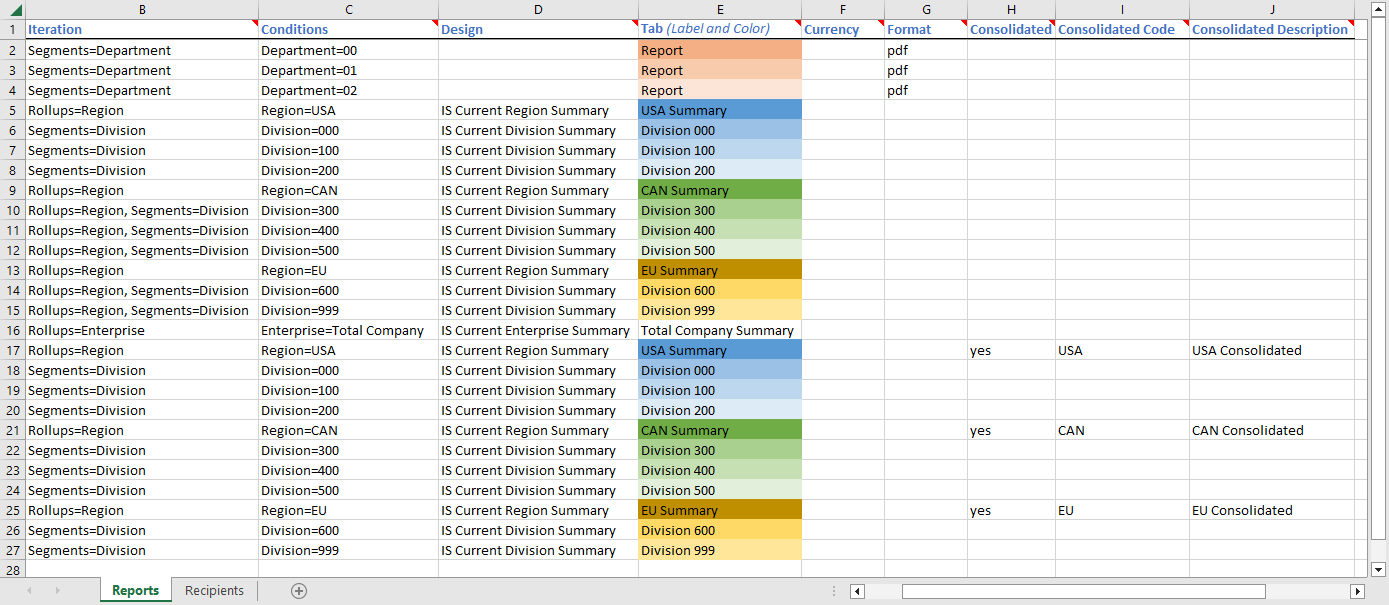
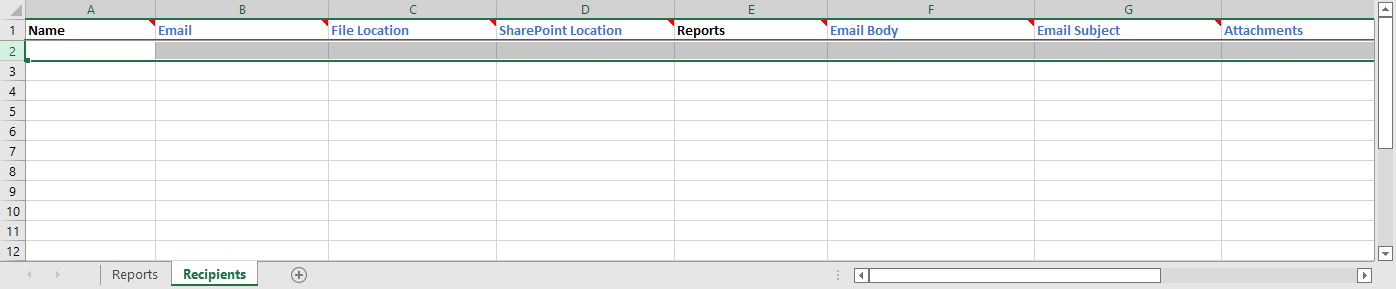
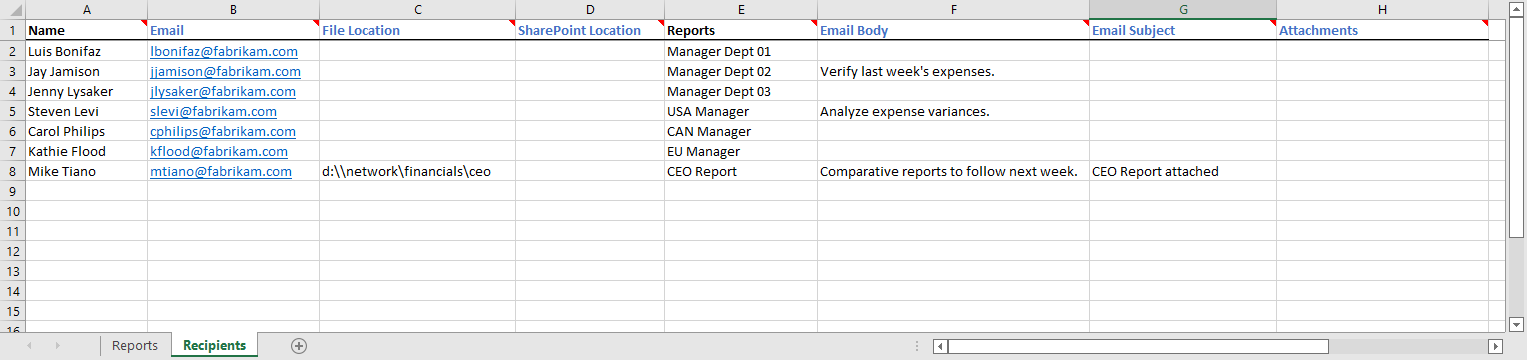
 in the upper-right corner of a column heading indicates a note has been added to provide additional information about the column. Hover your mouse cursor over the red triangle to view the note.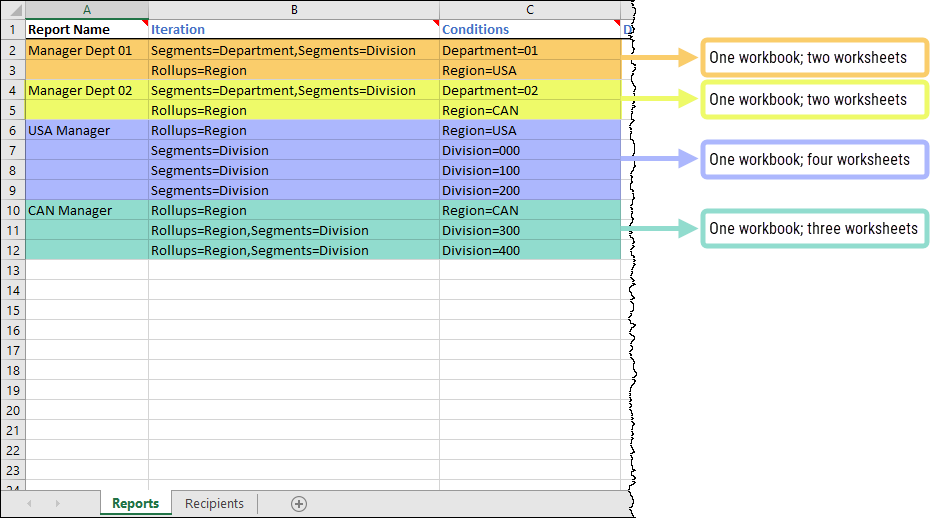

|
Extras\General Ledger\Financial Tree Reporting Configuration.xlsx |
Financial Functions
- Activity
-
Calculates the activity of a set of accounts as of the specified period.
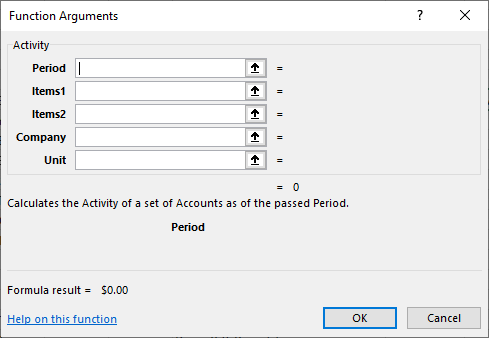
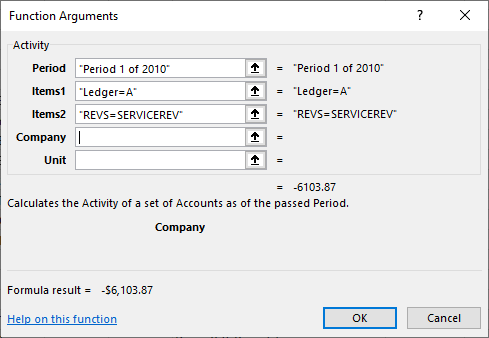
Activity(Period,Items1,Items2,Company,Unit)
Available Items
GL.Account | GL.Segment.<name> | GL.Rollup.<name> | GL.Attribute.<name>
Examples
Activity("Current - 1 year", "Inc = Phone", "Ledger=A")
Retrieves the net activity of last year's current month for the phone expense accounts of ledger A.
Activity("Current", "GL.Account=1000-00-A")
Retrieves the net activity of the current month for account 1000-00-A.
-Activity("Current - 1", "Inc=Rev", "Ledger=B")
Retrieves the net activity of the budget for the revenue accounts in the previous period. The minus (-) in front changes the credit sign to positive for printing purposes.
Activity("Current", "Inc=" & $A22, "Ledger=A")
Retrieves the net activity in the current period for expense accounts that match the "Inc" rollup item in cell A22. Only accounts in ledger A are included.
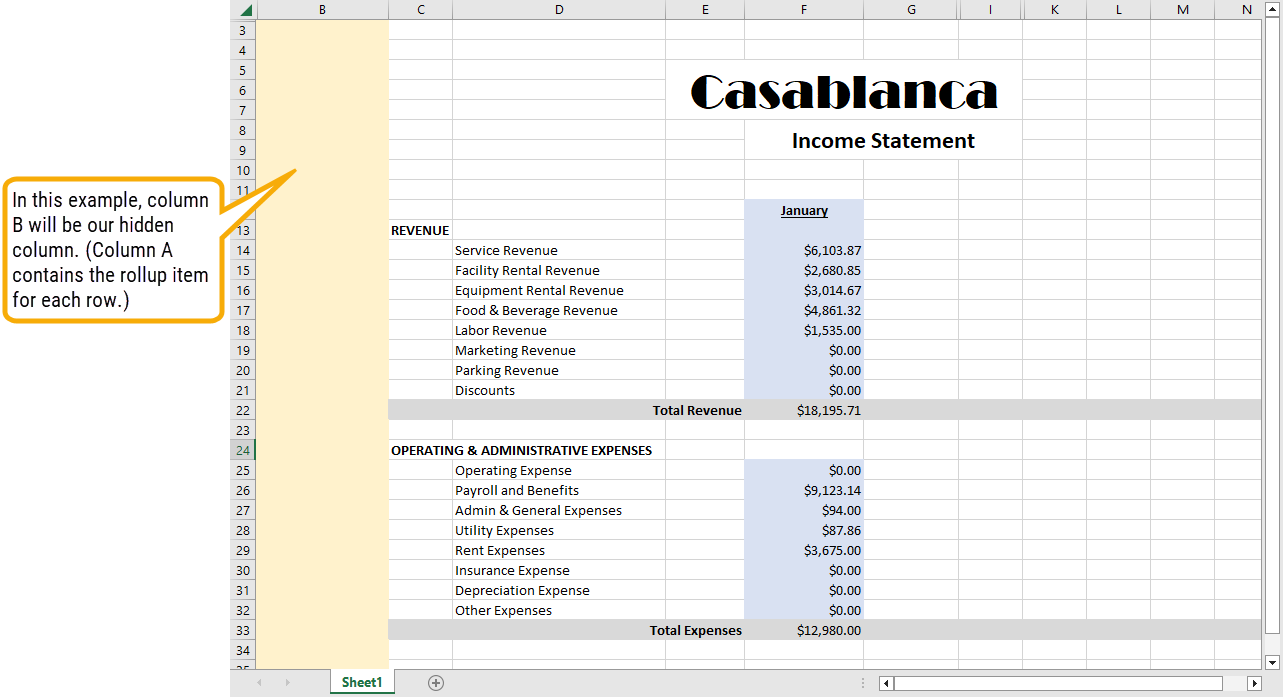
Activity(" ", $A6 & "=" & $B6, "Ledger="D$1)
Retrieves the net activity in the current period for the accounts that match the rollup item specified in cell B6 of the rollup specified in cell A6. Only accounts that contain the ledger item in cell D1 are included.
Activity(" ", "Inc=" & $A6 & " and Dept=12", "Ledger="D$1)
Retrieves the net activity in the current period for the accounts that match the rollup item in cell A6 of "Inc" and also assigned to Dept 12. Only accounts that contain the ledger item in cell D1 are included.
Round(Activity("Current", "Inc=Supply", "Ledger=A"), 2)
Rounds the current activity of the supply expense accounts to even dollars (the two decimal places are rounded). Round is a standard Excel function.
- Balance
-
Calculates the balance of a set of accounts as of the specified period.
Balance(Period,Items1,Items2,Company,Unit)
Available Items
GL.Account | GL.Segment.<name> | GL.Rollup.<name> | GL.Attribute.<name>
Examples
Balance("Current", "Bal=CASH", "Ledger=A")
Retrieves the balance of the accounts in the "Bal" rollup with a rollup item of "CASH" as of the ending date of the current period.
-Balance("Period 1 of Year", "Inc=Rev", "Ledger=B")
(Total year's budget amount for a revenue account) Reverses the sign of the balance retrieved for the only period in a "Year" calendar for the accounts with a rollup item of "Rev" in the "Inc" rollup.
- BeginBalance
-
Calculates the beginning balance of a set of accounts as of the specified period.
BeginBalance(Period,Items1,Items2,Company,Unit)
Available Items
GL.Account | GL.Segment.<name> | GL.Rollup.<name> | GL.Attribute.<name>
- YearToDate
-
Calculates the year-to-date activity of a set of accounts as of the specified period.
YearToDate(Period,Items1,Items2,Company,Unit)
Available Items
GL.Account | GL.Segment.<name> | GL.Rollup.<name> | GL.Attribute.<name>
Examples
YearToDate("Current", "Inc=Supplies", "Ledger=A")
Returns the year-to-date through this month of the office supply expenses.
YearToDate("Period 12", "Inc=Phone", "Ledger=B")
(Alternate method for reporting the total year's budget amount) Retrieves the end-of-year balance of the accounts with the rollup item "Phone" in the "Inc" rollup.
YearToDate("Period 12", "Inc=Phone", "Ledger=B")*PeriodNumber("")/12
(Calculates year-to-date budget amount from total year's budget amount) Retrieves the total year budget, then multiplies it by the period number and divides by 12.
- DebitActivity
-
Calculates the debit activity of a set of accounts as of the specified period.
DebitActivity(Period,Items1,Items2,Company,Unit)
Available Items
GL.Account | GL.Segment.<name> | GL.Rollup.<name> | GL.Attribute.<name>
Example
DebitActivity("Period 12 - 1 year", "Inc=Phone", "Ledger=A")
(Debits for the period) Retrieves the debit activity for the previous year's last period of the accounts with a rollup item of "Phone" in the "Inc" rollup. Only accounts in ledger A are included.
- DebitBalance
-
Calculates the debit balance of a set of accounts as of the specified period.
DebitBalance(Period,Items1,Items2,Company,Unit)
Available Items
GL.Account | GL.Segment.<name> | GL.Rollup.<name> | GL.Attribute.<name>
- DebitYearToDate
-
Calculates the year-to-date debit activity of a set of accounts as of the specified period.
DebitYearToDate(Period,Items1,Items2,Company,Unit)
Available Items
GL.Account | GL.Segment.<name> | GL.Rollup.<name> | GL.Attribute.<name>
- CreditActivity
-
Calculates the credit activity of a set of accounts as of the specified period.
CreditActivity(Period,Items1,Items2,Company,Unit)
Available Items
GL.Account | GL.Segment.<name> | GL.Rollup.<name> | GL.Attribute.<name>
Example
CreditActivity("Period 12 - 1 year", "Inc=Phone", "Ledger=A")
(Credits for the period) Retrieves the credit activity for the previous year's last period of the accounts with a rollup item of "Phone" in the "Inc" rollup. Only accounts in ledger A are included.
- CreditBalance
-
Calculates the credit balance of a set of accounts as of the specified period.
CreditBalance(Period,Items1,Items2,Company,Unit)
Available Items
GL.Account | GL.Segment.<name> | GL.Rollup.<name> | GL.Attribute.<name>
- CreditYearToDate
-
Calculates the year-to-date credit activity of a set of accounts as of the specified period.
CreditYearToDate(Period,Items1,Items2,Company,Unit)
Available Items
GL.Account | GL.Segment.<name> | GL.Rollup.<name> | GL.Attribute.<name>
Segments Functions
- Segment
-
Returns the name of the specified segment.
Segment(SegmentCode,Company)
- SegmentPluralName
-
Returns the plural name of the specified segment.
SegmentPluralName(SegmentCode,Company)
- SegmentMemo
-
Returns the memo of the specified segment.
SegmentMemo(SegmentCode,Company)
- SegmentCustomField
-
Returns the value of a custom field for the specified segment.
SegmentCustomField(CustomField,SegmentCode,Company)
- SegmentItem
-
Returns the segment item of the specified segment and optional item.
SegmentItem(Segment,Item,Company)
Available Items
GL.Account | GL.Segment.<name> | GL.Rollup.<name> | GL.Attribute.<name>
- SegmentItemDescription
-
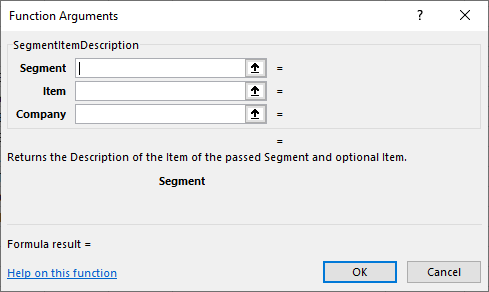
Returns the description of the segment item for the specified segment and optional item.
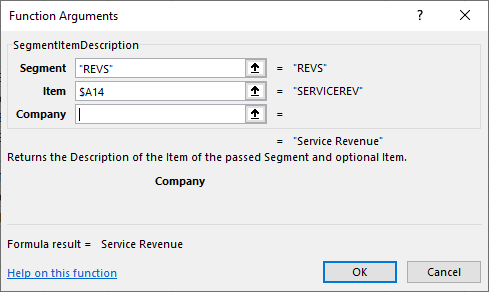
SegmentItemDescription(Segment,Item,Company)
Available Items
GL.Account | GL.Segment.<name> | GL.Rollup.<name> | GL.Attribute.<name>
Examples
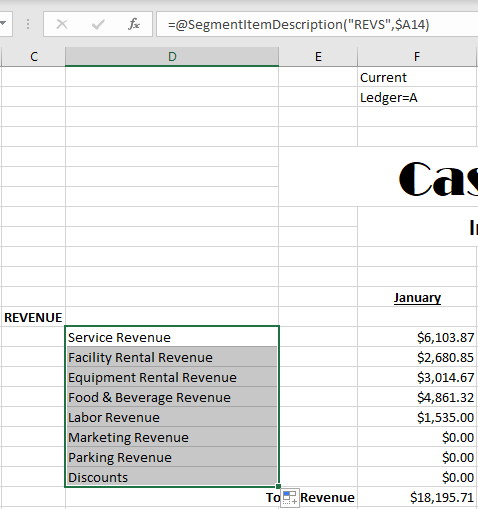
SegmentItemDescription("Inc", "REV")
(Line description) Retrieves the description of the "REV" rollup item in the "Inc" rollup.
SegmentItemDescription("Inc", A6)
Retrieves the description of the rollup item in cell A6 of the "Inc" rollup.
- SegmentItemShortDescription
-
Returns the short description of the segment item for the specified segment and optional item.
SegmentItemShortDescription(Segment,Item,Company)
Available Items
GL.Account | GL.Segment.<name> | GL.Rollup.<name> | GL.Attribute.<name>
- SegmentItemName
-
Returns the name of the segment item for the specified segment and optional item.
SegmentItemName(Segment,Item,Company)
Available Items
GL.Account | GL.Segment.<name> | GL.Rollup.<name> | GL.Attribute.<name>
- SegmentItemAddress1
-
Returns the first address line of the segment item for the specified segment and optional item.
SegmentItemAddress1(Segment,Item,Company)
Available Items
GL.Account | GL.Segment.<name> | GL.Rollup.<name> | GL.Attribute.<name>
- SegmentItemAddress2
-
Returns the second address line of the segment item for the specified segment and optional item.
SegmentItemAddress2(Segment,Item,Company)
Available Items
GL.Account | GL.Segment.<name> | GL.Rollup.<name> | GL.Attribute.<name>
- SegmentItemCity
-
Returns the city of the segment item for the specified segment and optional item.
SegmentItemCity(Segment,Item,Company)
Available Items
GL.Account | GL.Segment.<name> | GL.Rollup.<name> | GL.Attribute.<name>
- SegmentItemState
-
Returns the state of the segment item for the specified segment and optional item.
SegmentItemState(Segment,Item,Company)
Available Items
GL.Account | GL.Segment.<name> | GL.Rollup.<name> | GL.Attribute.<name>
- SegmentItemZipCode
-
Returns the Zip Code of the segment item for the specified segment and optional item.
SegmentItemZipCode(Segment,Item,Company)
Available Items
GL.Account | GL.Segment.<name> | GL.Rollup.<name> | GL.Attribute.<name>
- SegmentItemCountry
-
Returns the country of the segment item for the specified segment and optional item.
SegmentItemCountry(Segment,Item,Company)
Available Items
GL.Account | GL.Segment.<name> | GL.Rollup.<name> | GL.Attribute.<name>
- SegmentItemMemo
-
Returns the memo of the segment item for the specified segment and optional item.
SegmentItemMemo(Segment,Item,Company)
Available Items
GL.Account | GL.Segment.<name> | GL.Rollup.<name> | GL.Attribute.<name>
- SegmentItemCustomField
-
Returns the custom field value of the segment item for the specified segment and optional item.
SegmentItemCustomField(CustomField,Segment,Item,Company)
Available Items
GL.Account | GL.Segment.<name> | GL.Rollup.<name> | GL.Attribute.<name>
Accounts Functions
- Account
-
Returns the account code of the specified account.
Account(AccountCode,Company)
- AccountDescription
-
Returns the description of the specified account.
AccountDescription(AccountCode,Company)
- AccountMemo
-
Returns the memo for the specified account.
AccountMemo(AccountCode,Company)
- AccountCustomField
-
Returns the value of a custom field for the specified account.
AccountCustomField(Field,AccountCode,Company)
Periods Functions
- As of Period End
-
A hybrid Excel-ActivityHD function which produces a heading which includes the period end date. Uses optional "As of" date if specified.
= "As of " & TEXT(PeriodEnd(), "mmmm dd, yyyy")
- For the N Month(s) Ending
-
A hybrid Excel-ActivityHD function which produces a heading which includes the number of months ending (Month Day, Year) for the specified period. Uses optional "As of" date if specified.
= "For the " &@ getdigit(PeriodNumber()) & " Month(s) Ending " & TEXT(@PeriodEnd(), "mmmm dd, yyyy")
- For the Period Beginning
-
A hybrid Excel-ActivityHD function which produces a heading which includes period begin date. Uses optional "As of" date if specified.
= "For the Period Beginning " & TEXT(PeriodBegin(), "mmmm dd, yyyy")
- For the Period Ending
-
A hybrid Excel-ActivityHD function which produces a heading which includes the period end date. Uses optional "As of" date if specified.
= "For the Period Ending " & TEXT(PeriodEnd(), "mmmm dd, yyyy")
- For the Period Beginning and Ending
-
A hybrid Excel-ActivityHD function which produces a heading which includes the period begin and end dates. Uses optional "As of" date if specified.
= "For the Period Beginning " & TEXT(PeriodBegin(), "mmmm dd, yyyy") & " and Ending " & TEXT(PeriodEnd(), "mmmm dd, yyyy")
- PeriodNumber
-
Returns the period number of the specified period.
PeriodNumber(Period,Company)
- PeriodDescription
-
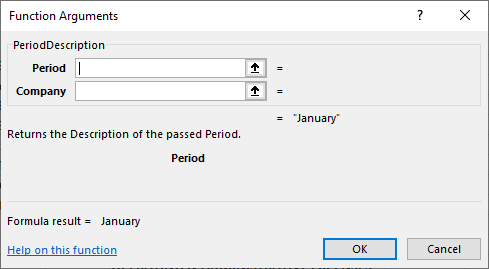
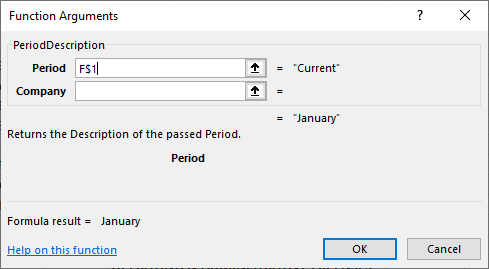
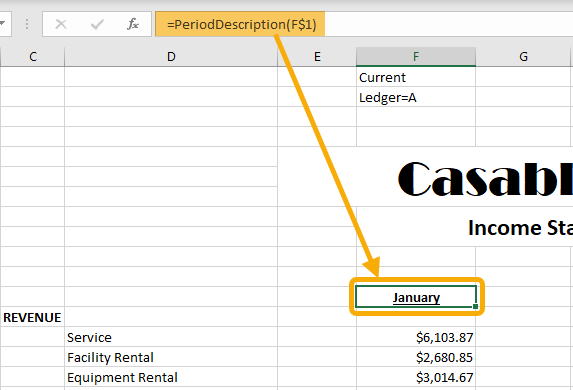
Returns the description of the specified period.
PeriodDescription(Period,Company)
- PeriodYear
-
Returns the year of the specified period.
PeriodYear(Period,Company)
Example
PeriodYear("Current")
Prints the year in a column heading.
- PeriodYearDescription
-
Returns the description of the year for the specified period.
PeriodYearDescription(Period,Company)
- PeriodCalendar
-
Returns the calendar of the specified period.
PeriodCalendar(Period,Company)
- PeriodCalendarDescription
-
Returns the description of the calendar for the specified period.
PeriodCalendarDescription(Period,Company)
- PeriodCalendarMemo
-
Returns the memo on the calendar for the specified period.
PeriodCalendarMemo(Period,Company)
- PeriodCalendarCustomField
-
Returns the value of the custom field on the calendar for the specified period.
PeriodCalendarCustomField(CustomField,Period,Company)
- PeriodWorkdays
-
Returns the number of workdays in the specified period.
PeriodWorkdays(Period,Company)
- PeriodBegin
-
Returns the beginning date of the specified period.
PeriodBegin(Period,Company)
- PeriodEnd
-
Returns the ending date of the specified period.
PeriodEnd(Period,Company)
Examples
PeriodEnd("Current")
Retrieves the ending date of the current period.
"As of" & Text(PeriodEnd("Current"), "mmmm dd, yyyy")
Combines Excel formulas and ActivityHD functions to build a heading description like "As of March 31, 2014". The date is the end date of the current period. Text is a standard Excel function.
- PeriodYearBegin
-
Returns the beginning date of the year for the specified period.
PeriodYearBegin(Period,Company)
- PeriodYearEnd
-
Returns the ending date of the year for the specified period.
PeriodYearEnd(Period,Company)
- AsOf
-
Returns the as of date, if specified; otherwise, returns 0.
AsOf()
Example
To use the function and deal with the possibility of the as of date not being specified, try this:
=IF(AsOf()=0,"","As of "&TEXT(AsOf(),"mm/dd/yyyy"))
Miscellaneous Functions
- AccountItem
-
Accepts a partial account code and a ledger and returns a full account code.
AccountItem(Account,Ledger,Company)
- AccountExpression
-
Accepts a partial account code and a ledger and returns an expression that can be used to limit a financial function.
AccountExpression(Account,Ledger,Company)
- ItemExpression
-
Accepts an unlimited number of item type and item value pairs and returns an expression that can be used to limit a financial function.
ItemExpression(Item1,Value1,Item2,Value2,Item3,Value3,...)
- Iteration
- IterationItem
-
Accepts no arguments and returns a list of the iteration items that are applied to the financial, or accepts an item type and returns the iteration item of that type.
IterationItem(ItemType,Company)
- IterationDescription
-
Accepts no arguments and returns a list of iteration item descriptions that are applied to the financial, or accepts an item type and returns the iteration item description of that type.
IterationDescription(ItemType,Company)
- IterationShortDescription
-
Accepts no arguments and returns a list of iteration item short descriptions that are applied to the financial, or accepts an item type and returns the iteration item short description of that type.
IterationShortDescription(ItemType,Company)
- Units
- Unit
-
Accepts a unit and returns the code of the unit, or accepts no unit and returns the code of the currency unit from the Financial Options dialog box.
Unit(Unit,Company)
- UnitDescription
-
Accepts a unit and returns the description of the unit, or accepts no unit and returns the description of the currency unit from the Financial Options dialog box.
UnitDescription(Unit,Company)
- UnitMemo
-
Accepts a unit and returns the memo from the unit, or accepts no unit and returns the memo from the currency unit from the Financial Options dialog box.
UnitMemo(Unit,Company)
- UnitCustomField
-
Accepts a unit and returns the custom field value for the specified custom field on the unit, or accepts no unit and returns the custom field value for the specified custom field on the currency unit from the Financial Options dialog box.
Unit(Field,Unit,Company)
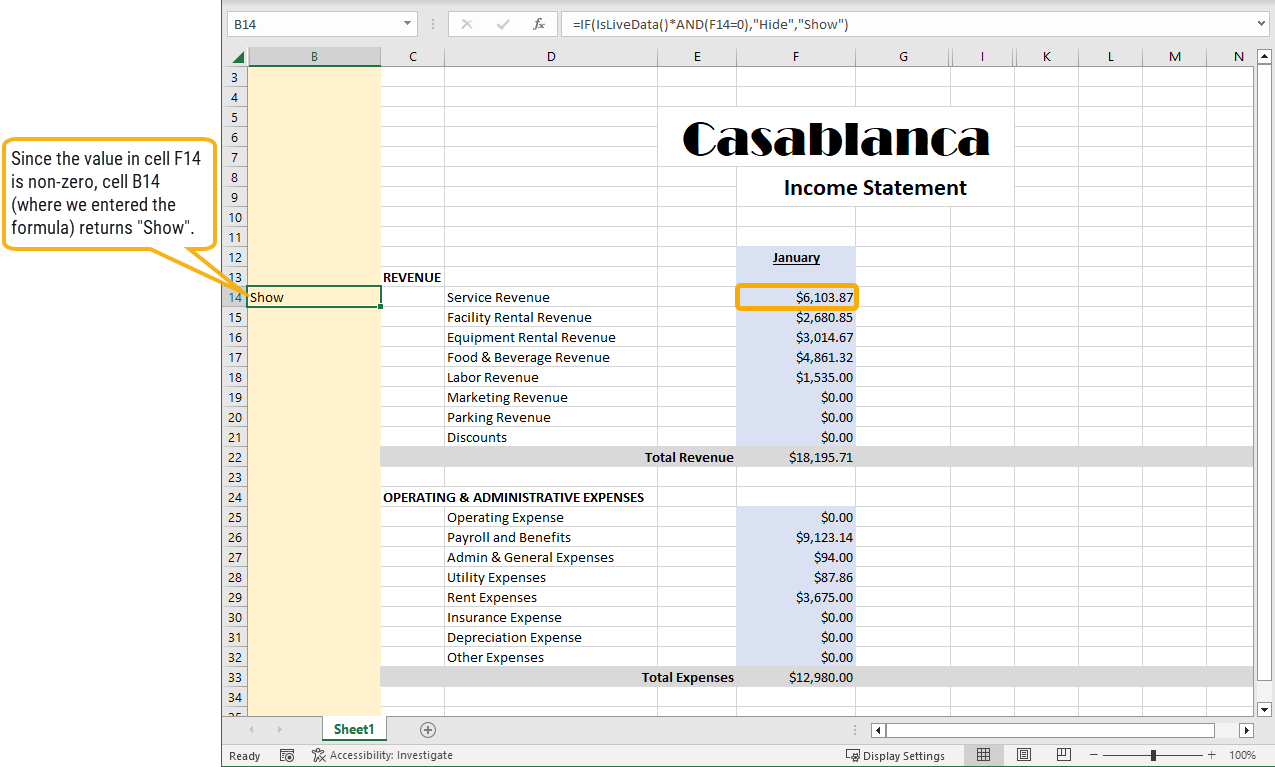
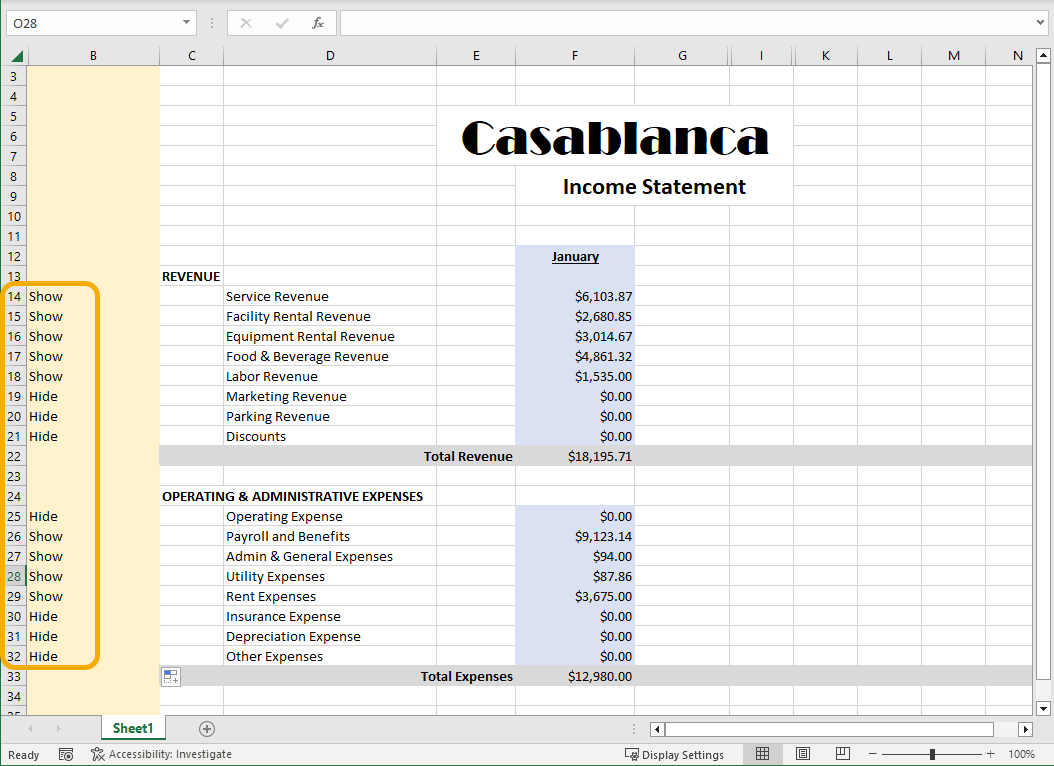
- IsLiveData
-
Returns "true" if the data is live; otherwise, returns "false".
IsLiveData(Company)
Company Functions
Note
Company financial functions, like all functions with the optional "Company" argument, return information only from companies the user can connect to.
- CompanyName
-
Returns the name of the optional company.
CompanyName(Company)
- CompanyLegalName
-
Returns the legal name of the optional company.
CompanyLegalName(Company)
- CompanyAddress1
-
Returns the first address line for the optional company.
CompanyAddress1(Company)
- CompanyAddress2
-
Returns the second address line for the optional company.
CompanyAddress2(Company)
- CompanyCity
-
Returns the city for the optional company.
CompanyCity(Company)
- CompanyState
-
Returns the state for the optional company.
CompanyState(Company)
- CompanyZipCode
-
Returns the Zip Code for the optional company.
CompanyZipCode(Company)
- CompanyCountry
-
Returns the country name of the optional company.
CompanyName(Company)
- CompanyMemo
-
Returns the memo for the optional company.
CompanyMemo(Company)
- CompanyCustomField
-
Returns the value of the custom field for the optional company.
CompanyCustomField(CustomField,Company)
Accounts Payable Functions
- APExpenses
-
Calculates total AP expenses from invoice distributions for the specified period.
APExpenses(Period, Items1, Items2, Company, Unit)
Example
APExpenses("Current", "IS=COGS", "Ledger=A")
- APExpensesYTD
-
Calculates the year-to-date AP expenses from invoice distributions for the specified period.
APExpensesYTD(Period, Items1, Items2, Company, Unit)
Examples
APExpensesYTD("Current", "IS=COGS", "Ledger=A")
APExpensesYTD("Current", "IS=COGS AND AP.Attribute.Project=1003", "Ledger=A")
APExpensesYTD("Current", "IS=COGS AND AP.Vendor=ACME", "Ledger=A")
APExpensesYTD("Current", "IS=COGS AND AP.VendorClass=SUPPLIER", "Ledger=A")
- APExtraActivity
-
Calculates the AP extra GL activity as of the specified period.
APExtraActivity(Period, Items, Company, Unit)
Example
APExtraActivity("Current", "IS=COGS AND Ledger=A")
- APExtraDebitActivity
-
Calculates the AP extra GL debit activity as of the specified period.
APExtraDebitActivity(Period, Items, Company, Unit)
Example
APExtraDebitActivity("Current", "IS=COGS AND Ledger=A")
- APExtraCreditActivity
-
Calculates the AP extra GL credit activity as of the specified period.
APExtraCreditActivity(Period, Items, Company, Unit)
Example
APExtraCreditActivity("Current", "IS=COGS AND Ledger=A")
- APExtraYearToDate
-
Calculates the AP extra GL year-to-date activity as of the specified period.
APExtraYearToDate(Period, Items, Company, Unit)
Examples
APExtraYearToDate("Current", "IS=COGS AND Ledger=A")
APExtraYearToDate("Current", "IS=COGS AND AP.Attribute.Project=1001 AND Ledger=A")
APExtraYearToDate("Current", "IS=COGS AND AP.Vendor=ACME AND Ledger=A")
APExtraYearToDate("Current", "IS=COGS AND AP.VendorClass=SUPPLIER AND Ledger=A")
- APExtraDebitYearToDate
-
Calculates the AP extra GL year-to-date debit activity as of the specified period.
APExtraDebitYearToDate(Period, Items, Company, Unit)
Example
APExtraDebitYearToDate("Current", "IS=COGS AND Ledger=A")
- APExtraCreditYearToDate
-
Calculates the AP extra GL year-to-date credit activity as of the specified period.
APExtraCreditYearToDate(Period, Items, Company, Unit)
Example
APExtraCreditYearToDate("Current", "IS=COGS AND Ledger=A")
- APPaymentsBank
-
Calculates total AP payments bank postings for the specified period.
APPaymentsBank(Period, Items1, Items2, Company, Unit)
Example
APPaymentsBank("Current", "Bal=CASH", "Ledger=A")
- APPaymentsBankYTD
-
Calculates the year-to-date AP payments bank postings for the specified period.
APPaymentsBankYTD(Period, Items1, Items2, Company, Unit)
Example
APPaymentsBankYTD("Current", "Bal=CASH", "Ledger=A")
APPaymentsBankYTD("Current", "Bal=CASH AND AP.PaymentVendor=ACME", "Ledger=A")
APPaymentsBankYTD("Current", "Bal=CASH AND AP.PaymentVendorClass=SUPPLIER", "Ledger=A")
- APPaymentsDiscount
-
Calculates total AP payments discount postings for the specified period.
APPaymentsDiscount(Period, Items1, Items2, Company, Unit)
Example
APPaymentsDiscount("Current", "IS=DISC_TAKEN", "Ledger=A")
- APPaymentsDiscountYTD
-
Calculates the year-to-date AP payments discount postings for the specified period.
APPaymentsDiscountYTD(Period, Items1, Items2, Company, Unit)
Example
APPaymentsDiscountYTD("Current", "IS=DISC_TAKEN", "Ledger=A")
- Attributes
- APAttribute
-
Returns the name of the specified AP attribute.
APAttribute(AttributeName, Company)
Example
APAttribute("Project")
- APAttributePluralName
-
Returns the plural name of the specified AP attribute.
APAttributePluralName(AttributeName, Company)
Example
APAttributePluralName("Project")
- APAttributeMemo
-
Returns the memo of the specified AP attribute.
APAttributeMemo(AttributeName, Company)
Example
APAttributeMemo("Project")
- APAttributeCustomField
-
Returns the value of a custom field for the specified AP attribute.
APAttributeCustomField(Field, AttributeName, Company)
Example
APAttributeCustomField("Type", "Project")
- APAttributeItem
-
Returns the name of the specified AP attribute item.
APAttributeItem(AttributeName, Item, Company)
Example
APAttributeItem("Project", 1003)
- APAttributeItemDescription
-
Returns the description of the specified AP attribute item.
APAttributeItemDescription(AttributeName, Item, Company)
Example
APAttributeItemDescription("Project", 1003)
- APAttributeItemMemo
-
Returns the memo of the specified AP attribute item.
APAttributeItemMemo(AttributeName, Item, Company)
Example
APAttributeItemMemo("Project", 1001)
- APAttributeItemCustomField
-
Returns the value of the custom field for the specified AP attribute item.
APAttributeItemCustomField(Field, AttributeName, Item, Company)
Example
APAttributeItemCustomField("Cost Estimate", "Project", 1001)
- Vendors
- APVendor
-
Returns the code of the specified AP vendor.
APVendor(VendorCode, Company)
Example
APVendor("ACME")
- APVendorDescription
-
Returns the description of the specified AP vendor.
APVendorDescription(VendorCode, Company)
Example
APVendorDescription("ACME")
- APVendorMemo
-
Returns the memo of the specified AP vendor.
APVendorMemo(VendorCode, Company)
Example
APVendorMemo("ACME")
- APVendorCustomField
-
Returns the value of a custom field for the specified AP vendor.
APVendorCustomField(Field, VendorCode, Company)
Example
APVendorCustomField("Franchisee?", "ACME")
- Vendor Classes
- APClass
-
Returns the code of the specified AP class.
APClass(APClassCode, Company)
Example
APClass("SUPPLIER")
- APClassDescription
-
Returns the description of the specified AP class.
APClassDescription(APClassCode, Company)
Example
APClassDescription("SUPPLIER")
- APClassMemo
-
Returns the memo of the specified AP class.
APClassMemo(APClassCode, Company)
Example
APClassMemo("SUPPLIER")
- APClassCustomField
-
Returns the value of a custom field for the specified AP class.
APClassCustomField(Field, APClassCode, Company)
Example
APClassCustomField("Rating", "SUPPLIER")
Accounts Receivable Functions
- ARSales
-
Calculates the total AR sales (revenue) for the specified period.
ARSales(Period,Items1,Items2,Items3,Company,Unit)
Example
ARSales("Current", "Main=4050 AND Ledger=A", "Event LIKE 27*")
Retrieves period total sales for events that start with "27" for the 4050 main GL account number.
Available Items
GL.Account | GL.Segment.<name> | GL.Rollup.<name> | AR.ARCode | AR.Customer | AR.CustomerClass | AR.InvoiceType | AR.ReceiptType | AR.Salesperson | GL.Attribute.<name> | AR.Attribute.<name>
- ARSalesYTD
-
Calculates the year-to-date AR sales (revenue) for the specified period.
ARSalesYTD(Period,Items1,Items2,Items3,Company,Unit)
Example
ARSalesYTD("Current", "Main=4050 AND Ledger=A", , "ARCode=TICKETS")
Retrieves the year-to-date AR sales amount for the 4050 main GL account number limited to the "TICKETS" ARCode.
Available Items
GL.Account | GL.Segment.<name> | GL.Rollup.<name> | AR.ARCode | AR.Customer | AR.CustomerClass | AR.InvoiceType | AR.ReceiptType | AR.Salesperson | GL.Attribute.<name> | AR.Attribute.<name>
- ARSalesQuantity
-
Calculates the total AR sales quantity for the specified period.
ARSalesQuantity(Period,Items1,Items2,Items3,Company)
Available Items
GL.Account | GL.Segment.<name> | GL.Rollup.<name> | AR.ARCode | AR.Customer | AR.CustomerClass | AR.InvoiceType | AR.ReceiptType | AR.Salesperson | GL.Attribute.<name> | AR.Attribute.<name>
- ARSalesQuantityYTD
-
Calculates the year-to-date AR sales quantity for the specified period.
ARSalesQuantityYTD(Period,Items1,Items2,Items3,Company)
Available Items
GL.Account | GL.Segment.<name> | GL.Rollup.<name> | AR.ARCode | AR.Customer | AR.CustomerClass | AR.InvoiceType | AR.ReceiptType | AR.Salesperson | GL.Attribute.<name> | AR.Attribute.<name>
- ARExtraActivity
-
Calculates the extra GL activity as of the specified period.
ARExtraActivity(Period,Items,Company,Unit)
Available Items
GL.Account | GL.Segment.<name> | GL.Rollup.<name> | AR.ARCode | AR.Customer | AR.CustomerClass | AR.InvoiceType | AR.ReceiptType | AR.Salesperson | GL.Attribute.<name> | AR.Attribute.<name>
- ARExtraDebitActivity
-
Calculates the extra GL debit activity as of the specified period.
ARExtraDebitActivity(Period,Items,Company,Unit)
Available Items
GL.Account | GL.Segment.<name> | GL.Rollup.<name> | AR.ARCode | AR.Customer | AR.CustomerClass | AR.InvoiceType | AR.ReceiptType | AR.Salesperson | GL.Attribute.<name> | AR.Attribute.<name>
- ARExtraCreditActivity
-
Calculates the extra GL credit activity as of the specified period.
ARExtraCreditActivity(Period,Items,Company,Unit)
Available Items
GL.Account | GL.Segment.<name> | GL.Rollup.<name> | AR.ARCode | AR.Customer | AR.CustomerClass | AR.InvoiceType | AR.ReceiptType | AR.Salesperson | GL.Attribute.<name> | AR.Attribute.<name>
- ARExtraYearToDate
-
Calculates the year-to-date extra GL activity as of the specified period.
ARExtraYearToDate(Period,Items,Company,Unit)
Available Items
GL.Account | GL.Segment.<name> | GL.Rollup.<name> | AR.ARCode | AR.Customer | AR.CustomerClass | AR.InvoiceType | AR.ReceiptType | AR.Salesperson | GL.Attribute.<name> | AR.Attribute.<name>
- ARExtraDebitYearToDate
-
Calculates the year-to-date extra GL debit activity as of the specified period.
ARExtraDebitYearToDate(Period,Items,Company,Unit)
Available Items
GL.Account | GL.Segment.<name> | GL.Rollup.<name> | AR.ARCode | AR.Customer | AR.CustomerClass | AR.InvoiceType | AR.ReceiptType | AR.Salesperson | GL.Attribute.<name> | AR.Attribute.<name>
- ARExtraCreditYearToDate
-
Calculates the year-to-date extra GL credit activity as of the specified period.
ARExtraCreditYearToDate(Period,Items,Company,Unit)
Available Items
GL.Account | GL.Segment.<name> | GL.Rollup.<name> | AR.ARCode | AR.Customer | AR.CustomerClass | AR.InvoiceType | AR.ReceiptType | AR.Salesperson | GL.Attribute.<name> | AR.Attribute.<name>
- AR.Customer
- AR.InvoiceType
- AR.Salesperson
- AR.Attribute.<Attribute Name>
- AR.ReceiptCustomer
- AR.ReceiptType
- AR.CustomerClass
- AR.ReceiptCustomerClass
- ARReceiptsBank
-
Calculates the total bank receipts for the specified period.
ARReceiptsBank(Period,Items1,Items2,Company,Unit)
Available Items
GL.Account | GL.Segment.<name> | GL.Rollup.<name> | AR.ARCode | AR.Customer | AR.CustomerClass | AR.InvoiceType | AR.ReceiptType | AR.Salesperson | GL.Attribute.<name> | AR.Attribute.<name>
- ARReceiptsBankYTD
-
Calculates the year-to-date bank receipts for the specified period.
ARReceiptsBankYTD(Period,Items1,Items2,Company,Unit)
Available Items
GL.Account | GL.Segment.<name> | GL.Rollup.<name> | AR.ARCode | AR.Customer | AR.CustomerClass | AR.InvoiceType | AR.ReceiptType | AR.Salesperson | GL.Attribute.<name> | AR.Attribute.<name>
- ARReceiptsDiscount
-
Calculates the total discounts given for the specified period.
ARReceiptsDiscount(Period,Items1,Items2,Company,Unit)
Available Items
GL.Account | GL.Segment.<name> | GL.Rollup.<name> | AR.ARCode | AR.Customer | AR.CustomerClass | AR.InvoiceType | AR.ReceiptType | AR.Salesperson | GL.Attribute.<name> | AR.Attribute.<name>
- ARReceiptsDiscountYTD
-
Calculates the year-to-date discounts given for the specified period.
ARReceiptsDiscountYTD(Period,Items1,Items2,Company,Unit)
Available Items
GL.Account | GL.Segment.<name> | GL.Rollup.<name> | AR.ARCode | AR.Customer | AR.CustomerClass | AR.InvoiceType | AR.ReceiptType | AR.Salesperson | GL.Attribute.<name> | AR.Attribute.<name>
- ARReceiptsAdjustment
-
Calculates the total adjustments for the specified period.
ARReceiptsAdjustment(Period,Items1,Items2,Company,Unit)
Available Items
GL.Account | GL.Segment.<name> | GL.Rollup.<name> | AR.ARCode | AR.Customer | AR.CustomerClass | AR.InvoiceType | AR.ReceiptType | AR.Salesperson | GL.Attribute.<name> | AR.Attribute.<name>
- ARReceiptsAdjustmentYTD
-
Calculates the year-to-date adjustments for the specified period.
ARReceiptsAdjustmentYTD(Period,Items1,Items2,Company,Unit)
Available Items
GL.Account | GL.Segment.<name> | GL.Rollup.<name> | AR.ARCode | AR.Customer | AR.CustomerClass | AR.InvoiceType | AR.ReceiptType | AR.Salesperson | GL.Attribute.<name> | AR.Attribute.<name>
- ARCodes
- ARCode
-
Returns the code of the specified ARCode.
ARCode(ARCode,Company)
- ARCodeDescription
-
Returns the description of the specified ARCode.
ARCodeDescription(ARCode,Company)
- ARCodeMemo
-
Returns the memo on the specified ARCode.
ARCodeMemo(ARCode,Company)
- ARCodeCustomField
-
Returns the value of a custom field on the specified ARCode.
ARCodeCustomField(CustomField,ARCode,Company)
- Attributes
- ARAttribute
-
Returns the name of the specified attribute.
ARAttribute(AttributeName,Company)
- ARAttributePluralName
-
Returns the plural name of the specified attribute.
ARAttributePluralName(AttributeName,Company)
- ARAttributeMemo
-
Returns the memo on the specified attribute.
ARAttributeMemo(AttributeName,Company)
- ARAttributeCustomField
-
Returns the value of a custom field on the specified attribute.
ARAttributeCustomField(CustomField,AttributeName,Company)
- ARAttributeItem
-
Returns the name of the specified attribute item.
ARAttributeItem(AttributeName,Item,Company)
- ARAttributeItemDescription
-
Returns the description of the specified attribute item.
ARAttributeItemDescription(AttributeName,Item,Company)
- ARAttributeItemMemo
-
Returns the memo on the specified attribute item.
ARAttributeItemMemo(AttributeName,Item,Company)
- ARAttributeItemCustomField
-
Returns the value of a custom field on the specified attribute item.
ARAttributeItemCustomField(CustomField,AttributeName,Item,Company)
- Customers
- ARCustomer
-
Returns the customer code of the specified AR customer.
ARCustomer(CustomerCode,Company)
- ARCustomerName
-
Returns the name of the specified AR customer.
ARCustomerName(CustomerCode,Company)
- ARCustomerMemo
-
Returns the memo on the specified AR customer.
ARCustomerMemo(CustomerCode,Company)
- ARCustomerCustomField
-
Returns the value of a custom field on the specified AR customer.
ARCustomerCustomField(CustomField,CustomerCode,Company)
- Customer Classes
- ARClass
-
Returns the class code of the specified AR class.
ARClass(CustomerClass,Company)
- ARClassDescription
-
Returns the description of the specified AR class.
ARClassDescription(CustomerClass,Company)
- ARClassMemo
-
Returns the memo on the specified AR class.
ARClassMemo(CustomerClass,Company)
- ARClassCustomField
-
Returns the value of a custom field on the specified AR class.
ARClassCustomField(CustomField,CustomerClass,Company)
- Invoice Types
- ARInvoiceType
-
Returns the invoice type code of the specified invoice type.
ARInvoiceType(InvoiceType,Company)
- ARInvoiceTypeDescription
-
Returns the description of the specified invoice type.
ARInvoiceTypeDescription(InvoiceType,Company)
- ARInvoiceTypeMemo
-
Returns the memo on the specified invoice type.
ARInvoiceTypeMemo(InvoiceType,Company)
- ARInvoiceTypeCustomField
-
Returns the value of a custom field on the specified invoice type.
ARInvoiceTypeCustomField(CustomField,InvoiceType,Company)
- Receipt Types
- ARReceiptType
-
Returns the receipt type code of the specified receipt type.
ARReceiptType(ReceiptType,Company)
- ARReceiptTypeDescription
-
Returns the description of the specified receipt type.
ARReceiptTypeDescription(ReceiptType,Company)
- ARReceiptTypeMemo
-
Returns the memo on the specified receipt type.
ARReceiptTypeMemo(ReceiptType,Company)
- ARReceiptTypeCustomField
-
Returns the value of a custom field on the specified receipt type.
ARReceiptTypeCustomField(CustomField,ReceiptType,Company)
- Salespersons
- ARSalesperson
-
Returns the salesperson code of the specified salesperson.
ARSalesperson(SalespersonCode,Company)
- ARSalespersonFirstNameFirst
-
Returns the name of the specified salesperson with first name first.
ARSalespersonFirstNameFirst(SalespersonCode,Company)
- ARSalespersonLastNameFirst
-
Returns the name of the specified salesperson with last name first.
ARSalespersonLastNameFirst(SalespersonCode,Company)
- ARSalespersonMemo
-
Returns the memo on the specified salesperson.
ARSalespersonMemo(SalespersonCode,Company)
- ARSalespersonCustomField
-
Returns the value of a custom field on the specified salesperson.
ARSalespersonCustomField(CustomField,SalespersonCode,Company)
The receipt-related functions in this section can be limited (via item expressions) by the following data:
From the invoice:
From the invoice customer:
Payroll Functions
- PRExpense
-
Calculates the payroll expense total for the specified period.
PRExpense(Period,Items1,Items2,Items3,Company,Unit)
Available Items
GL.Account | GL.Segment.<name> | GL.Rollup.<name> | PR.Employee | PR.PRCode | PR.Segment.<name> | GL.Attribute.<name> | PR.Attribute.<name>
Note
For PRExpense financial expressions which refer to an attribute which has both GL and PR usage, you must use the prefix "GL.Attribute" or "PR.Attribute" in order to support certain attribute options.
- PRExpenseSource
-
Calculates the payroll expense source total for the specified period.
PRExpenseSource(Period,Items1,Items2,Items3,Company)
Available Items
GL.Account | GL.Segment.<name> | GL.Rollup.<name> | PR.Employee | PR.PRCode | PR.Segment.<name> | GL.Attribute.<name> | PR.Attribute.<name>
- PRLiability
-
Calculates the payroll liability total for the specified period.
PRLiability(Period,Items1,Items2,Items3,Company,Unit)
Available Items
GL.Account | GL.Segment.<name> | GL.Rollup.<name> | PR.Employee | PR.PRCode | PR.Segment.<name> | GL.Attribute.<name> | PR.Attribute.<name>
- PRLiabilitySource
-
Calculates the payroll liability source total for the specified period.
PRLiabilitySource(Period,Items1,Items2,Items3,Company)
Available Items
GL.Account | GL.Segment.<name> | GL.Rollup.<name> | PR.Employee | PR.PRCode | PR.Segment.<name> | GL.Attribute.<name> | PR.Attribute.<name>
- PRExpenseYTD
-
Calculates the year-to-date payroll expense total for the specified period.
PRExpenseYTD(Period,Items1,Items2,Items3,Company,Unit)
Available Items
GL.Account | GL.Segment.<name> | GL.Rollup.<name> | PR.Employee | PR.PRCode | PR.Segment.<name> | GL.Attribute.<name> | PR.Attribute.<name>
- PRExpenseSourceYTD
-
Calculates the year-to-date payroll expense source total for the specified period.
PRExpenseSourceYTD(Period,Items1,Items2,Items3,Company)
Available Items
GL.Account | GL.Segment.<name> | GL.Rollup.<name> | PR.Employee | PR.PRCode | PR.Segment.<name> | GL.Attribute.<name> | PR.Attribute.<name>
- PRLiabilityYTD
-
Calculates the year-to-date payroll liability total for the specified period.
PRLiabilityYTD(Period,Items1,Items2,Items3,Company,Unit)
Available Items
GL.Account | GL.Segment.<name> | GL.Rollup.<name> | PR.Employee | PR.PRCode | PR.Segment.<name> | GL.Attribute.<name> | PR.Attribute.<name>
- PRLiabilitySourceYTD
-
Calculates the year-to-date payroll liability source total for the specified period.
PRLiabilitySourceYTD(Period,Items1,Items2,Items3,Company)
Available Items
GL.Account | GL.Segment.<name> | GL.Rollup.<name> | PR.Employee | PR.PRCode | PR.Segment.<name> | GL.Attribute.<name> | PR.Attribute.<name>
- PRGroupExpense
-
Calculates the payroll group total of expenses for the specified period.
PRGroupExpense(Group,Period,Items1,Items2,Company,Unit)
Available Items
GL.Account | GL.Segment.<name> | GL.Rollup.<name> | PR.Employee | PR.PRCode | PR.Segment.<name> | GL.Attribute.<name> | PR.Attribute.<name>
- PRGroupExpenseYTD
-
Calculates the year-to-date payroll group total of expenses for the specified period.
PRGroupExpenseYTD(Group,Period,Items1,Items2,Company,Unit)
Available Items
GL.Account | GL.Segment.<name> | GL.Rollup.<name> | PR.Employee | PR.PRCode | PR.Segment.<name> | GL.Attribute.<name> | PR.Attribute.<name>
- PRGroupLiability
-
Calculates the payroll group total of liabilities for the specified period.
PRGroupLiability(Group,Period,Items1,Items2,Company,Unit)
Available Items
GL.Account | GL.Segment.<name> | GL.Rollup.<name> | PR.Employee | PR.PRCode | PR.Segment.<name> | GL.Attribute.<name> | PR.Attribute.<name>
- PRGroupLiabilityYTD
-
Calculates the year-to-date payroll group total of liabilities for the specified period.
PRGroupLiabilityYTD(Group,Period,Items1,Items2,Company,Unit)
Available Items
GL.Account | GL.Segment.<name> | GL.Rollup.<name> | PR.Employee | PR.PRCode | PR.Segment.<name> | GL.Attribute.<name> | PR.Attribute.<name>
- PRExpenseCount
-
Calculates the count of employees with expenses for the specified period.
PRExpenseCount(Period,Items1,Items2,Items3,Company)
Available Items
GL.Account | GL.Segment.<name> | GL.Rollup.<name> | PR.Employee | PR.PRCode | PR.Segment.<name> | GL.Attribute.<name> | PR.Attribute.<name>
- PRExpenseCountYTD
-
Calculates the count of employees with year-to-date expenses for the specified period.
PRExpenseCount(Period,Items1,Items2,Items3,Company)
Available Items
GL.Account | GL.Segment.<name> | GL.Rollup.<name> | PR.Employee | PR.PRCode | PR.Segment.<name> | GL.Attribute.<name> | PR.Attribute.<name>
- PRLiabilityCount
-
Calculates the count of employees with liabilities for the specified period.
PRLiabilityCount(Period,Items1,Items2,Items3,Company)
Available Items
GL.Account | GL.Segment.<name> | GL.Rollup.<name> | PR.Employee | PR.PRCode | PR.Segment.<name> | GL.Attribute.<name> | PR.Attribute.<name>
- PRLiabilityCountYTD
-
Calculates the count of employees with year-to-date liabilities for the specified period.
PRLiabilityCountYTD(Period,Items1,Items2,Items3,Company)
Available Items
GL.Account | GL.Segment.<name> | GL.Rollup.<name> | PR.Employee | PR.PRCode | PR.Segment.<name> | GL.Attribute.<name> | PR.Attribute.<name>
- Attributes
- PRAttribute
-
Returns the name of the specified payroll attribute.
PRAttribute(AttributeName,Company)
- PRAttributePluralName
-
Returns the plural name of the specified payroll attribute.
PRAttributePluralName(AttributeName,Company)
- PRAttributeMemo
-
Returns the memo on the specified payroll attribute.
PRAttributeMemo(AttributeName,Company)
- PRAttributeCustomField
-
Returns the value of a custom field on the specified payroll attribute.
PRAttributeCustomField(CustomField,AttributeName,Company)
- PRAttributeItem
-
Returns the code of the specified payroll attribute item.
PRAttributeItem(AttributeName,Item,Company)
- PRAttributeItemDescription
-
Returns the description of the specified payroll attribute item.
PRAttributeItemDescription(AttributeName,Item,Company)
- PRAttributeItemMemo
-
Returns the memo on the specified payroll attribute item.
PRAttributeItemMemo(AttributeName,Item,Company)
- PRAttributeItemCustomField
-
Returns the value of a custom field on the specified payroll attribute item.
PRAttributeItemCustomField(CustomField,AttributeName,Item,Company)
- Groups
- PRGroup
-
Returns the name of the specified payroll group.
PRGroup(Group,Company)
- PRGroupDescription
-
Returns the description of the specified payroll group.
PRGroupDescription(Group,Company)
- PRGroupSourceName
-
Returns the source name of the specified payroll group.
PRGroupSourceName(Group,Company)
- PRGroupResultName
-
Returns the result name of the specified payroll group.
PRGroupResultName(Group,Company)
- PRGroupMemo
-
Returns the memo on the specified payroll group.
PRGroupMemo(Group,Company)
- PRGroupCustomField
-
Returns the value of a custom field on the specified payroll group.
PRGroupCustomField(CustomField,Group,Company)
- PRCodes
- PRCodeSegment
-
Returns the name of the specified PRCode segment.
PRCodeSegment(Segment,Company)
- PRCodeSegmentDescription
-
Returns the description of the specified PRCode segment.
PRCodeSegmentDescription(Segment,Company)
- PRCodeSegmentPluralName
-
Returns the plural name of the specified PRCode segment.
PRCodeSegmentPluralName(Segment,Company)
- PRCodeSegmentMemo
-
Returns the memo on the specified PRCode segment.
PRCodeSegmentMemo(Segment,Company)
- PRCodeSegmentCustomField
-
Returns the value of a custom field on the specified PRCode segment.
PRCodeSegmentCustomField(CustomField,Segment,Company)
- PRCodeItem
-
Returns the PRCode item of the specified PRCode segment and item.
PRCodeItem(Segment,Item,Company)
- PRCodeItemDescription
-
Returns the description of the PRCode item of the specified PRCode segment and item.
PRCodeItemDescription(Segment,Item,Company)
- PRCodeItemShortDescription
-
Returns the short description of the PRCode item of the specified PRCode segment and item.
PRCodeItemShortDescription(Segment,Item,Company)
- PRCodeItemMemo
-
Returns the memo on the PRCode item of the specified PRCode segment and item.
PRCodeItemMemo(Segment,Item,Company)
- PRCodeItemCustomField
-
Returns the value of a custom field on the PRCode item of the specified PRCode segment and item.
PRCodeItemCustomField(CustomField,Segment,Item,Company)
- Tax Entities
- PRTaxEntity
-
Returns the code of the specified tax entity.
PRTaxEntity(TaxEntity,Company)
- PRTaxEntityDescription
-
Returns the description of the specified tax entity.
PRTaxEntityDescription(TaxEntity,Company)
- PRTaxEntityMemo
-
Returns the memo on the specified tax entity.
PRTaxEntityMemo(TaxEntity,Company)
- PRTaxEntityCustomField
-
Returns the value of a custom field on the specified tax entity.
PRTaxEntityCustomField(CustomField,TaxEntity,Company)
Purchasing Functions
- POAmount
-
Calculates the total purchase amount for the specified period.
POAmount(Period,Items1,Items2,Company,Unit)
Available Items
GL.Account | GL.Segment.<name> | GL.Rollup.<name> | PO.Department | PO.Product | PO.UnitOfMeasure | PO.Vendor | GL.Attribute.<name> | PO.Attribute.<name>
Example
POAmount("Current", "Main=5520 AND Ledger=A", "Event=Race AND UOM=Each") or
POAmount("Current", "Main=5520 AND Ledger=A", "Event=Race AND 'Unit of Measure'=Each").
Retrieves the current amount of purchases for the 5520 main GL account number limited to the "Race" event attribute and with "Each" as the unit of measure.
- POAmountYTD
-
Calculates the year-to-date total purchase amount for the specified period.
POAmountYTD(Period,Items1,Items2,Company,Unit)
Available Items
GL.Account | GL.Segment.<name> | GL.Rollup.<name> | PO.Department | PO.Product | PO.UnitOfMeasure | PO.Vendor | GL.Attribute.<name> | PO.Attribute.<name>
Example
POAmountYTD("Current", "Main LIKE 5* AND Ledger=A", "Vendor=Wholesale")
Retrieves the year-to-date amount of purchases for all GL cost accounts for the "Wholesale" vendor.
- POQuantity
-
Calculates the total purchase quantity for the specified period.
POQuantity(Period,Items1,Items2,Company)
Available Items
GL.Account | GL.Segment.<name> | GL.Rollup.<name> | PO.Department | PO.Product | PO.UnitOfMeasure | PO.Vendor | GL.Attribute.<name> | PO.Attribute.<name>
Example
POQuantity("Current", "Main LIKE 5* AND Ledger=A", "Product=Camera AND Event=Fair")
Returns the quantity of purchases for the current period for all GL cost accounts limited to the "Camera" product and the "Fair" event.
- POQuantityYTD
-
Calculates the year-to-date total purchase quantity for the specified period.
POQuantityYTD(Period,Items1,Items2,Company)
Available Items
GL.Account | GL.Segment.<name> | GL.Rollup.<name> | PO.Department | PO.Product | PO.UnitOfMeasure | PO.Vendor | GL.Attribute.<name> | PO.Attribute.<name>
- Attributes
- POAttribute
-
Returns the name of the specified purchasing attribute.
POAttribute(AttributeName,Company)
- POAttributeDescription
-
Returns the description of the specified purchasing attribute.
POAttributeDescription(AttributeName,Company)
- POAttributeMemo
-
Returns the memo on the specified purchasing attribute.
POAttributeMemo(AttributeName,Company)
- POAttributeCustomField
-
Returns the value of a custom field on the specified purchasing attribute.
POAttributeCustomField(CustomField,AttributeName,Company)
- POAttributeItem
-
Returns the name of the specified purchasing attribute item.
POAttributeItem(AttributeName,Item,Company)
- POAttributeItemDescription
-
Returns the description of the specified purchasing attribute item.
POAttributeItemDescription(AttributeName,Item,Company)
- POAttributeItemMemo
-
Returns the memo on the specified purchasing attribute item.
POAttributeItemMemo(AttributeName,Item,Company)
- POAttributeItemCustomField
-
Returns the value of a custom field on the specified purchasing attribute item.
POAttributeItemCustomField(CustomField,AttributeName,Item,Company)
- Departments
- PODepartment
-
Returns the name of the specified purchasing department.
PODepartment(Department,Company)
- PODepartmentDescription
-
Returns the description of the specified purchasing department.
PODepartmentDescription(Department,Company)
Example
PODepartmentDescription("Accounting")
Retrieves the description of the accounting department.
- PODepartmentMemo
-
Returns the memo on the specified purchasing department.
PODepartmentMemo(Department,Company)
- PODepartmentCustomField
-
Returns the value of a custom field on the specified purchasing department.
PODepartmentCustomField(CustomField,Department,Company)
- Products
- POProduct
-
Returns the name of the specified product.
POProduct(Product,Company)
- POProductDescription
-
Returns the description of the specified product.
POProductDescription(Product,Company)
- POProductMemo
-
Returns the memo on the specified product.
POProductMemo(Product,Company)
- POProductCustomField
-
Returns the value of a custom field on the specified product.
POProductCustomField(CustomField,Product,Company)
- Units of Measure
- POUnitOfMeasure
-
Returns the name of the unit of measure.
POUnitOfMeasure(Unit,Company)
- POUnitOfMeasureDescription
-
Returns the description of the unit of measure.
POUnitOfMeasureDescription(Unit,Company)
- POUnitOfMeasureMemo
-
Returns the memo on the unit of measure.
POUnitOfMeasureMemo(Unit,Company)
- POUnitOfMeasureCustomField
-
Returns the value of a custom field on the unit of measure.
POUnitOfMeasureCustomField(CustomField,Unit,Company)
- Vendors
- Vendor
-
Returns the name of the specified vendor.
Vendor(Vendor,Company)
- VendorDescription
-
Returns the description of the specified vendor.
VendorDescription(Vendor,Company)
- VendorMemo
-
Returns the memo on the specified vendor.
VendorMemo(Vendor,Company)
- VendorCustomField
-
Returns the value of a custom field on the specified vendor.
VendorCustomField(CustomField,Vendor,Company)
Validate Functions
- ValidateAccounts
-
Returns "true" if all accounts are valid and no missing or duplicate accounts are found. Warnings appear in the calculation log.
ValidateAccounts(CheckMissing,CheckDuplicates,Ledger,Accounts)
- ValidateAccountsCompany
-
Returns "true" if all accounts are valid and no missing or duplicate accounts are found. Warnings appear in the calculation log. Validates against a specific company rather than the connected company.
ValidateAccounts(CheckMissing,CheckDuplicates,Ledger,Accounts,Company)
- ValidateItems
-
Returns "true" if all items are valid and no missing or duplicate items are found. Warnings appear in the calculation log.
ValidateItems(CheckMissing,CheckDuplicates,ItemType,Values)
- ValidateItemsCompany
-
Returns "true" if all items are valid and no missing or duplicate items are found. Warnings appear in the calculation log. Validates against a specific company rather than the connected company.
ValidateItems(CheckMissing,CheckDuplicates,ItemType,Values,Company)
- ErrorsOrWarnings
-
Returns a message if there are errors or warnings in the calculation log. The default message is: "Review needed: Calculation Log contains errors or warnings".
ErrorsOrWarnings(Message)
Financial designs security
Common accesses available on financial designs
| Access | A user with this access can... |
|---|---|
| Change | Use the mass change action on financial designs. |
| Change Logs | Access change logs for financial designs. |
| Custom Fields | Create and edit custom fields for financial designs. |
| Data | Have read-only access to financial designs from anywhere in the software (e.g., field validations, filters, date expressions). |
| Delete | Delete financial designs. |
| Edit | Edit financial design records. |
| Export | Export financial design records from ActivityHD. |
| Import | Import financial design records into ActivityHD. |
| New | Create new financial design records. |
| Read | Have read-only access to financial design records. |
| Report | Run reports with financial design information. |
| Report Designs | Create and edit report designs with financial design information. This access enables the Report Designs button on the Output tab of report dialogs. |
| Shared Answers | Create and edit saved answers related to financial designs. |
| Shared Filters | Create and edit shared filters on financial designs. |
| Visible | View the Financial Designs folder in the Navigation pane. |
Special accesses available on financial designs
| Access | A user with this access can... |
|---|---|
| Publish | Publish financial statements. |
Financial designs and financial views compared
| Financial Designs | Financial Views | |
|---|---|---|
| Structure | Financial statement. Loads data into an Excel spreadsheet with cell locations the user predefines to hold totals such as assets, liability, equity, revenue, and expenses, as well as other values. | Financial report. Loads data into the HD view of a special ActivityHD folder. The columns in the HD view are based on financial functions; the rows correspond to the segments and rollups selected for reporting. Useful for interactive investigation. Provides data for dynamic reporting of sections of the chart of accounts. The data in this "view" can also be fashioned into a financial report. |
| Flexibility | Freeform | Tabular |
| Setup Tool | MS Excel | Financial View edit window |
| Viewing Tool | MS Excel | ActivityHD folder |
| Reporting Tool | MS Excel | Crystal Reports |
| Financial Functions | Similar (Balance, Activity, etc.) | Similar (Balance, Activity, etc.) |
| Period Expressions | Similar (Current - 1, etc.) | Similar (Current - 1, etc.) |
| Other Functions | Excel functions | Crystal Reports functions |
If the account mask you specified in the field that accompanies the Condition field is too broad or too narrow to capture the accounts you need, enter a SQL condition statement here to exclude or include accounts. Accounts are included which satisfy both the condition and the account mask.
If you entered a condition in the underlying field, it is carried over into this text box.
Alternatively, you can use the table below to describe the conditions you need and ActivityHD will build and add the conditions to this text box.
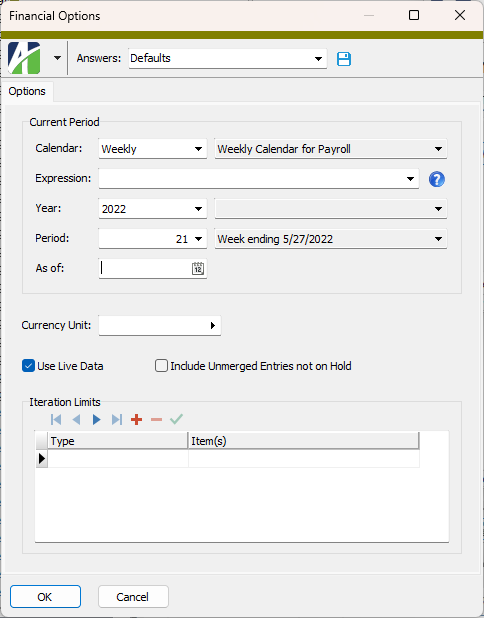
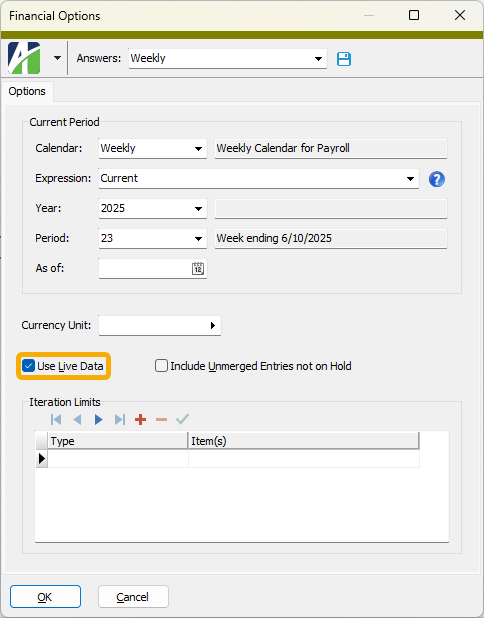
Financial Options
Options tab
A period expression which defines a relative reporting period for the financial statement. You can select a period expression from the drop-down list or enter a period expression directly in the field. To explicitly specify a reporting period for the selected calendar, use the Year and Period fields instead.
The dropdown contains the following common period expressions:
- Current
- Current - 1 period
- Current - 1 year
For help with proper period expression syntax, click the help button to the right of the field.
The currency unit to report amounts in if different than the unit(s) specified on the affected accounts. If blank, the units specified on affected accounts are used. This option is used to perform translation between units. For optimal performance, only use this option when translation is needed.
Note
If you are generating a report from a layout template and want the currency unit to display below the main heading, specify the reporting unit to use and ensure that the unit record includes a description.
Note
The Find dialog on the Item(s) field supports multi-select. For example, if you choose "Department" in the Type field, you could use Ctrl and/or Shift selection in the Find dialog on the Item(s) field to select multiple departments for iteration. This feature allows you to create a consolidated financial for a set of items.