Prior to version 6.3, ActivityHD employed tools such as Excel to perform automation tasks in ActivityHD. While those tools are still available, version 6.3 introduced the ability to define bots (formerly called macros) within ActivityHD Explorer. To use a specific bot, users must be assigned permissions to the bot. Currently, there are six bot types: class, module, general, record, record list, and record loop.
A shortcut key combination can be assigned to the bot to make it easy to execute. (When you assign shortcuts, be sure to avoid conflicts with other ActivityHD shortcuts.)
In version 8.11-0, a new VBSEdit script editor and debugger was introduced to ActivityHD which handles Javascript in addition to VBScript. This version of VBSEdit is optional and must be installed separately. The current recommended version of VBSEdit is 25.1.30.7. ActivityHD includes a license to run VBSEdit without restrictions when called from ActivityHD. It must be licensed separately to run apart from ActivityHD except in evaluation mode.
VBSEdit must be installed from the command line with administrator privileges and must be installed for all users using the /allusers switch.
To install VBSEdit:
- Click the Windows Start button, then enter
cmdin the search bar.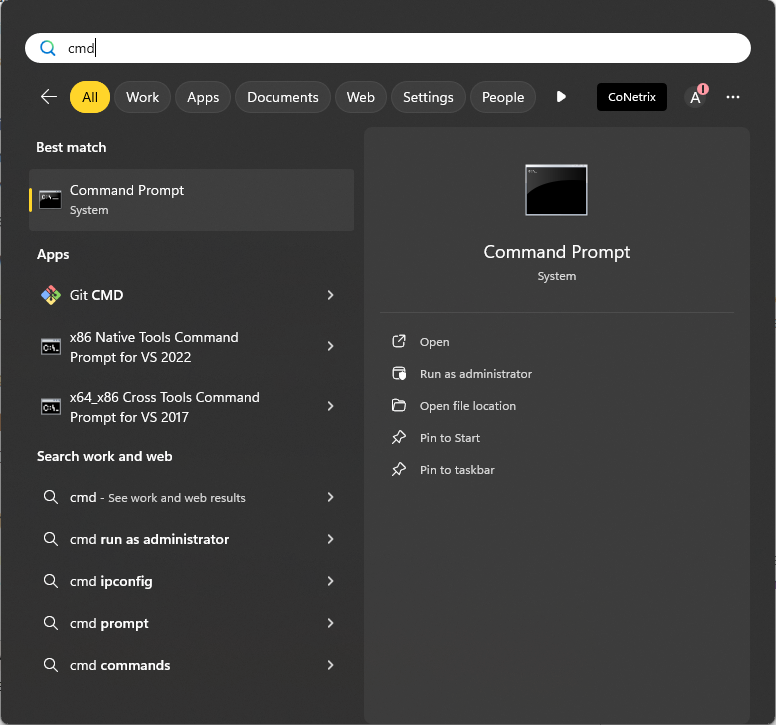
- If the Command Prompt with its options is not visible in the right pane of the search box, locate it in the left pane and select it.
-
In the right pane, click Run as administrator.
If you are prompted for your credentials, supply them and click Yes.
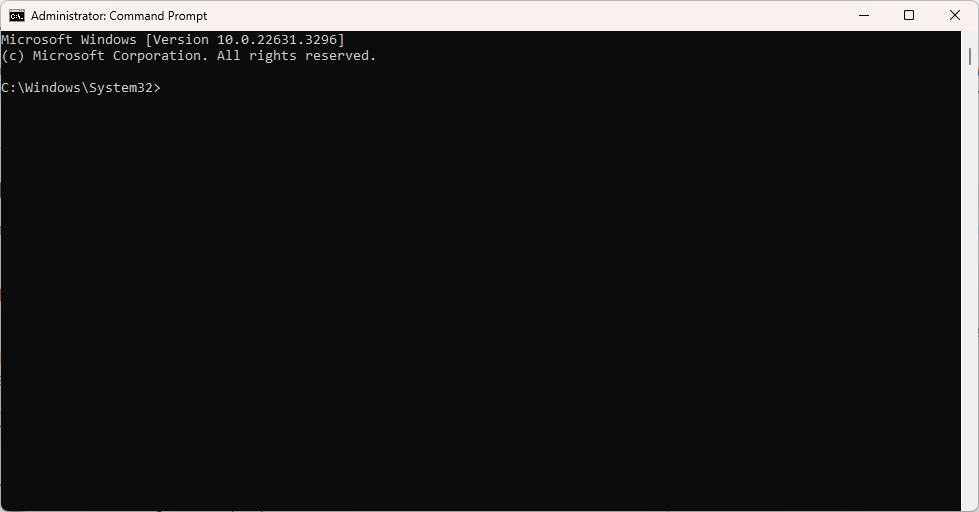
The Command Prompt window opens in administrator mode.
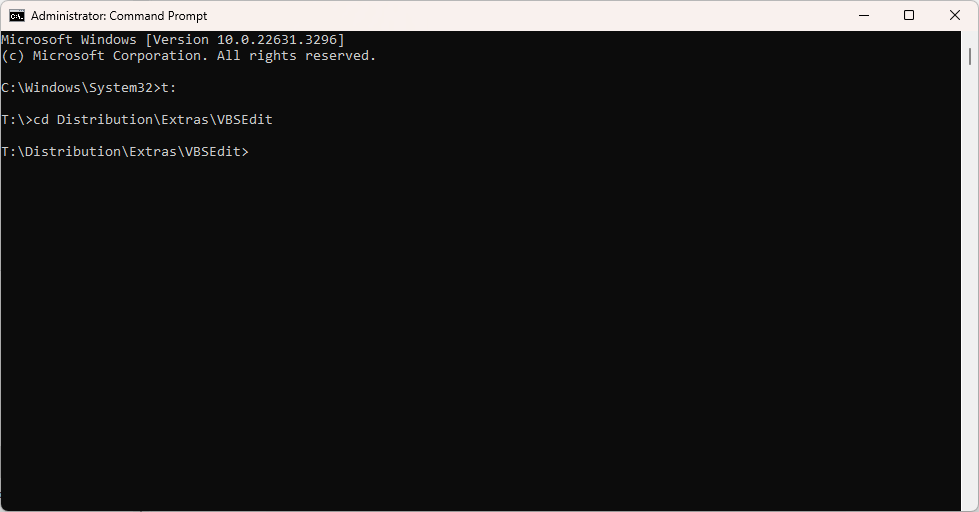
- Change directories to the folder on your system which contains the "vbsedit_x64.exe" and "vbsedit_x86.exe" files. (The path indicated in the image below may not be identical to the path in your environment.)
- At the prompt, type
vbsedit_x64 /allusers(64-bit) orvbsedit_x86 /allusers(32-bit).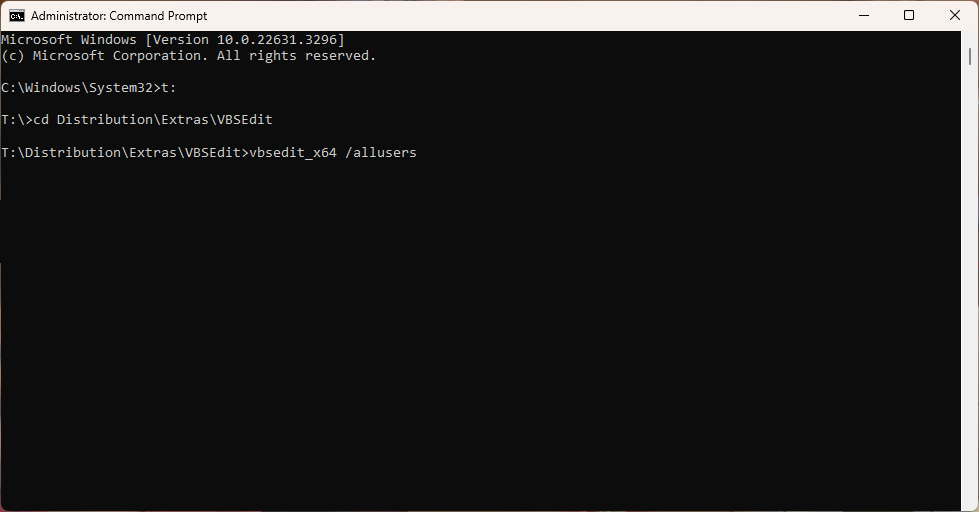
- Press Enter. The VBSEdit installation wizard starts.
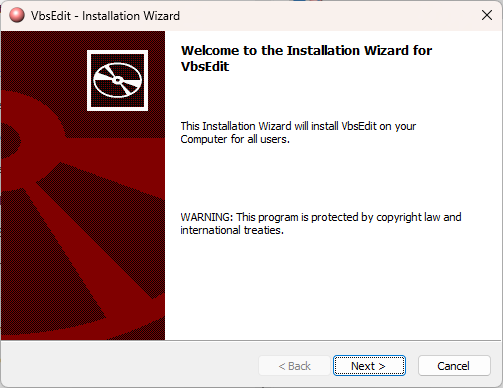
- Click Next >. Installation begins. You are notified when installation completes.
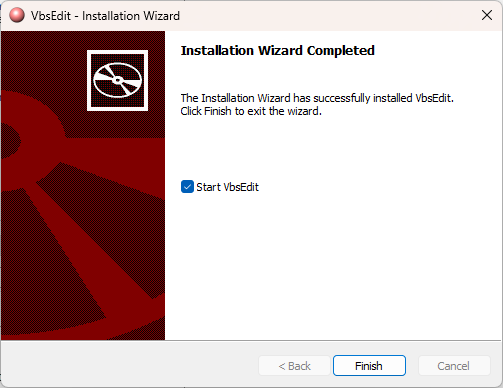
- Click Finish.
Now when you click Script Editor in the Bot window, the new VBSEdit editor loads.
Attention
If VBSEdit has been installed without the /allusers switch, you should uninstall VBSEdit and reinstall it properly. To uninstall VBSEdit, use the uninstaller provided. Locate the uninstaller in your Users folder; e.g., C:\Users\<username>\AppData\Local\Vbsedit_uninstall\x64. (Choose the x86 subfolder if you installed the 32-bit version of VBSEdit.) To run the uninstaller, double-click the uninstall.exe file.
Select a bot editor
ActivityHD supports two bot editors, VBSEdit and Visual Studio Code. You select the bot editor to use in the Bot window. ActivityHD remembers your editor selection until you make a different selection.
To select a bot editor:
- In the Navigation pane, highlight the [Company] > Administration > Setup > Bots folder.
- In the Bots HD view, double-click a bot to open it.
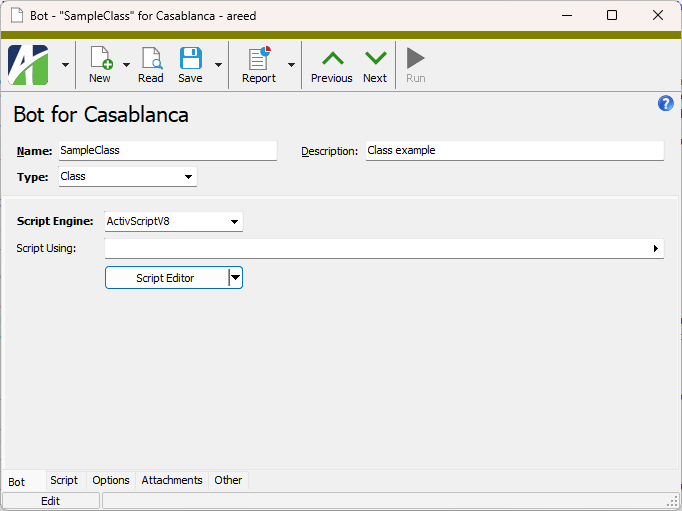
- Click the drop-down arrow on the Script Editor button to open a drop-down menu.
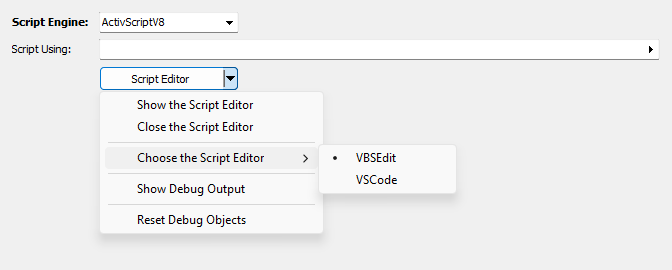
- From the menu, select Choose the Script Editor and then the editor you want to use. Your options are:
- VBSEdit
- VSCode. Visual Studio Code.
- Save your change.
Tip
Use the Run button  or press F9 to test your bots as you build them.
Expand the instructions for the type of bot you need to create. The instructions assume you have the Javascript-capable version of VBSEdit.
Create a bot class
Use the "class" bot type to define a class which can be used in other bots. A class bot can be referenced in the "Script Using" section of other bots to create an instance of the class. Using a class bot simplifies your creation of other bots by allowing reuse of the class definition in multiple bots, thus eliminating duplicated code.
To create a class bot:
- In the Navigation pane, highlight the [Company] > Administration > Setup > Bots folder.
- Click
 . The New Bot window opens.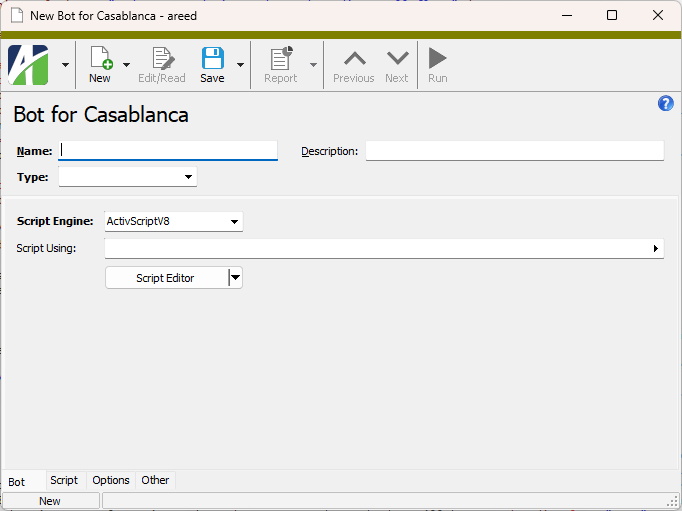
- Enter a Name for the class. A class name cannot contain spaces. You can use up to 50 characters.
- Enter a Description of the class.
- From the Type drop-down list, select "Class".
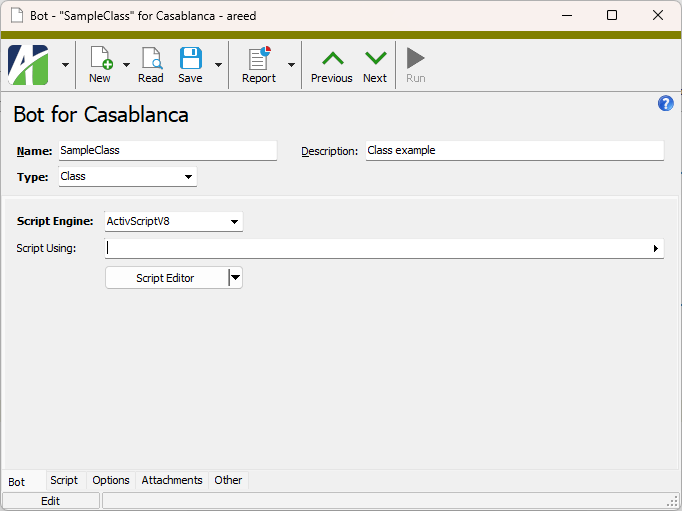
- From the Script Engine dropdown, select the scripting engine to use to write the bot. Valid options are:
- JScript - All JScript 5.8 features, including the JSON object, are available.
- JScript9
- JScript (Chakra) - Only one Chakra JScript scripting engine can be loaded in a single process.
- ActivScriptV8
- ActivScriptNode
 Expand to see the available node npm packages
The following node npm packages are available for use with ActivityHD:
Node package Purpose More information ahd_customfields Provides for creating, deleting, and looking up names of custom fields as well as custom field groups. ahd_emails Provides standardized and formalized email for ActivityHD automated processes. ahd_emails ahd_exceljavascript_package Lets a bot build Excel workbooks that carry ActivityHD's JavaScript automation, the same automation available in the ActivityHD Excel add-in, so that the bot can automatically produce ready-to-use, JavaScript-enabled spreadsheets, alleviating the need for someone to prepare the spreadsheets manually. ahd_log_package ahd_logger Allows scheduled/offline bots to create an ActivityHD note at the end of a run, providing a visible curated summary in the app with no need for a user to watch the window. ahd_logger ahd_microsoft_graph The MicrosoftGraph class provides custom implementation to facilitate Microsoft Graph API requests with OAuth 2.0 authentication for ActivityHD. The class manages token acquisition, refresh, and Graph request handling while allowing custom storage of tokens using the ahd_oauth module. ahd_oauth Includes an OAuth object with various methods for working with OAuth authentication. ahd_time_date_package archiver Provides a streaming interface for generating archives. archiver child_process csv-parser Parses csv files. csv-parser and papaparse comparison csv-parser date-and-time A simple date and time library. date-and-time docxtemplater A library for generating docx/pptx documents from a docx/pptx template. Replaces placeholders with data and supports loops and conditions. docxtemplater exceljs Provides for reading, manipulating, and writing spreadsheet data to xlsx and JSON. exceljs jszip A library for creating, reading, and editing zip files with JavaScript.Useful when you need to create or read zip files in the browser; especially useful when downloading multiple files in a single zip file. Required by exceljs. jszip luxon A library for working with dates and times in JavaScript. luxon msnodesqlv8 Allows bots to connect to SQL Server through a native ODBC driver, in addition to existing connectivity. Provides a faster, lower overhead means to read from and write to the database. msnodesqlv8 mssql Microsoft SQL Server client for Node.js. ofx-js Allows an ActivScriptNode bot to parse Open Financial Exchange (OFX) files into a usable data structure. ofx-js papaparse Parses csv files with JavaScript. csv-parser and papaparse comparison papaparse pizzip A library for creating, reading, and editing zip files with JavaScript. Lightweight library that works well with other libraries such as docxtemplater for generating documents. pizzip xml-js Converts XML text to a JavaScript object or to JSON text or converts JavaScript/JSON to XML. xml-js - VBScript
Beyond the listed options, you can enter the PROGID or CLSID of any ActiveScript language that is currently registered on the computer where the bot will be run.
Note
Ensure that the scripting engine you use is from a trusted source and that it is installed on every computer which needs to run the bot.
- In the Script Using field, select the class and module bot(s) that this class references.
- Click Script Editor. The Activity Bot Editor or Visual Studio Code opens. (If you need to change editors, see "Select a bot editor" above.)
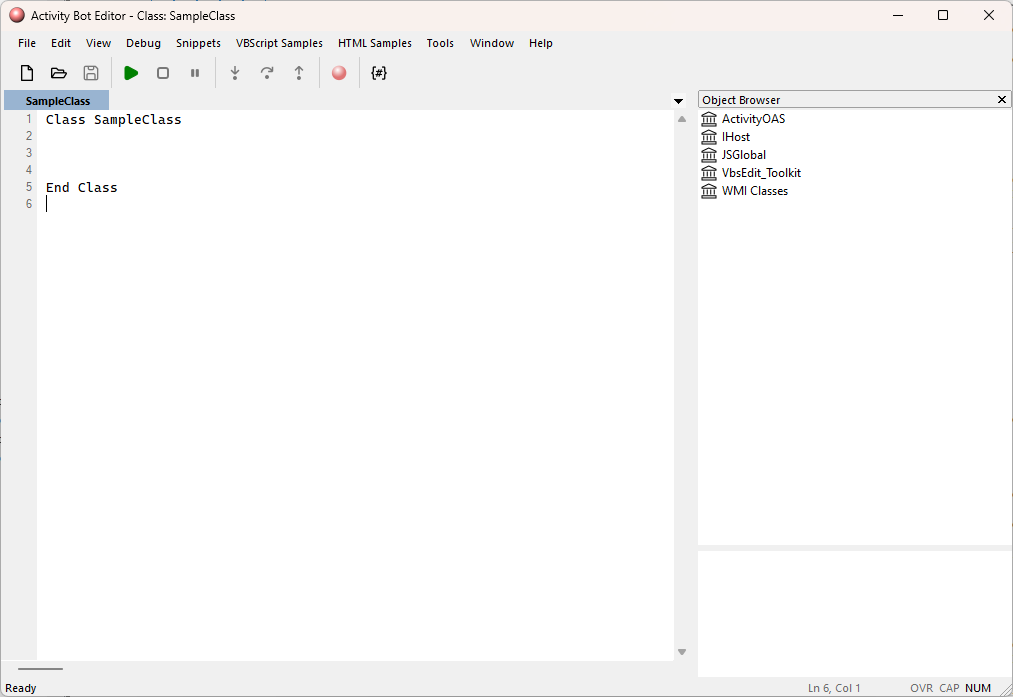
- In the text area, write the code for the class.
- Save your changes.
Note
A new or copied bot must be saved once before running or debugging it.
Create a bot module
Use the "module" bot type to define code snippets for methods which can be used in other bots. A module bot can be referenced in the "Script Using" section of other bots so that its snippets and methods are available to the other bots. Like class bots, module bots simplify creation of other bots by allowing reuse of the module in multiple bots thereby eliminating duplicate code.
To create a module bot:
- In the Navigation pane, highlight the [Company] > Administration > Setup > Bots folder.
- Click . The New Bot window opens.
- Enter a Name for the module. A module name cannot contain spaces. You can use up to 50 characters.
- Enter a Description of the module.
- From the Type drop-down list, select "Module".
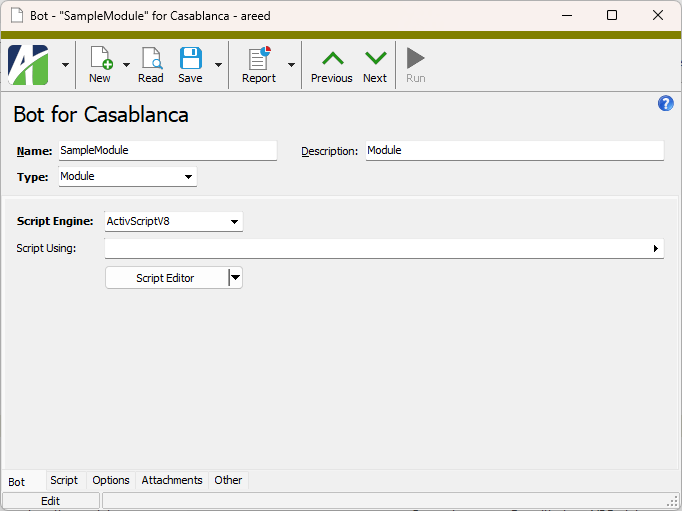
- From the Script Engine dropdown, select the scripting engine to use to write the bot. Valid options are:
- JScript - All JScript 5.8 features, including the JSON object, are available.
- JScript9
- JScript (Chakra) - Only one Chakra JScript scripting engine can be loaded in a single process.
- ActivScriptV8
- ActivScriptNode
Expand to see the available node npm packages
The following node npm packages are available for use with ActivityHD:
Node package Purpose More information ahd_customfields Provides for creating, deleting, and looking up names of custom fields as well as custom field groups. ahd_emails Provides standardized and formalized email for ActivityHD automated processes. ahd_emails ahd_exceljavascript_package Lets a bot build Excel workbooks that carry ActivityHD's JavaScript automation, the same automation available in the ActivityHD Excel add-in, so that the bot can automatically produce ready-to-use, JavaScript-enabled spreadsheets, alleviating the need for someone to prepare the spreadsheets manually. ahd_log_package ahd_logger Allows scheduled/offline bots to create an ActivityHD note at the end of a run, providing a visible curated summary in the app with no need for a user to watch the window. ahd_logger ahd_microsoft_graph The MicrosoftGraph class provides custom implementation to facilitate Microsoft Graph API requests with OAuth 2.0 authentication for ActivityHD. The class manages token acquisition, refresh, and Graph request handling while allowing custom storage of tokens using the ahd_oauth module. ahd_oauth Includes an OAuth object with various methods for working with OAuth authentication. ahd_time_date_package archiver Provides a streaming interface for generating archives. archiver child_process csv-parser Parses csv files. csv-parser and papaparse comparison csv-parser date-and-time A simple date and time library. date-and-time docxtemplater A library for generating docx/pptx documents from a docx/pptx template. Replaces placeholders with data and supports loops and conditions. docxtemplater exceljs Provides for reading, manipulating, and writing spreadsheet data to xlsx and JSON. exceljs jszip A library for creating, reading, and editing zip files with JavaScript.Useful when you need to create or read zip files in the browser; especially useful when downloading multiple files in a single zip file. Required by exceljs. jszip luxon A library for working with dates and times in JavaScript. luxon msnodesqlv8 Allows bots to connect to SQL Server through a native ODBC driver, in addition to existing connectivity. Provides a faster, lower overhead means to read from and write to the database. msnodesqlv8 mssql Microsoft SQL Server client for Node.js. ofx-js Allows an ActivScriptNode bot to parse Open Financial Exchange (OFX) files into a usable data structure. ofx-js papaparse Parses csv files with JavaScript. csv-parser and papaparse comparison papaparse pizzip A library for creating, reading, and editing zip files with JavaScript. Lightweight library that works well with other libraries such as docxtemplater for generating documents. pizzip xml-js Converts XML text to a JavaScript object or to JSON text or converts JavaScript/JSON to XML. xml-js - VBScript
Beyond the listed options, you can enter the PROGID or CLSID of any ActiveScript language that is currently registered on the computer where the bot will be run.
Note
Ensure that the scripting engine you use is from a trusted source and that it is installed on every computer which needs to run the bot.
- In the Script Using field, select the class and module bot(s) that this module references.
- Click Script Editor. The Activity Bot Editor or Visual Studio Code opens. (If you need to change editors, see "Select a bot editor" above.)
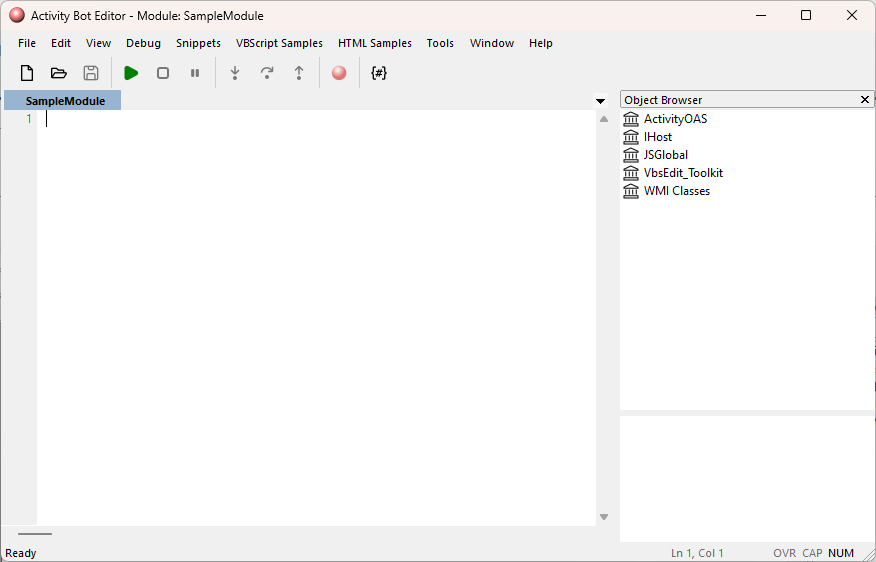
- In the text area, write the code for the module.
- Save your changes.
Note
A new or copied bot must be saved once before running or debugging it.
Create a general bot
Use the "general" bot type to define actions which can be run in ActivityHD. General bots can be made available to users via buttons and/or menu items. The following context objects are available when you run a general bot:
- Activity - The system connection.
- Company - The company connection.
- MacroProcess - The bot execution context object.
To create a general bot:
- In the Navigation pane, highlight the [Company] > Administration > Setup > Bots folder.
- Click . The New Bot window opens.
- Enter a Name for the bot. You can use up to 50 characters.
- Enter a Description of the bot.
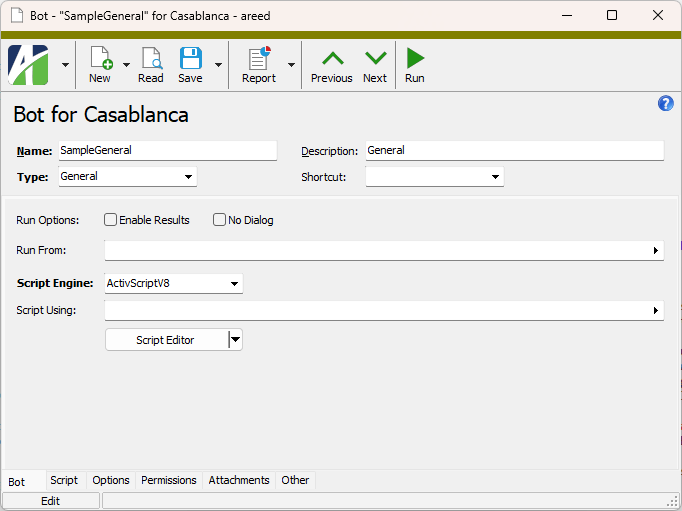
- From the Type drop-down list, select "General".
-
If you want to assign a keyboard shortcut to the bot to make it easier to run, select one from the Shortcut drop-down list.
Note
When assigning shortcuts, avoid conflicts with other ActivityHD shortcuts.
- If you want the bot to return result records to the user, mark the Enable Results checkbox.
- If you want the bot to run without presenting a dialog for user interaction, mark the No Dialog checkbox.
- In the Run From field, select the folder(s) from which the bot can be run.
- From the Script Engine dropdown, select the scripting engine to use to write the bot. Valid options are:
- JScript - All JScript 5.8 features, including the JSON object, are available.
- JScript9
- JScript (Chakra) - Only one Chakra JScript scripting engine can be loaded in a single process.
- ActivScriptV8
- ActivScriptNode
Expand to see the available node npm packages
The following node npm packages are available for use with ActivityHD:
Node package Purpose More information ahd_customfields Provides for creating, deleting, and looking up names of custom fields as well as custom field groups. ahd_emails Provides standardized and formalized email for ActivityHD automated processes. ahd_emails ahd_exceljavascript_package Lets a bot build Excel workbooks that carry ActivityHD's JavaScript automation, the same automation available in the ActivityHD Excel add-in, so that the bot can automatically produce ready-to-use, JavaScript-enabled spreadsheets, alleviating the need for someone to prepare the spreadsheets manually. ahd_log_package ahd_logger Allows scheduled/offline bots to create an ActivityHD note at the end of a run, providing a visible curated summary in the app with no need for a user to watch the window. ahd_logger ahd_microsoft_graph The MicrosoftGraph class provides custom implementation to facilitate Microsoft Graph API requests with OAuth 2.0 authentication for ActivityHD. The class manages token acquisition, refresh, and Graph request handling while allowing custom storage of tokens using the ahd_oauth module. ahd_oauth Includes an OAuth object with various methods for working with OAuth authentication. ahd_time_date_package archiver Provides a streaming interface for generating archives. archiver child_process csv-parser Parses csv files. csv-parser and papaparse comparison csv-parser date-and-time A simple date and time library. date-and-time docxtemplater A library for generating docx/pptx documents from a docx/pptx template. Replaces placeholders with data and supports loops and conditions. docxtemplater exceljs Provides for reading, manipulating, and writing spreadsheet data to xlsx and JSON. exceljs jszip A library for creating, reading, and editing zip files with JavaScript.Useful when you need to create or read zip files in the browser; especially useful when downloading multiple files in a single zip file. Required by exceljs. jszip luxon A library for working with dates and times in JavaScript. luxon msnodesqlv8 Allows bots to connect to SQL Server through a native ODBC driver, in addition to existing connectivity. Provides a faster, lower overhead means to read from and write to the database. msnodesqlv8 mssql Microsoft SQL Server client for Node.js. ofx-js Allows an ActivScriptNode bot to parse Open Financial Exchange (OFX) files into a usable data structure. ofx-js papaparse Parses csv files with JavaScript. csv-parser and papaparse comparison papaparse pizzip A library for creating, reading, and editing zip files with JavaScript. Lightweight library that works well with other libraries such as docxtemplater for generating documents. pizzip xml-js Converts XML text to a JavaScript object or to JSON text or converts JavaScript/JSON to XML. xml-js - VBScript
Beyond the listed options, you can enter the PROGID or CLSID of any ActiveScript language that is currently registered on the computer where the bot will be run.
Note
Ensure that the scripting engine you use is from a trusted source and that it is installed on every computer which needs to run the bot.
- In the Script Using field, select the class and module bot(s) that this bot references.
- Click Script Editor. The Activity Bot Editor or Visual Studio Code opens. (If you need to change editors, see "Select a bot editor" above.)
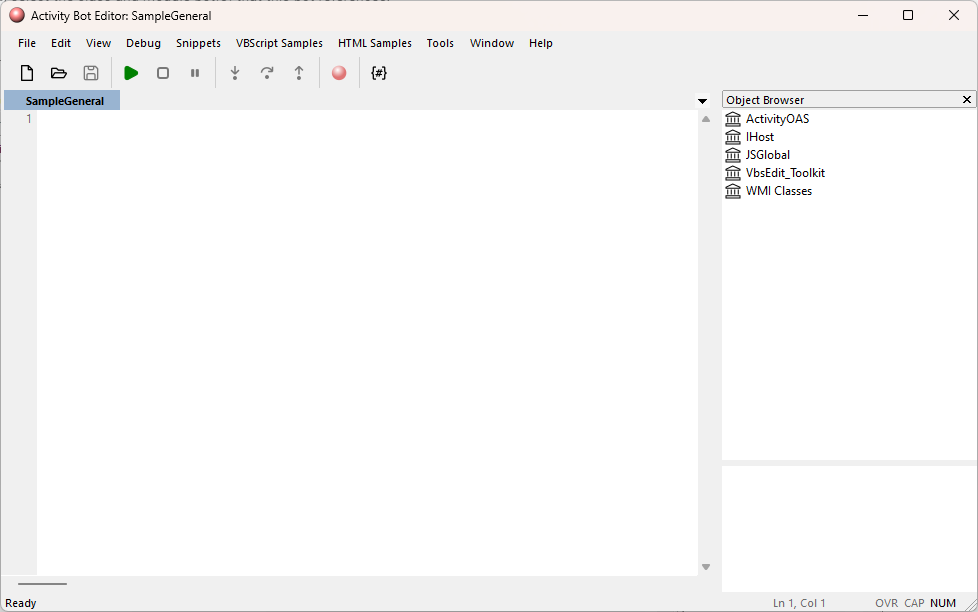
- In the text area, write the code for the bot.
- Save your changes.
Note
A new or copied bot must be saved once before running or debugging it.
Create a record bot
Use a record bot type (formerly called a "singleton" bot) to define actions which can be run in ActivityHD. Record bots can be made available to users via buttons and/or menu items.
Record bots are similar to record loop bots (see below) except without the loop. Record bots can only be executed on one record at a time. They are only enabled when exactly one record is selected, and if you execute a record bot from a folder without first selecting a record, you are prompted to select a single record to act on.
The following context objects are available when you run a record bot:
- Activity - The system connection.
- Company - The company connection.
- MacroProcess - The bot execution context object.
- Record - The record selected by the user.
To create a record bot:
- In the Navigation pane, highlight the [Company] > Administration > Setup > Bots folder.
- Click . The New Bot window opens.
- Enter a Name for the bot. You can use up to 50 characters.
- Enter a Description of the bot.
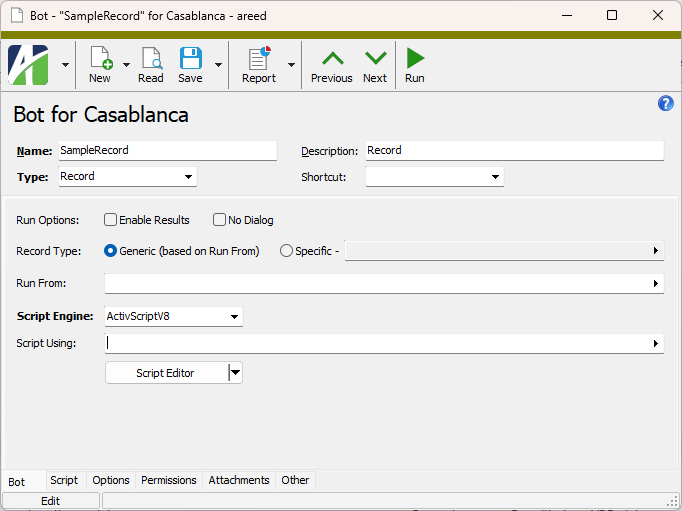
- From the Type drop-down list, select "Record".
-
If you want to assign a keyboard shortcut to the bot to make it easier to run, select one from the Shortcut drop-down list.
Note
When assigning shortcuts, avoid conflicts with other ActivityHD shortcuts.
- If you want the bot to return result records to the user, mark the Enable Results checkbox.
- If you want the bot to run without presenting a dialog for user interaction, mark the No Dialog checkbox.
- Select the Record Type to associate with the bot. Record types are based on the data folders with an IData automation interface. Your options are:
Generic. The bot can be run for generic record types, and thus, is runnable from any number of data folders. Use the Run From field to designate which data folders that bots which execute the bot can be run from.
Example
A bot written for attachments could apply to virtually any record type.
- Specific. A bot that must be run for a specific record type. This bot can only be run for the data folder specified in this field.
-
In the Run From field, select the folders from which the bot can be run.
If you selected "Generic" in the Record Type field, select one or more folders on which to run the bot.
If you selected "Specific" in the Record Type field, the bot can only be run for the data folder specified; however, you can run the bot from other folders, but the bot will only act on records of the specified data type.
Example
Suppose you create a bot to act on employee leave plans. You could specify "Employee Leave Plans (Payroll)" as the specific data folder. However, you might also want to make the bot available from the Payroll/Human Resources folder and from the Employees folder.
- From the Script Engine dropdown, select the scripting engine to use to write the bot. Valid options are:
- JScript - All JScript 5.8 features, including the JSON object, are available.
- JScript9
- JScript (Chakra) - Only one Chakra JScript scripting engine can be loaded in a single process.
- ActivScriptV8
- ActivScriptNode
Expand to see the available node npm packages
The following node npm packages are available for use with ActivityHD:
Node package Purpose More information ahd_customfields Provides for creating, deleting, and looking up names of custom fields as well as custom field groups. ahd_emails Provides standardized and formalized email for ActivityHD automated processes. ahd_emails ahd_exceljavascript_package Lets a bot build Excel workbooks that carry ActivityHD's JavaScript automation, the same automation available in the ActivityHD Excel add-in, so that the bot can automatically produce ready-to-use, JavaScript-enabled spreadsheets, alleviating the need for someone to prepare the spreadsheets manually. ahd_log_package ahd_logger Allows scheduled/offline bots to create an ActivityHD note at the end of a run, providing a visible curated summary in the app with no need for a user to watch the window. ahd_logger ahd_microsoft_graph The MicrosoftGraph class provides custom implementation to facilitate Microsoft Graph API requests with OAuth 2.0 authentication for ActivityHD. The class manages token acquisition, refresh, and Graph request handling while allowing custom storage of tokens using the ahd_oauth module. ahd_oauth Includes an OAuth object with various methods for working with OAuth authentication. ahd_time_date_package archiver Provides a streaming interface for generating archives. archiver child_process csv-parser Parses csv files. csv-parser and papaparse comparison csv-parser date-and-time A simple date and time library. date-and-time docxtemplater A library for generating docx/pptx documents from a docx/pptx template. Replaces placeholders with data and supports loops and conditions. docxtemplater exceljs Provides for reading, manipulating, and writing spreadsheet data to xlsx and JSON. exceljs jszip A library for creating, reading, and editing zip files with JavaScript.Useful when you need to create or read zip files in the browser; especially useful when downloading multiple files in a single zip file. Required by exceljs. jszip luxon A library for working with dates and times in JavaScript. luxon msnodesqlv8 Allows bots to connect to SQL Server through a native ODBC driver, in addition to existing connectivity. Provides a faster, lower overhead means to read from and write to the database. msnodesqlv8 mssql Microsoft SQL Server client for Node.js. ofx-js Allows an ActivScriptNode bot to parse Open Financial Exchange (OFX) files into a usable data structure. ofx-js papaparse Parses csv files with JavaScript. csv-parser and papaparse comparison papaparse pizzip A library for creating, reading, and editing zip files with JavaScript. Lightweight library that works well with other libraries such as docxtemplater for generating documents. pizzip xml-js Converts XML text to a JavaScript object or to JSON text or converts JavaScript/JSON to XML. xml-js - VBScript
Beyond the listed options, you can enter the PROGID or CLSID of any ActiveScript language that is currently registered on the computer where the bot will be run.
Note
Ensure that the scripting engine you use is from a trusted source and that it is installed on every computer which needs to run the bot.
- In the Script Using field, select the class and module bot(s) that this bot references.
- Click Script Editor. The Activity Bot Editor or Visual Studio Code opens. (If you need to change editors, see "Select a bot editor" above.)
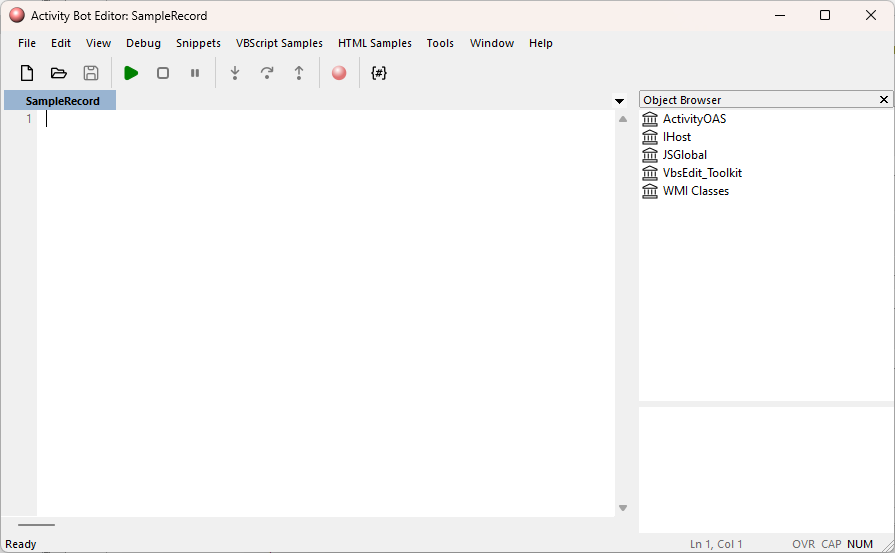
- In the text area, write the code for the bot.
- Save your changes.
Note
A new or copied bot must be saved once before running or debugging it.
Create a record list bot
Use the "record list" bot type to define actions which can be run in ActivityHD. Record list bots can be made available to users via buttons and/or menu items. The user must select one or more records to run a record list bot.
Use a record list bot when you want the bot to perform an action based on a list of user-selected records but do not need the structure of a record loop bot (see below). Record loop bots are appropriate when the bot needs to act on records one at a time and the user needs to see the progress being made. Record lists are better at acting on an entire list of records at once. In addition, the No Dialog option is available on record list bots for actions where the user will not benefit from displaying a dialog.
The following context objects are available when you run a record list bot:
- Activity - The system connection.
- Company - The company connection.
- MacroProcess - The bot execution context object.
- RecordList - The record(s) selected by the user.
To create a record list bot:
- In the Navigation pane, highlight the [Company] > Administration > Setup > Bots folder.
- Click . The New Bot window opens.
- Enter a Name for the bot. You can use up to 50 characters.
- Enter a Description of the bot.
- From the Type drop-down list, select "Record List".
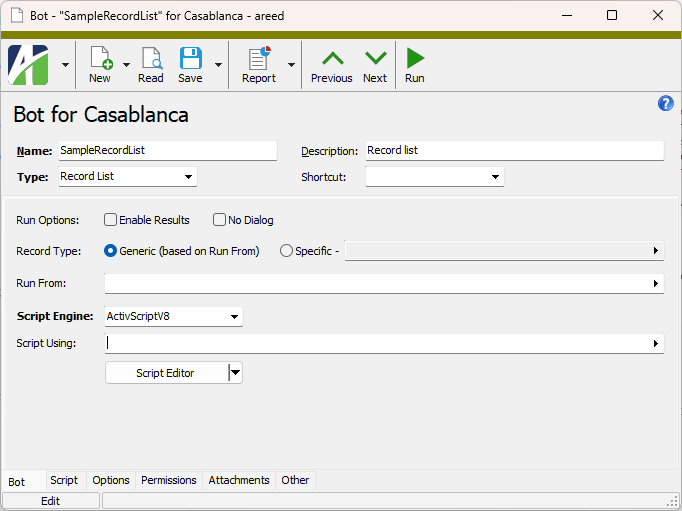
-
If you want to assign a keyboard shortcut to the bot to make it easier to run, select one from the Shortcut drop-down list.
Note
When assigning shortcuts, avoid conflicts with other ActivityHD shortcuts.
- If you want the bot to return result records to the user, mark the Enable Results checkbox.
- If you want the bot to run without presenting a dialog for user interaction, mark the No Dialog checkbox.
- Select the Record Type to associate with the bot. Record types are based on the data folders with an IData automation interface. Your options are:
Generic. The bot can be run for generic record types, and thus, is runnable from any number of data folders. Use the Run From field to designate which data folders that bots which execute the bot can be run from.
Example
A bot written for attachments could apply to virtually any record type.
- Specific. A bot that must be run for a specific record type. This bot can only be run for the data folder specified in this field.
-
In the Run From field, select the folders from which the bot can be run.
If you selected "Generic" in the Record Type field, select one or more folders on which to run the bot.
If you selected "Specific" in the Record Type field, the bot can only be run for the data folder specified; however, you can run the bot from other folders, but the bot will only act on records of the specified data type.
Example
Suppose you create a bot to act on employee leave plans. You could specify "Employee Leave Plans (Payroll)" as the specific data folder. However, you might also want to make the bot available from the Payroll/Human Resources folder and from the Employees folder.
- From the Script Engine dropdown, select the scripting engine to use to write the bot. Valid options are:
- JScript - All JScript 5.8 features, including the JSON object, are available.
- JScript9
- JScript (Chakra) - Only one Chakra JScript scripting engine can be loaded in a single process.
- ActivScriptV8
- ActivScriptNode
Expand to see the available node npm packages
The following node npm packages are available for use with ActivityHD:
Node package Purpose More information ahd_customfields Provides for creating, deleting, and looking up names of custom fields as well as custom field groups. ahd_emails Provides standardized and formalized email for ActivityHD automated processes. ahd_emails ahd_exceljavascript_package Lets a bot build Excel workbooks that carry ActivityHD's JavaScript automation, the same automation available in the ActivityHD Excel add-in, so that the bot can automatically produce ready-to-use, JavaScript-enabled spreadsheets, alleviating the need for someone to prepare the spreadsheets manually. ahd_log_package ahd_logger Allows scheduled/offline bots to create an ActivityHD note at the end of a run, providing a visible curated summary in the app with no need for a user to watch the window. ahd_logger ahd_microsoft_graph The MicrosoftGraph class provides custom implementation to facilitate Microsoft Graph API requests with OAuth 2.0 authentication for ActivityHD. The class manages token acquisition, refresh, and Graph request handling while allowing custom storage of tokens using the ahd_oauth module. ahd_oauth Includes an OAuth object with various methods for working with OAuth authentication. ahd_time_date_package archiver Provides a streaming interface for generating archives. archiver child_process csv-parser Parses csv files. csv-parser and papaparse comparison csv-parser date-and-time A simple date and time library. date-and-time docxtemplater A library for generating docx/pptx documents from a docx/pptx template. Replaces placeholders with data and supports loops and conditions. docxtemplater exceljs Provides for reading, manipulating, and writing spreadsheet data to xlsx and JSON. exceljs jszip A library for creating, reading, and editing zip files with JavaScript.Useful when you need to create or read zip files in the browser; especially useful when downloading multiple files in a single zip file. Required by exceljs. jszip luxon A library for working with dates and times in JavaScript. luxon msnodesqlv8 Allows bots to connect to SQL Server through a native ODBC driver, in addition to existing connectivity. Provides a faster, lower overhead means to read from and write to the database. msnodesqlv8 mssql Microsoft SQL Server client for Node.js. ofx-js Allows an ActivScriptNode bot to parse Open Financial Exchange (OFX) files into a usable data structure. ofx-js papaparse Parses csv files with JavaScript. csv-parser and papaparse comparison papaparse pizzip A library for creating, reading, and editing zip files with JavaScript. Lightweight library that works well with other libraries such as docxtemplater for generating documents. pizzip xml-js Converts XML text to a JavaScript object or to JSON text or converts JavaScript/JSON to XML. xml-js - VBScript
Beyond the listed options, you can enter the PROGID or CLSID of any ActiveScript language that is currently registered on the computer where the bot will be run.
Note
Ensure that the scripting engine you use is from a trusted source and that it is installed on every computer which needs to run the bot.
- In the Script Using field, select the class and module bot(s) that this bot references.
- Click Script Editor. The Activity Bot Editor or Visual Studio Code opens. (If you need to change editors, see "Select a bot editor" above.)
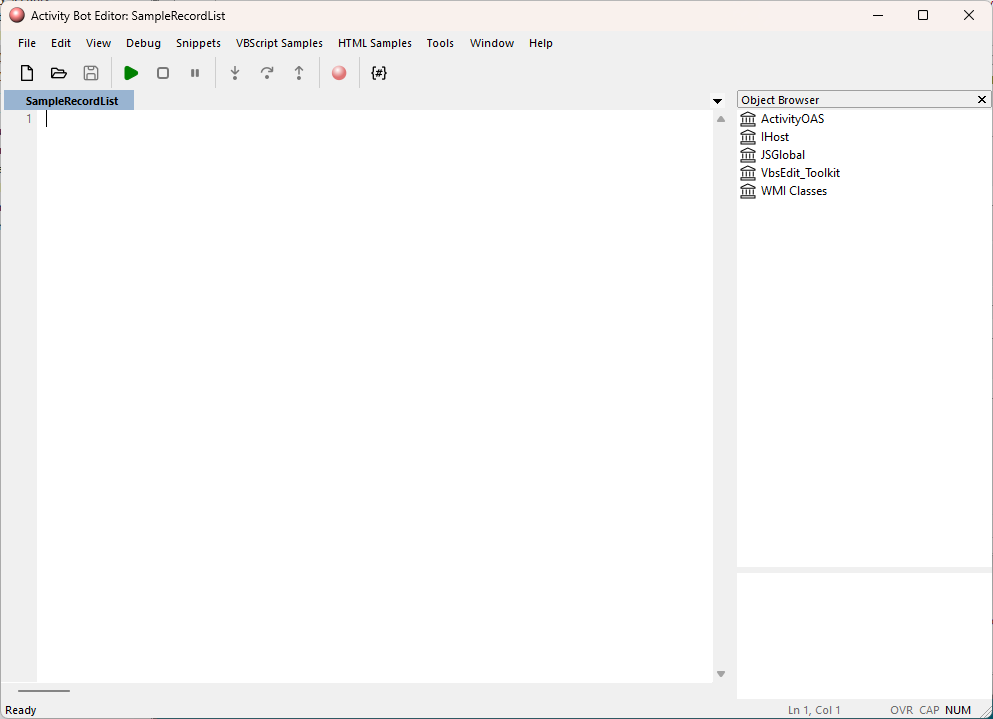
- In the text area, write the code for the bot.
- Save your changes.
Note
A new or copied bot must be saved once before running or debugging it.
Create a record loop bot
Use the "record loop" bot type to define actions which can be run in ActivityHD. Record loop bots can be made available to users via buttons and/or menu items. The user must select one or more records to run a record loop bot. As the name suggests, record loop bots are executed in a loop on all the selected records. Record loop bots are very similar to record list bots, except that the code is structured in three steps: Initialize, Loop, and Finalize. Also, when a record loop bot is run, the user interface shows loop progress. The following context objects are available when you run a record loop bot:
- Activity - The system connection.
- Company - The company connection.
- MacroProcess - The bot execution context object.
- RecordLoop - The record loop execution object which provides the bot context as the loop progresses.
IRecordLoop properties
| Property | Type | Description |
|---|---|---|
| Data | IData | Provides access to the IData interface, located to the record currently being processed. |
| ItemCount | Integer | The number of records selected for processing. |
| ItemNumber | Integer | The index of the record currently being processed. |
| Items[ ] | OLEVariant | Internal identifiers for each of the records selected for processing. |
| Success Count | Integer | The count of records which have been processed without error. |
| AddMessage | String | A text message for display to the user. |
| AddMessages | Variant (string or array of strings) | Messages for display to the user. |
| Results | IDataResults | Provides access to the IDataResults interface which is used to display result records. IDataResults is only available when the Enable Results checkbox is marked. |
Record loop bots written using the ActivScriptNode engine require you to declare global variables. For more information, see below.
To create a record loop bot:
- In the Navigation pane, highlight the [Company] > Administration > Setup > Bots folder.
- Click . The New Bot window opens.
- Enter a Name for the bot. You can use up to 50 characters.
- Enter a Description of the bot.
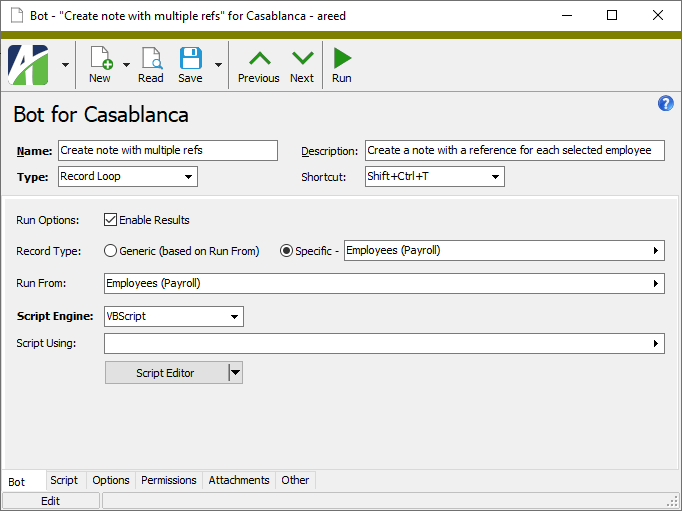
- From the Type drop-down list, select "Record Loop".
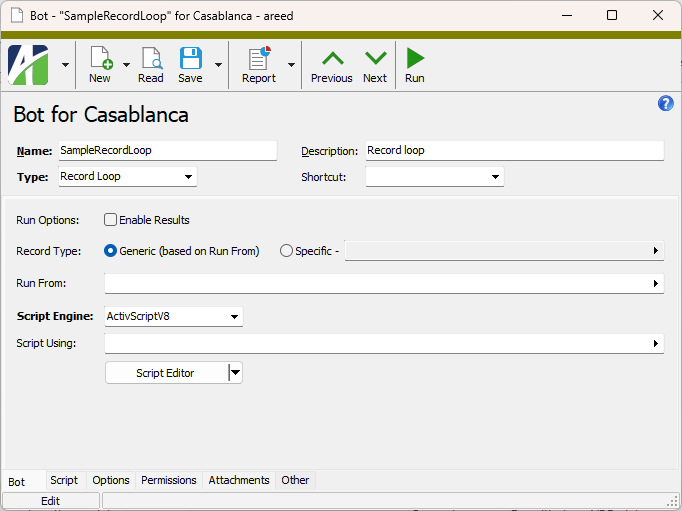
-
If you want to assign a keyboard shortcut to the bot to make it easier to run, select one from the Shortcut drop-down list.
Note
When assigning shortcuts, avoid conflicts with other ActivityHD shortcuts.
- If you want the bot to return result records to the user, mark the Enable Results checkbox.
- Select the Record Type to associate with the bot. Record types are based on the data folders with an IData automation interface. Your options are:
Generic. The bot can be run for generic record types, and thus, is runnable from any number of data folders. Use the Run From field to designate which data folders that bots which execute the bot can be run from.
Example
A bot written for attachments could apply to virtually any record type.
- Specific. A bot that must be run for a specific record type. This bot can only be run for the data folder specified in this field.
-
In the Run From field, select the folders from which the bot can be run.
If you selected "Generic" in the Record Type field, select one or more folders on which to run the bot.
If you selected "Specific" in the Record Type field, the bot can only be run for the data folder specified; however, you can run the bot from other folders, but the bot will only act on records of the specified data type.
Example
Suppose you create a bot to act on employee leave plans. You could specify "Employee Leave Plans (Payroll)" as the specific data folder. However, you might also want to make the bot available from the Payroll/Human Resources folder and from the Employees folder.
- From the Script Engine dropdown, select the scripting engine to use to write the bot. Valid options are:
- JScript - All JScript 5.8 features, including the JSON object, are available.
- JScript9
- JScript (Chakra) - Only one Chakra JScript scripting engine can be loaded in a single process.
- ActivScriptV8
- ActivScriptNode
Expand to see the available node npm packages
The following node npm packages are available for use with ActivityHD:
Node package Purpose More information ahd_customfields Provides for creating, deleting, and looking up names of custom fields as well as custom field groups. ahd_emails Provides standardized and formalized email for ActivityHD automated processes. ahd_emails ahd_exceljavascript_package Lets a bot build Excel workbooks that carry ActivityHD's JavaScript automation, the same automation available in the ActivityHD Excel add-in, so that the bot can automatically produce ready-to-use, JavaScript-enabled spreadsheets, alleviating the need for someone to prepare the spreadsheets manually. ahd_log_package ahd_logger Allows scheduled/offline bots to create an ActivityHD note at the end of a run, providing a visible curated summary in the app with no need for a user to watch the window. ahd_logger ahd_microsoft_graph The MicrosoftGraph class provides custom implementation to facilitate Microsoft Graph API requests with OAuth 2.0 authentication for ActivityHD. The class manages token acquisition, refresh, and Graph request handling while allowing custom storage of tokens using the ahd_oauth module. ahd_oauth Includes an OAuth object with various methods for working with OAuth authentication. ahd_time_date_package archiver Provides a streaming interface for generating archives. archiver child_process csv-parser Parses csv files. csv-parser and papaparse comparison csv-parser date-and-time A simple date and time library. date-and-time docxtemplater A library for generating docx/pptx documents from a docx/pptx template. Replaces placeholders with data and supports loops and conditions. docxtemplater exceljs Provides for reading, manipulating, and writing spreadsheet data to xlsx and JSON. exceljs jszip A library for creating, reading, and editing zip files with JavaScript.Useful when you need to create or read zip files in the browser; especially useful when downloading multiple files in a single zip file. Required by exceljs. jszip luxon A library for working with dates and times in JavaScript. luxon msnodesqlv8 Allows bots to connect to SQL Server through a native ODBC driver, in addition to existing connectivity. Provides a faster, lower overhead means to read from and write to the database. msnodesqlv8 mssql Microsoft SQL Server client for Node.js. ofx-js Allows an ActivScriptNode bot to parse Open Financial Exchange (OFX) files into a usable data structure. ofx-js papaparse Parses csv files with JavaScript. csv-parser and papaparse comparison papaparse pizzip A library for creating, reading, and editing zip files with JavaScript. Lightweight library that works well with other libraries such as docxtemplater for generating documents. pizzip xml-js Converts XML text to a JavaScript object or to JSON text or converts JavaScript/JSON to XML. xml-js - VBScript
Beyond the listed options, you can enter the PROGID or CLSID of any ActiveScript language that is currently registered on the computer where the bot will be run.
Note
Ensure that the scripting engine you use is from a trusted source and that it is installed on every computer which needs to run the bot.
- In the Script Using field, select the class and module bot(s) that this bot references.
- Click Script Editor. The Activity Bot Editor or Visual Studio Code opens. (If you need to change editors, see "Select a bot editor" above.)
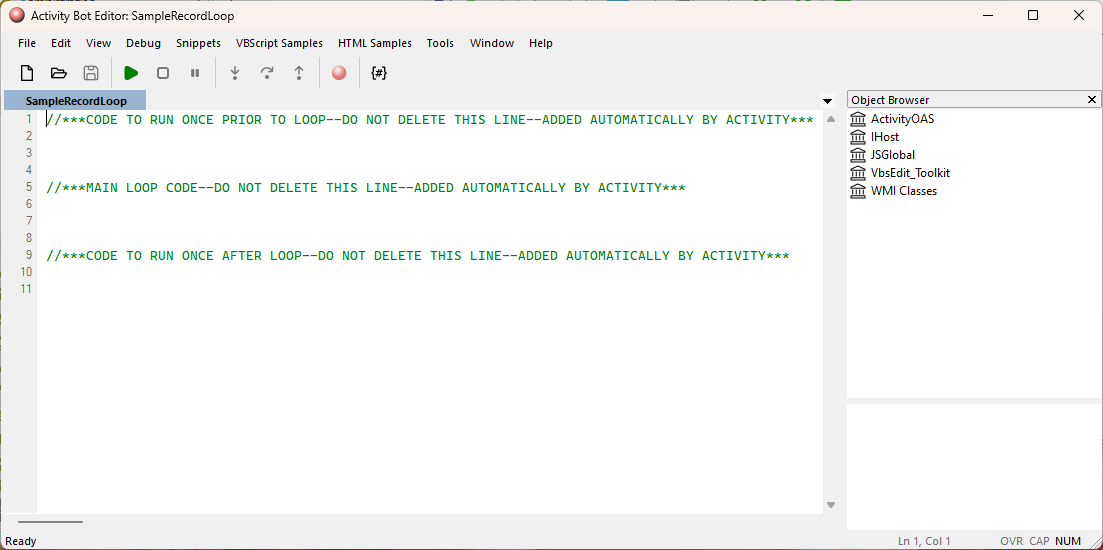
- In the text area, write the code for the bot.
- Save your changes.
Note
A new or copied bot must be saved once before running or debugging it.
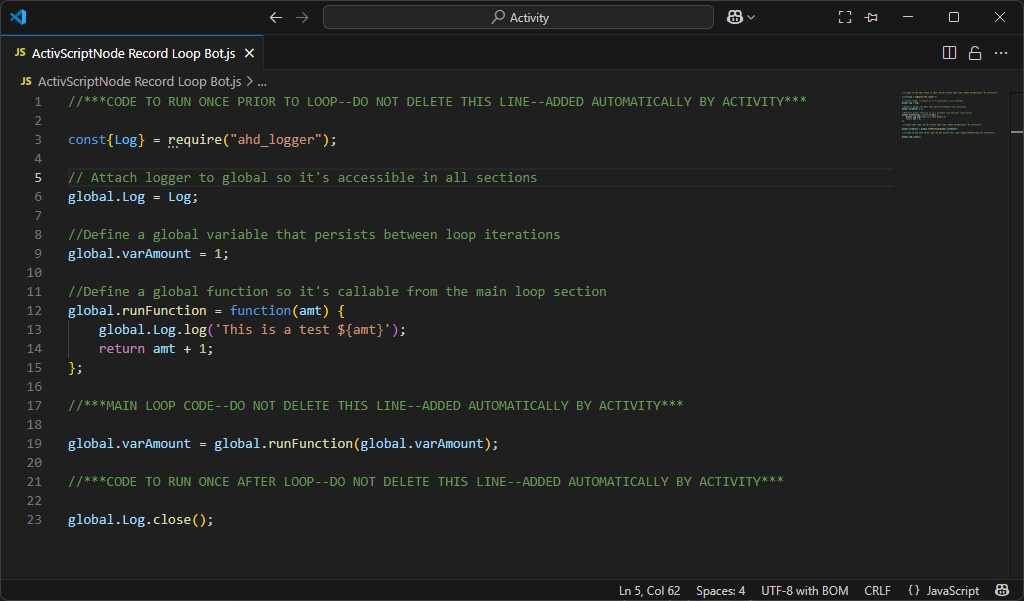
Special considerations for record loop bots that use the ActivScriptNode engine
Record loop bots with ActivScriptNode are significantly different than record loop bots under other available scripting engines. With ActivScriptNode, each portion of the record loop bot is treated as a separate script. As a result, you must declare global variables and ensure that each part of the script can access the variables.
Sample code with global declarations
Examples
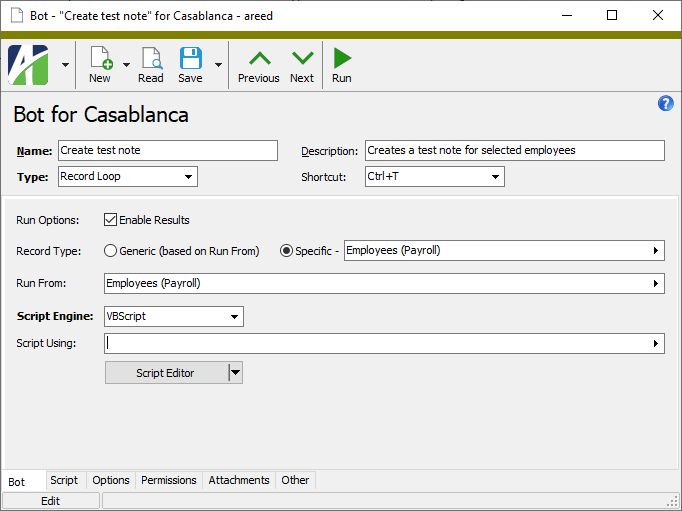
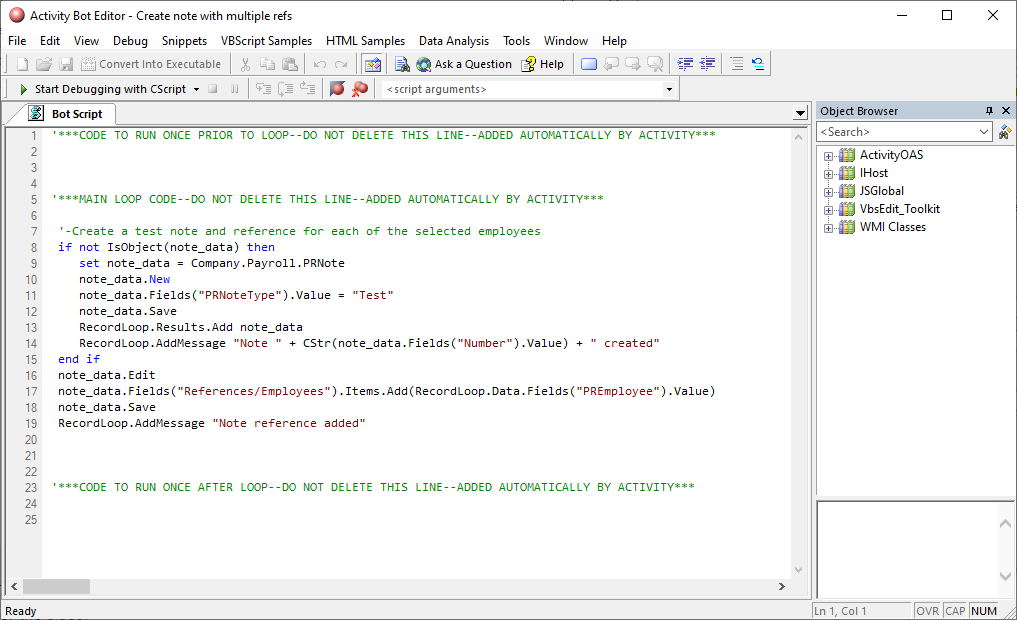
Bot to add a note for selected employees and then show the list of notes created
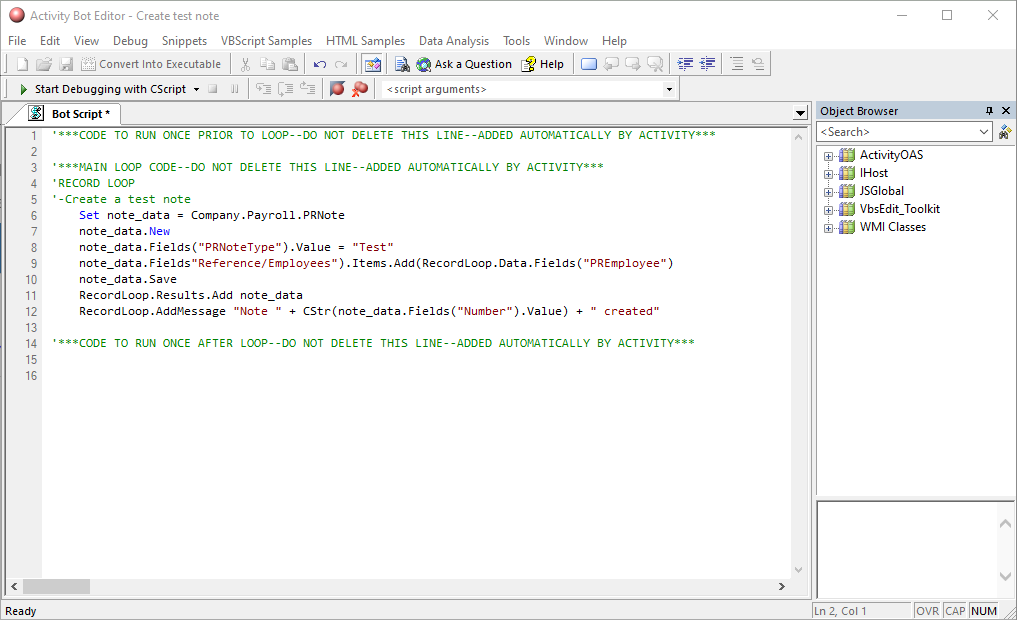
Bot to add one note with a reference for all selected employees and then show created note
Add prompts to a bot
Bots can prompt users for information that is needed to run bot processes. Prompts are defined on the Options tab of the bot record. Prompts are composed using xml. When a user runs a bot process that includes prompts, the prompts appear as options in the "Specify Options" step of the bot wizard. Option settings can be stored in saved answers for repeated use and saved answers can be referenced in bot code to obviate the need for user intervention.
For more on options syntax and a few examples, see "Prompt for option values" in the "Syntax samples" section of this topic.
- Open the bot record to add prompts to.
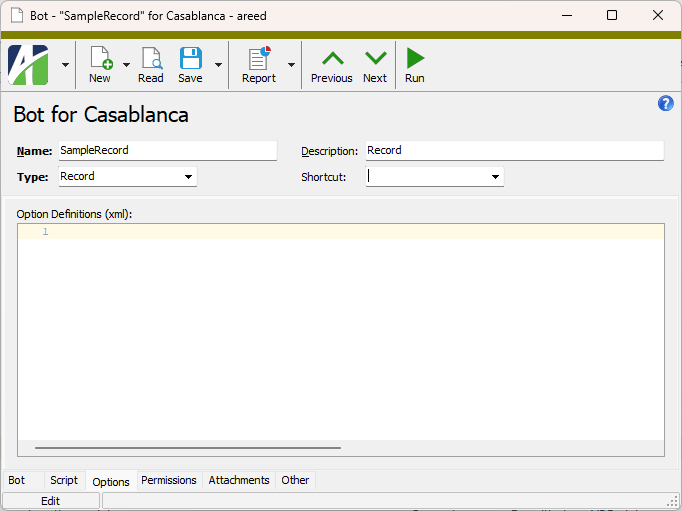
- Select the Options tab.
-
In the Option Definitions (xml) text area, use xml to define prompts for the user input which is needed to run the bot.
Example
The following xml defines prompts for a report date and an email address using exemplary xml syntax:
Copy snippet<Options>
<Field Name="Report Date" Type="Date" DefaultExpression="begin last year"/>
<Field Name="Email Address" Type="Text" Size="60"/>
</Options> - When you finish, save your changes.
Assign permissions to a bot
Note
If Access Control is set to "None" or if it is set to "Permitted" with no permissions assigned, the bot will not be visible on the Bots menu of the "run from" folder specified on the Bot tab. If this situation occurs, a banner displays below the toolbar to warn you so that permissions can be assigned if needed.
- Open the bot record to assign permissions for.
- Select the Permissions tab.
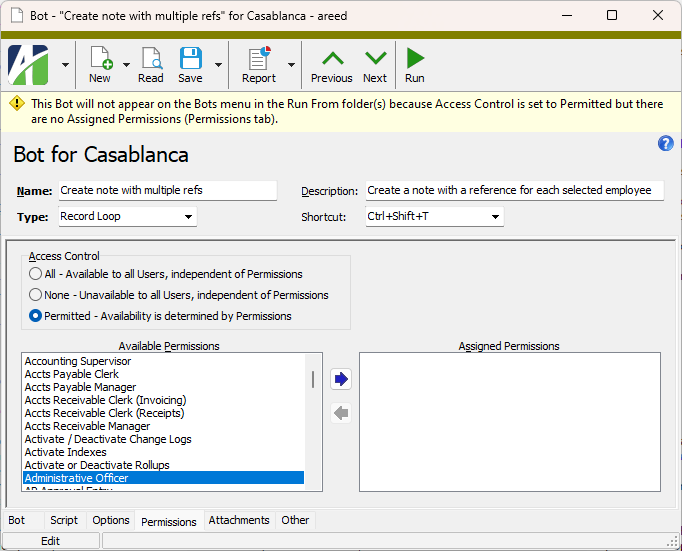
- In the Access Control field, select the level of access an authorized user needs to execute the bot. Your options are:
- All. The bot is available to all users regardless of permissions.
- None. The bot is unavailable to all users regardless of permissions.
- Permitted. The bot is available based on the permissions assigned to a user. If you select this option, do the following:
In the Available Permissions list box, highlight the permissions to assign to the bot. You can use Ctrl and/or Shift selection to select multiple permissions.
Permissions that are flagged as "Obsolete" are not visible in the list box.
Click
 to move your selection(s) to the Assigned Permissions list box.
Permissions previously assigned to a bot and subsequently flagged as "Obsolete" are visible in the list box.
- Save your changes.
Run a bot
Note
A new or copied bot must be saved once before running it.
The process of running a bot varies based on how much interaction is required from the user. In fact, bots which have the No Dialog checkbox marked require little or no intervention from the user. These bots have no user interface and can be run by simply clicking the bot button and selecting the bot, or by including the bot in a scheduled process.
Many bots, however, do require user input. These bots are typically initiated from the toolbar or from a menu command. The prompts you see are driven by the context and by the bot's creator/designer.
Bots are context aware. When a bot is set up, the creator establishes the place(s) from which the bot can be launched. So a bot is only available in a particular menu or toolbar if the creator made it available there. Moreover, a bot is sensitive to the data that you have selected in the HD view. For instance, if you select a record bot while you have multiple records selected in the HD view, the bot option will be disabled in its drop-down menu, or you'll be prompted to select the particular record you want the bot to act on.
- In the Navigation pane, highlight the data folder associated with the record type specified on the bot.
- Start the bot wizard.
- To run the bot for all or a filtered subset of records:
- Right-click the folder and select Bots and then select the bot name from the shortcut menu.
- On the Selection tab, define any filters to apply to the data.
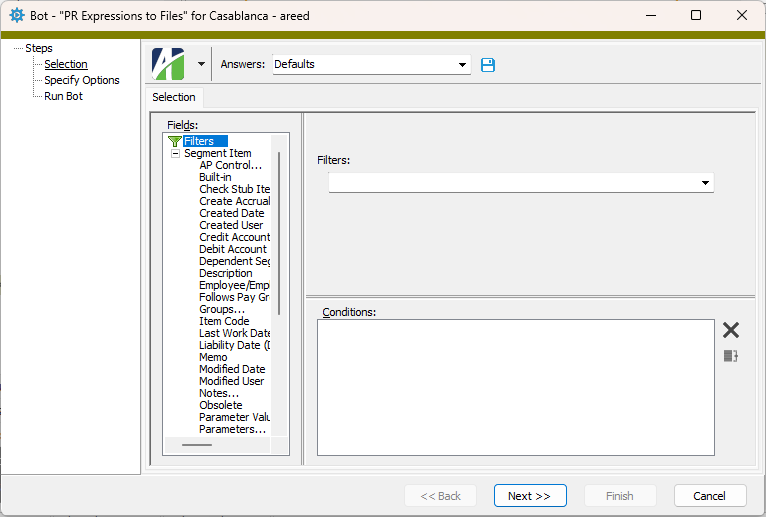
- To run the bot on specifically selected records:
- In the HD view, select the records to run the bot on. You can use Ctrl and/or Shift selection to select multiple records.
- Click
 and select the bot to run from the drop-down menu.
- To run the bot on a particular record from the entity window:
- In the HD view, locate and double-click the record to run the bot on. The entity window opens with the record loaded.
- Click and select the bot to run from the drop-down menu.
- To run the bot for all or a filtered subset of records:
- Follow the instructions in the bot to proceed.
- When the bot completes, click Finish.
Note
A new or copied bot must be saved once before debugging it.
If you use VBSEdit as your script editor, notice that debugging capabilities are built in. Expand the Debug menu to access debugging commands.
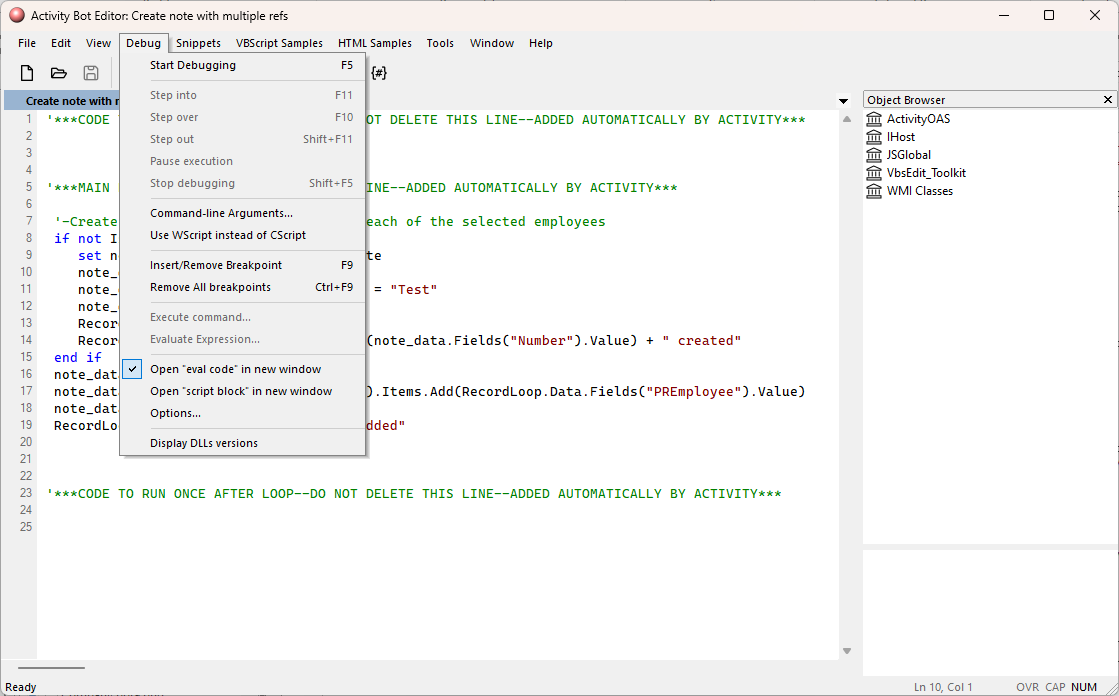
For help on debugging with VBSEdit, select Help > Contents and browse the topics under "Running and Debugging Scripts". Note that the VBSEdit online help is unavailable while you are in debugging mode.
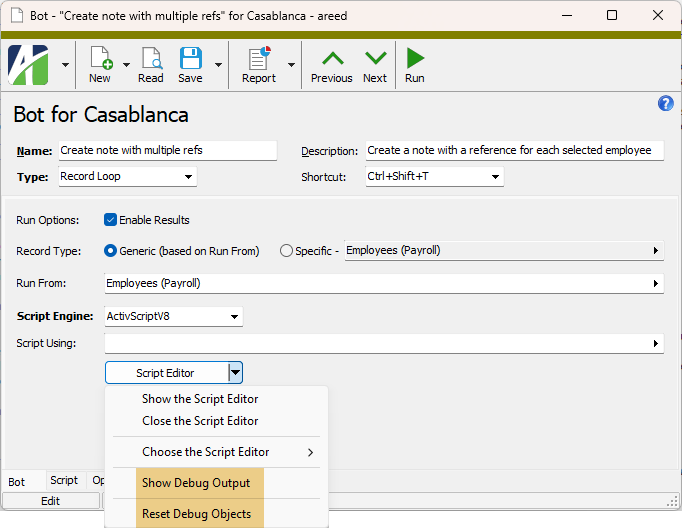
ActivityHD provides a couple of tools to assist while you are debugging. Both commands are available from the drop-down menu of the Script Editor button if the script editor is running.
-
Show Debug Output. Opens the Bot Debug Output window to show bot messages and results while debugging.
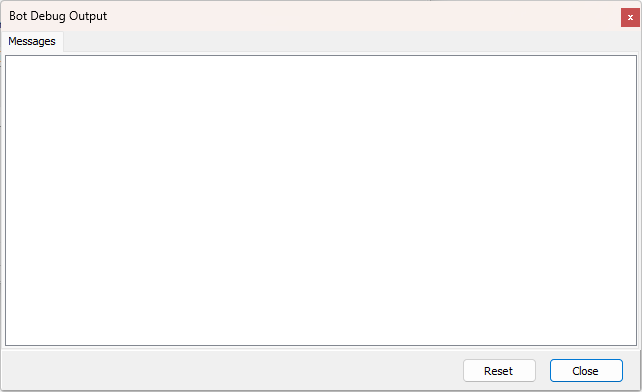
- Reset Debug Objects. Resets debug objects so that you can start debugging from scratch without having to close and reopen the bot. This command is also available from the Reset button in the Bot Debug Output window.
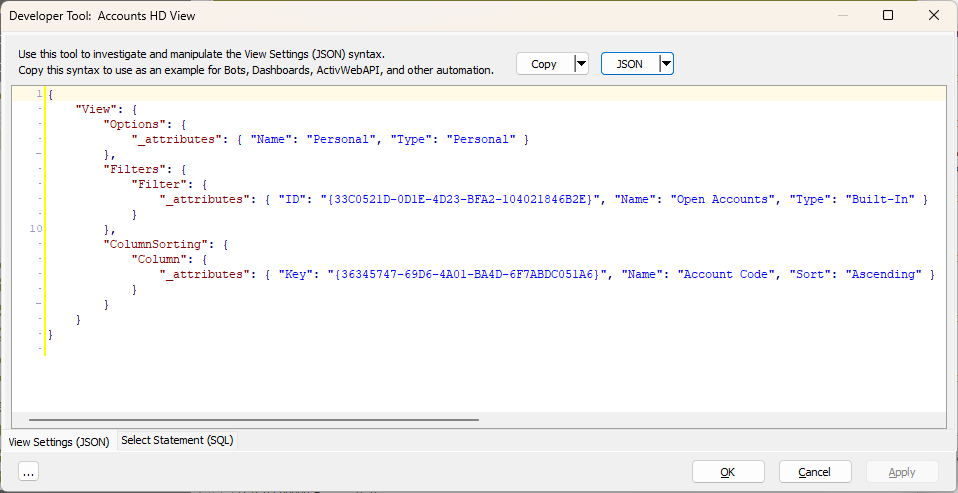
The Developer Tool provides insight into the inner workings of ActivityHD to assist developers in creating bots, dashboard widgets, and other automation objects. The View Settings (XML | JSON) tab is valuable for gaining insight into the XML or JSON syntax used to apply settings to the HD view, to select records for automation, and to apply column filtering and sorting. In particular, the information on the View Settings (XML | JSON) tab is useful for formulating parameters for various automation methods. The Select Statement (SQL) tab shows the SQL SELECT statement associated with the view or dialog, helping developers create data sources and investigate automation issues.
Access the Developer Tool
The Developer Tool can be accessed in several different ways:
- With the HD view of interest displaying, select
 > View > Developer Tool.
 - In the HD view of interest, right-click and select Developer Tool from the shortcut menu.
- With the HD view of interest displaying, press Ctrl+F12.
- With a report or process wizard open, select > Answers > Developer Tool.
- With a report or process wizard open, press Ctrl+F12.
- With an entity edit window open, select > Tools > Developer Tool.
- With an entity edit window open, press Ctrl+F12.
Features of the Developer Tool
The Developer Tool manifests itself in different ways depending on the context it is called from: HD view, process wizard, or entity window.
View Settings (XML | JSON) tab
The Developer Tool provides two syntax formats for manipulating data: XML and JSON. Use it to investigate and manipulate the XML or JSON syntax for HD View settings.
The button to the right of the Copy button is labeled either "XML" or "JSON". If it's labeled "XML", the content you see in the pane below is in XML format. If you click the button once, the label changes to "JSON" and the accompanying content is in JSON format. Clicking the button again reverts to XML format and so on.
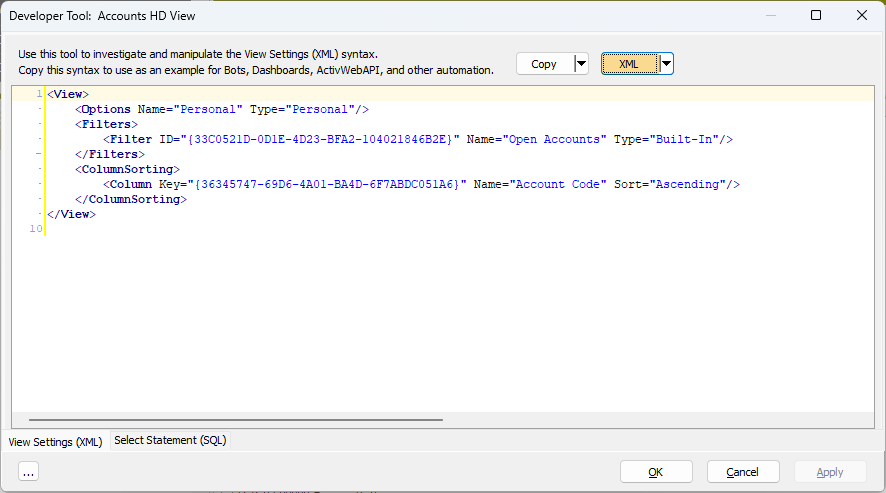
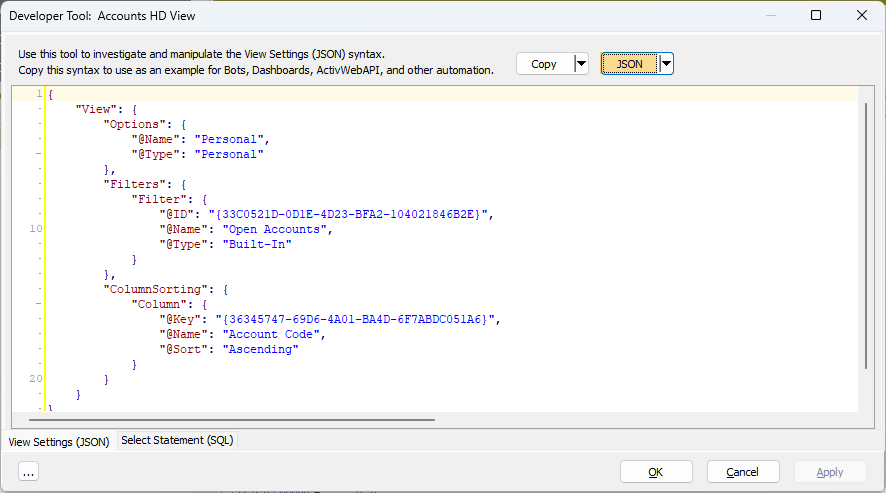
When you access the Developer Tool from an HD view, its dialog opens with the View Settings (XML) or View Settings (JSON) tab (depending on which format was selected the last time you closed the Developer Tool) showing the XML or JSON syntax behind the current settings on the selected HD view.
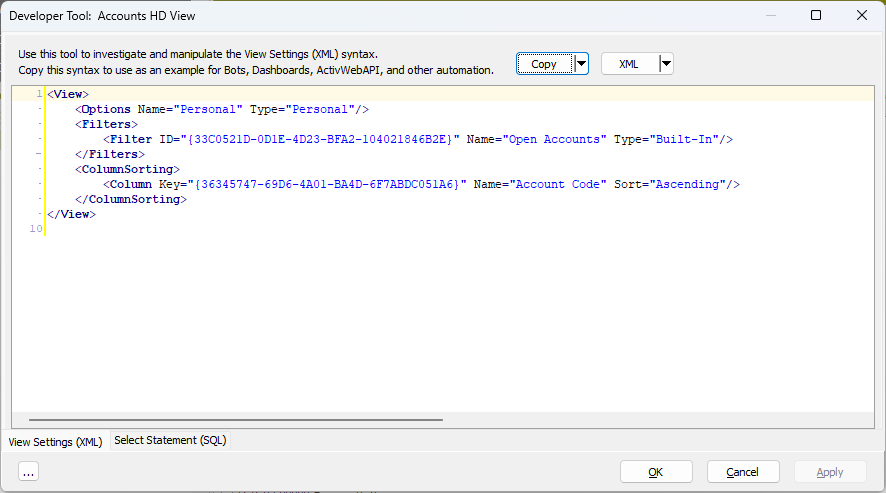
The Copy button in the header of the tool copies the XML or JSON content in this tab for pasting into your code. Use the copied syntax as an example for bots, dashboards, ActivWebAPI, and other automation needs.
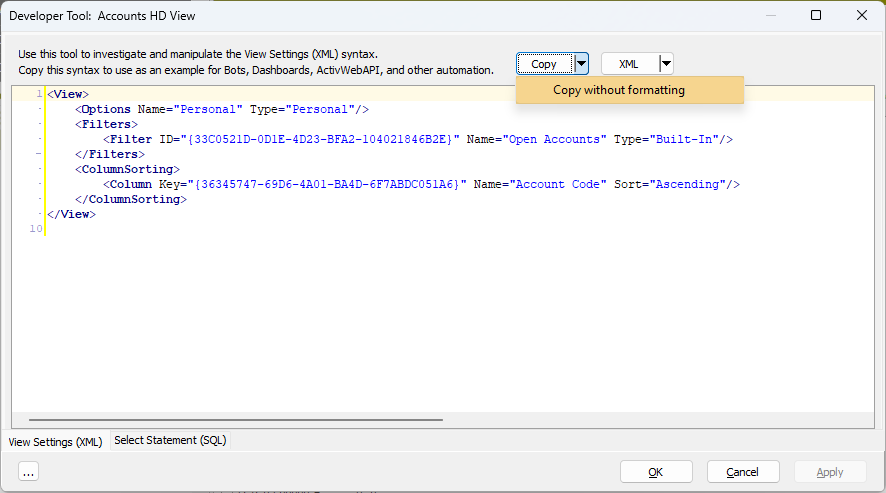
Click the down arrow next to the Copy button in the header and select Copy without formatting to copy the XML or JSON without "newline" and "tab" characters. This feature is useful for automation scenarios in which these formatting characters are not allowed.
When you are viewing data in JSON format, you have four choices of JSON layout. To change from one layout to another, click the down arrow next to the JSON button, select JSON Style, then select from among four options.
Note
If the XML | JSON button is in XML mode when you select a JSON style, the button selection automatically switches to JSON mode.
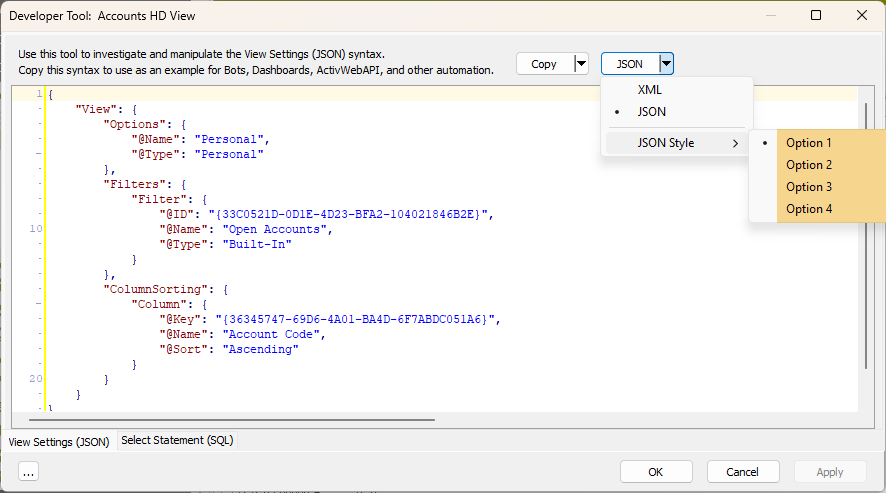
Option 1 format
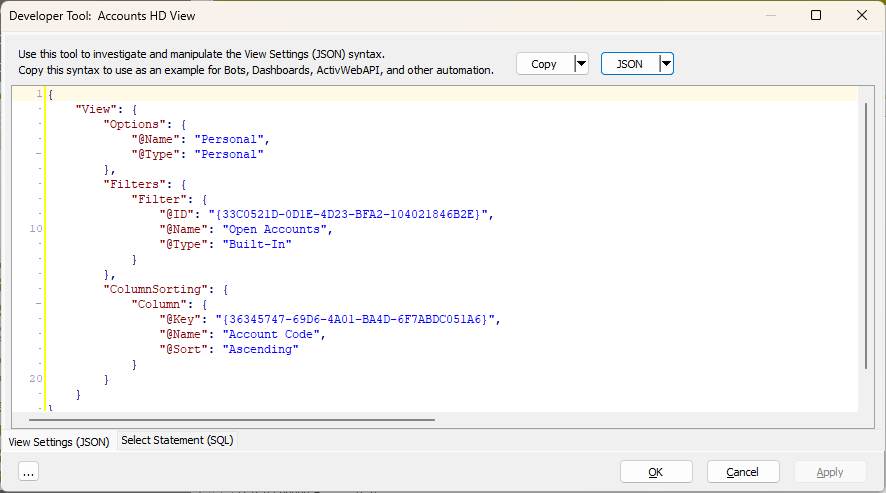
Option 2 format
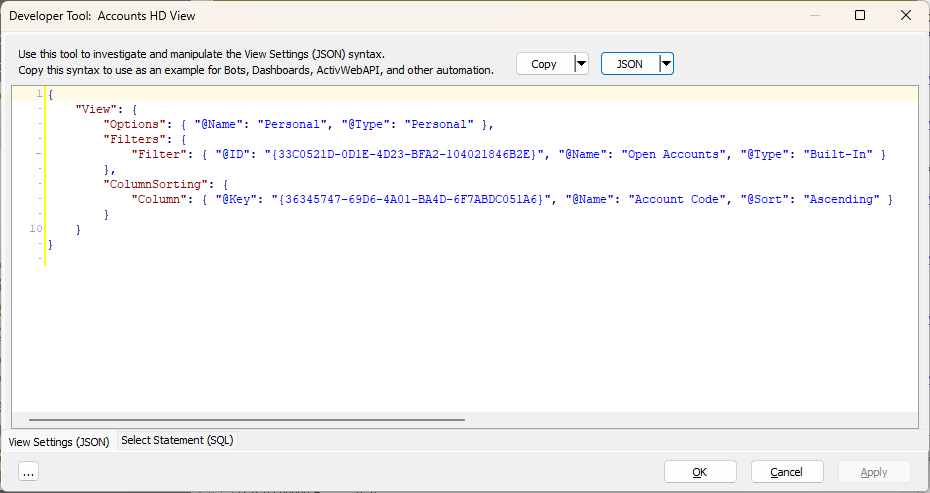
Option 3 format
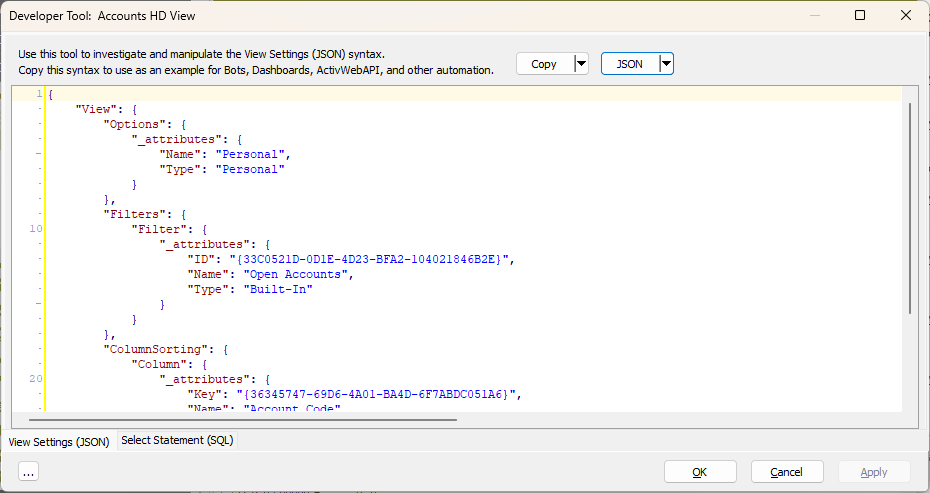
Option 4 format
Automation methods for which view settings are apropos
The Developer Tool: View Settings feature is helpful when formulating parameters for the following automation methods:
- Activity.Find
- Activity.FindCode
- Company.Find
- Company.FindCode
- Activity.RunAction "Explore"
- Activity.RunAction "Open"
- Activity.RunAction "Edit" [and other actions which are initiated with a Find]
- Company.RunAction "Explore"
- Company.RunAction "Open"
- Company.RunAction "Edit" [and other actions which are initiated with a Find]
- Dashboard Count
- Data.Navigator.Parameters
- RecordList.Load
- "View Results" steps within various processes
Select Statement (SQL) tab
Use the Select Statement (SQL) tab to see the associated SQL SELECT statement for the HD view. Use the SQL syntax provided as an example for creating data sources and for other automation needs.
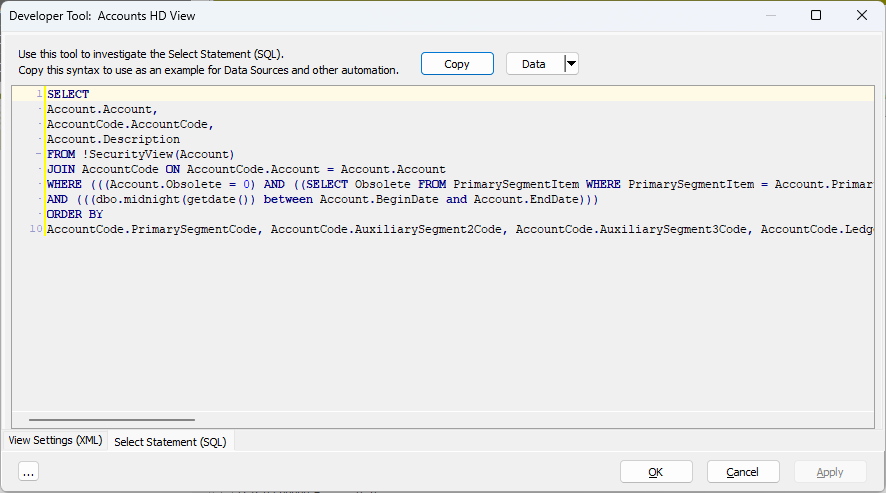
The Copy button in the header of the tool copies the SQL SELECT statement.
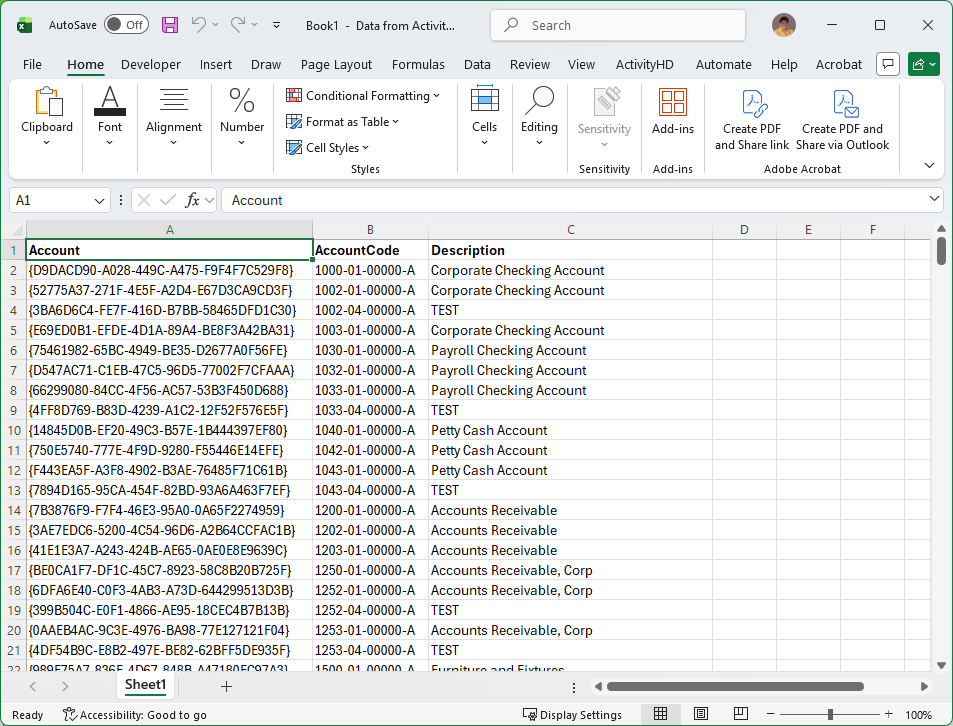
Click the down arrow next to the Data button in the header and select Data to Excel from the drop-down menu to output the results of the SQL SELECT statement to an Excel file.
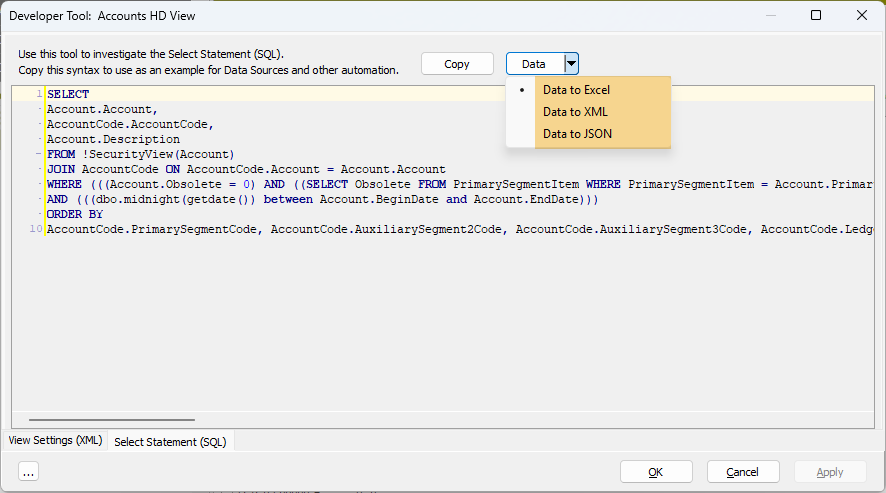
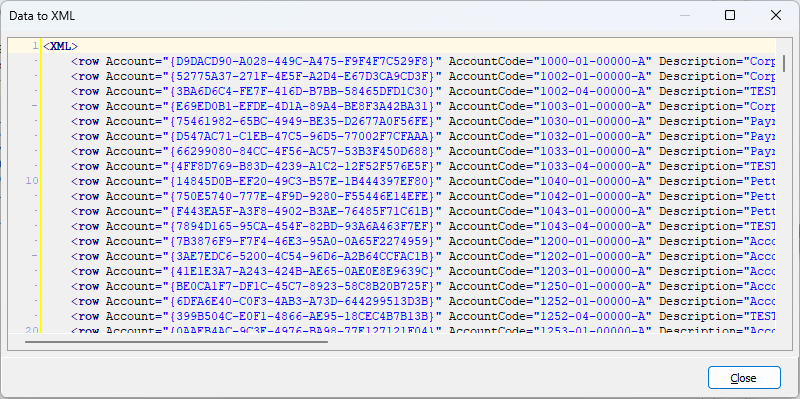
Click the down arrow next to the Data field in the header and select Data to XML from the drop-down menu to output the results of the SQL SELECT statement to XML.
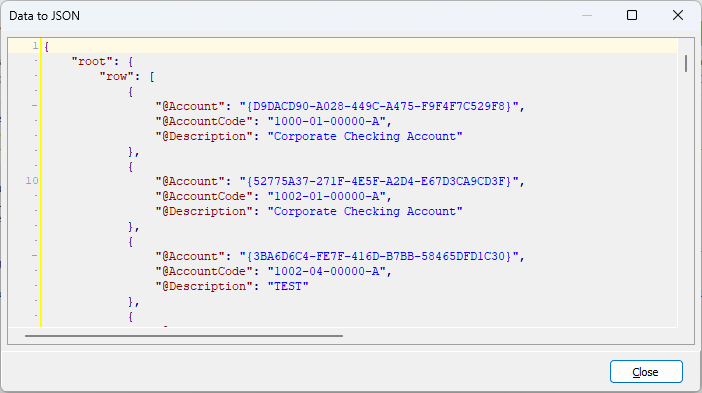
Click the down arrow next to the Data field in the header and select Data to JSON from the drop-down menu to output the results of the SQL SELECT statement to JSON.
Other Actions
A couple of additional actions are available from the ellipsis button in the lower left corner of the Developer Tool dialog:
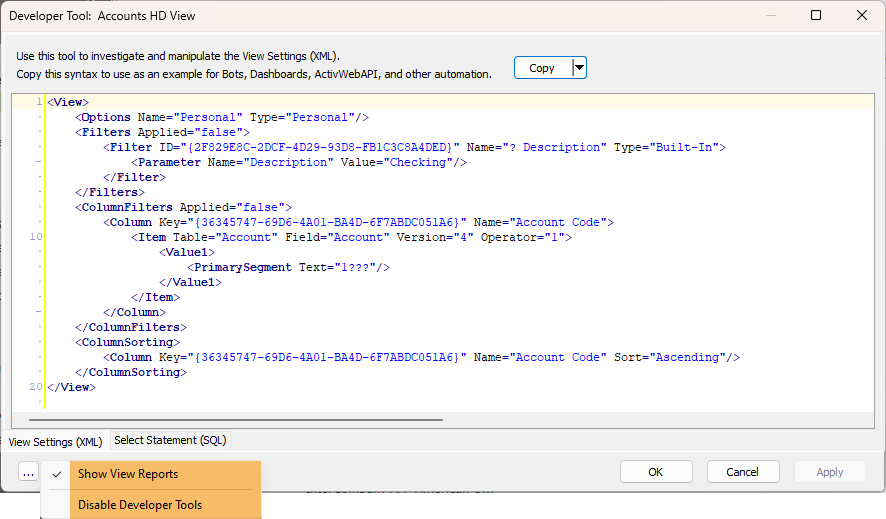
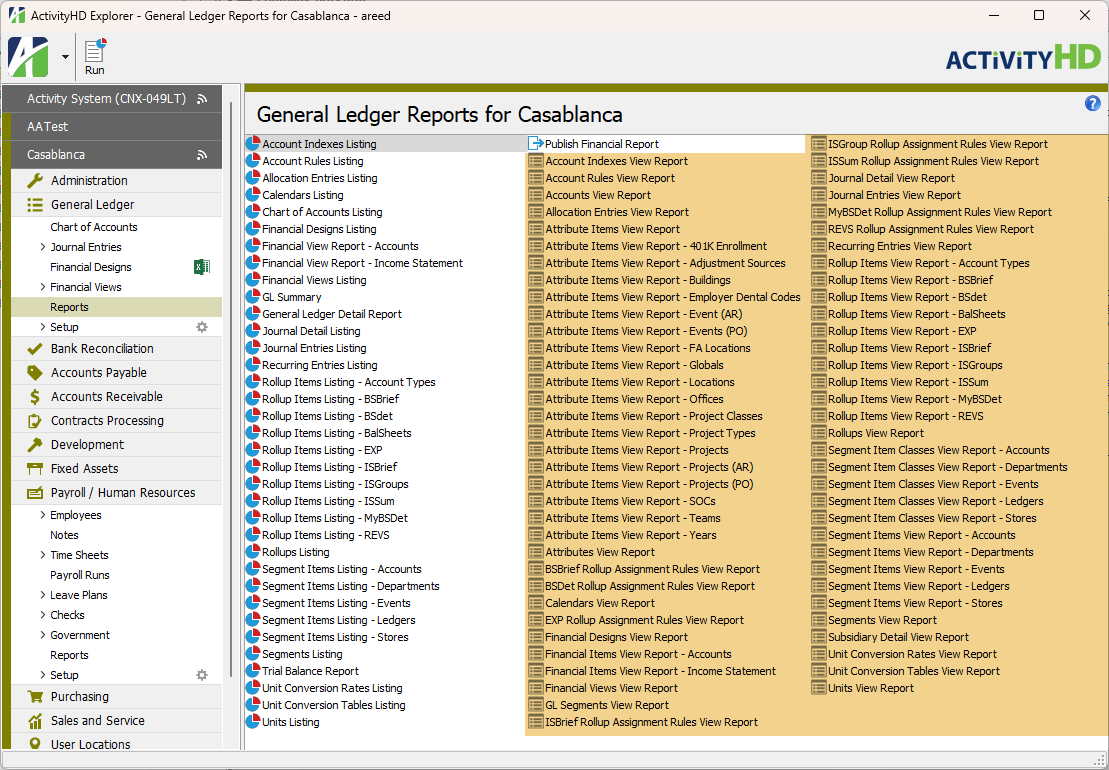
- Show View Reports. Use this action to show view reports (primarily used with automation) in each package's Reports folder. (Also available by highlighting a Reports folder and then selecting > View > Developer Tool Options > Show View Reports from the menu.)
To stop showing view reports, select the action again.
- Disable Developer Tools. Use this action to disable the Developer Tool throughout ActivityHD. (Also available by selecting > Tools > Developer Tool Options > Disable Developer Tools from the menu of any entity edit window.)
You can easily turn the Developer Tool back on by pressing Ctrl+F12.
Answers (XML | JSON) tab
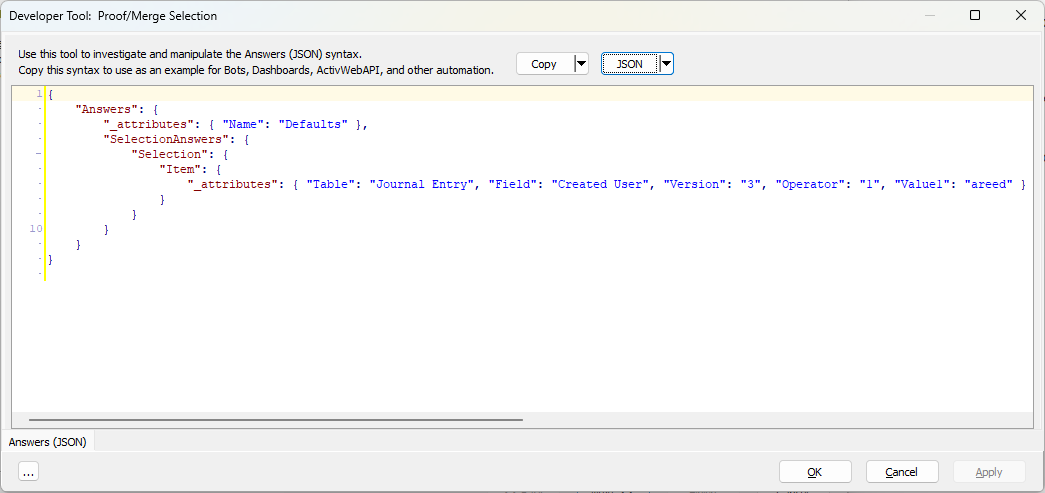
Just as with View Settings in the Developer Tool for HD views, the Developer Tool for process and report wizards provides two syntax formats: XML and JSON.
Use the Answers feature of the Developer Tool to investigate and manipulate the XML or JSON syntax for saved answers.
When you access the Developer Tool from a process or report wizard, the Developer Tool dialog opens with the Answers (XML) or Answers (JSON) tab (depending on which format was selected the last time you closed the Developer Tool) showing the XML or JSON syntax behind the current saved answer for the selected wizard.
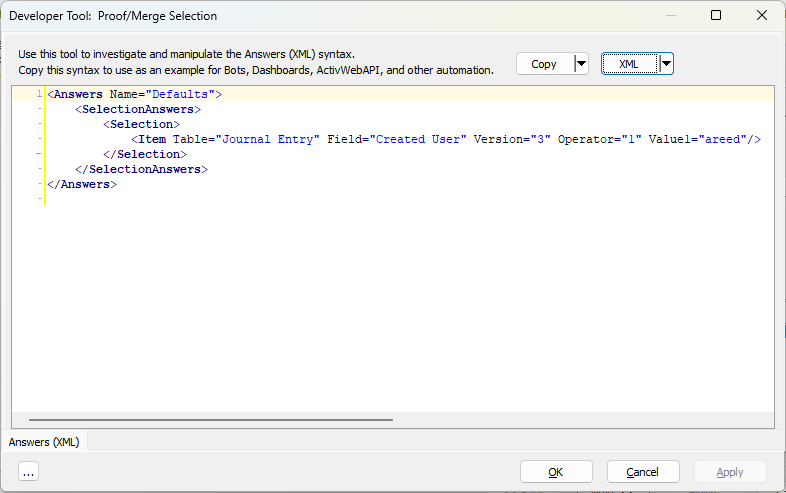
The button to the right of the Copy button is labeled either "XML" or "JSON". If it's labeled "XML", the content you see in the pane below is in XML format. If you click the button once, the label changes to "JSON" and the accompanying content is in JSON format. Clicking the button again reverts to XML format and so on.
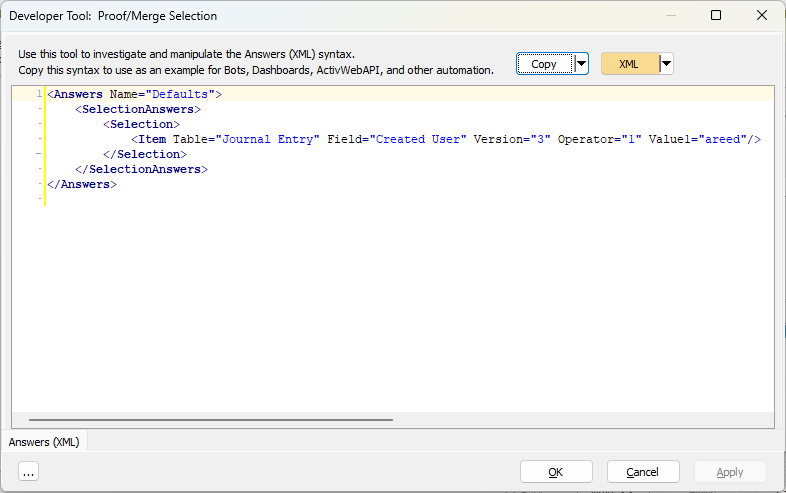
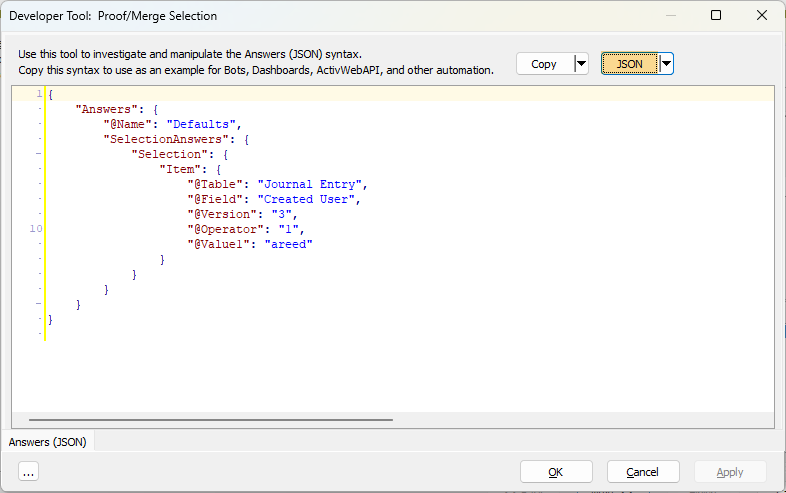
The Copy button in the header of the tool copies the XML or JSON content in this tab for pasting into your code. Use the copied syntax as an example for bots, dashboards, ActivWebAPI, and other automation needs.
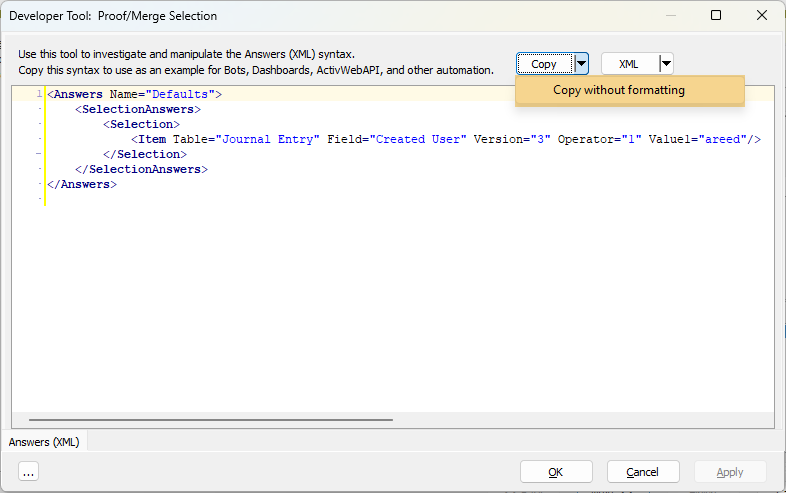
Click the down arrow next to the Copy button in the header and select Copy without formatting to copy the XML or JSON without "newline" and "tab" characters. This feature is useful for automation scenarios in which these formatting characters are not allowed.
When you are viewing data in JSON format, you have four choices of JSON layout. To change from one layout to another, click the down arrow next to the JSON button, select JSON Style, then select from among four options.
Note
If the XML | JSON button is in XML mode when you select a JSON style, the button selection automatically switches to JSON mode.
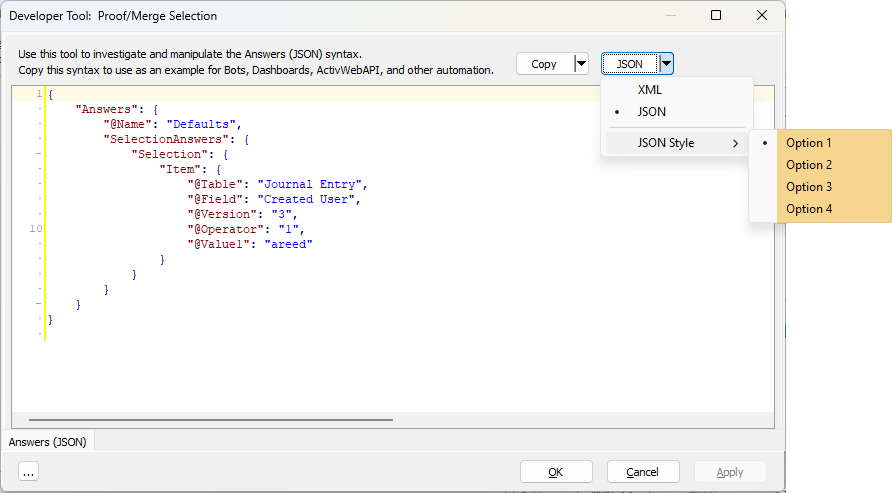
Option 1 format
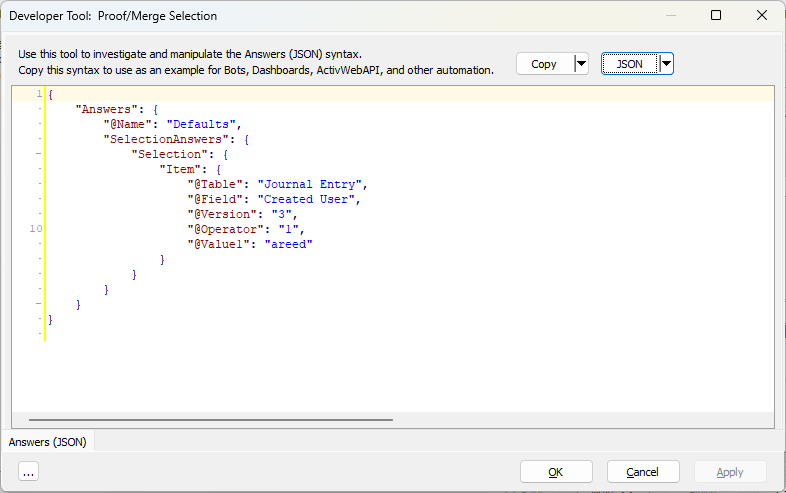
Option 2 format
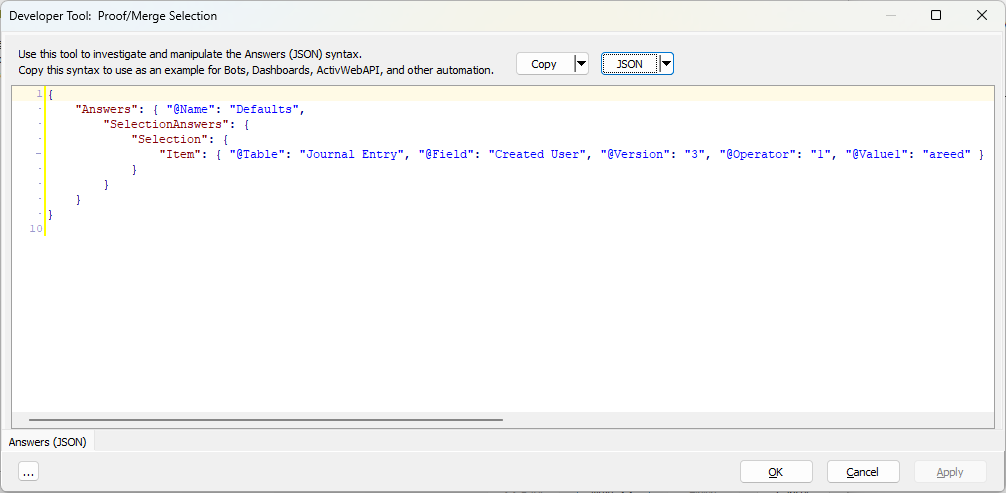
Option 3 format
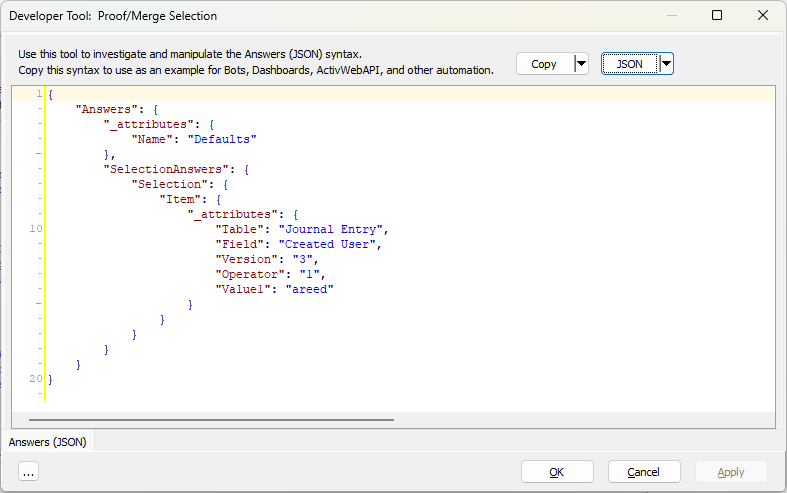
Option 4 format
Note
Only the Answers (XML | JSON) tab is available from a process wizard. Answers (XML | JSON), Select Statement (SQL), and XML Schema (XML | JSON) are all available from report wizards.
Select Statement (SQL) tab
Use the Select Statement (SQL) tab to see the associated SQL SELECT statement for a report wizard. Use the SQL syntax provided as an example for creating data sources and for other automation needs.
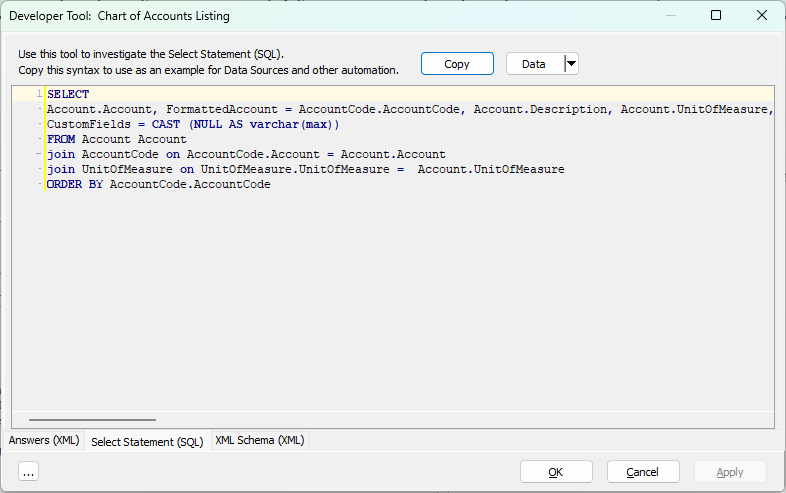
The Copy button in the header of the tool copies the SQL SELECT statement.
Click the down arrow next to the Data button in the header and select Data to Excel from the drop-down menu to output the results of the SQL SELECT statement to an Excel file.
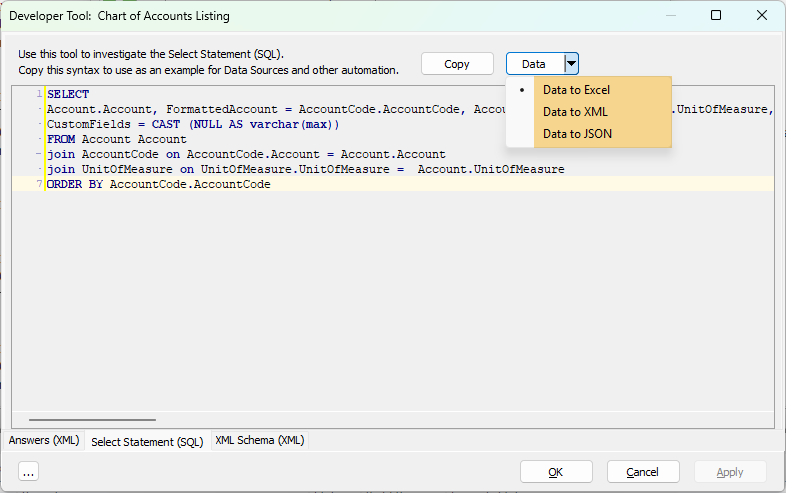
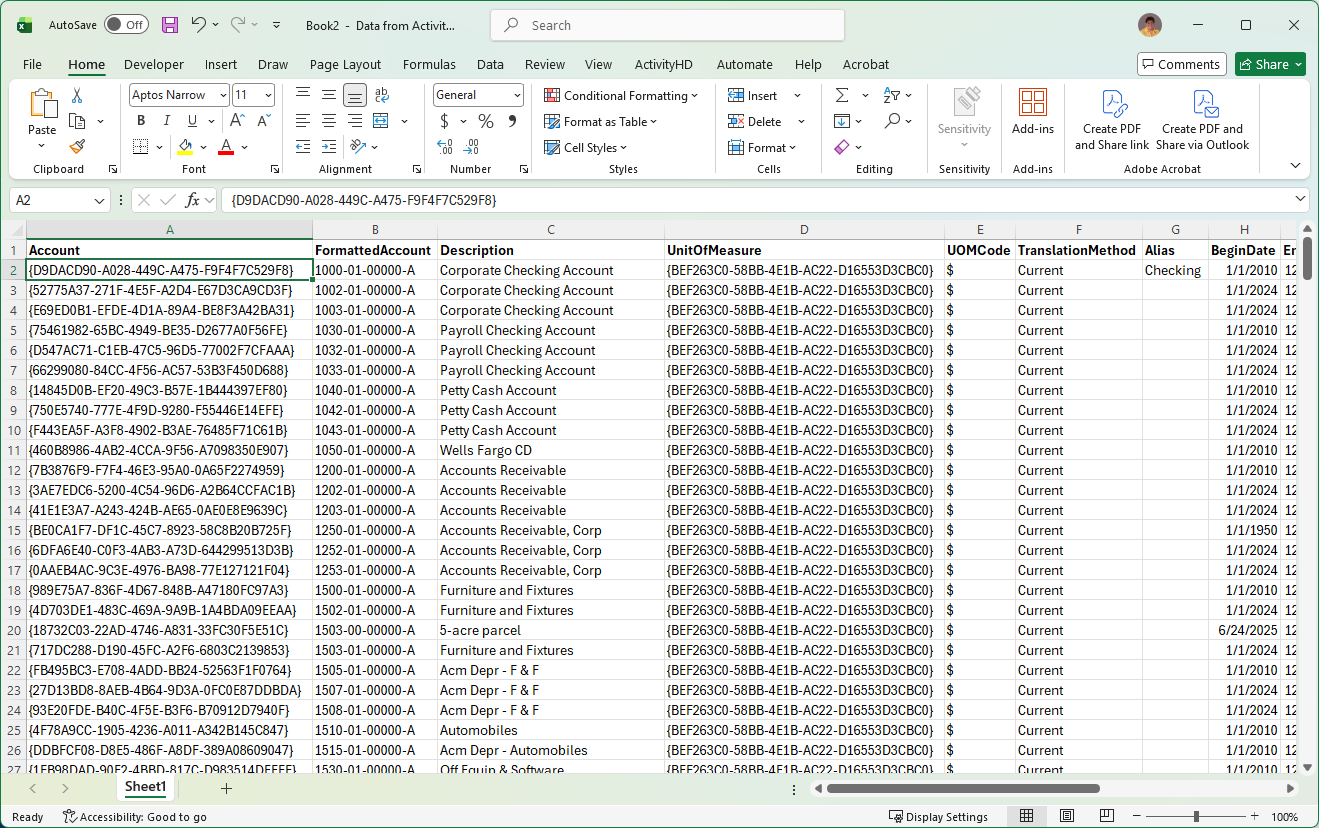
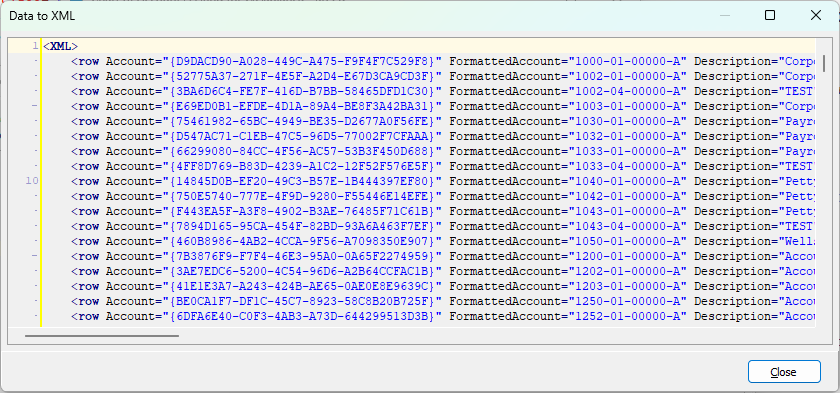
Click the down arrow next to the Data field in the header and select Data to XML from the drop-down menu to output the results of the SQL SELECT statement to XML.
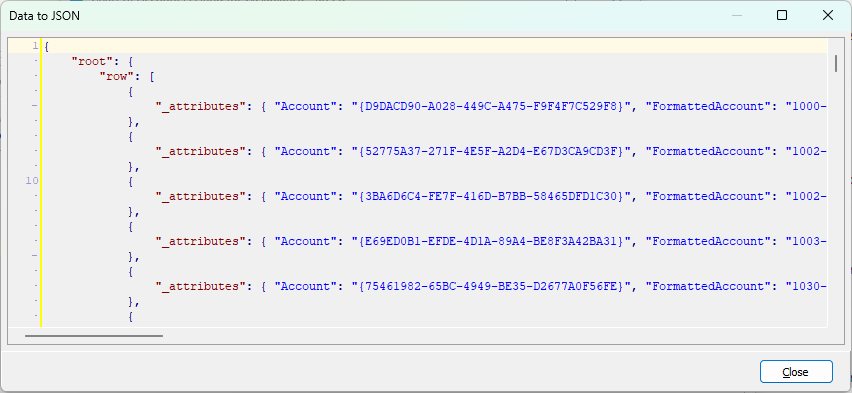
Click the down arrow next to the Data field in the header and select Data to JSON from the drop-down menu to output the results of the SQL SELECT statement to JSON.
XML Schema (XML | JSON) tab
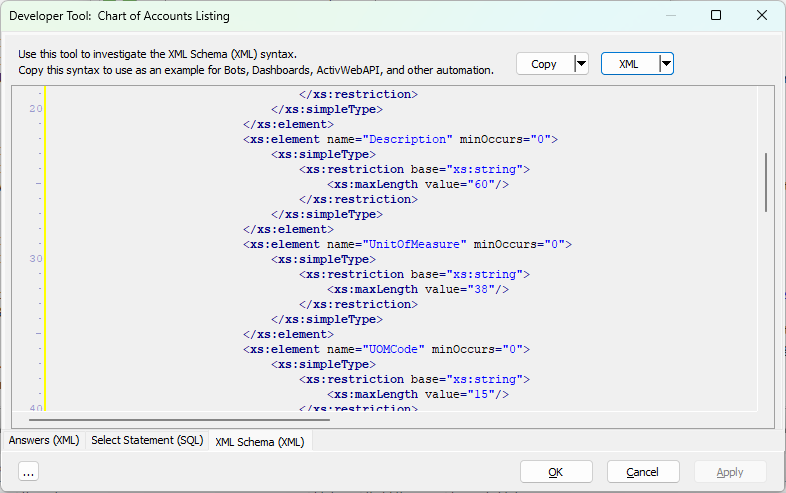
The XML Schema tab allows you to see schema information for a report without needing to export the schema to a file. This feature is particularly useful with view reports since the choice of columns affects the fields available in the datastream.
Use the XML Schema (XML | JSON) tab to investigate the XML schema syntax for the report. Copy the syntax to use as an example for bots, dashboards, ActivWebAPI, and other automation needs.
The button to the right of the Copy button is labeled either "XML" or "JSON". If it's labeled "XML", the content you see in the pane below is in XML format. If you click the button once, the label changes to "JSON" and the accompanying content is in JSON format. Clicking the button again reverts to XML format and so on.
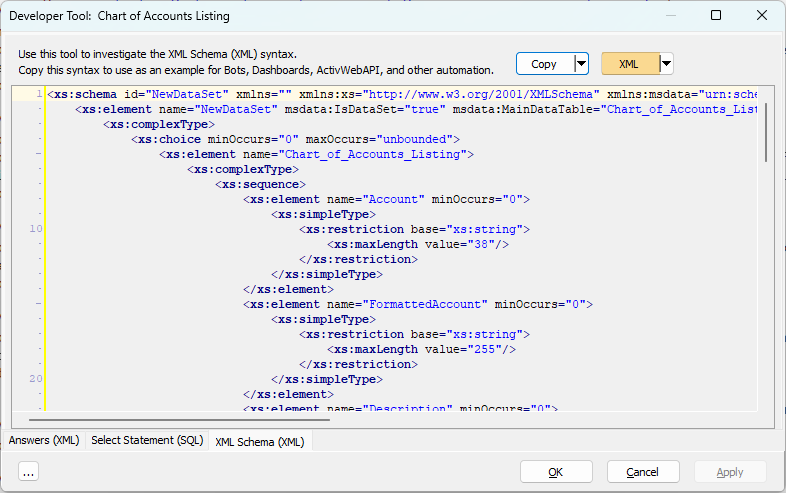
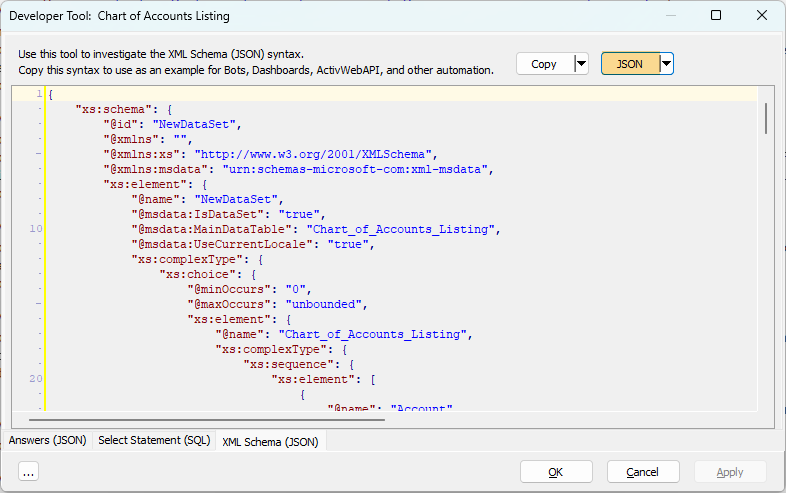
The Copy button in the header of the tool copies the XML schema.
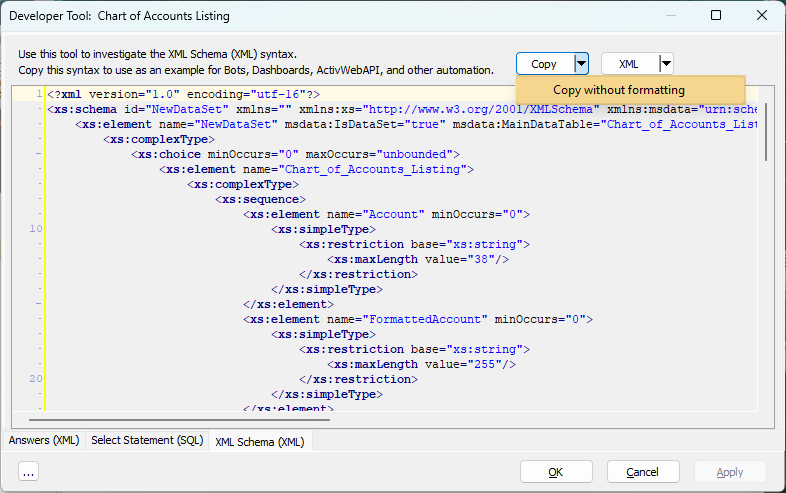
Click the down arrow next to the Copy button in the header and select Copy without formatting to copy the XML or JSON without "newline" and "tab" characters. This feature is useful for automation scenarios in which these formatting characters are not allowed.
When you are viewing data in JSON format, you have four choices of JSON layout. To change from one layout to another, click the down arrow next to the JSON button, select JSON Style, then select from among four options.
Note
If the XML | JSON button is in XML mode when you select a JSON style, the button selection automatically switches to JSON mode.
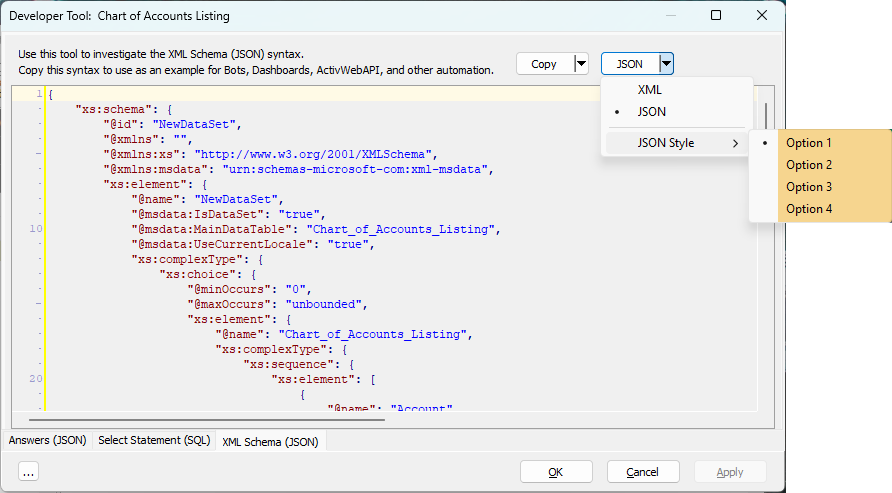
Option 1 format
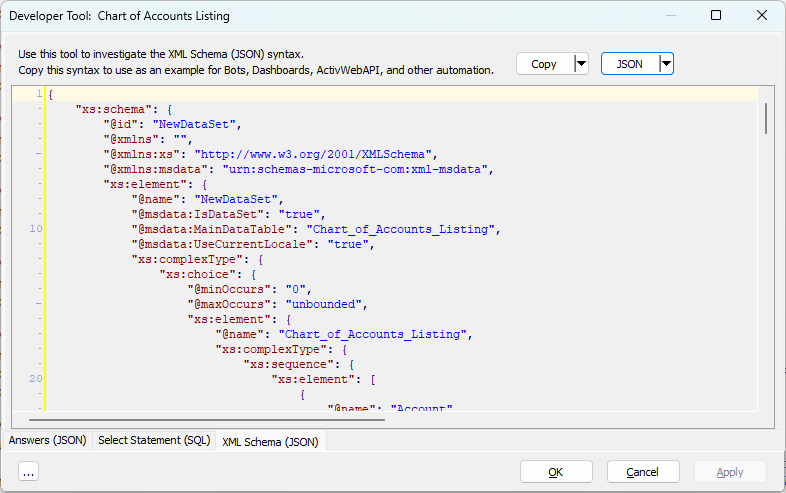
Option 2 format
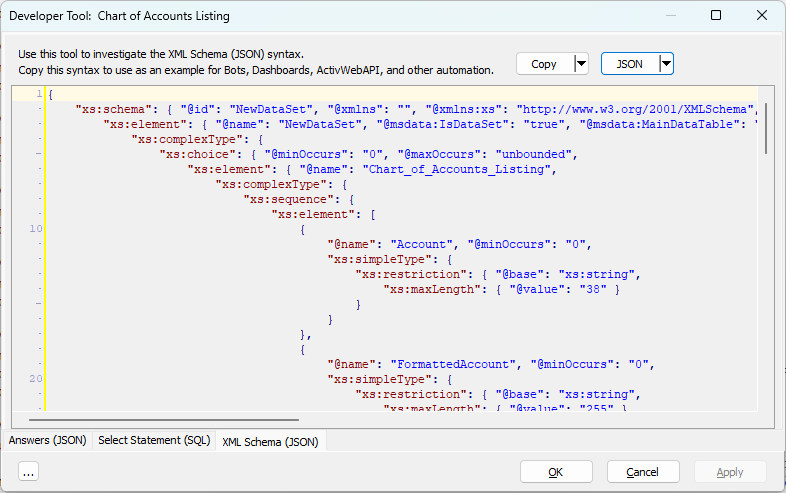
Option 3 format
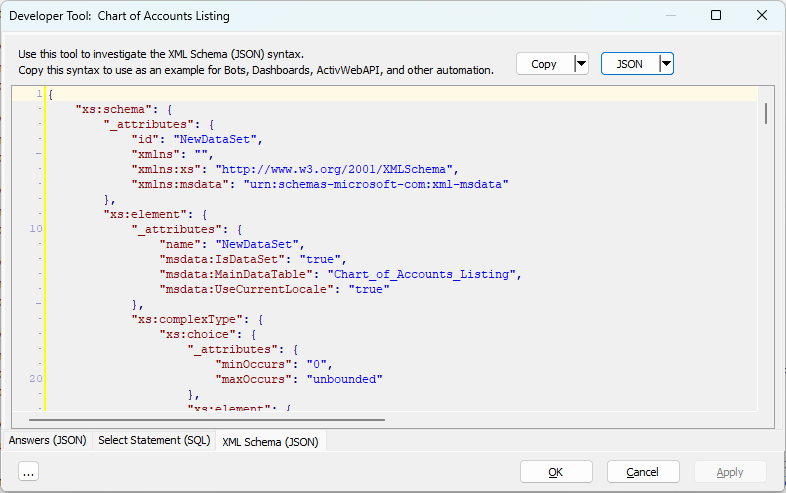
Option 4 format
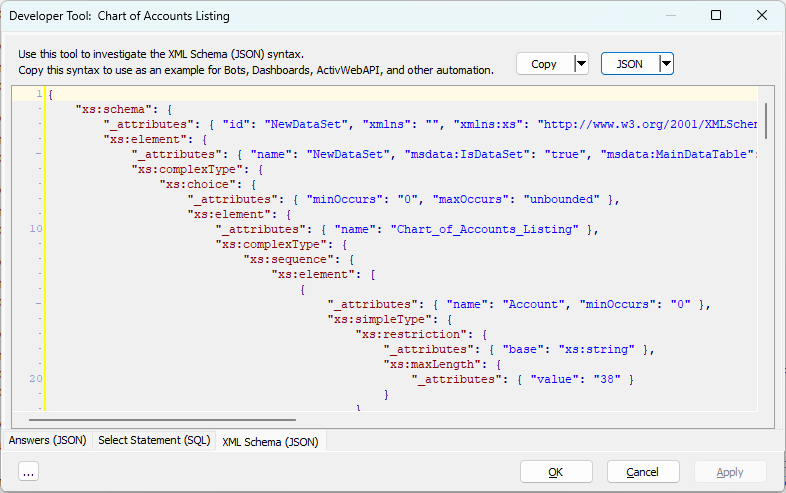
Other Actions
Another action is available from the ellipsis button in the lower left corner of the Developer Tool dialog:
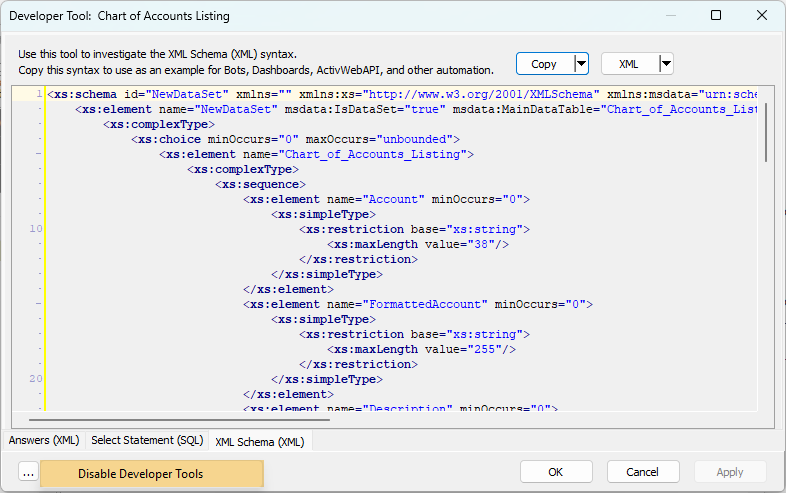
- Disable Developer Tools. Use this action to disable the Developer Tool throughout ActivityHD. (Also available by selecting > Tools > Developer Tool Options > Disable Developer Tools from the menu of any entity edit window.)
You can easily turn the Developer Tool back on by pressing Ctrl+F12.
In entity windows, the Developer Tool is integrated into the window within the Developer tab. The Developer tab is visible when the user invokes it by pressing Ctrl+F12 or by selecting > Tools > Developer Tool from the menu.
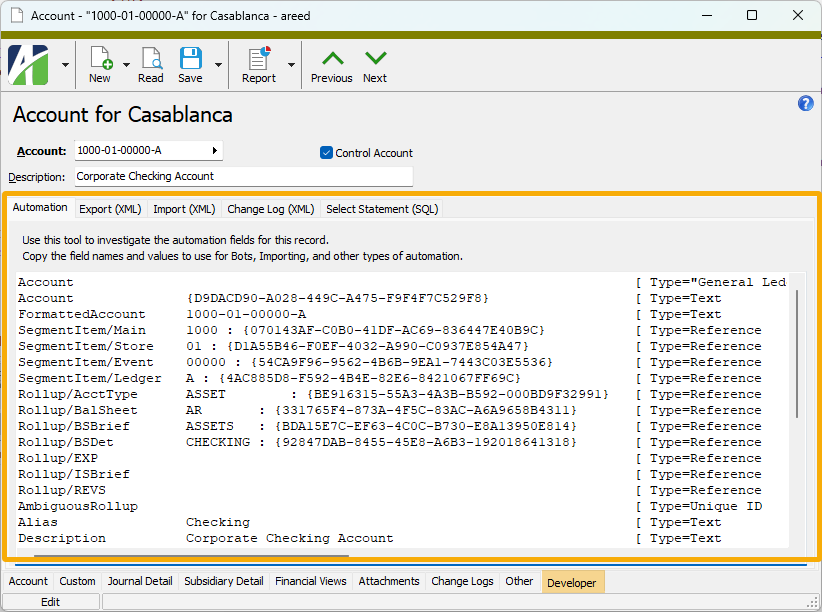
The Developer tab includes up to five subtabs: Automation, Export (XML | JSON), Import (XML | JSON), Change Log (XML | JSON), and Select Statement (SQL).
Automation tab
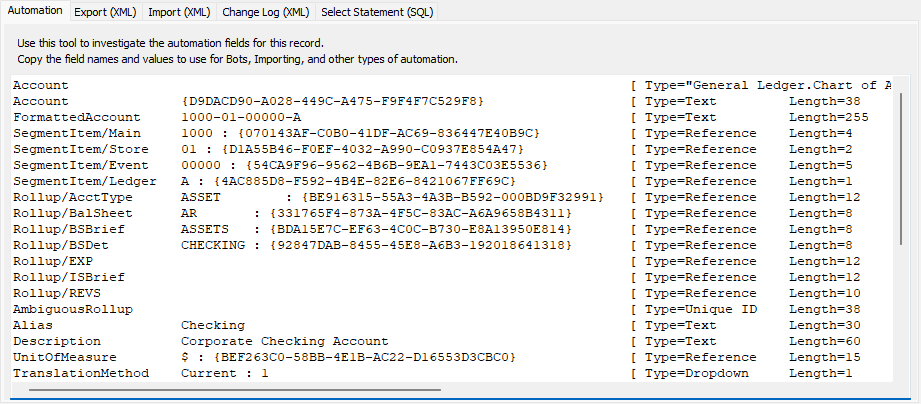
This subtab shows field names and values for the current data record. Use the information in the subtab to assist when creating automation objects such as bots and import files. The field names and field values can be copied from the text box and pasted directly into your code or application. To copy content from the text box, highlight the content to copy and press Ctrl+C or right-click your selection and select Copy from the context menu.
Export (XML | JSON) tab
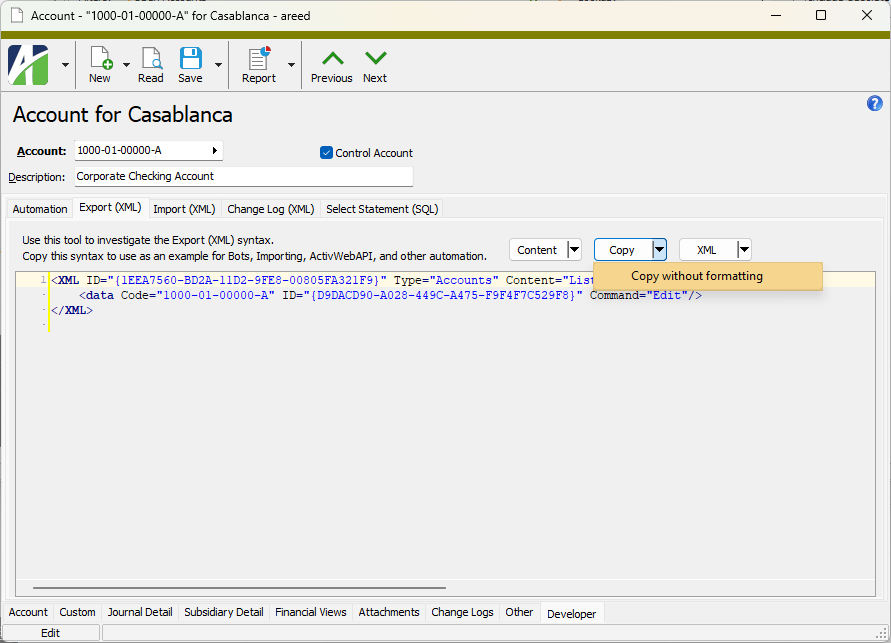
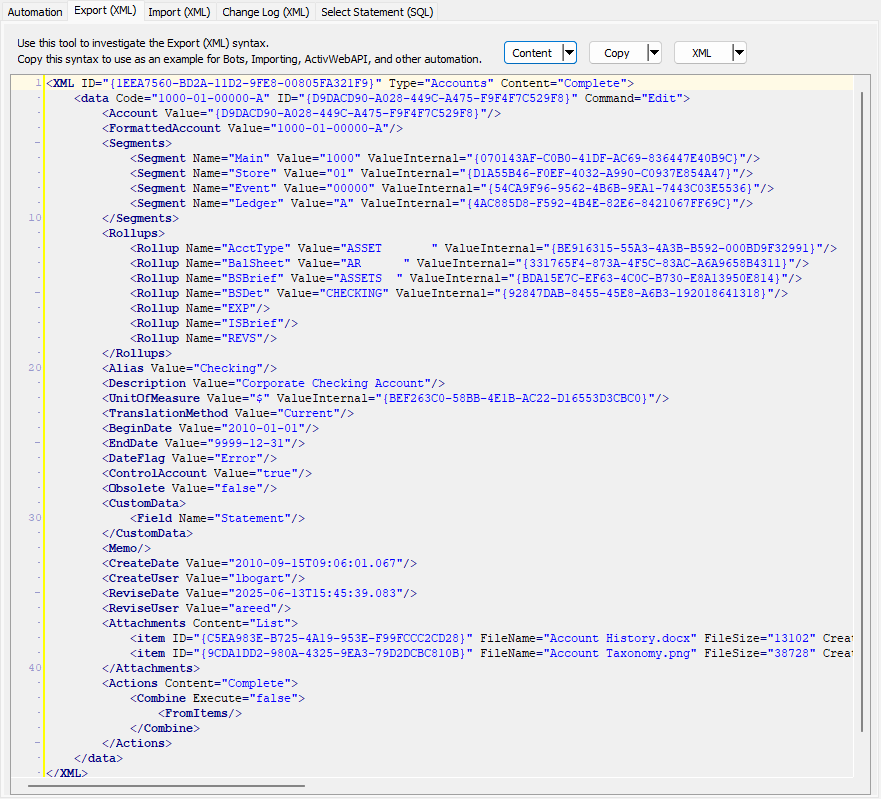
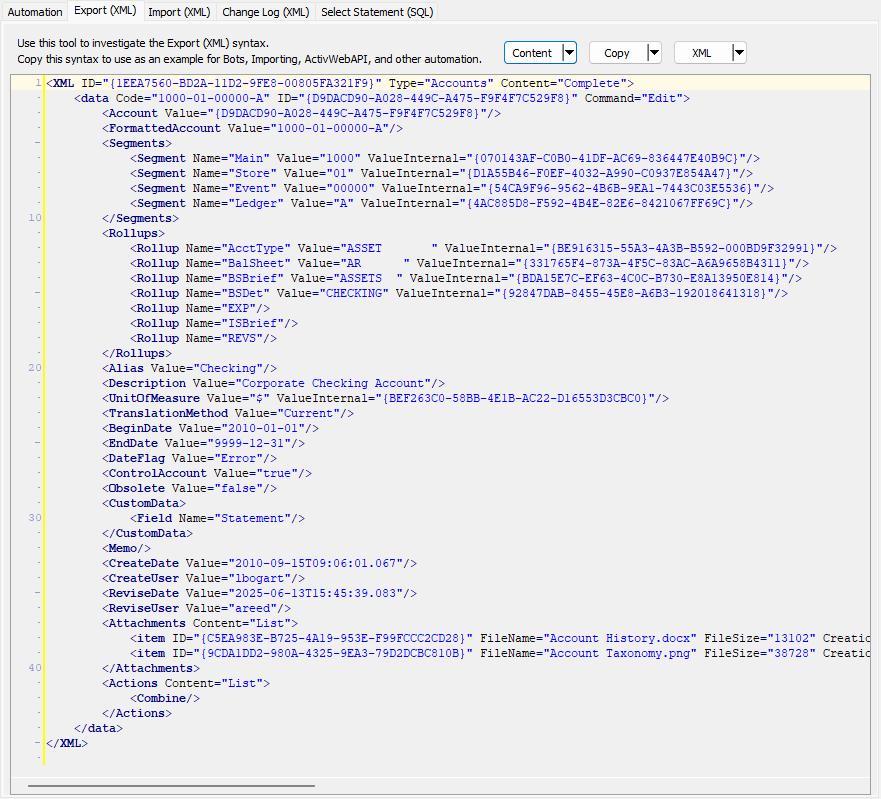
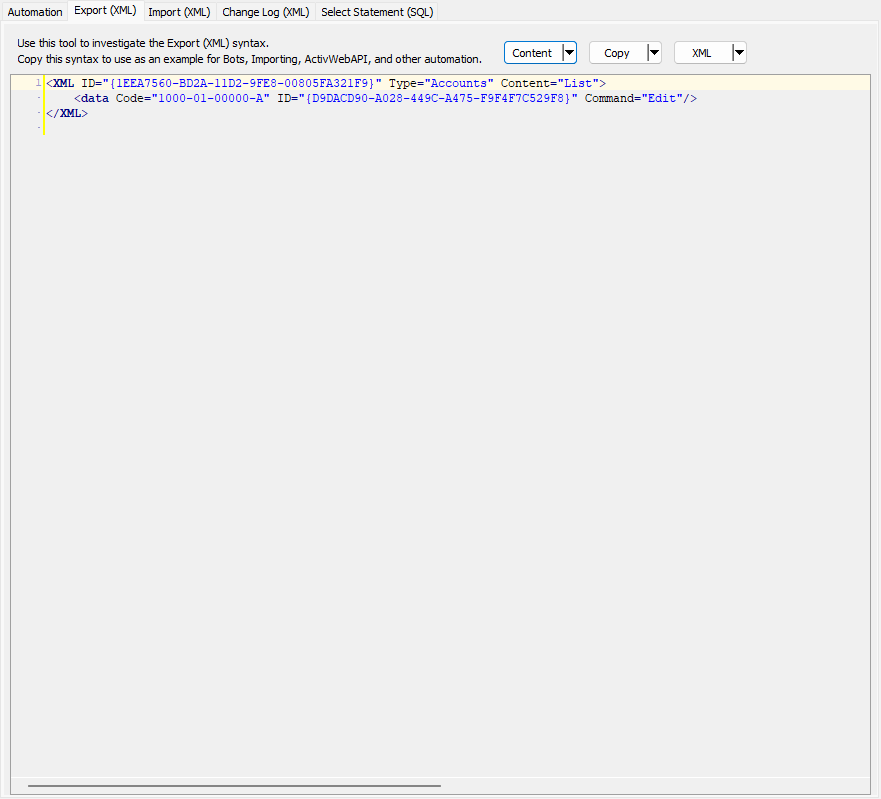
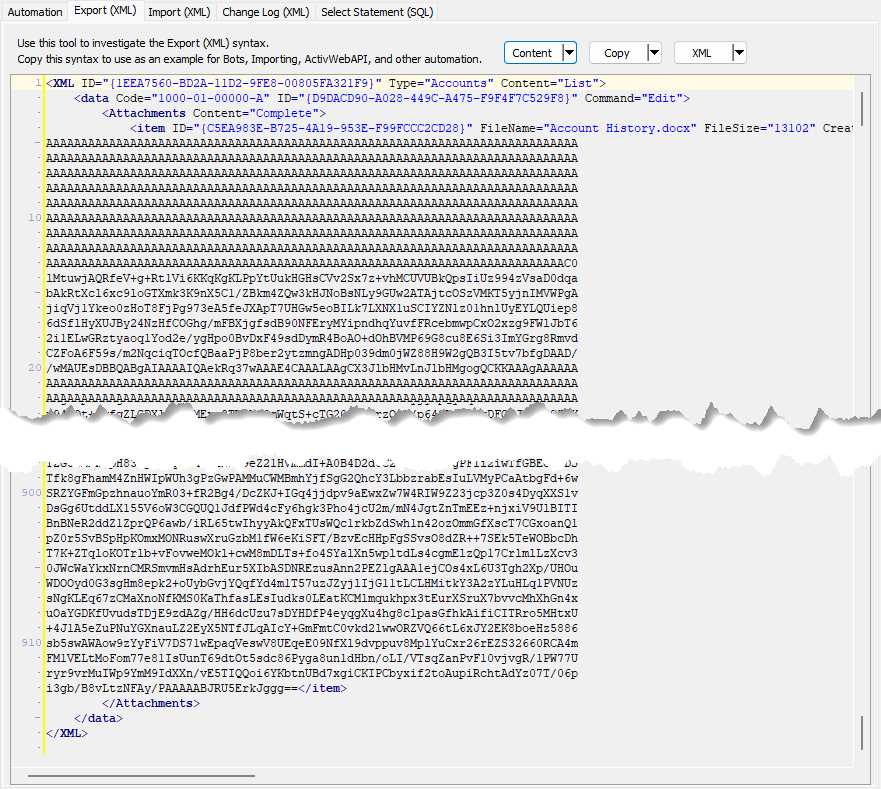
This subtab shows the XML or JSON syntax for exporting the selected data record. The syntax can be copied as an exemplar for creating your own automation objects for bots, import files, ActivWebAPI, etc. To copy the XML or JSON content, click Copy.
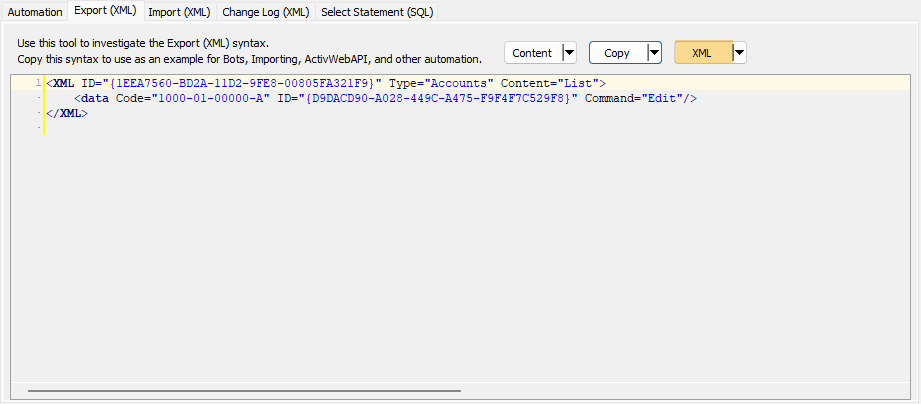
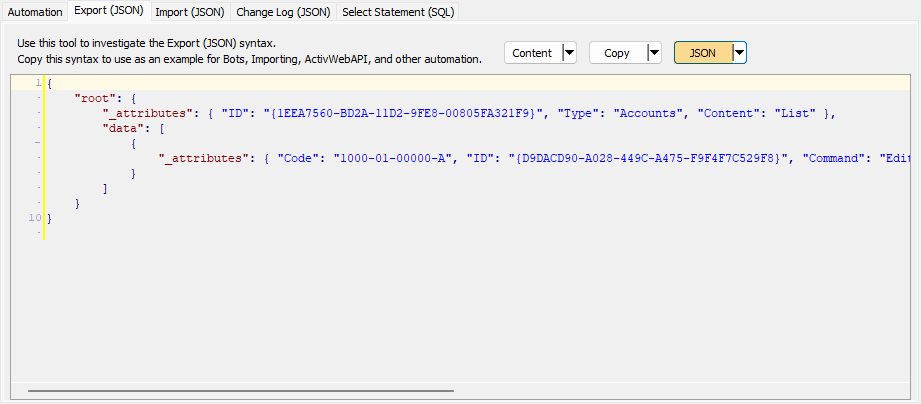
To copy the content without "newline" and "tab" characters, click the down arrow next to the Copy button and select Copy without formatting. This feature is useful for automation scenarios in which these formatting characters are not allowed.
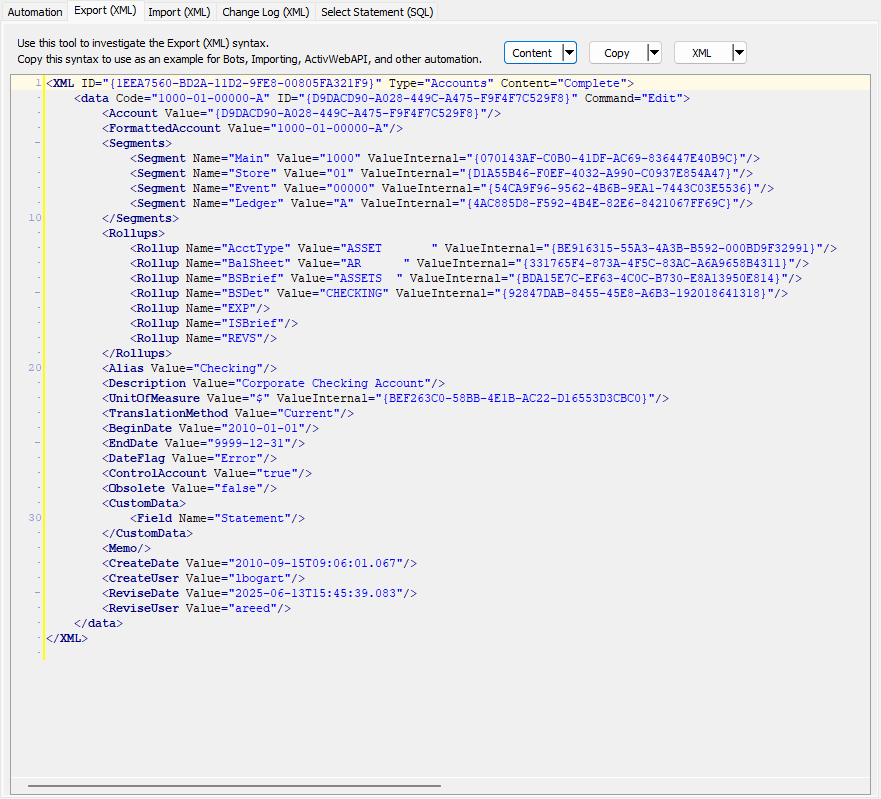
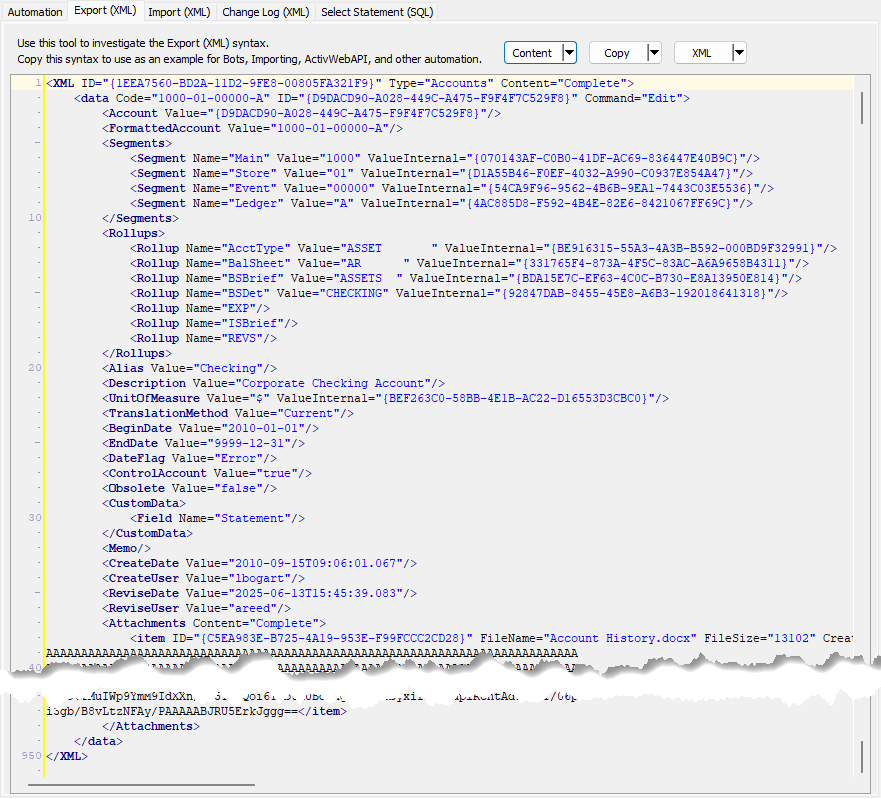
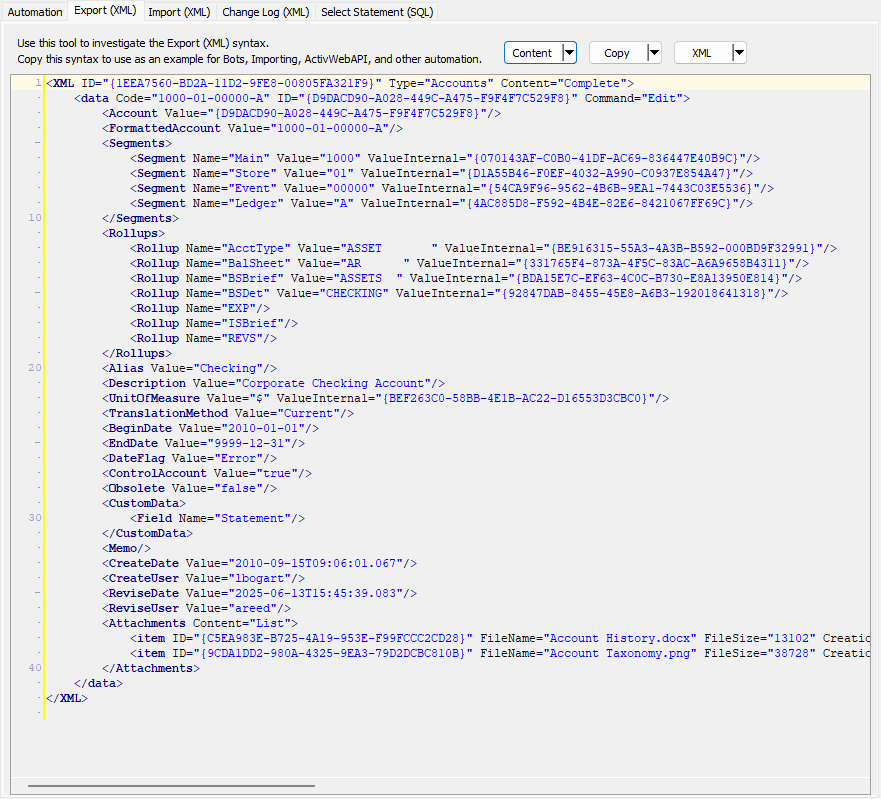
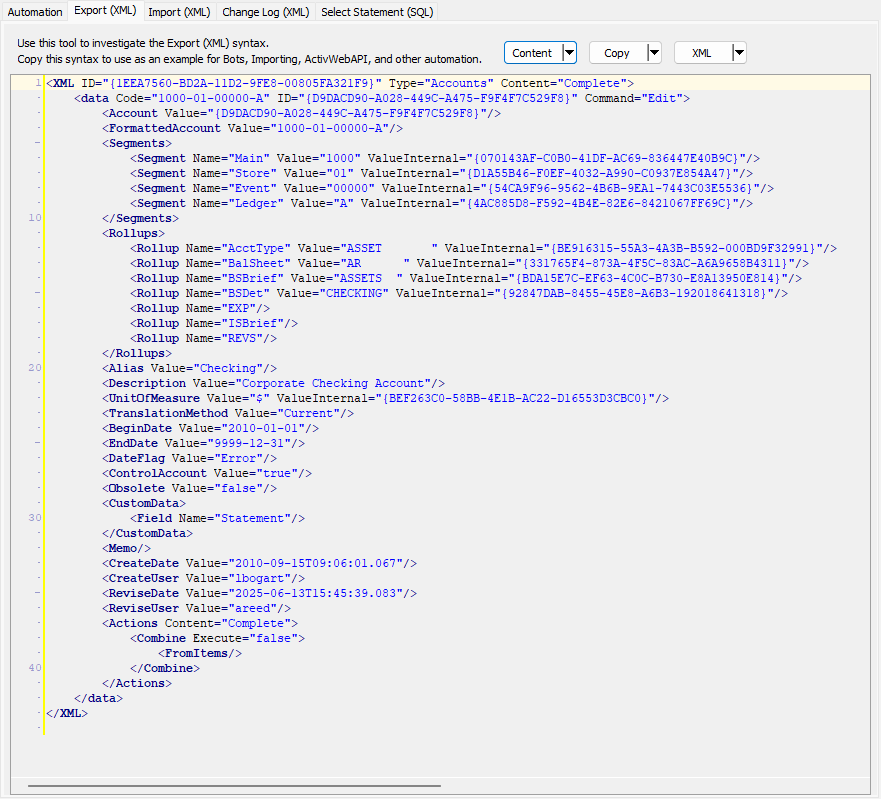
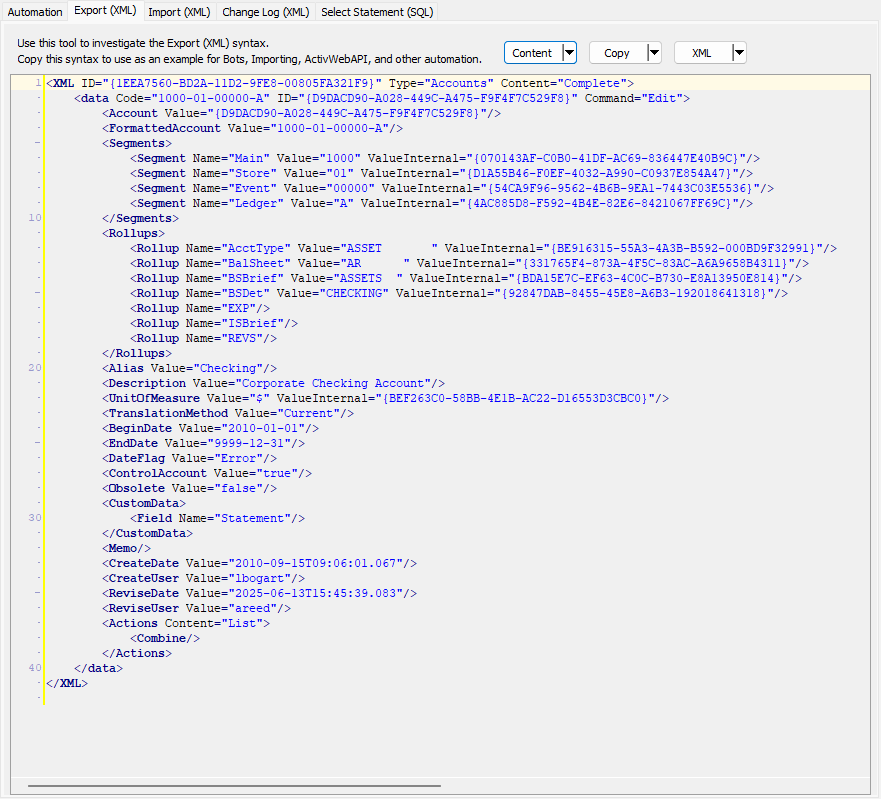
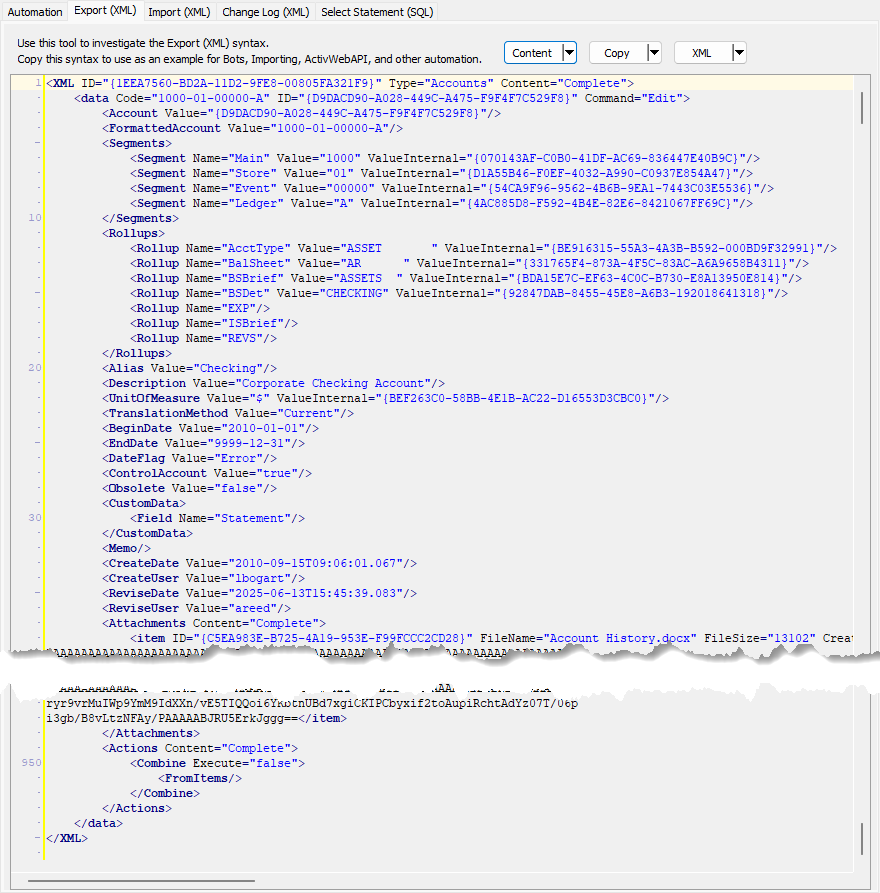
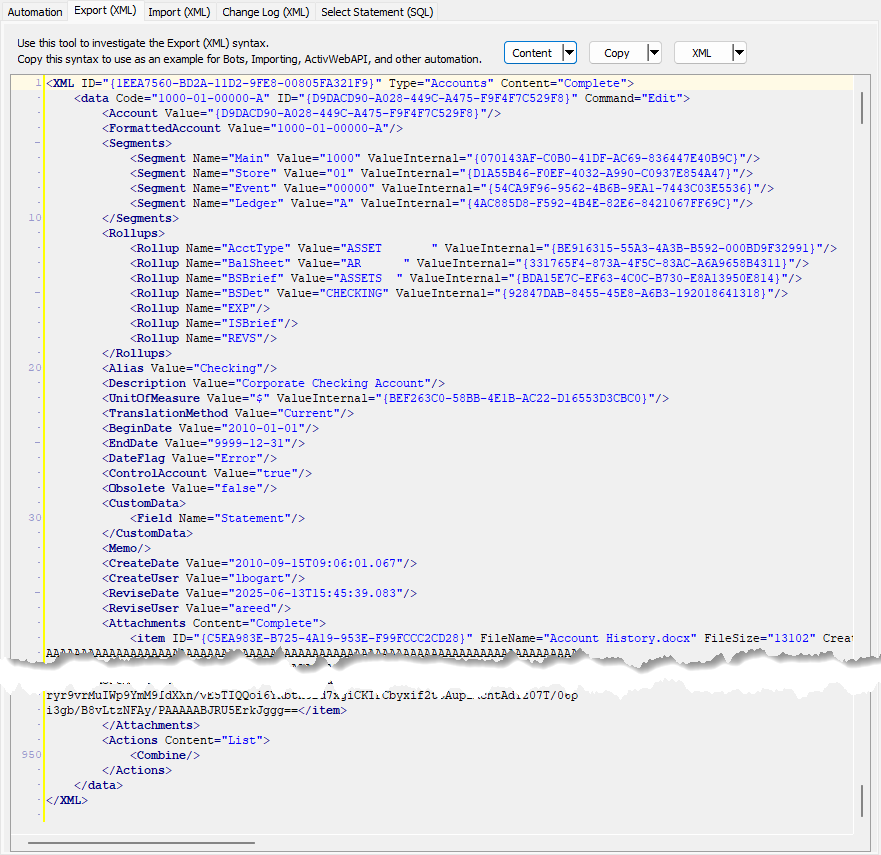
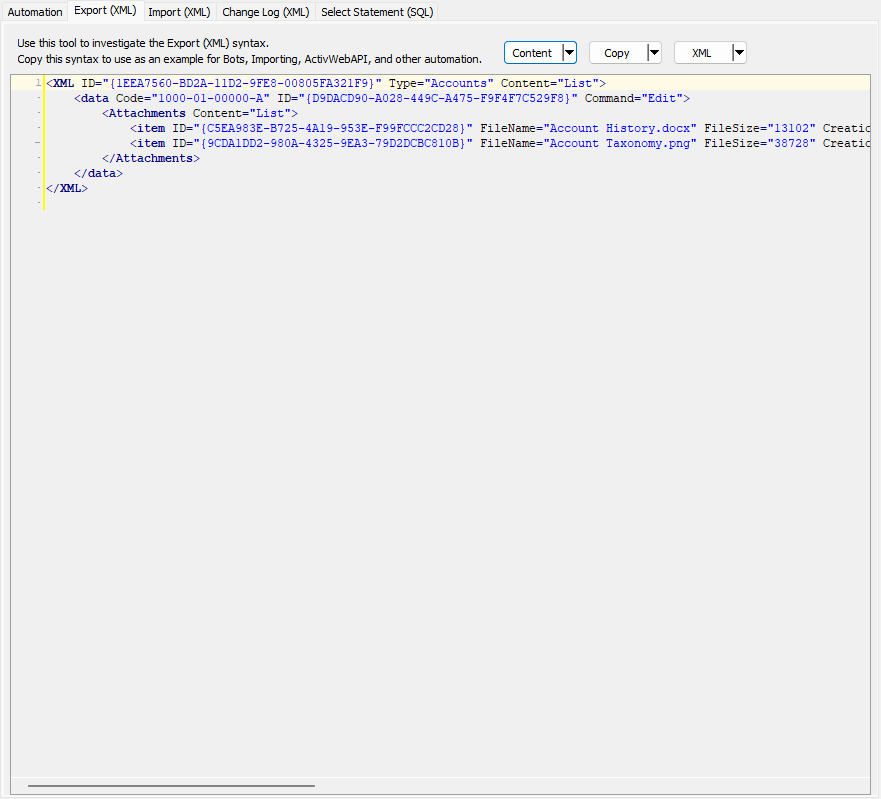
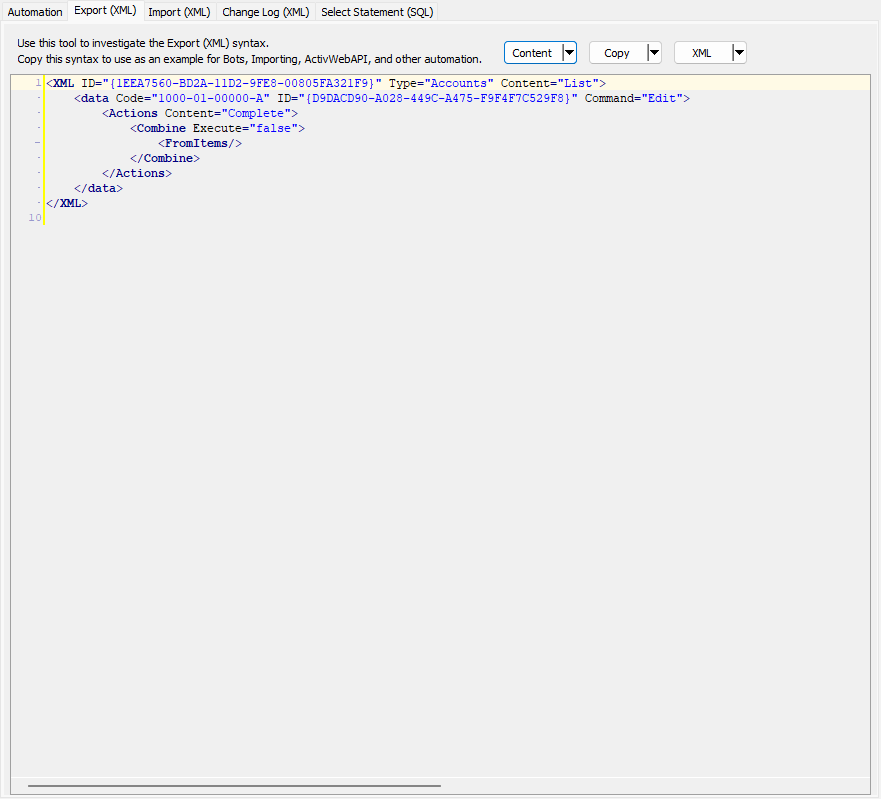
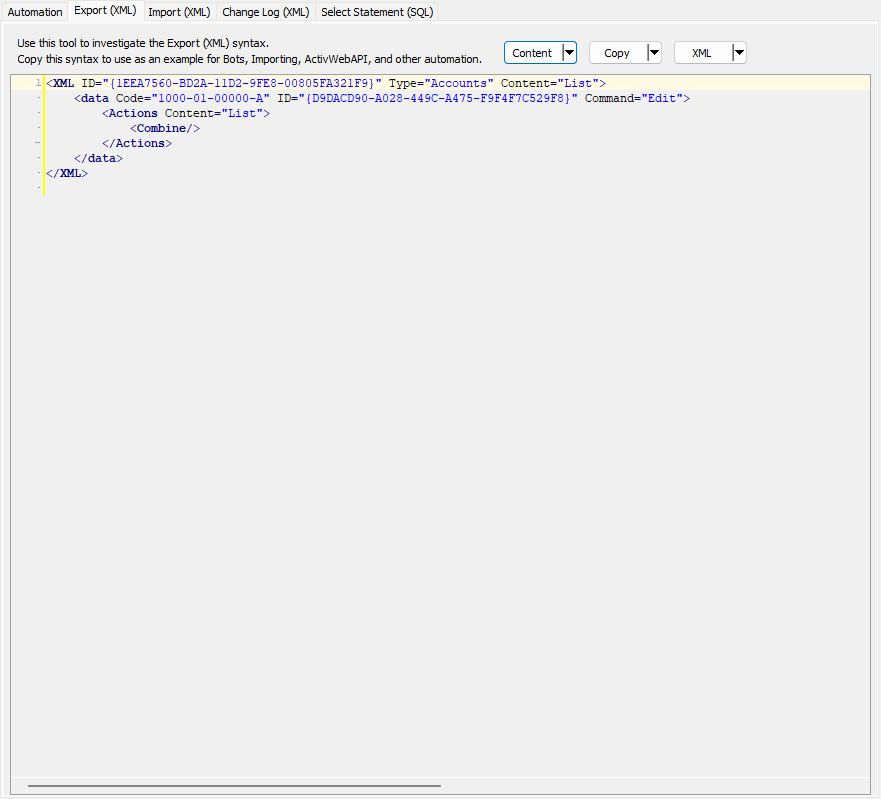
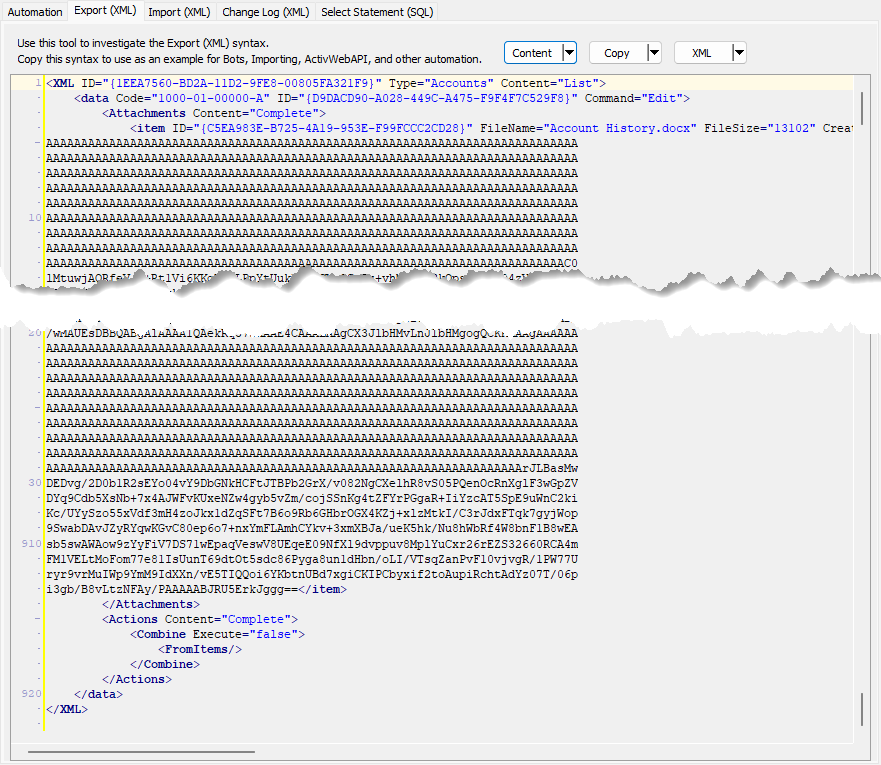
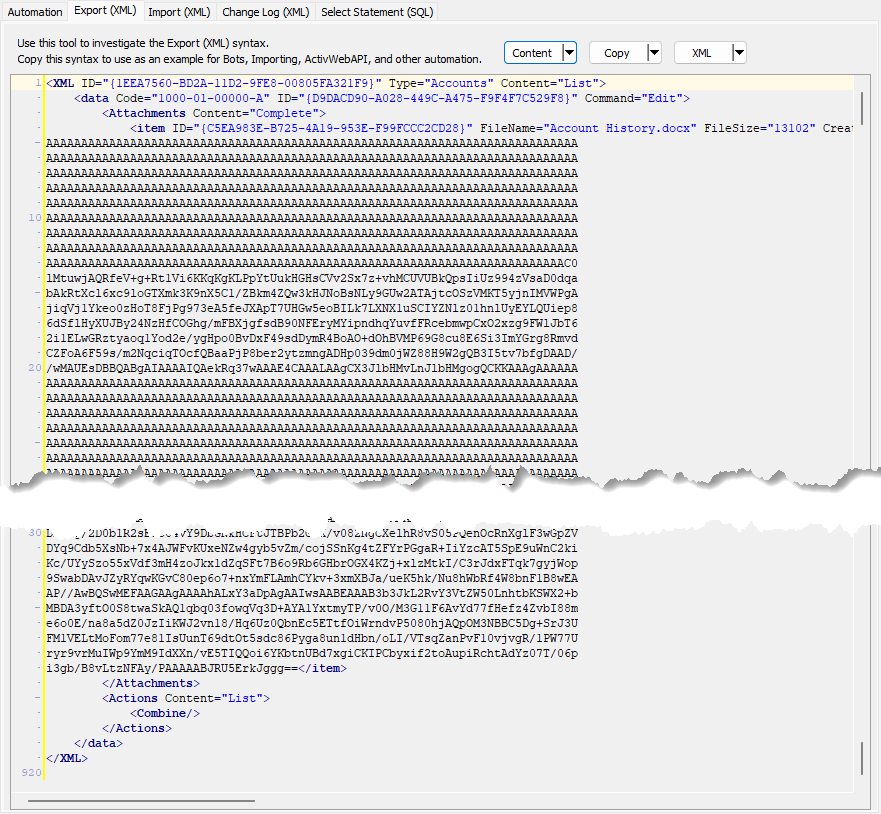
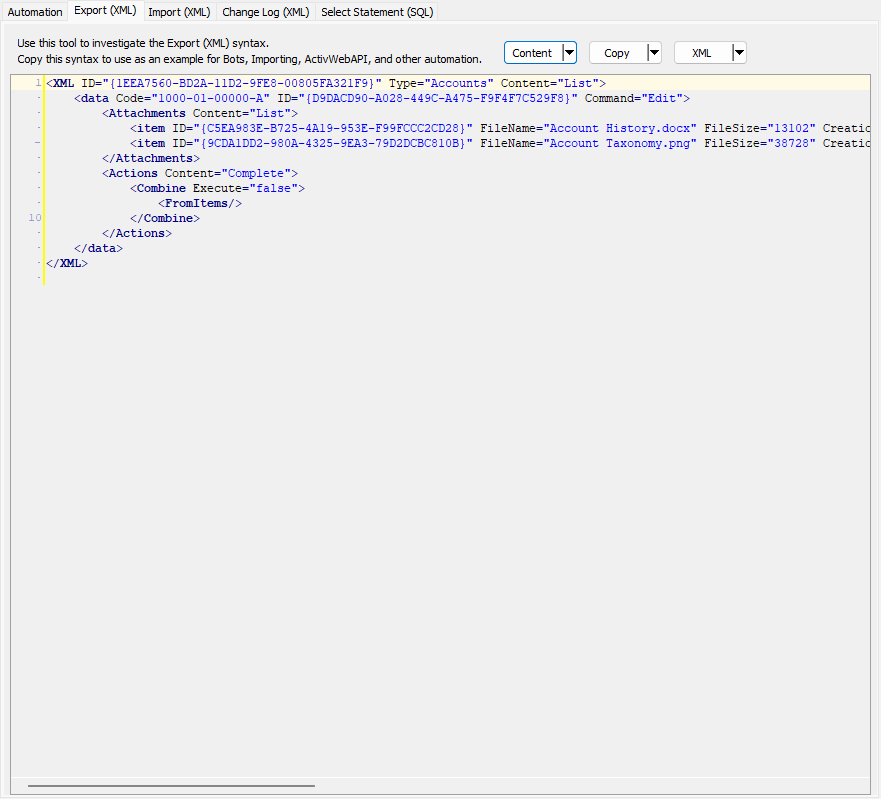
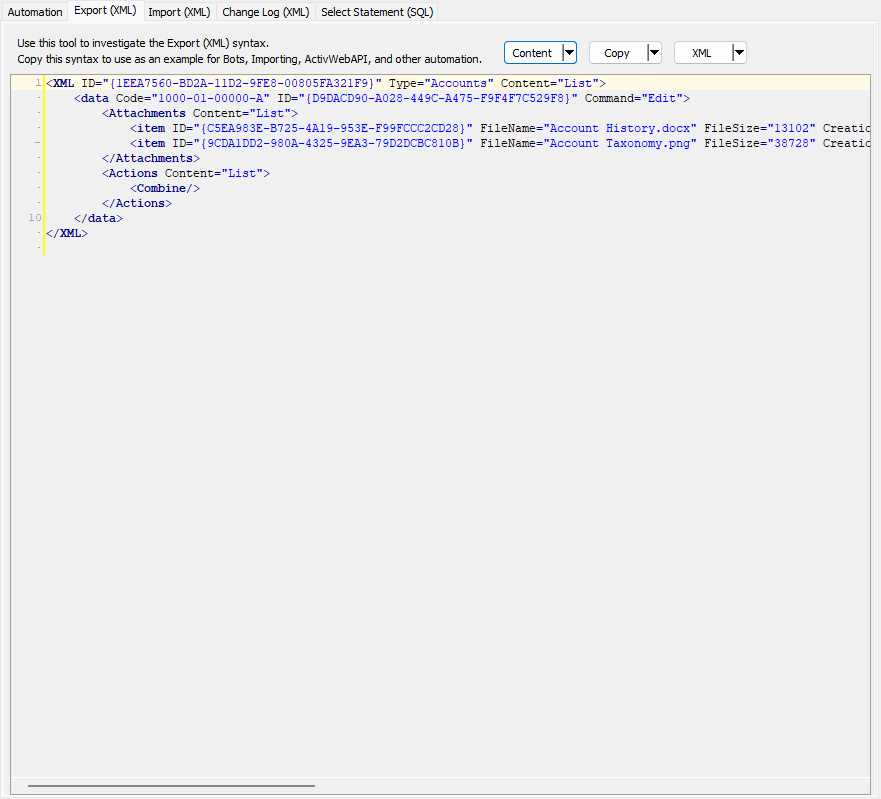
You can control the type of content shown in the Export (XML | JSON) tab by selecting options from the drop-down menu on the Content button. You can control the general level of content, the level of content for attachments, and the level of content for actions.
Browse the image carousel below to compare the level of detail shown depending on your selection of content combinations. The label in the lower right corner of each image shows the combination of options represented in each image.
Import (XML | JSON) tab
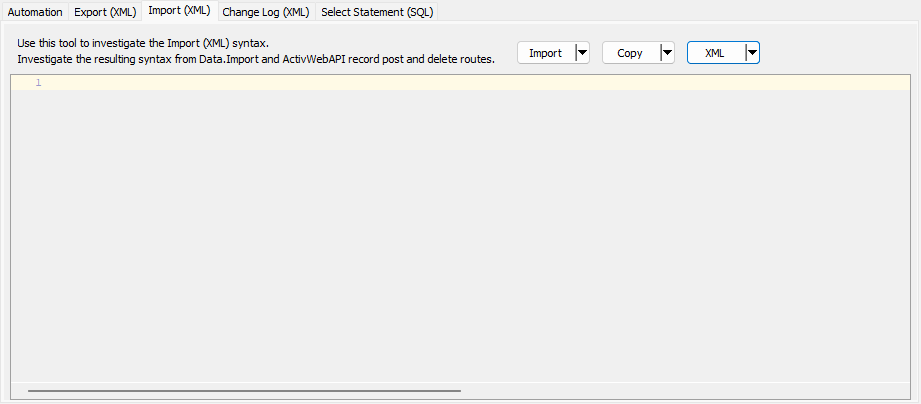
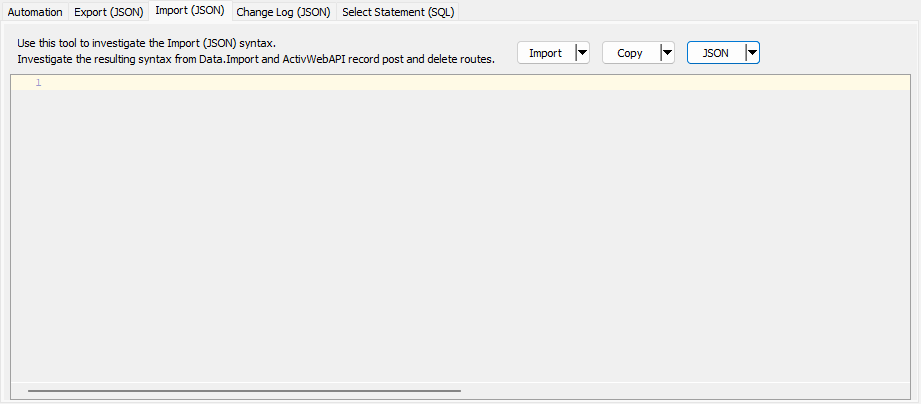
This subtab allows you to select a file for import and shows the XML syntax for importing data records. Use the subtab to explore the XML syntax for importing data records. In particular, you can investigate the syntax which results when using Data.Import and ActivWebAPI data POST and DELETE routes.
Change Log (XML | JSON) tab
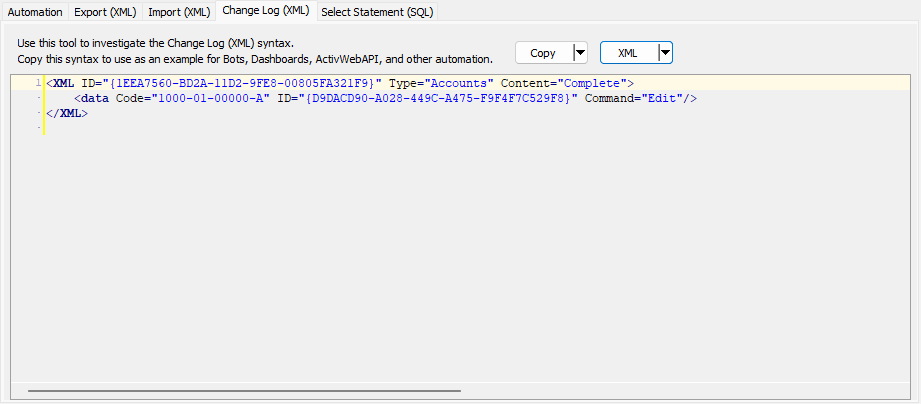
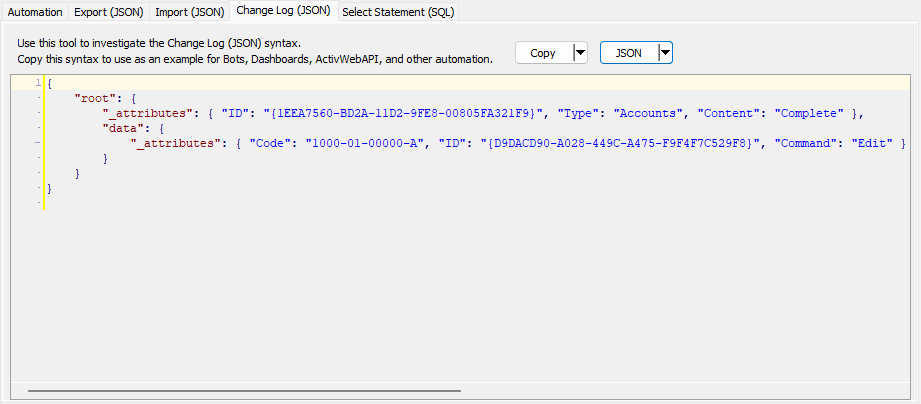
This subtab is visible only when the Enable Change Logs option is marked in System Options or Company Options (depending on whether the feature applies at the system or the company level). This is the default setting when developer features are enabled.
This subtab allows you to investigate changes to the current data record. The syntax can be copied for use in bots, dashboards, ActivWebAPI, and other automation. To copy content from the text box, highlight the content to copy and press Ctrl+C or right-click your selection and select Copy from the context menu.
Select Statement (SQL) tab
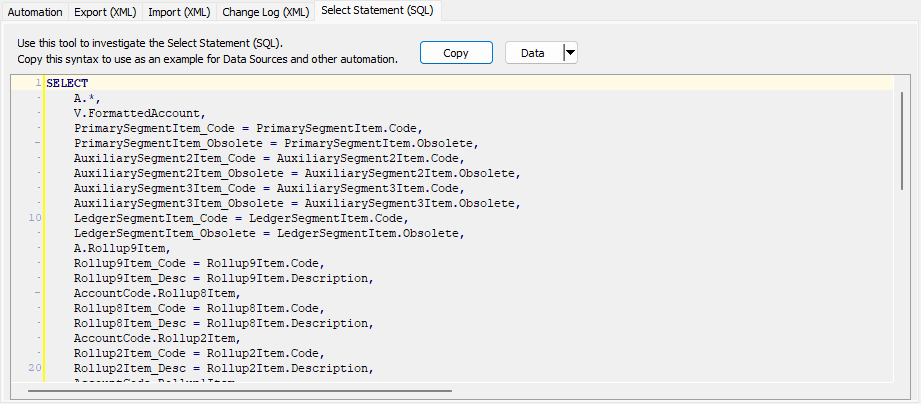
This subtab allows you to investigate the SQL select statement used to retrieve the current data record. The syntax can be copied as an exemplar for data sources and other automation. To copy content from the text box, highlight the content to copy and press Ctrl+C or right-click your selection and select Copy from the context menu.
The bots in this section are provided to jumpstart your bot creation efforts. These bots can be copied and easily modified for your use.
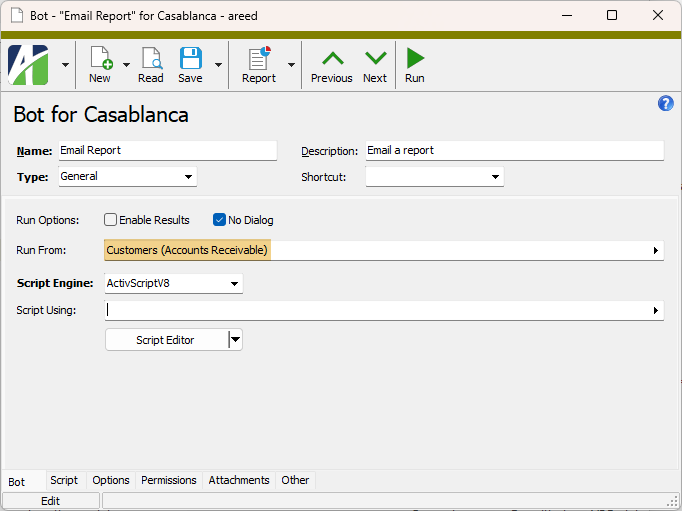
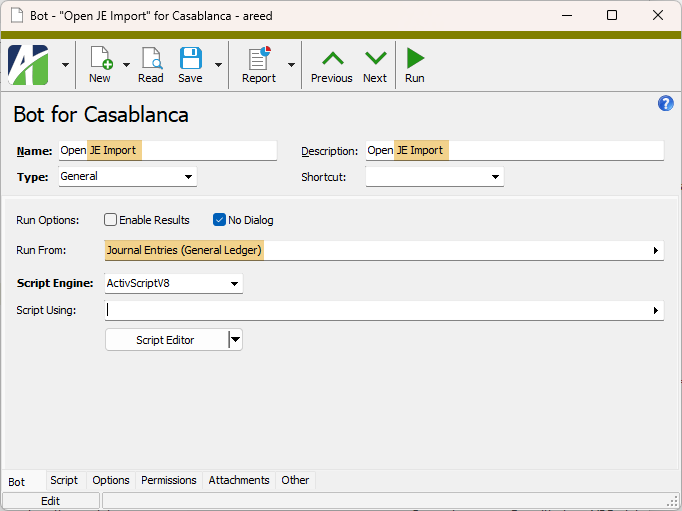
Items highlighted in orange represent the components which can be modified to suit your specific needs.
Email a report
Bot setup
Bot script
'----------------------------------------------------------------------------
'Send an email containing a Daily AR Receipts report
'
'Configuration variables
email_to_addresses = "[email protected]"
email_cc_addresses = ""
'----------------------------------------------------------------------------
attachments = ""
set report = Company.Report("Accounts Receivable", "Aged Invoice Analysis")
report.Answers "<Answer Name='AR Aging as of Today' Type='Shared'/>"
if report.DataCheck then
attachments = "<Attachment Name='ARAging.pdf' Path='" + report.ExportToTempFile("<Export FormatType='PortableDocFormat'/>") + "'/>"
body = ""
else
body = "No Accounts Past Due."
end if
Activity.SendEmail _
"<Email ToAddress='" + email_to_addresses + "' CCAddress='" + email_cc_addresses + "' Subject='AR Aging as of Today'>" + _
attachments + _
"<Body>" + body + "</Body>" + _
"</Email>"Open an attachment
Bot setup
Bot script
'----------------------------------------------------------------------------
'Open Import Journal Entries
'----------------------------------------------------------------------------
strFileName = MacroProcess.Attachments.SaveAsTempFile("ImportJournalEntries.xlsm")
'-Make sure the add-in loads
objExcel.AddIns(:ActivityHD Excel Add-in").Installed = False
objExcel.AddIns(:ActivityHD Excel Add-in").Installed = True
Set objExcel = CreateObject("Excel.Application")
objExcel.Workbooks.Open strFileName
objExcel.Visible = TrueOpen an attachment (example 2)
Bot script
'----------------------------------------------------------------------------
'Open Import Purchases
'----------------------------------------------------------------------------
Option Explicit
Dim objMacro 'AsActivityOAS.Macro'
Set objMacro = Company.Administration.Macro
objMacro.Locate MacroProcess.MacroID
Dim sFileName 'AsString
sFileName = objMacro.Attachments.SaveAsTempFile("Import Purchases.xls")
Dim objExcel 'As Excel.Application
Set objExcel = CreateObject("Excel.Application")
'-Make sure the add-in loads
objExcel.AddIns(:ActivityHD Excel Add-in").Installed = False
objExcel.AddIns(:ActivityHD Excel Add-in").Installed = True
objExcel.Workbooks.Open sFileName
objExcel.Visible = TrueBot Record ID
- Class
- Module
- General
- Record
- Record List
- Record Loop
Bot tab
Generic (based on Run From). The bot can be run for generic record types, and thus, is runnable from any number of data folders. Use the Run From field to designate which data folders the bot can be run from.
Example
A bot written for attachments could apply to virtually any record type.
Specific. A bot that must be run for a specific record type. If you select this option, the adjacent field is enabled. Select the data folder to associate with the bot. This bot can only be run for the data folder specified in this field.
Press F3 to look up the value.
If a value is already selected, you can press F4 to open the record in its native editor.
This field is visible for general, record, record list, and record loop bots. Select the folders from which the bot can be run.
If this is a record, record list, or record loop bot, the resources you can select are affected by the option selected in the Record Type field.
If "Generic" is selected, you can select one or more folders on which to run the bot.
If "Specific" is selected, the bot can only be run for the data folder specified in the Specific field; however, you can run the bot from other folders, but the bot will only act on records of the specified data type.
Example
Suppose you create a bot to act on employee leave plans. You could specify "Employee Leave Plans (Payroll)" as the specific data folder. However, you might also want to make the bot available from the Payroll/Human Resources folder and from the Employees folder.
Press F2 to open a dialog box where you can add and remove selections for this field.
Press F3 to look up the item.
- JScript - All JScript 5.8 features, including the JSON object, are available.
- JScript9
- JScript (Chakra) - Only one Chakra JScript scripting engine can be loaded in a single process.
- ActivScriptV8
- ActivScriptNode
Expand to see the available node npm packages
The following node npm packages are available for use with ActivityHD:
Node package Purpose More information ahd_customfields Provides for creating, deleting, and looking up names of custom fields as well as custom field groups. ahd_emails Provides standardized and formalized email for ActivityHD automated processes. ahd_emails ahd_exceljavascript_package Lets a bot build Excel workbooks that carry ActivityHD's JavaScript automation, the same automation available in the ActivityHD Excel add-in, so that the bot can automatically produce ready-to-use, JavaScript-enabled spreadsheets, alleviating the need for someone to prepare the spreadsheets manually. ahd_log_package ahd_logger Allows scheduled/offline bots to create an ActivityHD note at the end of a run, providing a visible curated summary in the app with no need for a user to watch the window. ahd_logger ahd_microsoft_graph The MicrosoftGraph class provides custom implementation to facilitate Microsoft Graph API requests with OAuth 2.0 authentication for ActivityHD. The class manages token acquisition, refresh, and Graph request handling while allowing custom storage of tokens using the ahd_oauth module. ahd_oauth Includes an OAuth object with various methods for working with OAuth authentication. ahd_time_date_package archiver Provides a streaming interface for generating archives. archiver child_process csv-parser Parses csv files. csv-parser and papaparse comparison csv-parser date-and-time A simple date and time library. date-and-time docxtemplater A library for generating docx/pptx documents from a docx/pptx template. Replaces placeholders with data and supports loops and conditions. docxtemplater exceljs Provides for reading, manipulating, and writing spreadsheet data to xlsx and JSON. exceljs jszip A library for creating, reading, and editing zip files with JavaScript.Useful when you need to create or read zip files in the browser; especially useful when downloading multiple files in a single zip file. Required by exceljs. jszip luxon A library for working with dates and times in JavaScript. luxon msnodesqlv8 Allows bots to connect to SQL Server through a native ODBC driver, in addition to existing connectivity. Provides a faster, lower overhead means to read from and write to the database. msnodesqlv8 mssql Microsoft SQL Server client for Node.js. ofx-js Allows an ActivScriptNode bot to parse Open Financial Exchange (OFX) files into a usable data structure. ofx-js papaparse Parses csv files with JavaScript. csv-parser and papaparse comparison papaparse pizzip A library for creating, reading, and editing zip files with JavaScript. Lightweight library that works well with other libraries such as docxtemplater for generating documents. pizzip xml-js Converts XML text to a JavaScript object or to JSON text or converts JavaScript/JSON to XML. xml-js - VBScript
Beyond the listed options, the PROGID or CLSID of any ActiveScript language that is currently registered on the computer where the bot will be run is a valid entry in this field.
Note
Ensure that the scripting engine you use is from a trusted source and that it is installed on every computer which needs to run the bot.
Select the class and module bot(s) that this bot references.
Press F2 to open a dialog box where you can add and remove selections for this field.
Press F3 to look up the item.
Script Editor button
Click the button to open the ActivityHD Bot Editor. Documentation for the editor is available from the editor's Help menu.
Script tab
Options tab
This area is provided for defining user prompts to provide information needed to run the bot. Prompts are defined using xml.
Example
The following xml defines prompts for a report date and an email address using exemplary xml syntax:
<Options>
    <Field Name="Report Date" Type="Date" DefaultExpression="begin last year"/>
    <Field Name="Email Address" Type="Text" Size="60"/>
</Options>Permissions tab
- All. The bot is available to all users regardless of permissions.
- None. The bot is unavailable to all users regardless of permissions.
- Permitted. The bot is available based on the permissions assigned to a user. If you select this option, specify which permissions to assign to the bot.
The list box shows the permissions available for assignment to the bot. Permissions that are flagged as "Obsolete" are not visible in the list box.
To assign a permission to the bot, double-click the permission to move it to the Assigned Permissions list box or highlight it and click to move it to the Assigned Permissions list box.
The list box shows the permissions currently assigned to the bot. Permissions previously assigned to a bot and subsequently flagged as "Obsolete" are visible in the list box.
To unassign a permission to the bot, double-click the permission to move it to the Available Permissions list box or highlight it and click  to move it to the Available Permissions list box.
Custom tab
This tab is visible if custom fields exist for the entity. At a minimum, if there are custom fields, a Fields subtab will be present. One or more additional categories of subtabs may also be visible.
Fields subtab
This tab prompts for values for any custom fields set up for entity records of this entity type. Respond to the prompts as appropriate.
References subtab
This tab is visible if other records reference the current record.
Example
Suppose a custom field exists on PRCodes that references an ARCode. On the ARCode record, on the Custom > References subtab, you can view all the PRCodes which reference that ARCode.
Exchange Folder subtab
This tab is visible only if you set up a custom field with a data type of "Exchange Folder". The label on this tab is the name assigned to the custom field.
This tab shows the contents of the specified Exchange folder.
File subtab
This tab is visible only if you set up a custom field with a data type of "File". The label on the tab is the name assigned to the custom field.
This tab renders the contents of the specified file according to its file type.
Internet Address subtab
This tab is visible only if you set up a custom field with a data type of "Internet Address". The label on this tab is the name assigned to the custom field.
This tab shows the contents of the specified web page.
Network Folder subtab
This tab is visible only if you set up a custom field with a data type of "Network Folder". The label on this tab is the name assigned to the custom field.
This tab shows the contents of the specified network folder.
Attachments tab
The Attachments tab is visible if any record for a given entity has an attachment. If the Attachments tab is not visible, this implies that no record of the entity type has an attachment on it; however, once an attachment is added to any record of the entity type, the Attachments tab will become available.
Change Logs tab
This tab is visible if the user has "Change Logs" access to the associated data folder resource.
The Change Logs pane shows the Change Logs HD view filtered to show all change logs for the selected entity record.
Double-click a row in the pane to drill down to its record in the Change Log window.
Other tab
Developer tab
This tab is visible only when developer features are enabled.
Automation subtab
This subtab shows field names and values for the current data record. Use the information in the subtab to assist when creating automation objects such as bots and import files. The field names and field values can be copied from the text box and pasted directly into your code or application. To copy content from the text box, highlight the content to copy and press Ctrl+C or right-click your selection and select Copy from the context menu.
Export (XML | JSON) subtab
This subtab shows the XML syntax for exporting the selected data record. The syntax can be copied from the text box as an exemplar for creating your own automation objects for bots, import files, ActivWebAPI, etc. To copy content from the text box, highlight the content to copy and press Ctrl+C or right-click your selection and select Copy from the context menu.
Import (XML | JSON) subtab
This subtab allows you to select a file for import and shows the XML syntax for importing data records. Use the subtab to explore the XML syntax for importing data records. In particular, you can investigate the syntax which results when using Data.Import and ActivWebAPI data POST and DELETE routes.
Change Log (XML | JSON) subtab
This subtab is visible only when the Enable Change Logs option is marked in System Options or Company Options (depending on whether the feature applies at the system or the company level). This is the default setting when developer features are enabled.
This subtab allows you to investigate changes to the current data record. The syntax can be copied for use in bots, dashboards, ActivWebAPI, and other automation. To copy content from the text box, highlight the content to copy and press Ctrl+C or right-click your selection and select Copy from the context menu.
Select Statement (SQL) subtab
This subtab allows you to investigate the SQL select statement used to retrieve the current data record. The syntax can be copied as an exemplar for data sources and other automation. To copy content from the text box, highlight the content to copy and press Ctrl+C or right-click your selection and select Copy from the context menu.
Options are composed using XML which can be edited on the Options tab of the Bot window. The XML syntax for these option definitions is modeled below.
Option values can be accessed using the new MacroProcess.OptionValues() automation method.
Sample option definitions syntax
<Options>
    <Field Name="Report Date" Type="Date" DefaultExpression="begin last year"/>
    <Field Name="Email Address" Type="Text" Size="60"/>
</Options>Sample bot code
Dim vReportDate
Dim vEmailAddress
vReportDate = MacroProcess.OptionValues("Report Date")
vEmailAddress = MacroProcess.OptionValues("Email Address")
Bot definition syntax
<Options>
    <Header @Caption/>
    <Instruction><!--inner text of this element is displayed to the user--></Instruction>
    <Field @Name Type="Calendar Period" @Required(True, False)>
        <Default>
            <!--Syntax for the Default element should match what is seen when exporting Answers with a Calendar Period-->
        </Default>
        <AsOf>
            <!--Syntax for the AsOf element can have all the properties of a "Date" field-->
            <!--When @Name is not specified, defaults to the name of the "Calendar Period" field + - As of"-->
        </AsOf>
    </Field>
    <Field @Name Type="Date" @DefaultValue @DefaultExpression @Required(True, False) @AltBasis>
        <AltBases>
            <AltBasis @Name/>
        </AltBases>
    </Field>
    <Field @Name Type="Dropdown" @DefaultValue @Required(True, False)>
        <Item @Value/>(n)
    </Field>
    <Field @Name Type="Filename" @DefaultValue @Required(True, False)/>
    <Field @Name Type="File Folder" @DefaultValue @Required(True, False)/>
    <Field @Name Type="Memo" @Required(True, False)>
        <DefaultValue></DefaultValue>
    </Field>
    <Field @Name Type="Number" @Precision @Scale @AllowNegative(True, False) @DefaultValue @Required(True, False)/>
    <Field @Name Type="Reference" @ReferenceType @SQLConditions @DefaultValue @Required(True, False)>
        <Filters>
            <Filter @Name @Type(Personal/Shared/Built-In)>
                <Parameter @Name @Value/@Code/@ID/@Expression/>(n)
            </Filter>(n)
        </Filters>
    </Field>
    <Field @Name Type="Reference List" @ReferenceType @SQLConditions @Required(True, False)>
        <Filters>
            <Filter @Name @Type(Personal/Shared/Built-In)>
                <Parameter @Name @Value/@Code/@ID/@Expression/>(n)
            </Filter>(n)
        </Filters>
        <DefaultValue @Value/>(n)
    </Field>
    <Field @Name Type="Reference List" @ReferenceType @DefaultValue @Required(True, False)>
        <ReferenceType @Value @SQLConditions>
            <Filters>
                <Filter @Name @Type(Personal/Shared/Built-In)>
                    <Parameter @Name @Value/@Code/@ID/@Expression/>(n)
                </Filter>(n)
            </Filters>
            <DefaultValue @Value/>(n)
        </ReferenceType>(n)
    </Field>
    <Field @Name Type="Text" @Size @Case(Upper, Lower, Normal) @DefaultValue @Required(True, False)>
        <Dropdown>
            <Item @Value/>(n)
        </Dropdown>
    </Field>
    <Field @Name Type="True/False" @DefaultValue(True, False) @Required(True, False)/>
</Options>
Special option types
Expand the following links to explore certain option types in greater detail.
Prompt for alternate date bases
You can add alternate bases to date fields through bot options.
For instance, suppose you have the following dates as options for your bot: Begin Date, End Date, Log Date. Log Date has a date expression of "today + 1".
Normally, "today + 1" indicates one day after the current system date. However, you can base the date expression off either Begin Date or End Date. When you press F2 on the log date, the Date Expression popup opens.
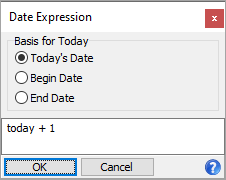
Leave the date expression as is, but change the Basis for Today options as needed. Valid options are:
- Today's Date. The basis for "today" is the current system date. This is the normal basis of a date. So, "today + 1" is tomorrow.
- Begin Date. "today + 1" is the day after the begin date.
- End Date. "today + 1" is the day after the end date.
Syntax
<Options>
    <Field Name="Begin Date" Type="Date" />
    <Field Name="End Date" Type="Date" />
    <Field Name="Date" Type="Date" DefaultExpression="today + 1">
        <AltBases>
            <AltBasis Name="Begin Date"/>
            <AltBasis Name="End Date"/>
        </AltBases>
    </Field>
</Options>You can prompt for a file folder from the Options dialog of a bot.
Syntax
<Options>
    <Field @Name Type="File Folder" @DefaultValue @Required(True, False)/>
</Options>
Prompt for values from a drop-down list
The "Dropdown" list feature allows users to select from a predetermined list of values or to enter their own value in the text field.
Syntax
<Options>
    <Field @Name Type="Text" @Size @Case(Upper, Lower, Normal) @DefaultValue @Required(True, False)>
        <Dropdown>
            <Item @Value/>(n)
        </Dropdown>
    </Field>
</Options>You can prompt for a password from the Options dialog of a bot.
Syntax
<Options>
    <Field @Name Type="Password" @Size @DefaultValue @Required(True, False)/>
</Options>You can prompt for a calendar period from the Options dialog of a bot.
Syntax
<Options>
    <Field @Name Type="Calendar Period" @Required(True, False)>
        <Default>
            <!--Syntax for the Default element should match what is seen when exporting Answers with a Calendar Period-->
        </Default>
        <AsOf>
            <!--Syntax for the AsOf element can have all the properties of a "Date" field-->
            <!--When @Name is not specified, defaults to the name of the "Calendar Period" field + - As of"-->
        </AsOf>
    </Field>
</Options>Header elements can be added to improve the layout of forms produced through bot Options.
Syntax
<Options>
    <Header @Caption/>
</Options>Instruction elements can be added to improve the usability of forms produced through bot Options.
Syntax
<Options>
    <Instruction><!--inner text of this element is displayed to the user--></Instruction>
</Options>You can specify the saved answer to apply to data for dashboards or automation.
Syntax
<Options>
    <Answers Name='Test'/>
</Options>
Incorporate an options dialog in a bot
Use an OptionsDialog automation object to present a dialog to the user with the same types of options which are also available for bot Options. Bot Options (XML) must be defined as part of a bot record and are always shown to the user as the first step when running a bot. The OptionsDialog object is similar but more flexible. The options XML can be defined programmatically and the dialog can be displayed at any point during bot execution or during any other type of automation.
Syntax
Activity
Function OptionsDialog As OptionsDialog '- Returns an OptionsDialog within the Activity System
Company
Function OptionsDialog As OptionsDialog '- Returns an OptionsDialog within the Activity Company
OptionsDialog
Function Show(Caption As String, Options As String) As Boolean '- Shows the dialog with a specific caption and set of options (defined as XML); returns "True" if not canceled by the user
Property OptionValues(Index) '- Access the user-specified option values by index or field name
Sample bot code
Dim vOptionsDialog

Set vOptionsDialog = Activity.OptionsDialog
MacroProcess.AddMessage ""
MacroProcess.AddMessage "Options Dialog (System):"
If vOptionsDialog.Show("Options Test (System)", _
    "<Options>" + _
        "<Field Name='Reference' Type='Reference' ReferenceType='Authorized Users (Activity System)'/>" + _
    "</Options>" _
) Then
    MacroProcess.AddMessage "Option 1: " + CStr(vOptionsDialog.OptionValues( 1))
Else
    MacroProcess.AddMessage "Canceled"
End If

Set vOptionsDialog = Company.OptionsDialog
MacroProcess.AddMessage = ""
MacroProcess.AddMessage = "OptionsDialog (Company):"
If vOptionsDialog.Show("Options Test (Company):, _
    "<Options>" + _
        "<Field Name='Reference' Type='Reference' ReferenceType='Authorized Users (Activity Company)'/>" + _
    "</Options>" _
) Then
    MacroProcess.AddMessage "Option 1:" + CStr(vOptionsDialog.OptionValues( 1))
Else
    MacroProcess.AddMessage "Canceled"
End If
Additional OptionsDialog features
Expand the following links to learn about more features available to the OptionsDialog object.
Add a header to an OptionsDialog form
Header elements can be added to improve the layout of OptionsDialog forms.
Syntax
<Options>
    <Header @Caption/>
</Options>
Add instructions to an OptionsDialog form
Instruction elements can be added to improve the usability of OptionsDialog forms.
Syntax
<Options>
    <Instruction><!--inner text of this element is displayed to the user--></Instruction>
</Options>
Use selection conditions for reports, processes, and view filtering
You can specify selection conditions throughout the application when performing actions such as running reports. Selection conditions can also be saved as filters making filtering easier when reviewing records in the HD view and when running reports or processes.
Filters are also useful for limiting records for automation purposes. Selection conditions can be used for filtering in automation as well. In particular, selection fields can be used in the following areas:
- Dashboard Count macros
- Data.Navigator
- RecordList.Load
- Reference dialog fields
Selection conditions are specified using XML syntax. Use the following steps to formulate the conditions you want:
- Run a listing report on the folder which contains the records you want to select from.
- Use the Selection tab of the report wizard to build the conditions you need.
- Run the Developer Tool (Ctrl+F12).
- On the Answers (XML) tab, look for the "<Selection>" element.
Examples
Data.Navigator (VBScript)
Set vData = Activity.Data("Administration", "Authorized Users")
vData.Navigator.Parameters = _
"<p>" + _
    "<Selection>" + _
        "<Item Table='Authorized User' Field='Access Control' Version='2' Type='0'>" + _
            "<ListItem Value='P' Checked='true'/> + _
        "</Item>" + _
    "</Selection>" + _
"</p>"
vData.Navigator.First
while not.vData.Navigator.Eof
    MacroProcess.Results.Add vData
    vData.Navigator.Next
wend
RecordList.Load (VBScript)
Set vRecordList = Activity.NewRecordList("Administration", "Authorized Users")
vRecordList.Load _
"<p>" + _
    "<Selection>" + _
        "<Item Table='Authorized User' Field='Access Control' Version='2' Type='0'>" + _
            "<ListItem Value='P' Checked='true'/> + _
        "</Item>" + _
    "</Selection>" + _
"</p>"
Set vReport = Activity.Administration.Reports("Authorized Users Listing")
vReport.RecordList.AddList vRecordList
vReport.Preview
Syntax
Dialog Reference fields
<Options>
    <Field @Name Type="Reference" @ReferenceType @SQLConditions @DefaultValue @Required(True, False)>
        <Filters>
            <Filter @Name @Type(Personal/Shared/Built-In)>
                <Parameter @Name @Value/@Code/@ID/@Expression/>(n)
            </Filter>(n)
        </Filters>
        <Selection/>
    </Field>
    <Field @Name Type="Reference List" @ReferenceType @SQLConditions @Required(True, False)>
        <Filters>
            <Filter @Name @Type(Personal/Shared/Built-In)>
                <Parameter @Name @Value/@Code/@ID/@Expression/>(n)
            </Filter>(n)
        </Filters>
    <Selection/>
    <DefaultValue @Value/>(n)
    </Field>
    <Field @Name Type="Reference List" @DefaultValue @Required(True, False)>
        <ReferenceType @Value @SQLConditions>
            <Filters>
                <Filter @Name @Type(Personal/Shared/Built-In)>
                    <Parameter @Name @Value/@Code/@ID/@Expression/>(n)
                </Filter>(n)
            </Filters>
            <Selection/>
            <DefaultValue @Value/>(n)
        </ReferenceType>(n)
    </Field>
</Options>
Dialog fields (full syntax)
<Options>
    <Header @Caption/>
    <Instruction><!--inner text of this element will be shown to the user--></Instruction>
    <Field @Name Type="Calendar Period" @Required(True, False)>
        <Default>
            <!--Syntax for the Default element should match what is seen when exporting Answers with a Calendar Period-->
        </Default>
        <AsOf>
            <!--Syntax for the AsOf element can have all of the properties of a "Date" field-->
            <!--When @Name is not specified, defaults to the name of the "Calendar Period" field + "- As of"-->
        </AsOf>
    </Field>
    <Field @Name Type="Date" @DefaultValue @DefaultExpression @Required(True, False) @AltBasis>
        <AltBases>
            <AltBasis @Name/>
        </AltBases>
    </Field>
    <Field @Name Type="Dropdown" @DefaultValue @Required(True, False)>
        <Item @Value/>(n)
    </Field>
    <Field @Name Type="Filename" @DefaultValue @Required(True, False)/>
    <Field @Name Type="File Folder" @DefaultValue @Required(True, False)/>
    <Field @Name Type="Memo" @Required(True, False)>
        <DefaultValue><!--inner text of this element is the default value of the field-->
        </DefaultValue>
    </Field>
    <Field @Name Type="Number" @Precision @Scale @AllowNegative(True, False) @DefaultValue @Required(True, False)/>
    <Field @Name Type="Reference" @ReferenceType @SQLConditions @DefaultValue @Required(True, False)>
        <Filters>
            <Filter @Name @Type(Personal/Shared/Built-In)>
                <Parameter @Name @Value/@Code/@ID/@Expression/>(n)
            </Filter>(n)
        </Filters>
        <Selection/>
    </Field>
    <Field @Name Type="Reference List" @ReferenceType @SQLConditions @Required(True, False)>
        <Filters>
            <Filter @Name @Type(Personal/Shared/Built-In)>
                <Parameter @Name @Value/@Code/@ID/@Expression/>(n)
            </Filter>(n)
        </Filters>
        <Selection/>
        <DefaultValue @Value/>(n)
    </Field>
    <Field @Name Type="Reference List" @DefaultValue @Required(True, False)>
        <ReferenceType @Value @SQLConditions>
            <Filters>
                <Filter @Name @Type(Personal/Shared/Built-In)>
                    <Parameter @Name @Value/@Code/@ID/@Expression/>(n)
                </Filter>(n)
            </Filters>
            <Selection/>
            <DefaultValue @Value/>(n)
        </ReferenceType>(n)
    </Field>
    <Field @Name Type="Text" @Size @Case(Upper, Lower, Normal) @DefaultValue @Required(True, False)>
        <Dropdown>
            <Item @Value/>(n)
        </Dropdown>
    </Field>
    <Field @Name Type="True/False" @DefaultValue(True, False) @Required(True, False)/>
</Options>
Provide user feedback messages
The MacroProcess automation object has two methods for displaying messages to the user:
- AddMessage. AddMessage accepts a string parameter, the text of the message to be displayed.
- AddMessages. AddMessages accepts a variant parameter which can be either a string or an array of strings. AddMessages is easier to use with other automation methods that return an array of strings.
Example
Set data = Company.AccountsPayable.APInvoice
Dim messages
data.Locate "050110 - 1"
If Not data.Merge(messages) Then
    MacroProcess.AddMessage "Merge Failed" '-Add a single message
End If
MacroProcess.AddMessages messages '-Add all messages returned by the call to MergeMultiple Chakra JScript scripting engines in the same Activity process
Error:
Unable to load two different Chakra JScript scripting engines.
Only one Chakra JScript scripting engine can be loaded in a single process--even if one bot finishes running before the other bot runs.
| Bot Name | Description | Type | Script Engine |
|---|---|---|---|
| BotDevTools | Bot Developer Tools | Module | JScript (Chakra) |
| BotDevToolsV8 | Bot Developer Tools | Module | ActivScriptV8 |
| Financial Tree Reporting | Generate and Distribute Reports | General | JScript (Chakra) |
Bots security
Common accesses available on bots
| Access | A user with this access can... |
|---|---|
| Change | Use the mass change action on bots. |
| Change Logs | |
| Custom Fields | Create and edit custom fields for bots. |
| Data | Have read-only access to bots from anywhere in the software (e.g., field validations, filters, date expressions). |
| Delete | Delete bots. |
| Edit | Edit bot records. |
| Export | Export bot records from ActivityHD. |
| Import | Import bot records into ActivityHD. |
| New | Create new bot records. |
| Read | Have read-only access to bot records. |
| Report | Run reports with bot information. |
| Report Designs | Create and edit report designs with bot information. This access enables the Report Designs button on the Output tab of report dialogs. |
| Shared Answers | Create and edit saved answers related to bots. |
| Shared Filters | Create and edit shared filters on bots. |
| Visible | View the Bots folder in the Navigation pane. |
Special accesses available on bots
| Access | A user with this access can... |
|---|---|
| Run | Run a bot. |
MacroProcess
The MacroProcess context object provides information about the bot being run and allows messages and results to be be shown.
MacroProcess properties:
- Activity
- Attachments
- Company
- MacroID: Variant - The internal identifier (GUID) of the bot object being run
- MacroName: Variant - The name of the bot being run
- Options
- OptionValues
- RecordList
- Results: IDataResults - Gives access to the IDataResults interface which is used to display result records. Available when the Enable Results checkbox is marked.
MacroProcess methods:
- AddMessage(Value: String) - Add text messages to be displayed to the user
- AddMessages(Value: String array or string) - Add text messages to be displayed to the user
- CreateObject(ByVal ObjectName As String) As Object
Node package: ahd_emails
How it works
- Allows the Log object to be passed from ahd_logger each time the add() method is used. If it is not passed, console.log is used instead.
- Allows FileOnly to be passed in the add() method to log only to the file for auditing purposes (e.g., add(category, method, FileOnly=null)). This is ignored if a Log object is not passed.
- Allows selection of three standard categories and dynamic creation of other categories. The color scheme by category is:
Category Color Updates Green Errors Red Info Blue Other Gray - The sendEmail() method can be called to distribute email to all specified recipients. Customization of recipients, operation, company name, subject, from, and sending method are available.
Example using ahd_emails package
const { Log, FileOnly } = require("ahd_logger");
const EmailUpdates = require("ahd_emails");
const updates = new EmailUpdates(Log);

updates.add("Errors", {
title: "Payroll sync",
category: "Employee update failed",
message: "Employee ID 12345 missing email"
}, FileOnly);

updates.add("Updates", {
title: "HR import",
category: "Employee updated",
message: "Employee ID 67890 updated successfully"
}, FileOnly);

updates.add("Info", {
category: "Process started",
message: "Employee sync initiated at 9:00 AM"
}, FileOnly);

updates.add("Miscellaneous", {
category: "Process completed",
message: "Final Message"
});

const emailInfo = {
toAddress: ["[email protected]"],
operation: "WFH Employee Update",
subject: "Daily Employee Update Results",
from: "Server Generic",
companyName: Company.Name,
};

updates.sendEmail(emailInfo);

Log.close();
Node packages: csv-parser vs. papaparse
While csv-parser and papaparse both parse csv files, ActivityHD retains both because each has its own benefits.
Benefits of csv-parser:
- ideal for large files
- ideal for streaming and performance
- simple pipelines
Benefits of papaparse:
- handles messy/inconsistent csv files better
- allows built-in parsing intelligence
- easier transformations
So csv-parser does the work without bells and whistles and does it efficiently. Papaparse does the work but has the mechanisms for working on data while parsing AND it handles all the rough edge cases. The trade-off with papaparse is that it is not as fast and efficient. Since both parsers have their purposes, both are distributed.
Node packages: ahd_logger
Purpose: Allows scheduled/offline bots to create an ActivityHD note at the end of a run, providing a visible curated summary in the app with no need for a user to watch the window.
The following improvements are available in ahd_logger 2.1.0:
New API
Log.setNoteTarget(packageCode, ntName?). Call early in the bot to configure where the note is created. Supported packages are AP, AR, FA, PR. If NoteType does not exist, it is automatically created. Invalid package codes log a warning and set no target.
Log.logNote(message, settings?). Logs a key milestone or result. Outputs to log file and window at INFO level. Adds to the note buffer for inclusion in the final note.
Behavior changes
logError() automatically pushes "[ERROR] message" into the note buffer with no extra call needed.
close() creates the note if a target is set and the buffer is not empty. The note body includes bot name, start/end timestamps, error status, a divider, then all buffered lines. The Description field is set to "BotName - Completed (N error(s))" for at-a-glance status in the notes list.
No note is created if setNoteTarget() is never called or if the buffer is empty.
Internal additions
createNote(packageCode, ntName, description). Creates the NoteType (idempotent) and a new note record.
writeToNote(text, note). Appends content to the NoteText field, falling back to NoteRemark.
SUPPORTED_NOTE_PACKAGES constant
noteBuffer and noteTarget properties on LogObj
Tests and docs
385-line expansion to the unit test file covering noteBuffer, setNoteTarget validation, logNote, and logError auto-buffering.
README and AHD bot test file have been updated with usage examples and the "Scheduled Bot Example" pattern.
|
6224 34th Street Lubbock, TX 79407 806.687.8500 | 800.354.7152 |
© 2026 AccountingWare, LLC All rights reserved. |