Asset attributes
The Asset Attributes HD view shows assets with date-driven attribute values assigned to them. Assets are listed based on the value(s) of their date-driven attribute(s), so an asset with multiple historical values for a date-driven attribute or with values for multiple date-driven attributes appears in the HD view multiple times. Assets without any values assigned to date-driven attributes do not appear in this HD view.
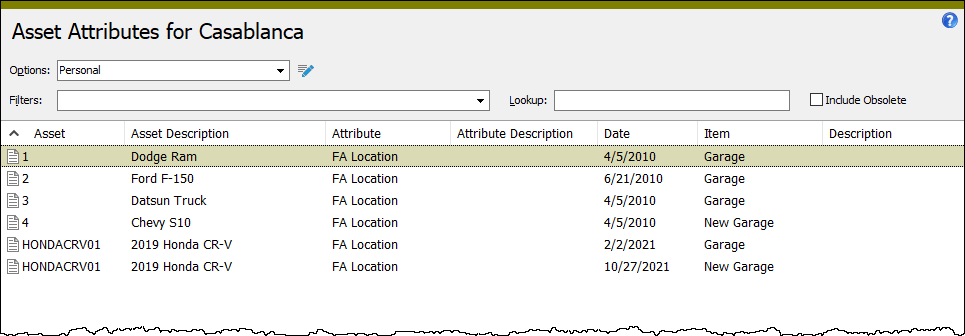
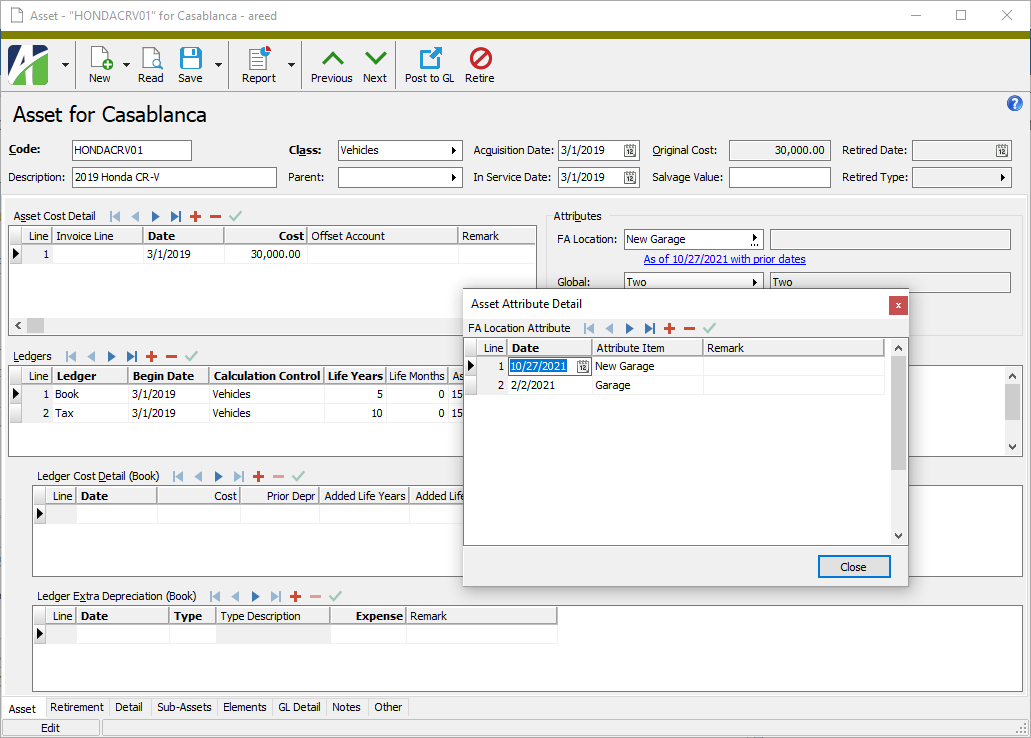
When you double-click a record in the HD view, the Asset window opens to the Asset tab with the Asset Attribute Detail dialog box open and the attribute value selected in the dialog.

|
Extras\Fixed Assets\Import Asset Locations.xls |
Asset attributes security
Common accesses available on asset attributes
| Access | A user with this access can... |
|---|---|
| Change | Use the mass change action on asset attributes. |
| Data | Have read-only access to asset attributes from anywhere in the software (e.g., field validations, filters, date expressions). |
| Delete | Delete asset attributes. |
| Edit | Edit asset attribute records. |
| Read | Have read-only access to asset attribute records. |
| Report | Run reports with asset attribute information. |
| Report Designs | Create and edit report designs with asset attribute information. This access enables the Report Designs button on the Output tab of report dialogs. |
| Shared Answers | Create and edit saved answers related to asset attributes. |
| Shared Filters | Create and edit shared filters on asset attributes. |
| Visible | View the Assets > Attributes folder in the Navigation pane. |