The Ledger Retirement folder contains the ledger-specific retirement records. Use this folder to view, search, analyze, and change retirement information across multiple ledgers.
When you double-click a ledger retirement record in the HD view, the Asset window opens to the Retirement tab with focus in the Ledger Retirement table.
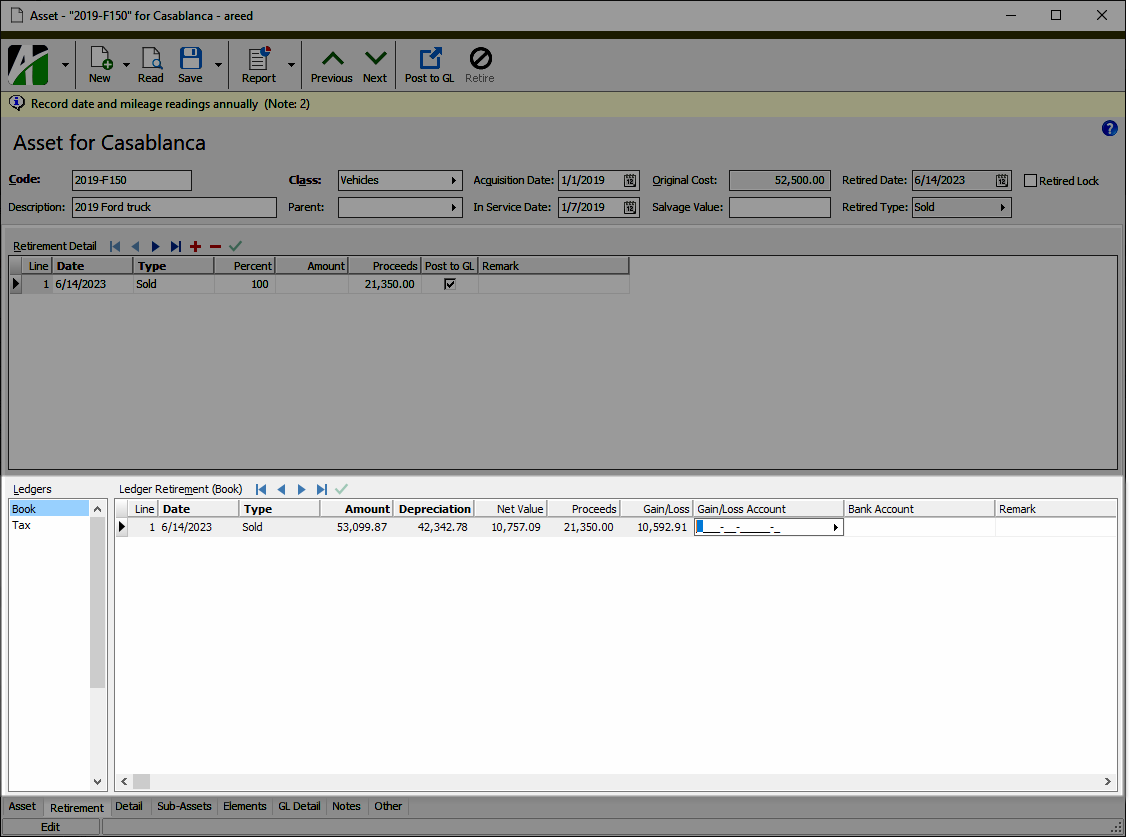
If the gain/loss account or bank account contains blanks or is invalid, the field is shaded yellow. If you override the default account number, the account number displays in purple.
Asset ledger retirement security
Common accesses available on asset ledger retirement
| Access | A user with this access can... |
|---|---|
| Change | Use the mass change action on asset ledger retirement records. |
| Data | Have read-only access to asset ledger retirement records from anywhere in the software (e.g., field validations, filters, date expressions). |
| Edit | Edit asset ledger retirement records. |
| Read | Have read-only access to asset ledger retirement records. |
| Report | Run reports with asset ledger retirement information. |
| Report Designs | Create and edit report designs with asset ledger retirement information. This access enables the Report Designs button on the Output tab of report dialogs. |
| Shared Answers | Create and edit saved answers related to asset ledger retirement. |
| Shared Filters | Create and edit shared filters on asset ledger retirement records. |
| Visible | View the Assets > Ledger Retirement folder in the Navigation pane. |
Asset ledger retirement filters
The following built-in filter is available for asset ledger retirement lines:
| Filter Name | Effect |
|---|---|
| Has Invalid Accounts | Lists asset ledger retirement lines with invalid GL accounts. |