I-9 Record ID
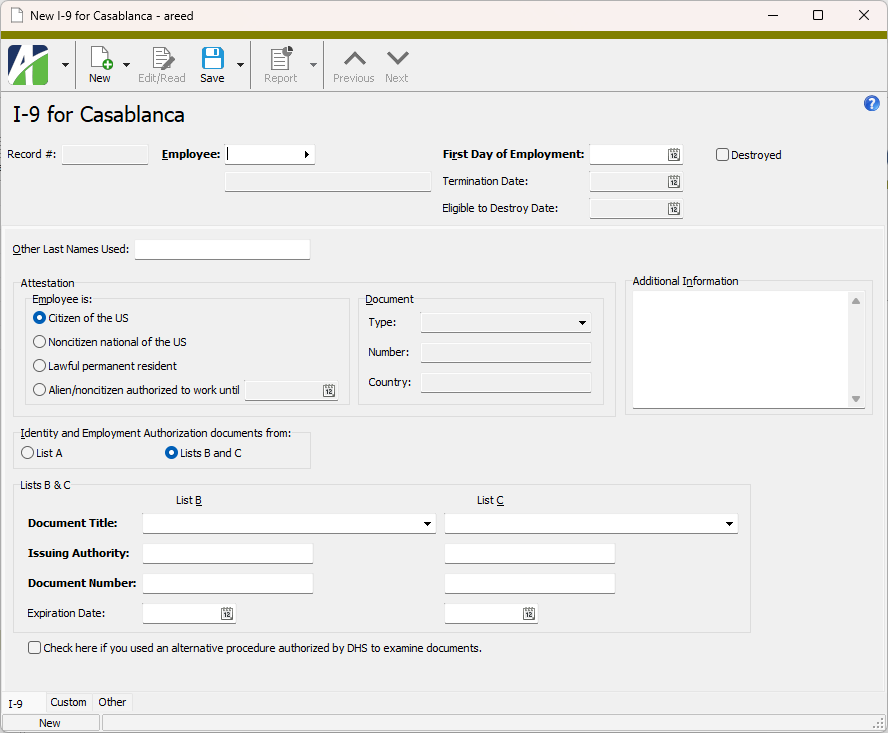
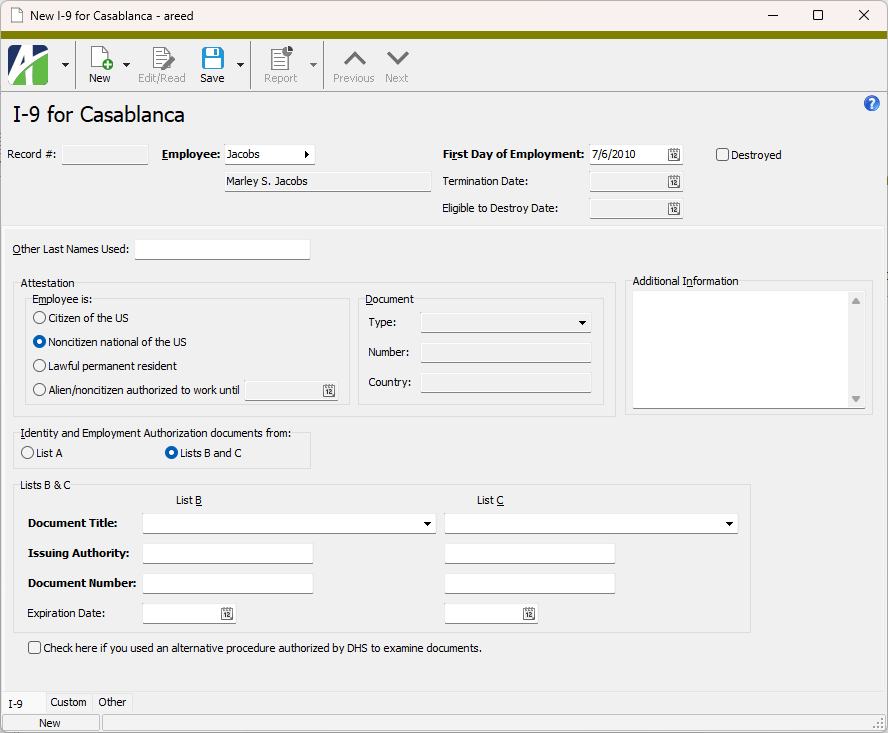
Record #
The identifier automatically assigned to the I-9 record by ActivityHD.
Employee
The employee represented on the I-9 record.
First Day of Employment
The date in this field defaults to the date of the latest "Hire" status for the selected employee. If this date is incorrect, enter the actual first day of employment. (If the status date and first day of employment do not match, you are warned and may need to adjust the employee status date.)
If the wrong date is entered in this field, clear the date and tab to revert back to the default date.
Termination Date
Displays the date the employee was separated from your organization, if any. The termination date is based on the effective date of the latest "Termination" status following the last "Hired" status.
Eligible to Destroy Date
Displays the calculated earliest date that the I-9 record can be lawfully destroyed. The calculation is based on the following retention rules:
- If the length of employment is greater than two years, retain the I-9 for one year after the termination date.
- If the length of employment is less than two years, retain the I-9 for three years after the first day of employment.
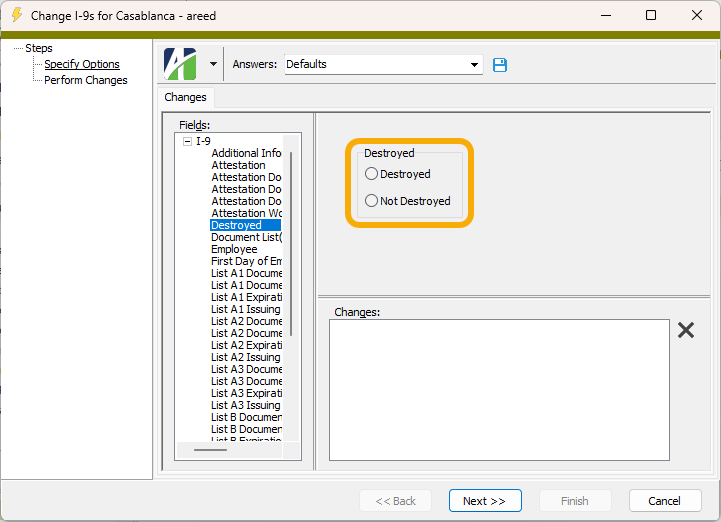
Destroyed
If the checkbox is marked, indicates the I-9 record has been destroyed.
I-9 tab
Other Last Names Used
Other last names that the employee has used (besides the last name on the employee record).
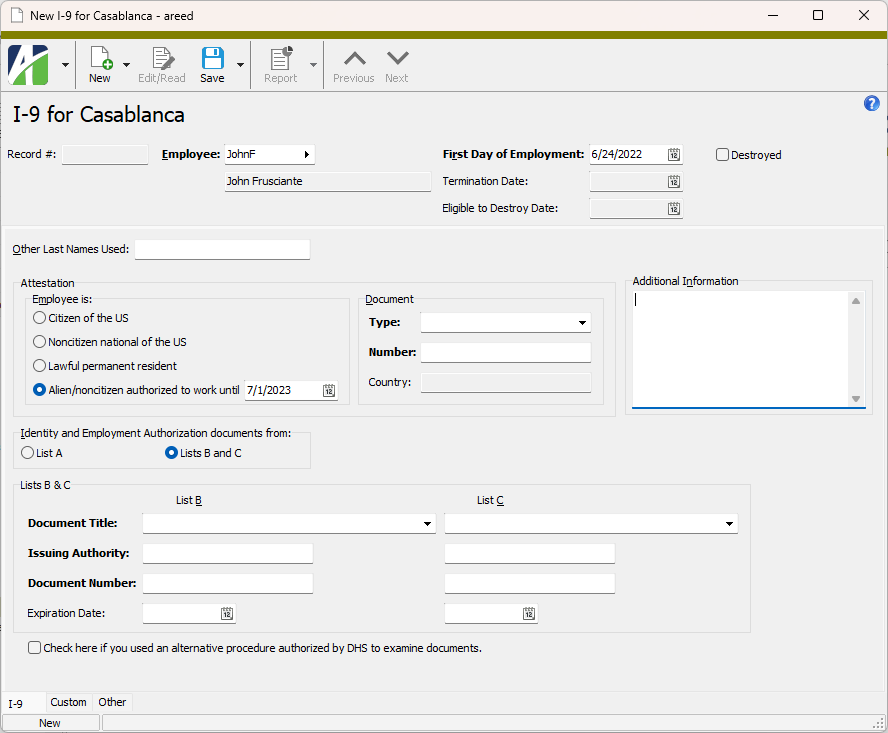
Attestation
The employee's citizenship or immigration status and information about the document used to establish the status.
Employee is
Select the citizenship or immigration status the employee indicated on the I-9 form. Your options are:
- Citizen of the US
- Noncitizen national of the US
- Lawful permanent resident
- Alien authorized to work until. If this option is selected, the accompanying date is the employment authorization expiration date, if the authorization expires.
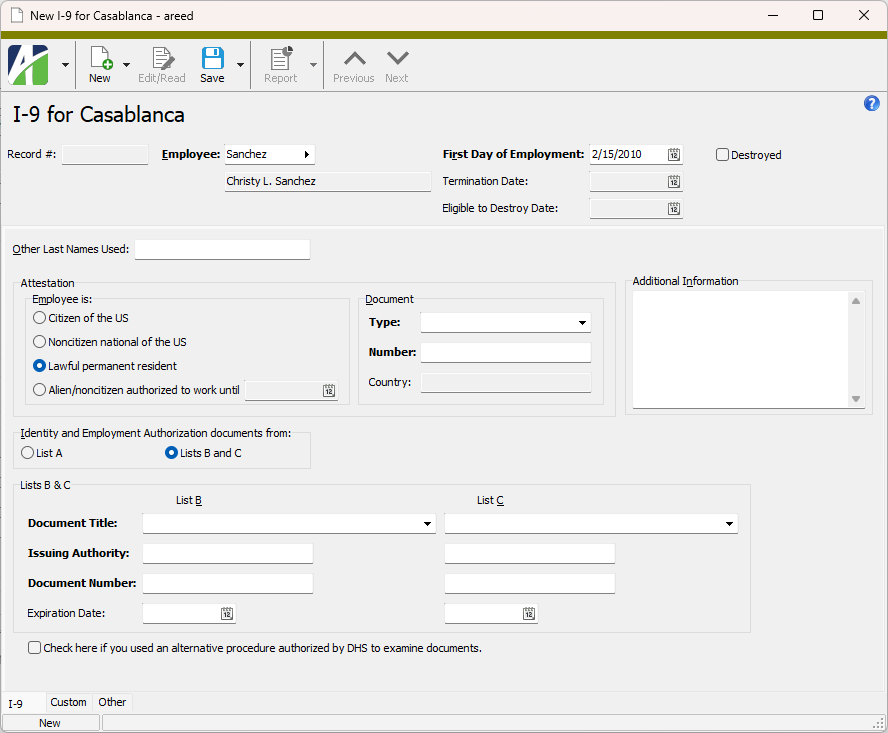
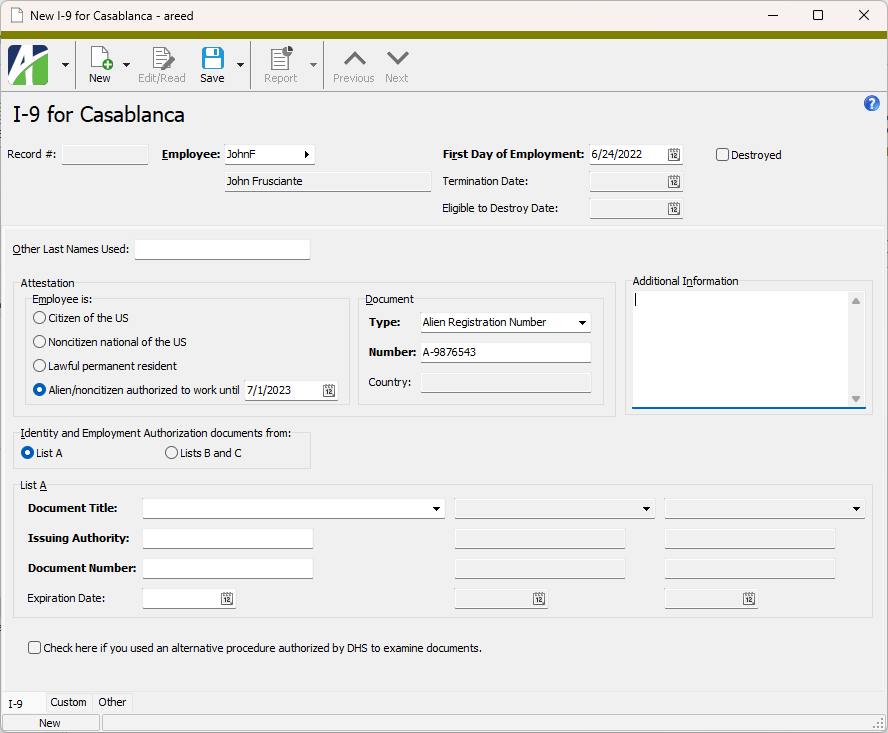
Authorization Number
Information about the the employee's authorization to work. These fields are enabled if "Lawful permanent resident" or "Alien authorized to work" is selected in the Employee is field.
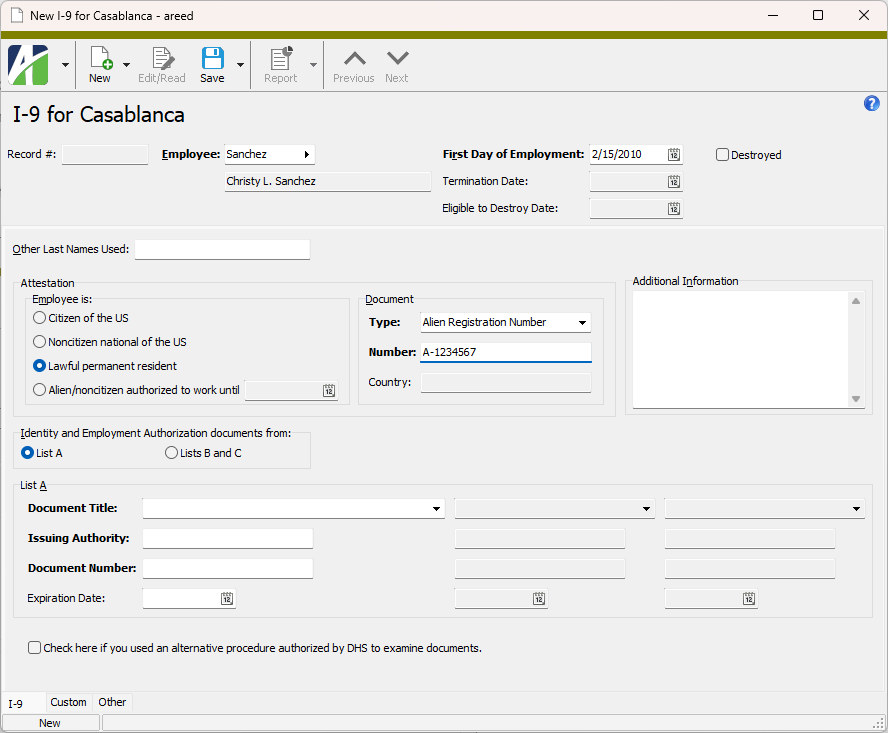
Type
The type of authorization number used to establish status.
If "Lawful permanent resident" is selected in the Employee is field, the following options are valid:
- Alien Registration Number
- USCIS Number
If "Alien authorized to work" is selected in the Employee is field, the following options are valid:
- Alien Registration Number
- Foreign Passport Number
- I-94 Admission Number
- USCIS Number
Number
The employee's authorization number that corresponds to the number type selected in the Type field.
Country
If "Alien authorized to work" is selected in the Employee is field and "Foreign Passport Number" is selected in the Type field, the country that issued the foreign passport.
Additional Information
Additional notations about the I-9. According to the Handbook for Employers M-274, these notations may include the following:
- Descriptions of extensions of employment authorization or a document's expiration date for individuals in certain nonimmigrant categories.
- Information from certain additional documents that nonimmigrant student employees may present.
- Replacement document information if a receipt for the document was originally presented.
- Discrepancies that E-Verify participants must note if participating in the IMAGE program.
- Other comments or notations that are useful to your business process (e.g., termination dates, form retention dates, E-Verify verification numbers).
Identity and Employment Authorization documents from
Indicates the list(s) the employee's identity and employment authorization documents come from. The lists are defined by U.S. Citizenship and Immigration Services. Valid options are:
- List A. The documents in List A establish both identity and employment authorization.
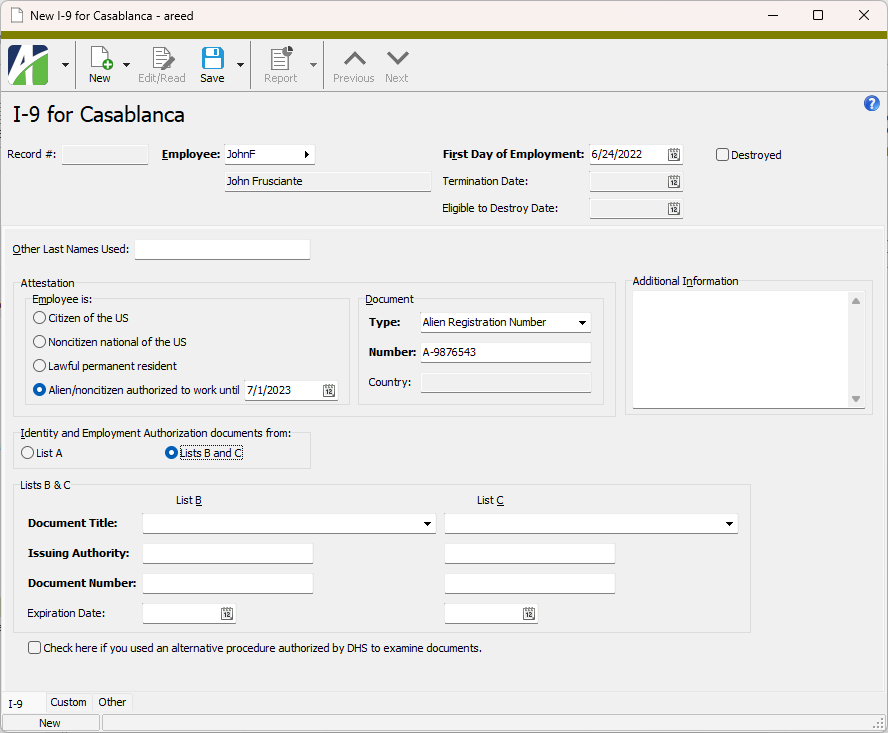
- Lists B and C. The documents in List B establish identity. The documents in List C establish employment authorization.
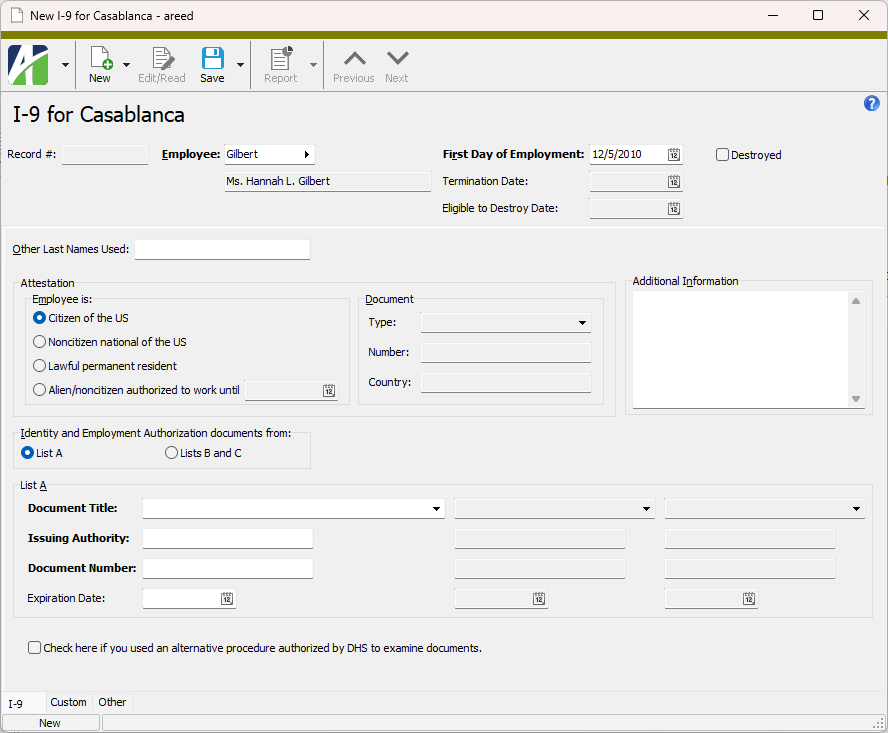
List A
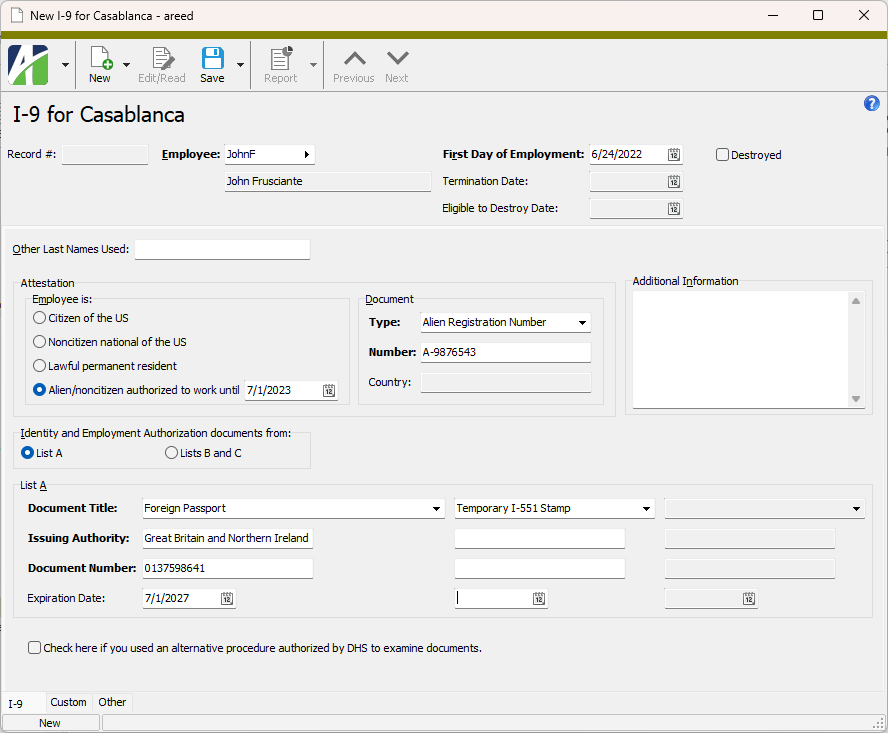
Column 1
Document Title
The "List A" document or receipt the employee presented. Valid titles are:
- U.S. Passport
- U.S. Passport Card
- Permanent Resident card (I-551)
- Alien Registration Receipt card (I-551)
- Foreign Passport
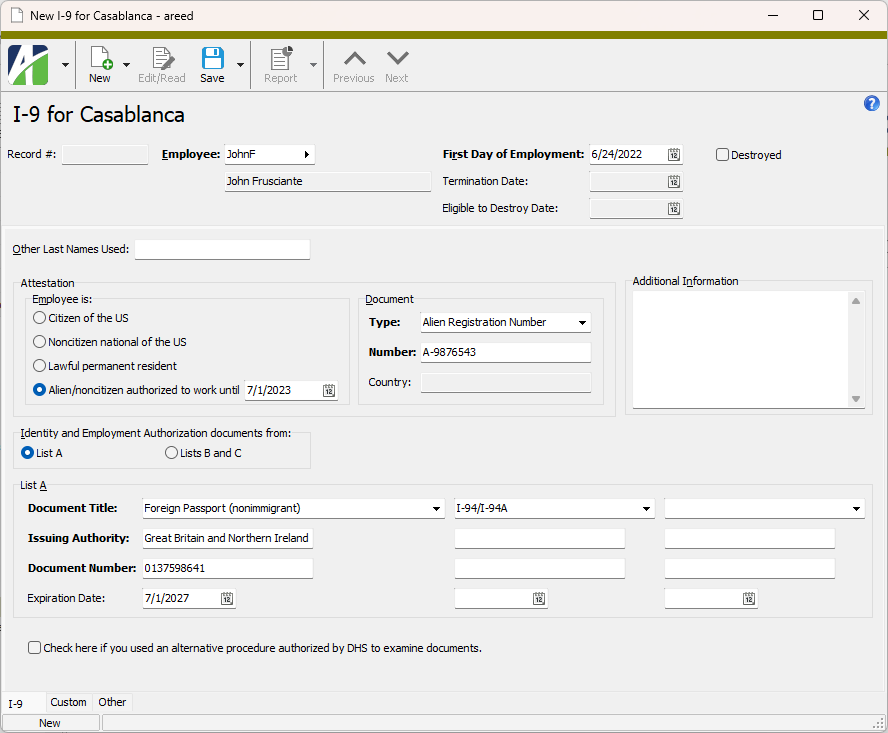
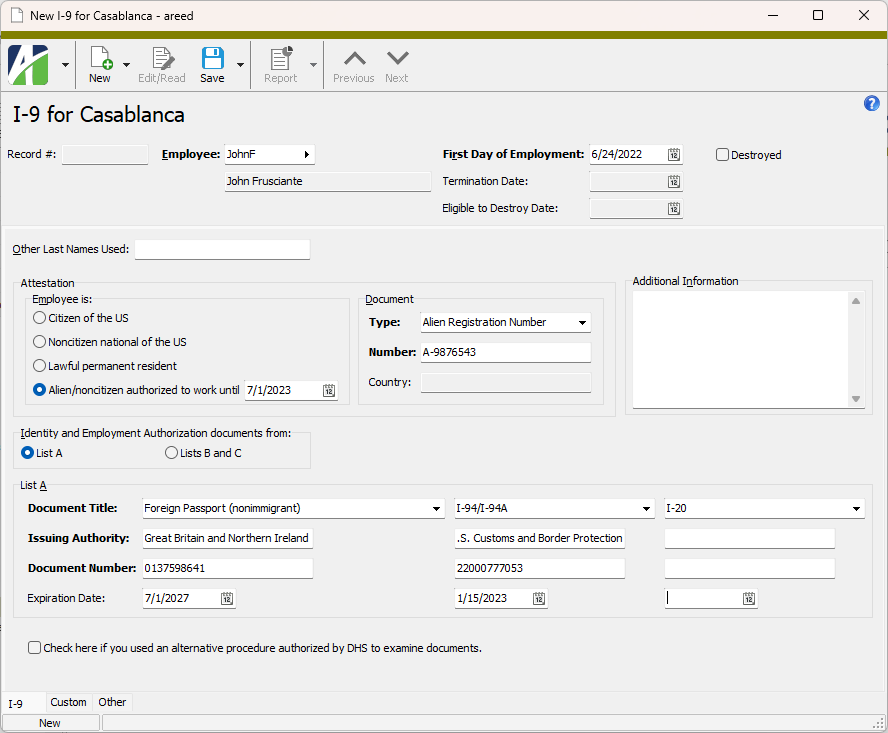
- Foreign Passport (nonimmigrant) - valid before 8/1/2023
- Foreign Passport (temporarily authorized) - valid on or after 8/1/2023
- Employment Authorization (I-766)
- Fed States of Micronesia Passport
- Rep of the Marshall Islands Passport
- Receipt: I-94/I-94A with I-551 stamp and photo
- Receipt: I-94/I-94A with refugee stamp
- Receipt: Replacement Perm Resident card (I-551)
- Receipt: Replacement Employment Auth (I-766)
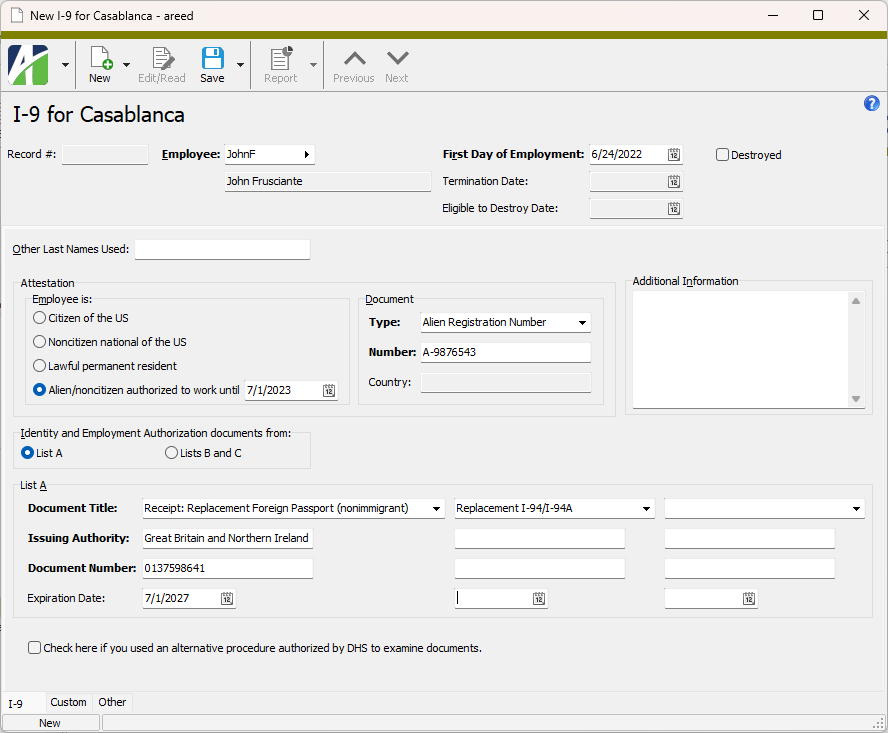
- Receipt: Replacement Foreign Passport (nonimmigrant)
- Receipt: Replacement Foreign Passport (temp authorized)
- Receipt: Replacement Fed States of Micronesia Passport
- Receipt: Replacement Rep of Marshall Islands Passport
Issuing Authority
The name of the issuing authority for the selected List A document or receipt in column 1.
Document Number
The document number of the List A document or receipt in column 1, if any. If none, enter "N/A".
Expiration Date
The date the List A document in column 1 expires. For a receipt, the expiration date of the receipt validity period. Expired documents should not be accepted.
Column 2
Document Title
The additional List A document presented based upon the document selected in column 1.
- If "Foreign Passport" is selected in column 1, valid options for column 2 are:
- Temporary I-551 Stamp
- Machine-readable immigrant visa (MRIV)
- If "Foreign Passport (nonimmigrant)", "Fed States of Micronesia Passport", or "Rep of the Marshall Islands Passport" is selected in column 1, the only valid option for column 2 is:
- If "Receipt: Replacement Foreign Passport (nonimmigrant), "Receipt: Replacement Fed States of Micronesia Passport", or "Receipt: Replacement Rep of Marshall Islands Passport" is selected in column 1, the only valid option for column 2 is:
- Receipt: Replacement I-94/I-94A
Issuing Authority
The name of the issuing authority for the selected List A document or receipt in column 2.
Document Number
The document number of the document or receipt in column 2, if any. If none, enter "N/A".
Expiration Date
The date the document in column 2 expires. For a receipt, the expiration date of the receipt validity period. Expired documents should not be accepted.
Column 3
Document Title
The additional List A document presented based upon the document selected in column 2.
- If "Foreign Passport (nonimmigration)" or "Receipt: Replacement Foreign Passport (nonimmigrant)" is selected in column 1, valid options for column 3 are:
Issuing Authority
The name of the issuing authority for the selected List A document in column 3.
Document Number
The document number of the List A document in column 3, if any. If none, enter "N/A".
Expiration Date
The date the document in column 3 expires. Expired documents should not be accepted.
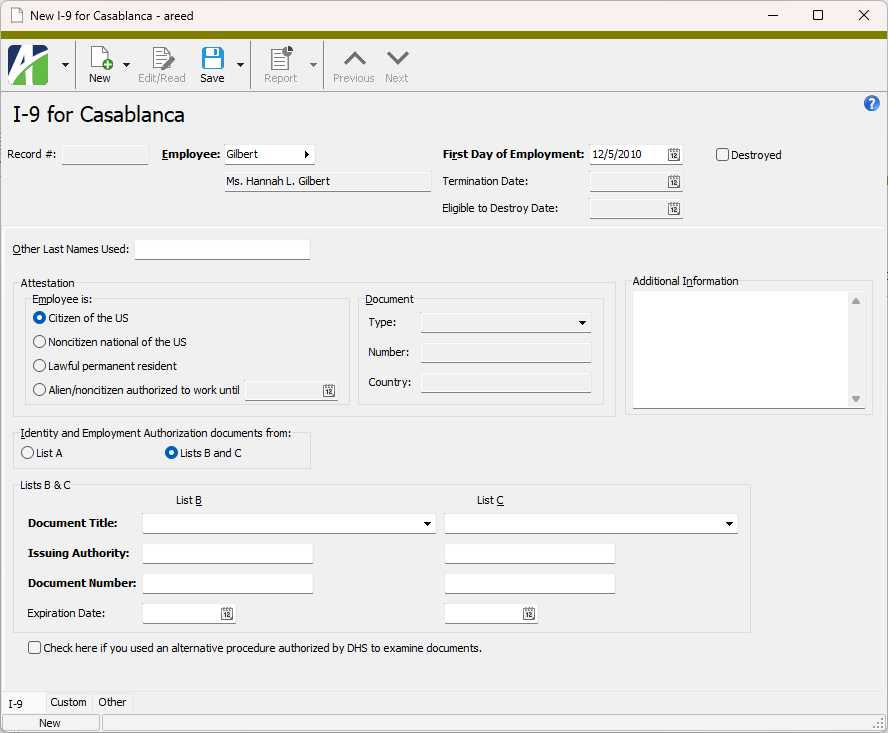
Lists B & C
List B
Document Title
The List B document presented to establish identity. Valid options are:
- Driver's license issued by state/territory
- ID card issued by state/territory
- Government ID (not driver's license)
- School ID
- Voter registration card
- U.S. Military card
- U.S. Military draft record
- Military dependent's ID card
- USCG Merchant Mariner card
- Native American tribal document
- Canadian driver's license
- School record (under 18)
- Report card (under 18)
- Clinic record (under 18)
- Doctor record (under 18)
- Hospital record (under 18)
- Day-care record (under 18)
- Nursery school record (under 18)
- Individual under Age 18 endorsement
- Special Placement (persons with disabilities)
- Receipt: Replacement Driver's license
- Receipt: Replacement ID card
- Receipt: Replacement Government ID
- Receipt: Replacement School ID
- Receipt: Replacement Voter registration card
- Receipt: Replacement U.S. Military card
- Receipt: Replacement U.S. Miltary dependent card
- Receipt: Replacement U.S. Military draft record
- Receipt: Replacement Merchant Mariner card
- Receipt: Replacement Canadian driver's license
- Receipt: Replacement Native American tribal document
- Receipt: Replacement School record (under 18)
- Receipt: Replacement Report card (under 18)
- Receipt: Replacement Clinic record (under 18)
- Receipt: Replacement Doctor record (under 18)
- Receipt: Replacement Hospital record (under 18)
- Receipt: Replacement Day-care record (under 18)
- Receipt: Replacement Nursery school record (under 18)
Issuing Authority
The name of the issuing authority for the selected List B document or receipt.
Document Number
The document number of the selected List B document or receipt, if any. If none, enter "N/A".
Expiration Date
The date the List B document expires. For a receipt, the expiration date of the receipt validity period. Expired documents should not be accepted.
List C
Document Title
The List C document presented to establish employment authorization. Valid options are:
- Social Security Card (unrestricted)
- FS-545
- DS-1350
- FS-240
- Birth certificate
- Native American tribal document
- I-197
- I-179
- I-94 Arrival/Departure record
- I-571 Refugee Travel document
- I-327 Reentry Permit
- N-560 Certificate of U.S. citizenship
- N-561 Replacement cert of citizenship
- N-550 Certificate of naturalization
- N-570 Replacement cert of naturalization
- Receipt: Replacement Social Security card
- Receipt: Replacement Birth certificate
- Receipt: Replacement Native American tribal document
- Receipt: Replacement I-94 Arrival/Departure
- Receipt: Replacement I-571 Refugee Travel
- Receipt: Replacement I-327 Reentry Permit
Issuing Authority
The name of the issuing authority for the selected List C document or receipt.
Document Number
The document number of the selected List C document or receipt, if any. If none, enter "N/A".
Expiration Date
The date the List C document expires. For a receipt, the expiration date of the receipt validity period. Expired documents should not be accepted.
Check here if you used an alternative procedure authorized by DHS to examine documents
Mark this checkbox if an alternative method was used to verify identity and employment authorization.
Custom tab
This tab is visible if custom fields exist for the entity. At a minimum, if there are custom fields, a Fields subtab will be present. One or more additional categories of subtabs may also be visible.
Fields subtab
This tab prompts for values for any custom fields set up for entity records of this entity type. Respond to the prompts as appropriate.
References subtab
This tab is visible if other records reference the current record.
Reference
From the drop-down list, select the custom field to view references for. Reference custom fields have the following format: PackageName.EntityName.CustomFieldName.
Example
Suppose a custom field exists on PRCodes that references an ARCode. On the ARCode record, on the Custom > References subtab, you can view all the PRCodes which reference that ARCode.
Exchange Folder subtab
This tab is visible only if you set up a custom field with a data type of "Exchange Folder". The label on this tab is the name assigned to the custom field.
This tab shows the contents of the specified Exchange folder.
File subtab
This tab is visible only if you set up a custom field with a data type of "File". The label on the tab is the name assigned to the custom field.
This tab renders the contents of the specified file according to its file type.
Internet Address subtab
This tab is visible only if you set up a custom field with a data type of "Internet Address". The label on this tab is the name assigned to the custom field.
This tab shows the contents of the specified web page.
Network Folder subtab
This tab is visible only if you set up a custom field with a data type of "Network Folder". The label on this tab is the name assigned to the custom field.
This tab shows the contents of the specified network folder.
Notes tab
The Notes pane shows the Notes HD view filtered to show all notes for the selected I-9 record.
Double-click a row in the pane to drill down to its record in the Note window.
The Attachments tab is visible if any record for a given entity has an attachment. If the Attachments tab is not visible, this implies that no record of the entity type has an attachment on it; however, once an attachment is added to any record of the entity type, the Attachments tab will become available.
Attachments
The list box shows the files which are attached to the current record. Highlight a file name to preview the file in the adjacent pane. Double-click a file name to open the file in its native editor.
Preview pane
If a file name is highlighted in the Attachments list box, this pane shows a preview of the file contents. Some file types cannot be previewed but can be double-clicked to open in their native editor.
Change Logs tab
This tab is visible if the user has "Change Logs" access to the associated data folder resource.
The Change Logs pane shows the Change Logs HD view filtered to show all change logs for the selected entity record.
Double-click a row in the pane to drill down to its record in the Change Log window.
Other tab
Memo tab
To include additional information about this record not collected elsewhere, enter it in this text box. This area supports common keyboard shortcuts such as Ctrl+C to copy and Ctrl+V to paste.
Timestamps tab
This tab shows the user who created this record and the date and time of creation as well as the user, date, and time of the latest modification to the record.
In addition, if the I-9 record has been destroyed, this tab shows the user who destroyed the record and the date and time the record was destroyed.
Developer tab
This tab is visible only when developer features are enabled.
Automation subtab
This subtab shows field names and values for the current data record. Use the information in the subtab to assist when creating automation objects such as bots and import files. The field names and field values can be copied from the text box and pasted directly into your code or application. To copy content from the text box, highlight the content to copy and press Ctrl+C or right-click your selection and select Copy from the context menu.
Export (XML | JSON) subtab
This subtab shows the XML syntax for exporting the selected data record. The syntax can be copied from the text box as an exemplar for creating your own automation objects for bots, import files, ActivWebAPI, etc. To copy content from the text box, highlight the content to copy and press Ctrl+C or right-click your selection and select Copy from the context menu.
Import (XML | JSON) subtab
This subtab allows you to select a file for import and shows the XML syntax for importing data records. Use the subtab to explore the XML syntax for importing data records. In particular, you can investigate the syntax which results when using Data.Import and ActivWebAPI data POST and DELETE routes.
Change Log (XML | JSON) subtab
This subtab is visible only when the Enable Change Logs option is marked in System Options or Company Options (depending on whether the feature applies at the system or the company level). This is the default setting when developer features are enabled.
This subtab allows you to investigate changes to the current data record. The syntax can be copied for use in bots, dashboards, ActivWebAPI, and other automation. To copy content from the text box, highlight the content to copy and press Ctrl+C or right-click your selection and select Copy from the context menu.
Select Statement (SQL) subtab
This subtab allows you to investigate the SQL select statement used to retrieve the current data record. The syntax can be copied as an exemplar for data sources and other automation. To copy content from the text box, highlight the content to copy and press Ctrl+C or right-click your selection and select Copy from the context menu.
 Record an I-9
 . The New I-9 window opens.